






Что это такое?
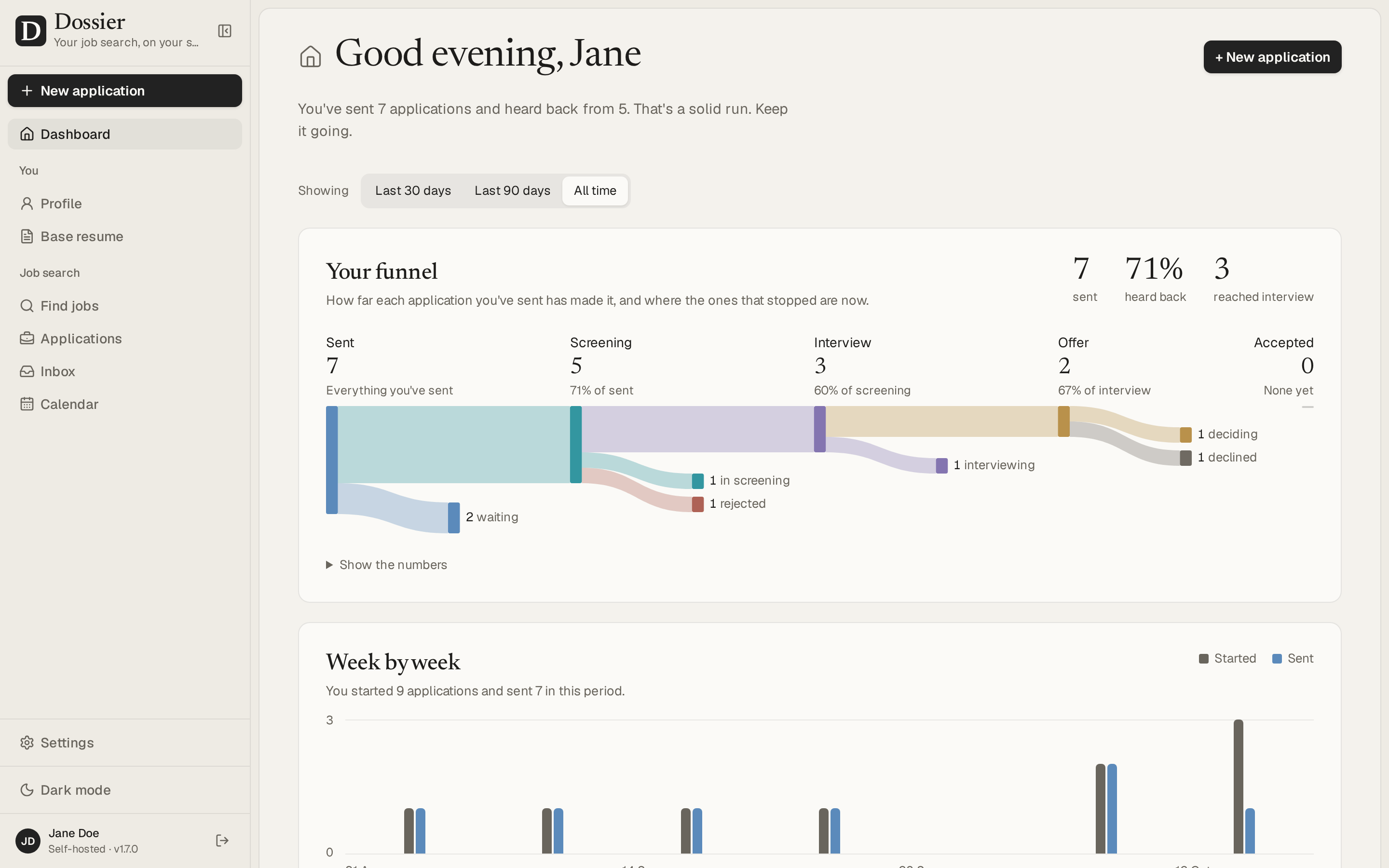
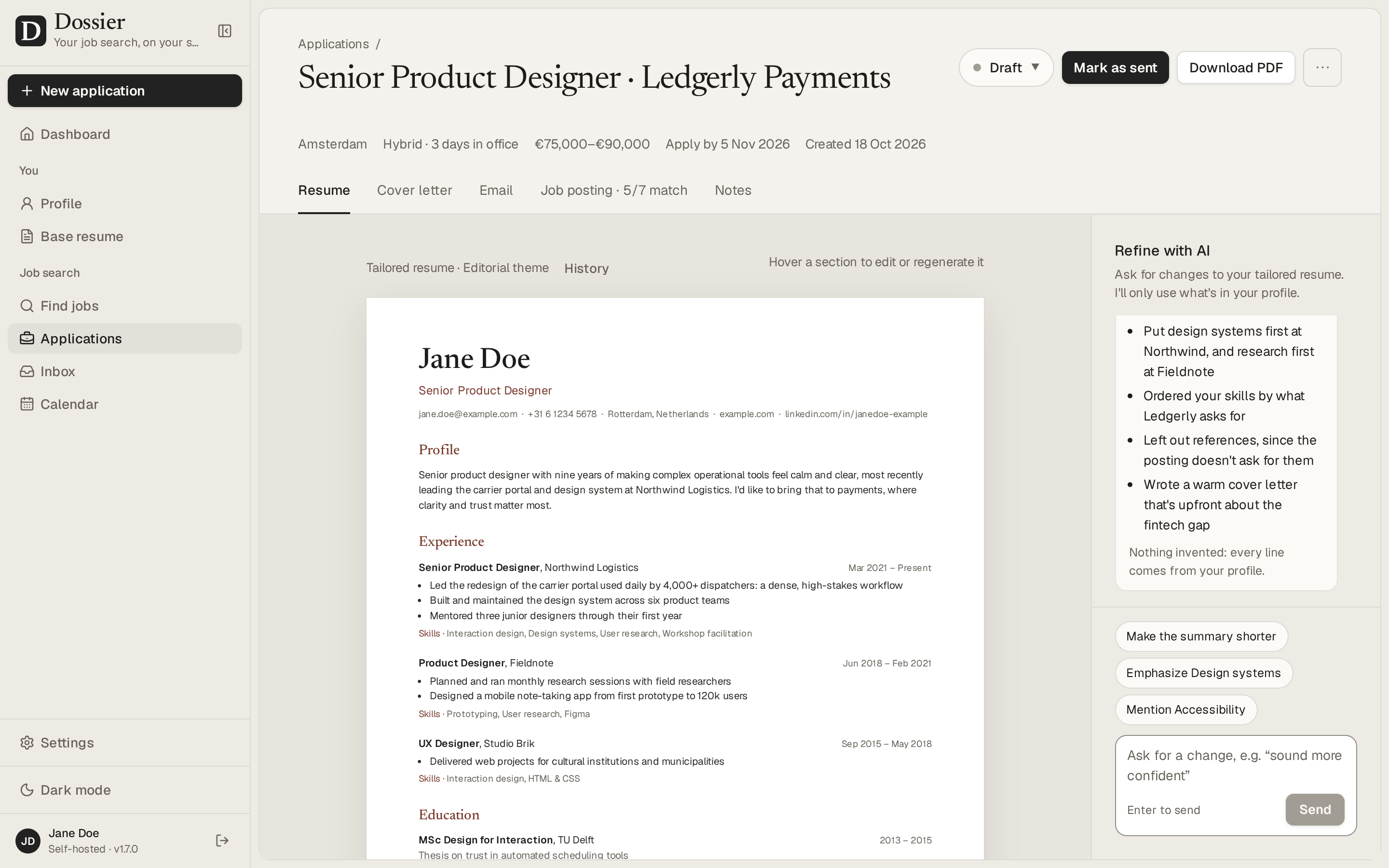
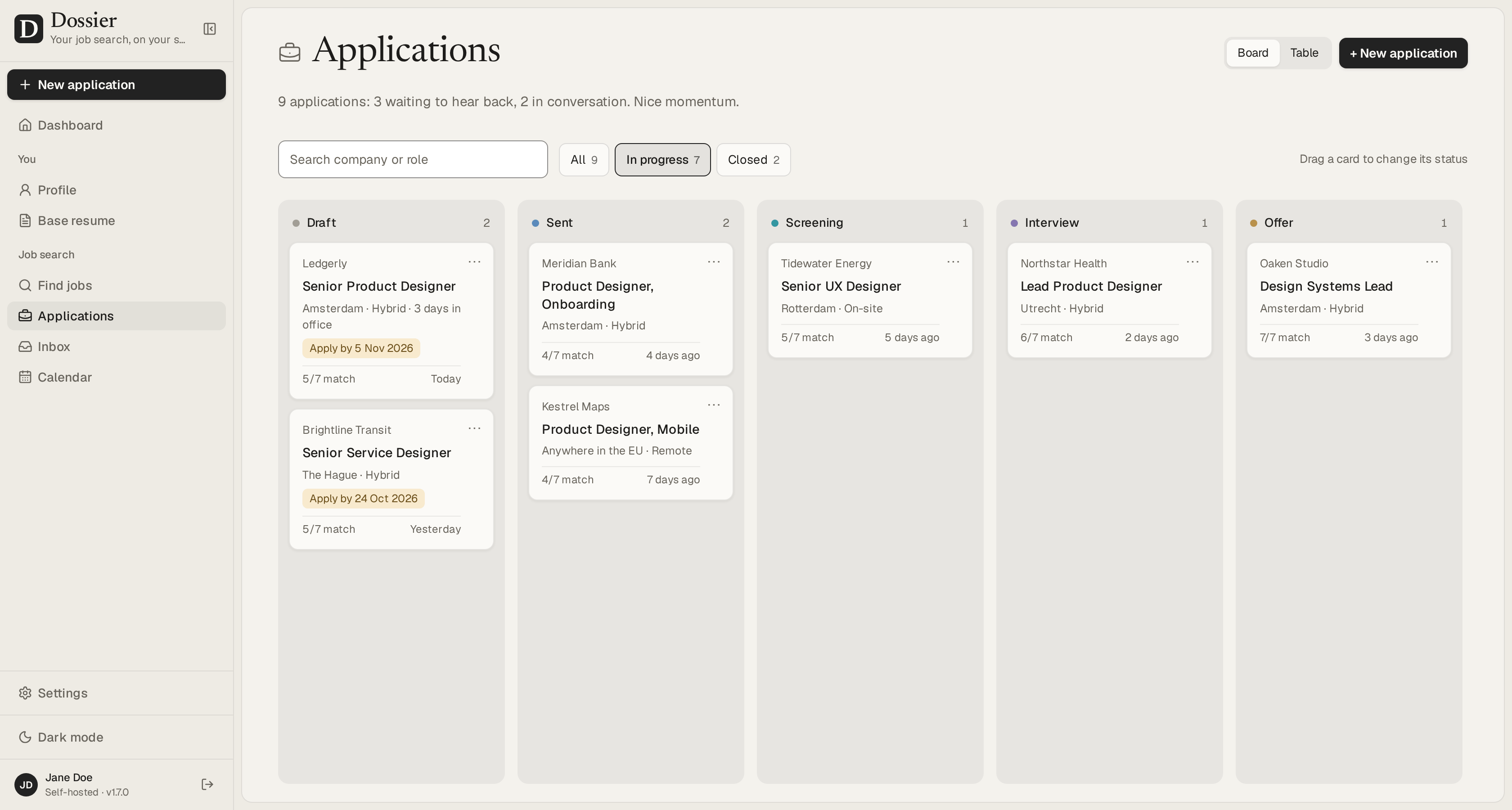
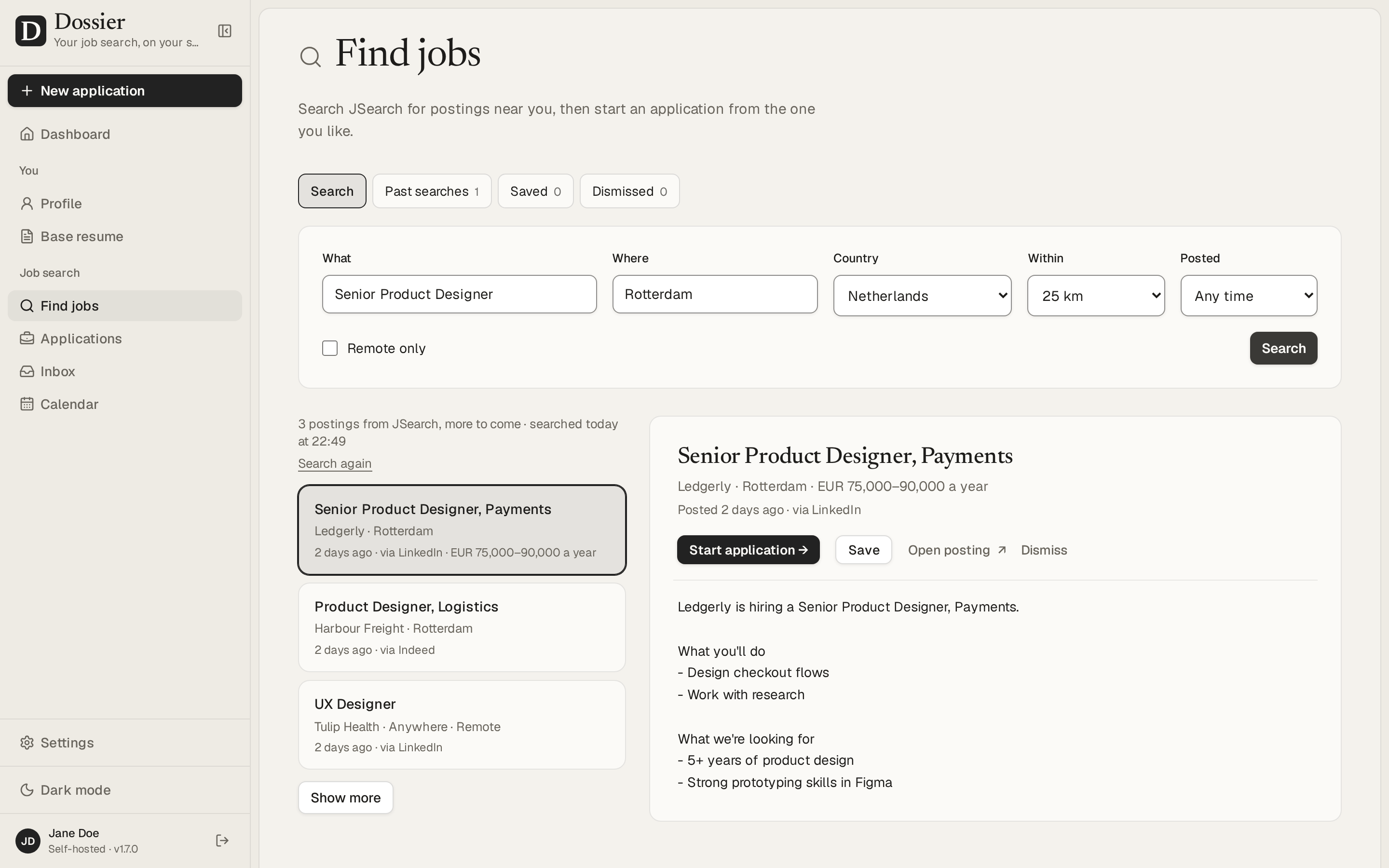
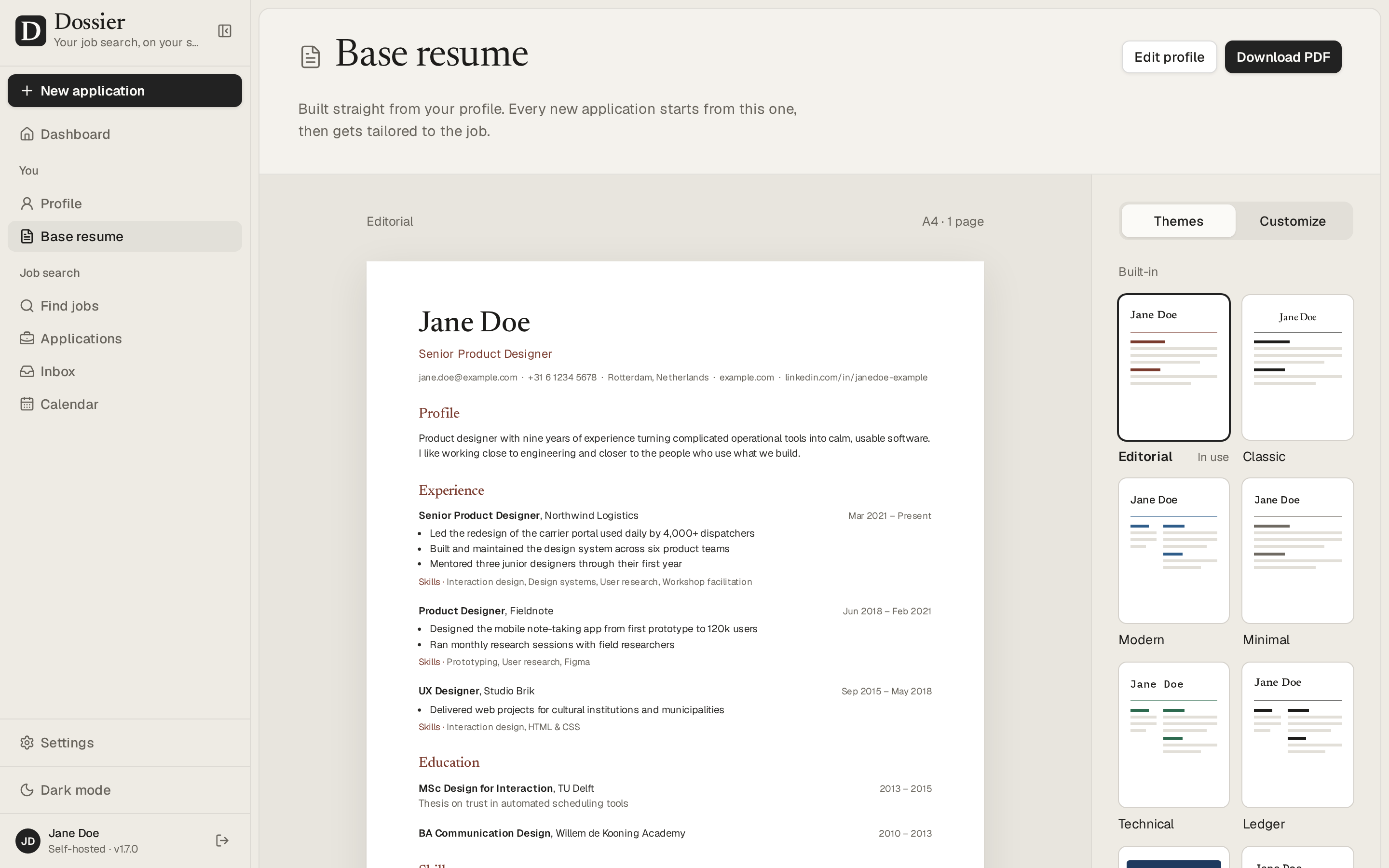
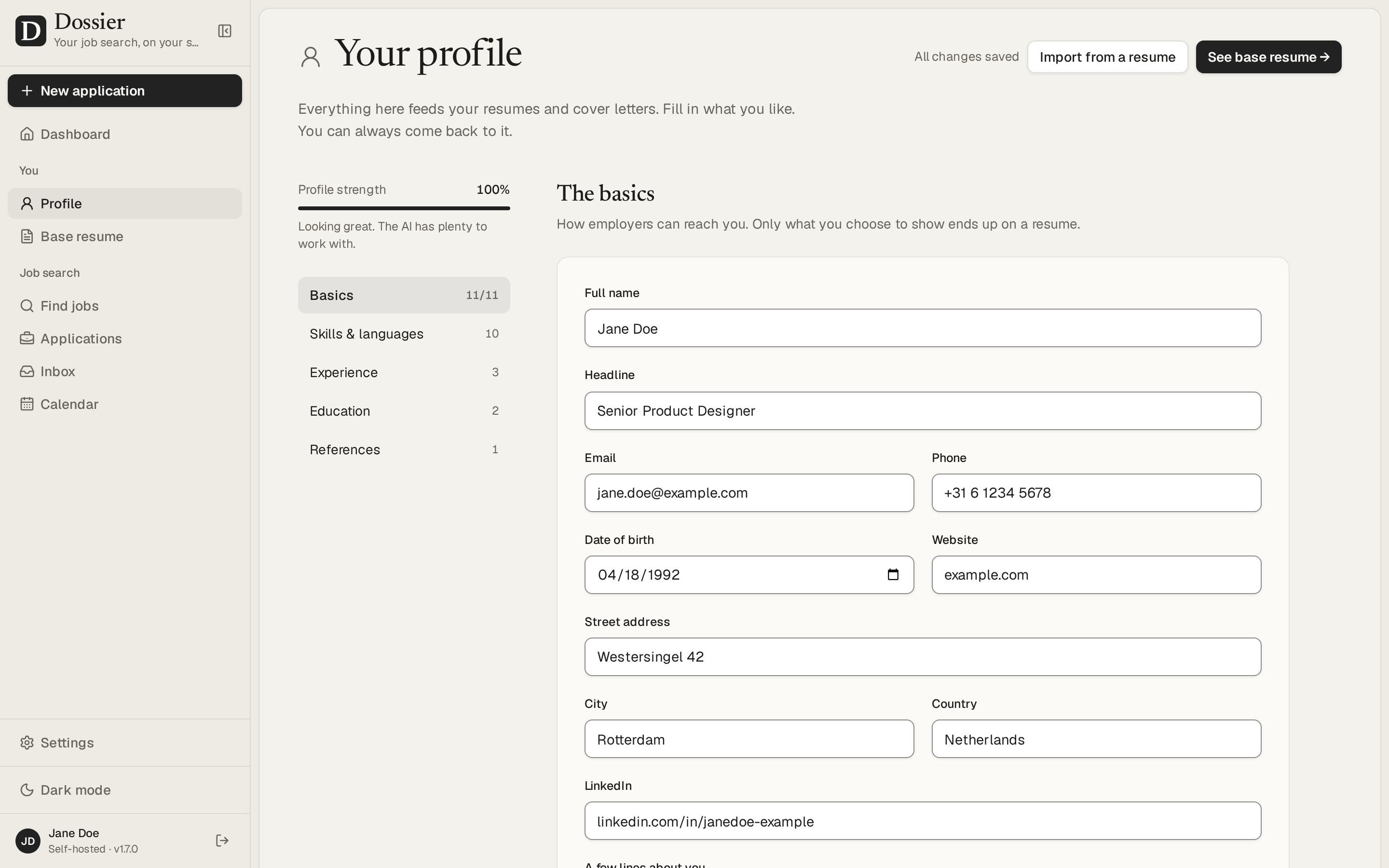
 Dossier — это веб-приложение для поиска работы, которое развертывается на собственном сервере. Вы ведёте один профиль с опытом, а для каждой вакансии приложение составляет под неё резюме и сопроводительное письмо, позволяет доработать их в чате и отслеживает каждый отклик от черновика до оффера.
Это веб-приложение, которое я размещаю сам, или облачный сервис?Это веб-приложение для самостоятельного размещения: вы запускаете его в виде двух контейнеров Docker (приложение Next.js и PostgreSQL) за своим обратным прокси-сервером. Облачной версии нет.
Это веб-приложение для самостоятельного размещения: вы запускаете его в виде двух контейнеров Docker (приложение Next.js и PostgreSQL) за своим обратным прокси-сервером. Облачной версии нет.Как это запустить?Арендуйте VPS на Linux с установленными Docker и Docker Compose, скачайте файл Compose, задайте секреты в .env (пароль от базы данных, DOSSIER_SECRET, хешированный DOSSIER_PASSWORD), выполните docker compose up -d, а затем поставьте перед приложением обратный прокси, например Caddy, для HTTPS.
Арендуйте VPS на Linux с установленными Docker и Docker Compose, скачайте файл Compose, задайте секреты в .env (пароль от базы данных, DOSSIER_SECRET, хешированный DOSSIER_PASSWORD), выполните docker compose up -d, а затем поставьте перед приложением обратный прокси, например Caddy, для HTTPS.Нужен ли мне провайдер ИИ или API-ключ?Да, его нужно выбрать в разделе «Настройки»: либо локальную модель через Ollama, которая бесплатно хранит всё на вашем сервере, либо облачного провайдера через любой API, совместимый с OpenAI, или Claude от Anthropic, используя ваш собственный API-ключ.
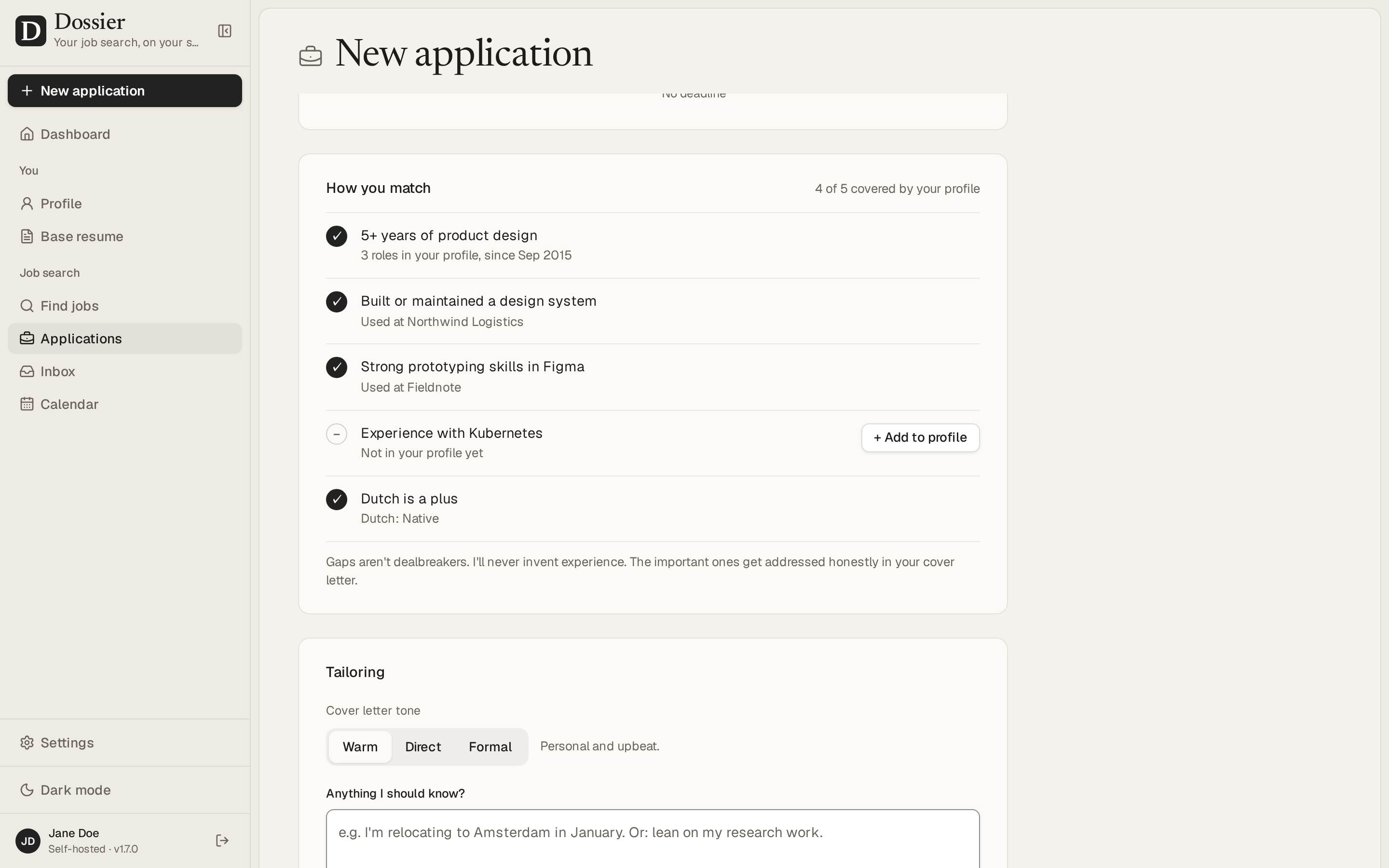
Да, его нужно выбрать в разделе «Настройки»: либо локальную модель через Ollama, которая бесплатно хранит всё на вашем сервере, либо облачного провайдера через любой API, совместимый с OpenAI, или Claude от Anthropic, используя ваш собственный API-ключ.Может ли оно придумать опыт, которого у меня нет?Нет: черновики ограничены фактами, уже указанными в вашем профиле, а то, что требует вакансия и чего нет в профиле, помечается как пробел, а не выдумывается.
Нет: черновики ограничены фактами, уже указанными в вашем профиле, а то, что требует вакансия и чего нет в профиле, помечается как пробел, а не выдумывается.Можно ли запустить это на любом небольшом VPS?Да, подойдёт любой сервер на Linux с доступом по SSH: для облачного провайдера ИИ хватит примерно 2 vCPU и 2 ГБ RAM, а если запускать локальную модель вроде qwen2.5:7b через Ollama, понадобится больше (примерно на 6 ГБ памяти больше и 4+ ядра).
Да, подойдёт любой сервер на Linux с доступом по SSH: для облачного провайдера ИИ хватит примерно 2 vCPU и 2 ГБ RAM, а если запускать локальную модель вроде qwen2.5:7b через Ollama, понадобится больше (примерно на 6 ГБ памяти больше и 4+ ядра).Где на самом деле хранятся данные моего резюме?Всё хранится в вашей собственной базе данных PostgreSQL на вашем сервере, а если вы выберете локальную модель Ollama, ваш профиль, вакансии и документы никогда не покидают этот же сервер.
Всё хранится в вашей собственной базе данных PostgreSQL на вашем сервере, а если вы выберете локальную модель Ollama, ваш профиль, вакансии и документы никогда не покидают этот же сервер.Где оно может искать вакансии?Через JSearch, который собирает вакансии с LinkedIn, Indeed и других площадок, а также через Adzuna и Bundesagentur für Arbeit из Германии. Поиск можно вести рядом с вашим городом или в любом месте, которое вы выберете.
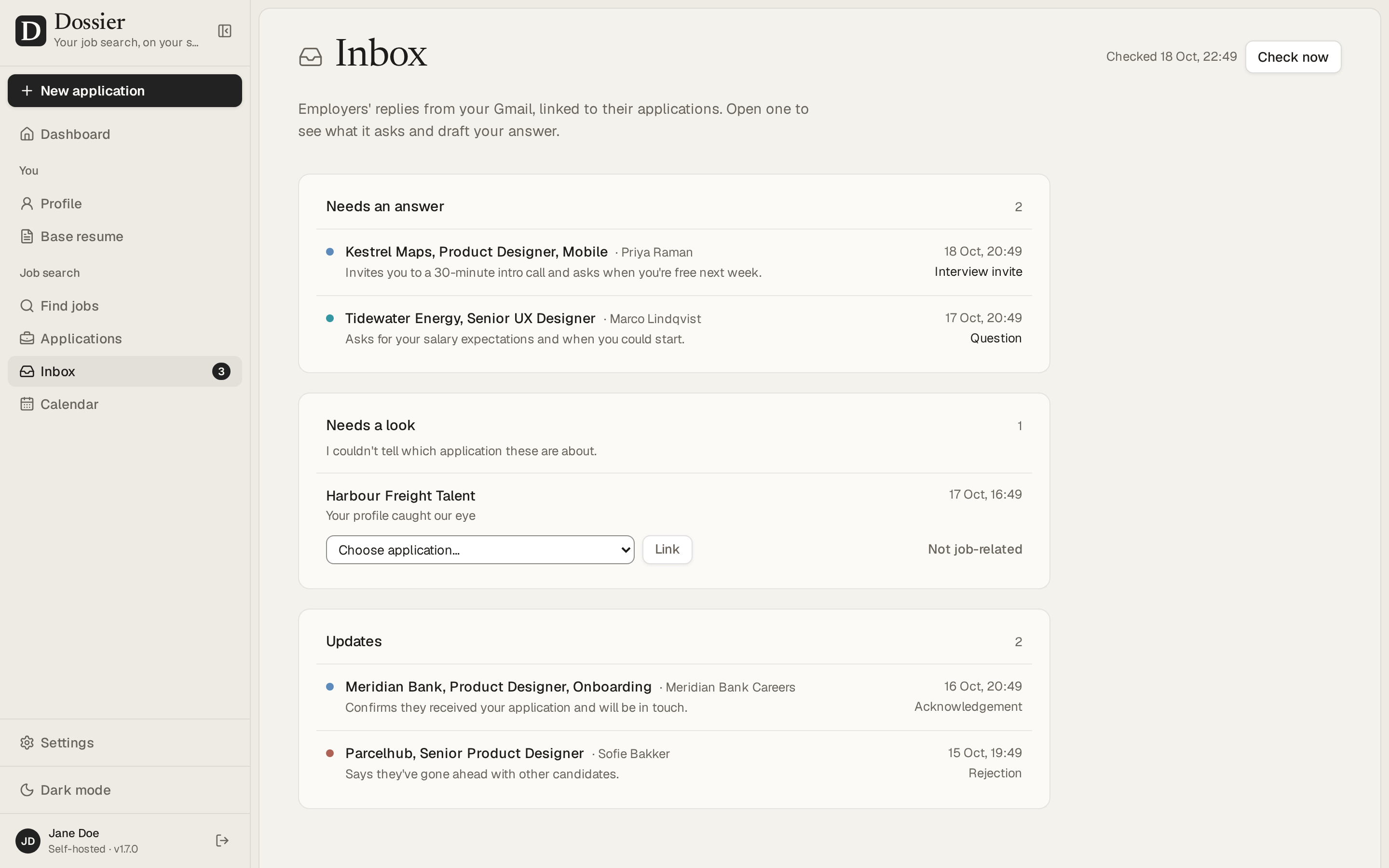
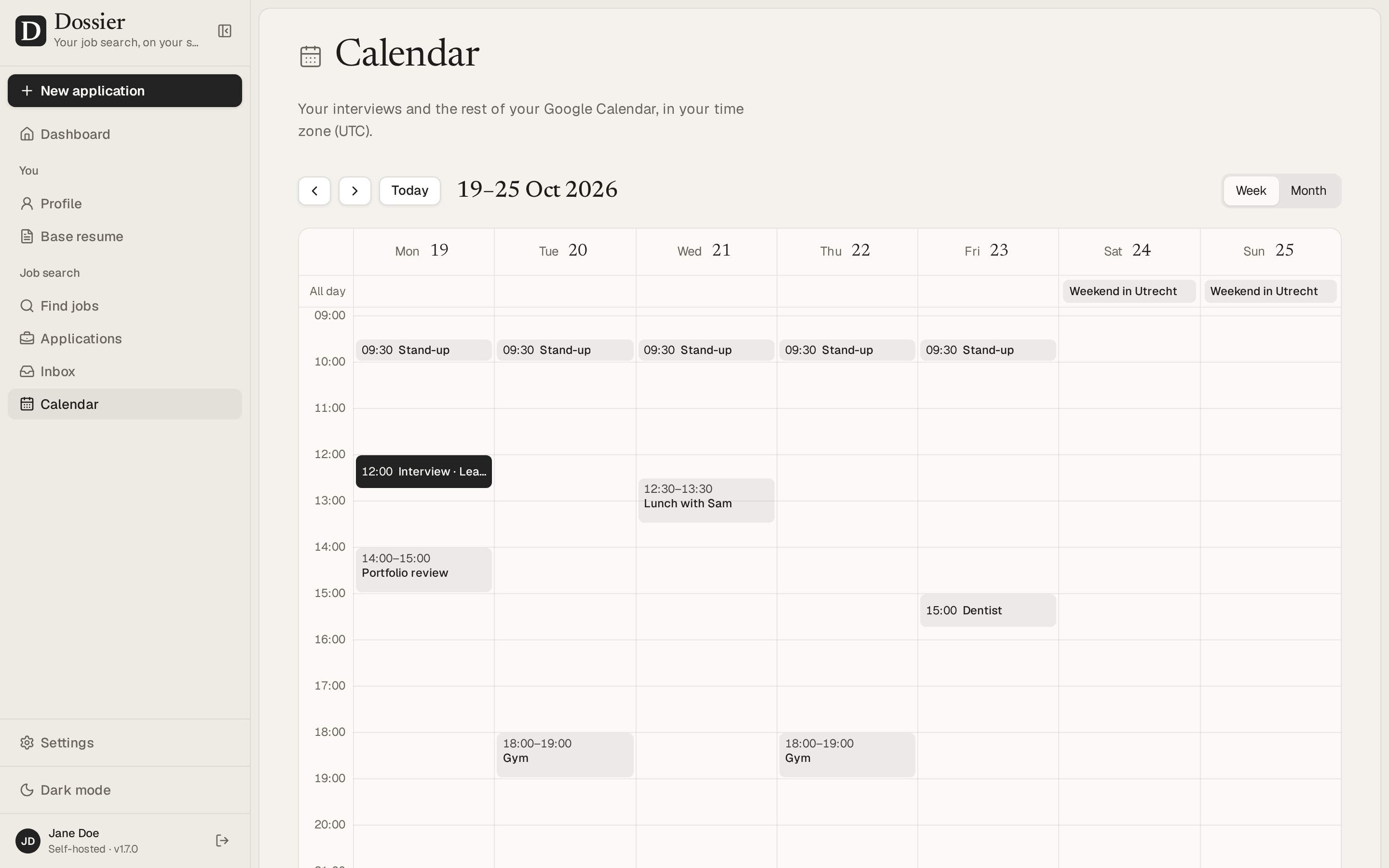
Через JSearch, который собирает вакансии с LinkedIn, Indeed и других площадок, а также через Adzuna и Bundesagentur für Arbeit из Германии. Поиск можно вести рядом с вашим городом или в любом месте, которое вы выберете.Умеет ли оно обрабатывать ответы работодателей и назначать собеседования?По желанию — если подключить Gmail и Google Calendar: оно может показывать ответы работодателей рядом с каждым откликом, готовить черновики ответов на основе вашего профиля и синхронизировать собеседования с вашим Google Календарём в обе стороны. Ничего не отправляется без вашего подтверждения.
По желанию — если подключить Gmail и Google Calendar: оно может показывать ответы работодателей рядом с каждым откликом, готовить черновики ответов на основе вашего профиля и синхронизировать собеседования с вашим Google Календарём в обе стороны. Ничего не отправляется без вашего подтверждения.Сколько дизайнов резюме есть в комплекте?Двенадцать тем и конструктор тем. Все они доступны для предпросмотра в реальном времени и выводятся в PDF на сервере, а темы можно дублировать или передавать другим в виде файлов.
Двенадцать тем и конструктор тем. Все они доступны для предпросмотра в реальном времени и выводятся в PDF на сервере, а темы можно дублировать или передавать другим в виде файлов.Для кого это на самом деле сделано?Для одного человека, который запускает его на собственном небольшом сервере: один пароль, собственная база данных PostgreSQL и выбранная вами модель ИИ, а не многопользовательский SaaS.
Для одного человека, который запускает его на собственном небольшом сервере: один пароль, собственная база данных PostgreSQL и выбранная вами модель ИИ, а не многопользовательский SaaS.Какие есть похожие проекты?job-ops, Resume-Matcher, PilotDeck, sim, inbox-zero, penguin-mail, laya, AgentFlux
job-ops, Resume-Matcher, PilotDeck, sim, inbox-zero, penguin-mail, laya, AgentFluxВ каких он темах?gmail, resume, calendar, job-search, career, local-llm, openai-compatible, agpl, ollama, nextjs, pdf, postgresql
gmail, resume, calendar, job-search, career, local-llm, openai-compatible, agpl, ollama, nextjs, pdf, postgresql- Автор
- AienTech
- Размер
- 28.8 MB
- Звёзды
- 5.3K
- Обновлён
- КоммитNov 13Релизv1.14.0Nov 13
- Возраст
- 1 мес
- Коммиты · 90 дней