


NORIA
A Decoupled, Hexagonal Pipeline Orchestrator for Opportunity Extraction & Generative Evaluation
Designed and engineered by Ahmad Hassan (B-Ted).
The Vision
Opportunities define careers, yet discovery remains a chaotic manual process. Noria was created to bridge this gap. Noria connects humans to life-changing possibilities by crawling raw web pages, executing rigorous AI evaluations against human profiles, and sending real-time alerts. Whether helping students secure fully funded academic scholarships or matching developers with remote job postings, Noria converts raw internet noise into structured opportunities.
Screenshots
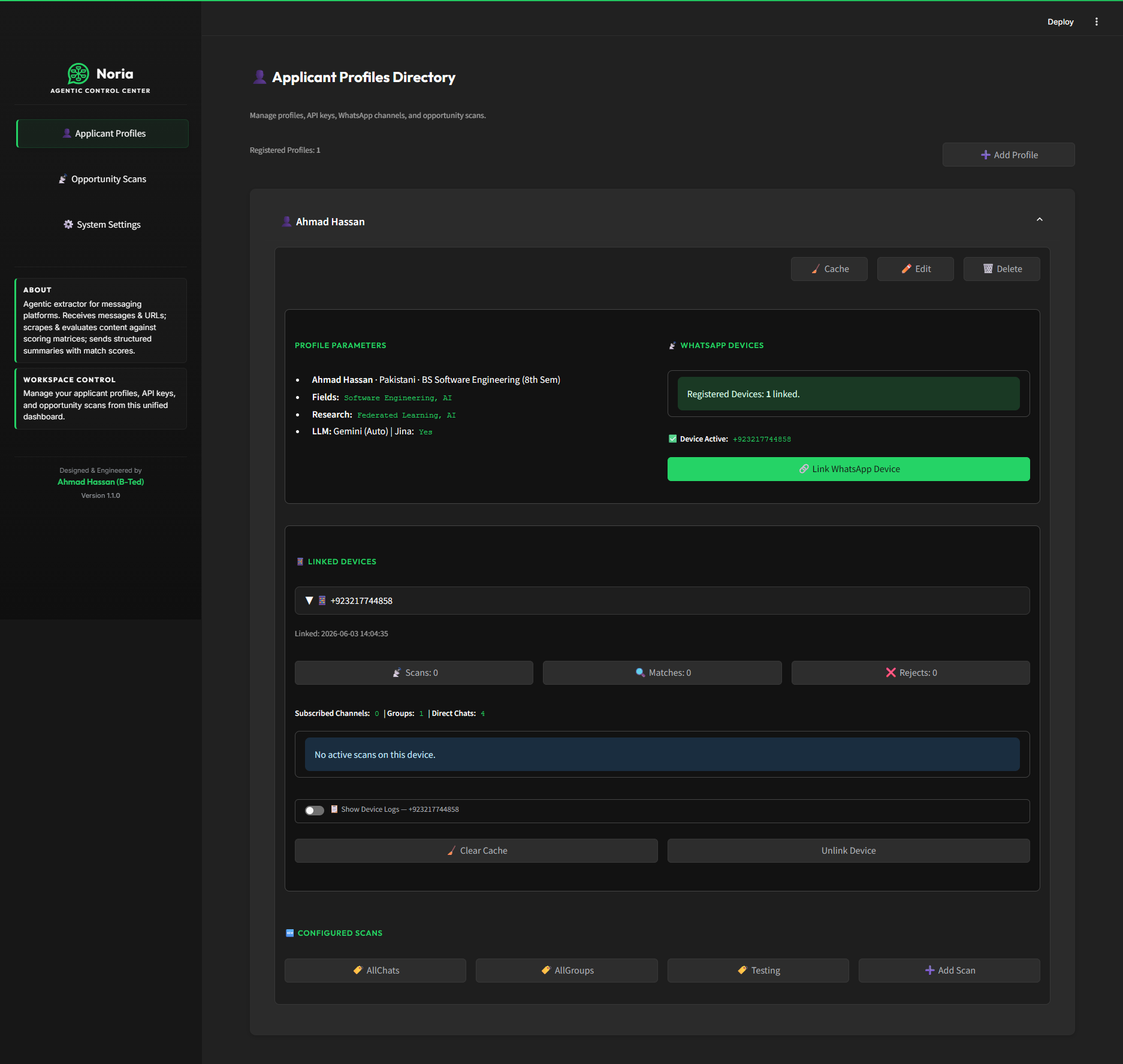
Applicant Profiles Directory - manage profiles, linked devices, scan configs, and WhatsApp connections
|
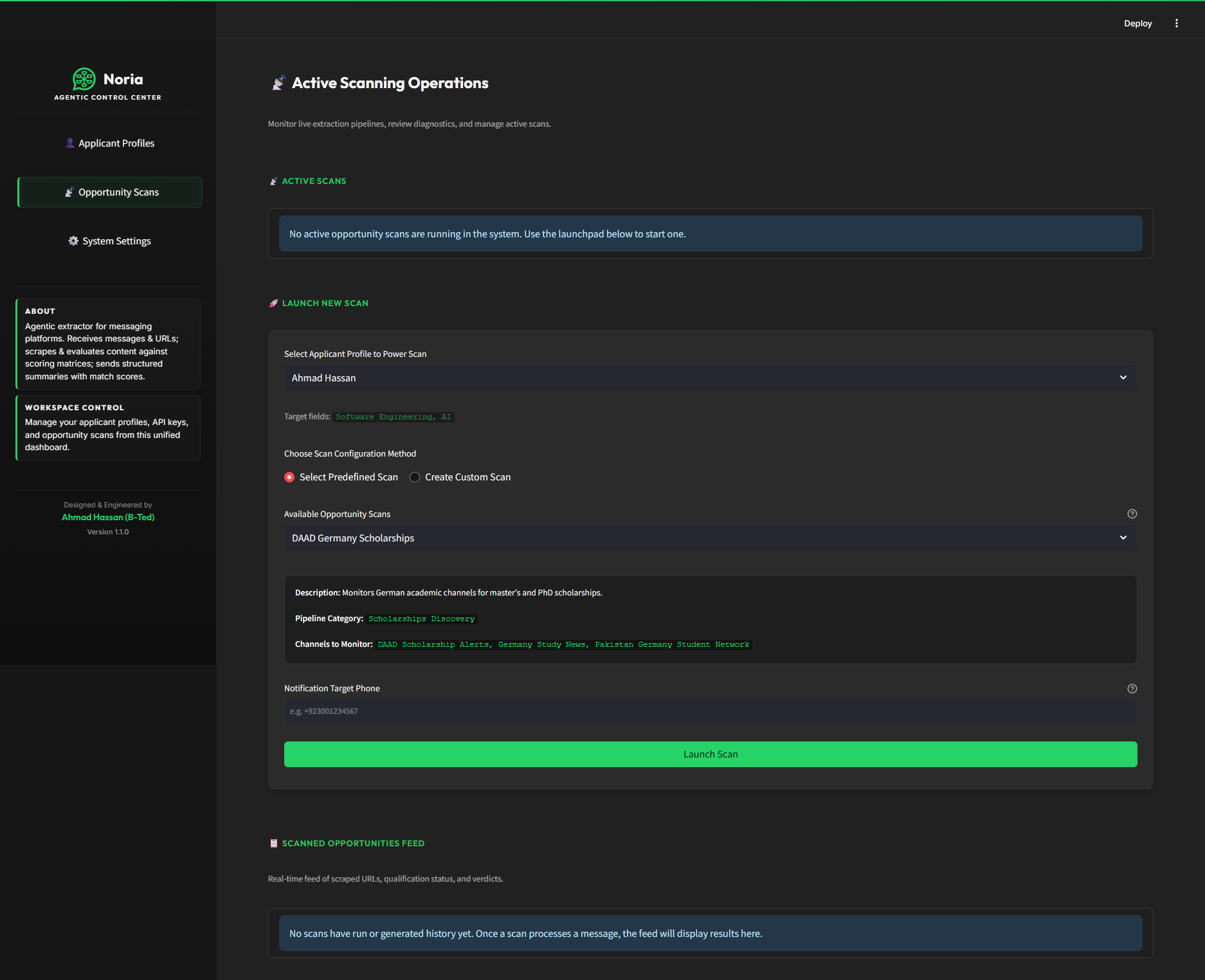
Active Scanning Operations - launch scans, select predefined pipelines, and monitor the live opportunity feed
|
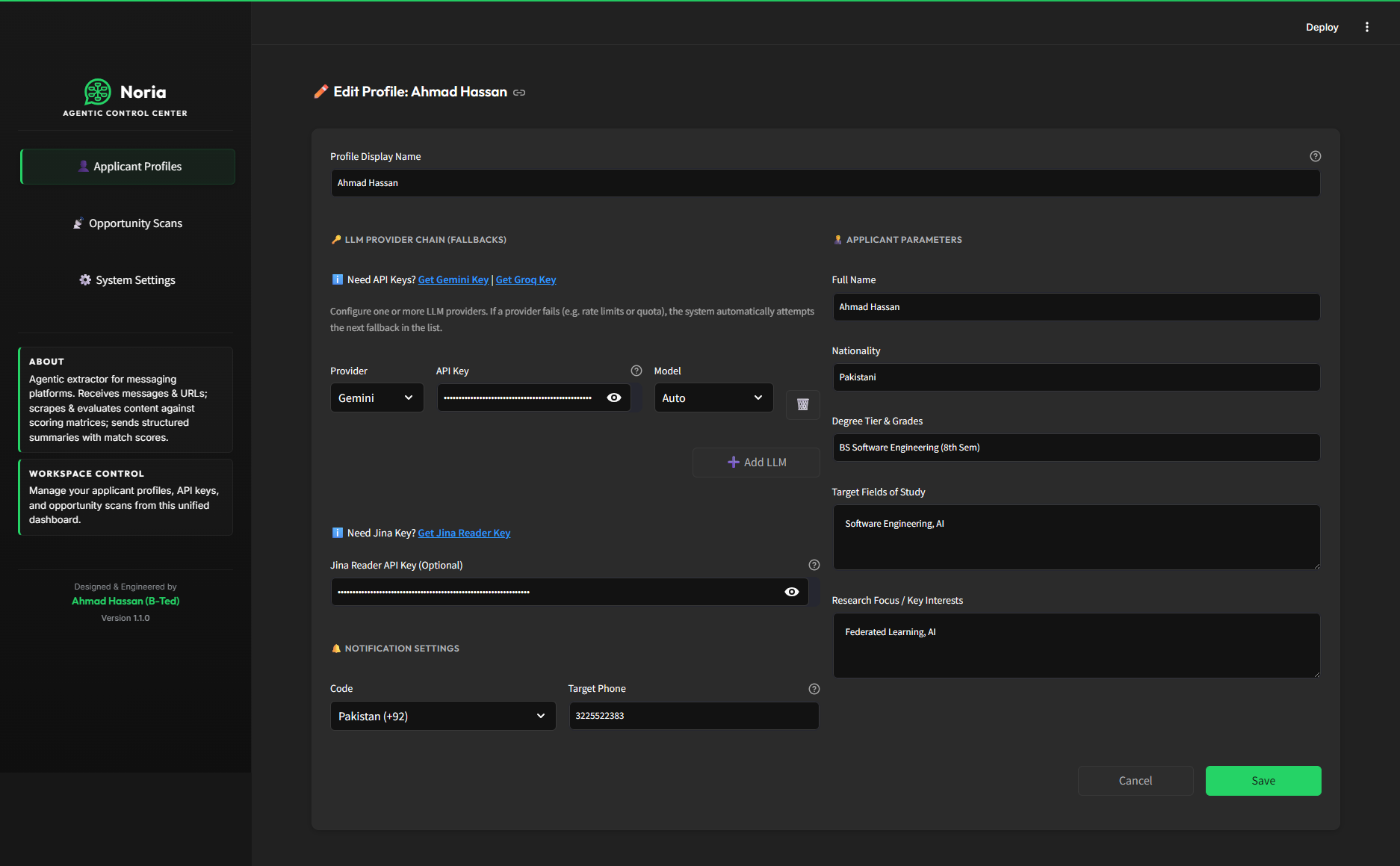
Profile Editor - configure LLM provider chain, API keys, applicant parameters, and notification targets
|
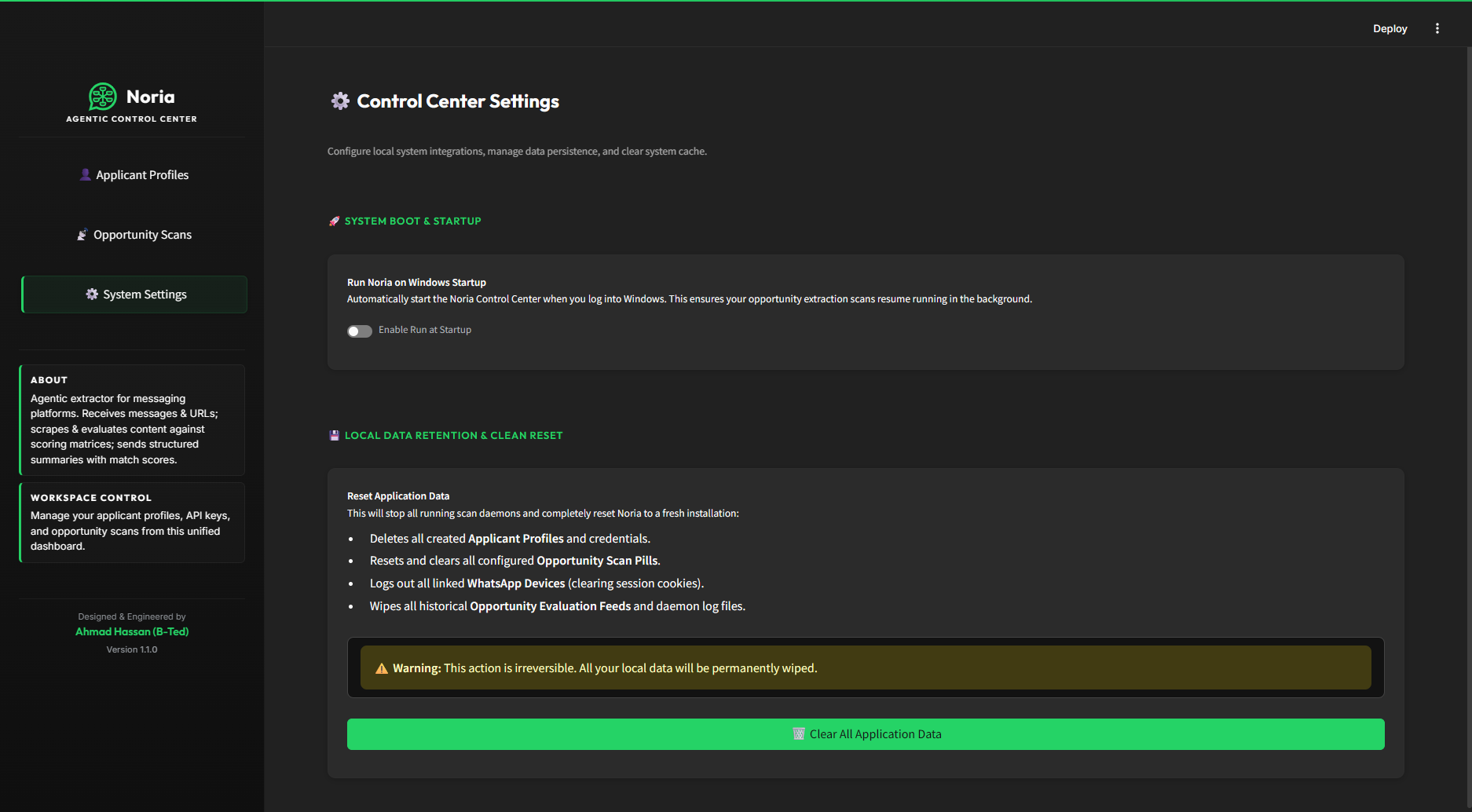
Control Center Settings - Windows startup toggle, local data retention, and full application reset
|
Clean Architecture & Boundary Separation
Noria enforces strict Hexagonal Architecture principles, separating core business domains from pluggable technical infrastructure. Dependencies flow strictly inward, managed through a central registry bootstrapper (src/config/plugins.registry.js) acting as the composition root.
Module Relationship & Boundaries
graph TD
    classDef core fill:#e1f5fe,stroke:#03a9f4,stroke-width:2px;
    classDef domain fill:#efebe9,stroke:#8d6e63,stroke-width:2px;
    classDef infra fill:#f1f8e9,stroke:#7cb342,stroke-width:2px;
    classDef config fill:#fff9c4,stroke:#fbc02d,stroke-width:2px;

    subgraph Domains ["src/domains/ (Pure Business Logic)"]
        Scholarships["scholarships/ <br> (Evaluation Prompt & Layout Template)"]:::domain
        Jobs["jobs/ <br> (Evaluation Prompt & Layout Template)"]:::domain
    end

    subgraph Core ["src/core/ (Core Orchestrator & Contracts)"]
        Pipeline["pipeline.js <br> (Sequential Orchestrator)"]:::core
        Registry["registry.js <br> (Functional Registry)"]:::core
        Events["events.js <br> (Domain Events)"]:::core
    end

    subgraph Infrastructure ["src/infrastructure/ (Stateless Adapters)"]
        Scrapers["scraper/ <br> (Jina, Puppeteer, Resilient Fetch)"]:::infra
        LLM["llm/ <br> (Gemini & Groq Adapters + Fallback Chain)"]:::infra
        Messaging["messaging/ <br> (WhatsApp Sender & Listener)"]:::infra
    end

    subgraph UI ["ui/ + app.py (Control Center - Streamlit)"]
        ControlCenter["app.py <br> (Entry Point)"]:::config
        Views["ui/views/ <br> (Profile, Scans, Settings)"]:::config
        Styles["ui/styles.py <br> (Dark Theme CSS)"]:::config
    end

    subgraph Config ["src/config/ (Composition Root / Wiring)"]
        PluginRegistry["plugins.registry.js <br> (Registry Wiring Bootstrapper)"]:::config
    end

    PluginRegistry --> Registry
    PluginRegistry --> Domains
    PluginRegistry --> Infrastructure
    Pipeline --> Registry
    Pipeline --> Events
    ControlCenter --> Views
    Views --> PluginRegistry
System Lifecycle & Request Flow
Noria processes raw internet inputs and coordinates executions dynamically through standard domain events:
sequenceDiagram
    autonumber
    actor TargetChat as WhatsApp Group/Chat
    participant Listener as WhatsApp Listener
    participant Core as Pipeline Orchestrator
    participant Scraper as Scraper Adapter
    participant Cache as Memory Cache
    participant Analyzer as LLM Adapter (Gemini / Groq)
    participant Sender as WhatsApp Sender

    TargetChat->>Listener: Shares raw URL message
    Listener->>Core: Emit link_extracted (URL)
    Core->>Cache: Check for processing duplicates
    alt Cache Hit (Already Processed)
        Cache-->>Core: Skip URL evaluation
    else Cache Miss (Fresh Opportunity)
        Core->>Scraper: Execute Scrape (Jina / Puppeteer)
        Scraper-->>Core: Return extracted web text
        Core->>Core: Validate web text size & contents
        Core->>Core: Emit scraper:success
        Core->>Core: Build Prompt (Domain promptBuilder)
        Core->>Analyzer: Call LLM via Fallback Chain (Gemini → Groq)
        Analyzer-->>Core: Return match results & verdict
        alt Match Score >= 50 (High Alignment)
            Core->>Core: Emit analyzer:match_found
            Core->>Core: Format Template (Domain templateBuilder)
            Core->>Sender: sendMessage (whatsapp-sender)
            Sender->>TargetChat: Deliver markdown message alert
            Core->>Core: Emit notifier:send
        else Match Score < 50
            Core->>Core: Emit analyzer:no_match
        end
    end
Registry Validation
Dynamic verification occurs at boot-time inside the Registry (registry.js), which is bootstrapped and wired up by the Composition Root (plugins.registry.js). Registered modules are validated functionally:
View Enforced Interface Constraints (Collapsible)
| Registry Category |
Target Registration |
Mandatory Signature / Keys |
| Domain |
Plain Domain Object |
buildPrompt, resolveProfile, buildTemplate, schema |
| Adapter (scraper) |
Plain Scraper Object |
scrape |
| Adapter (llm) |
Plain LLM Object |
generateStructuredData |
| Adapter (sender) |
Plain Sender Object |
sendMessage |
| Listener |
Constructor Class |
initialize(), on(event, cb), close() |
Repository Structure
noria/
├── app.py                         # Streamlit Control Center entry point
├── run_noria.bat                  # Windows developer launcher
├── run_noria.sh                   # macOS/Linux developer launcher
├── .env.example                   # Environment variable template
├── dist/                          # Compiled Windows executable (Noria.exe)
├── docs/                          # Guides & system architecture docs
│   ├── ARCHITECTURE.md            # Hexagonal Architecture specifications
│   ├── CHANGELOG.md               # Version history
│   └── RELEASE_NOTES_v1.0.0.md   # v1.0.0 release notes
├── pipelines/                     # Declarative YAML pipeline configurations
│   ├── jobs.yaml                  # Job opportunity scan config
│   └── scholarships.yaml          # Scholarship scan config
├── scripts/                       # Build & release tooling
│   ├── build_exe.py               # Compiles Noria.exe via csc.exe
│   ├── launcher.cs                # C# standalone Windows launcher source
│   └── publish_release.py        # GitHub Release publisher (tag + notes + exe)
├── src/                           # Core platform code
│   ├── config/                    # Environment loader & registry wiring
│   ├── core/                      # Pipeline orchestrator, event types, registry
│   ├── domains/                   # Pure business logic (prompts & templates)
│   ├── infrastructure/            # Stateless adapters (Gemini, Groq, Scraper, WhatsApp)
│   ├── queue/                     # Decoupled global event broker
│   ├── utils/                     # Shared helpers (Retry, Cache)
│   └── index.js                   # Node.js boot entrypoint
├── ui/                            # Streamlit Control Center UI
│   ├── styles.py                  # Global dark theme CSS injection
│   ├── components/                # Shared UI components (navigation, etc.)
│   └── views/                     # Page views (profiles, scans, settings)
└── tests/                         # Unit test suite mirroring src/
Installation & Quickstart
1. Requirements
- Node.js:
>=22.12.0 (LTS highly recommended)
- NPM:
>=10.0.0
2. Setup
Install dependencies:
git clone https://github.com/AhmadHassan-BTed/Noria.git
cd noria
npm install
Create a .env file from the template:
cp .env.example .env
Provide the required keys - use Gemini, Groq, or both:
# LLM providers (use one or both)
GEMINI_API_KEY=your_gemini_api_key    # https://aistudio.google.com/
GROQ_API_KEY=your_groq_api_key        # https://console.groq.com/

# Optional: faster web scraping
JINA_API_KEY=your_jina_api_key        # https://jina.ai/reader/

# WhatsApp notification target
NOTIFICATION_TARGET=+923001234567

# Active pipelines
ACTIVE_PIPELINES=scholarships,jobs
Applicant profiles (name, nationality, degree, fields) are created and managed inside the Control Center UI - not in .env.
4. Run
Start the orchestrated pipelines:
npm start
5. Noria Dashboard (Control Center UI)
For a visual administration dashboard, run the Streamlit-based Noria Control Center:
🟢 Windows - Standalone Executable (Recommended)
Download and double-click Noria.exe from the v1.0.0 Release.
The executable is fully self-contained:
- Automatically installs Python and Node.js dependencies on first run
- Starts the Streamlit server in the background
- Opens the Control Center as a standalone app window (not a browser tab) via Chrome or Edge
--app mode
- No
run_noria.bat or manual setup required
Windows - Developer Launcher
If running from source, use run_noria.bat from the repo root.
macOS / Linux - Shell Launcher
Run run_noria.sh in your terminal:
chmod +x run_noria.sh && ./run_noria.sh
From the dashboard you can create applicant profiles, link your WhatsApp by scanning the QR code, configure and trigger scans, and monitor parsed opportunities in real-time.
Developer Workflow & Commands
Ensure all local verification checks pass cleanly:
| Command |
Objective |
Quality Gate Target |
npm run lint |
ESLint Code Quality |
Zero errors or warnings |
npm run format:check |
Prettier Layout Verification |
Compliant with project styles |
npm test |
Jest Unit Tests Execution |
All 223 tests passing |
npm run test:coverage |
Test Coverage Telemetry |
Global coverage must be > 90% |
Made with by Ahmad Hassan (B-Ted)

 Noria 是一款具备智能体能力的提取工具,它通过 WhatsApp 接收消息和链接,抓取链接指向的网页内容,使用大语言模型依据自定义评分矩阵(例如求职、奖学金)对内容进行评估,然后将结构化摘要和计算出的匹配分数发送到指定的 WhatsApp 号码。