








19.3K ·GitHub
What is this?
 ActivityWatch is a free and open-source automated time tracker. It records which apps and websites you use and how active you are, stores the data on your own machine, and shows it in a dashboard so you can see where your time actually goes.
ActivityWatch is a free and open-source automated time tracker. It records which apps and websites you use and how active you are, stores the data on your own machine, and shows it in a dashboard so you can see where your time actually goes.What does it actually record about me?The currently active application and its window title, your browser tabs with their titles and URLs, and keyboard and mouse activity — the last one is how it detects that you are AFK. Extra watchers can add more sources.
The currently active application and its window title, your browser tabs with their titles and URLs, and keyboard and mouse activity — the last one is how it detects that you are AFK. Extra watchers can add more sources.How do I get it running?Download a build for your OS from the releases page and follow the getting-started guide in the documentation. Releases ship the full suite ready to run; this repo itself is a meta-package of git submodules used mainly for packaging and building from source.
Download a build for your OS from the releases page and follow the getting-started guide in the documentation. Releases ship the full suite ready to run; this repo itself is a meta-package of git submodules used mainly for packaging and building from source.Does it need an account or any online service?No — there is nothing to sign up for and no cloud service involved; the whole stack lives on your machine. Optional browser and code-editor watchers are the only extra installs if you want more than the two built-in ones.
No — there is nothing to sign up for and no cloud service involved; the whole stack lives on your machine. Optional browser and code-editor watchers are the only extra installs if you want more than the two built-in ones.Can I use it across several devices?Not yet: synchronization is work-in-progress, and the plan is to make it decentralized so no central server would see your data. For now, treat it as a single-machine tracker.
Not yet: synchronization is work-in-progress, and the plan is to make it decentralized so no central server would see your data. For now, treat it as a single-machine tracker.Which platforms does it run on?Windows, macOS, Linux and Android. iOS is not supported — the README platform table marks it as unavailable for ActivityWatch.
Windows, macOS, Linux and Android. iOS is not supported — the README platform table marks it as unavailable for ActivityWatch.Does my activity ever leave my computer?No. Data is written to a local datastore and you own it — that is the project's stated goal: collect as much lifedata as possible without compromising user privacy.
No. Data is written to a local datastore and you own it — that is the project's stated goal: collect as much lifedata as possible without compromising user privacy.How is it different from RescueTime or WakaTime?Those are closed-source services that keep your data on their servers. ActivityWatch is fully open source, you own the data locally, its planned sync is decentralized rather than centralized, and it stores raw events instead of coarse summaries.
Those are closed-source services that keep your data on their servers. ActivityWatch is fully open source, you own the data locally, its planned sync is decentralized rather than centralized, and it stores raw events instead of coarse summaries.What does the dashboard show me?A browser-based interface with a timeline and activity summaries broken down by apps, websites and user-defined categories, plus a query explorer for writing and debugging queries, raw event browsing, and JSON export of single buckets or the whole dataset.
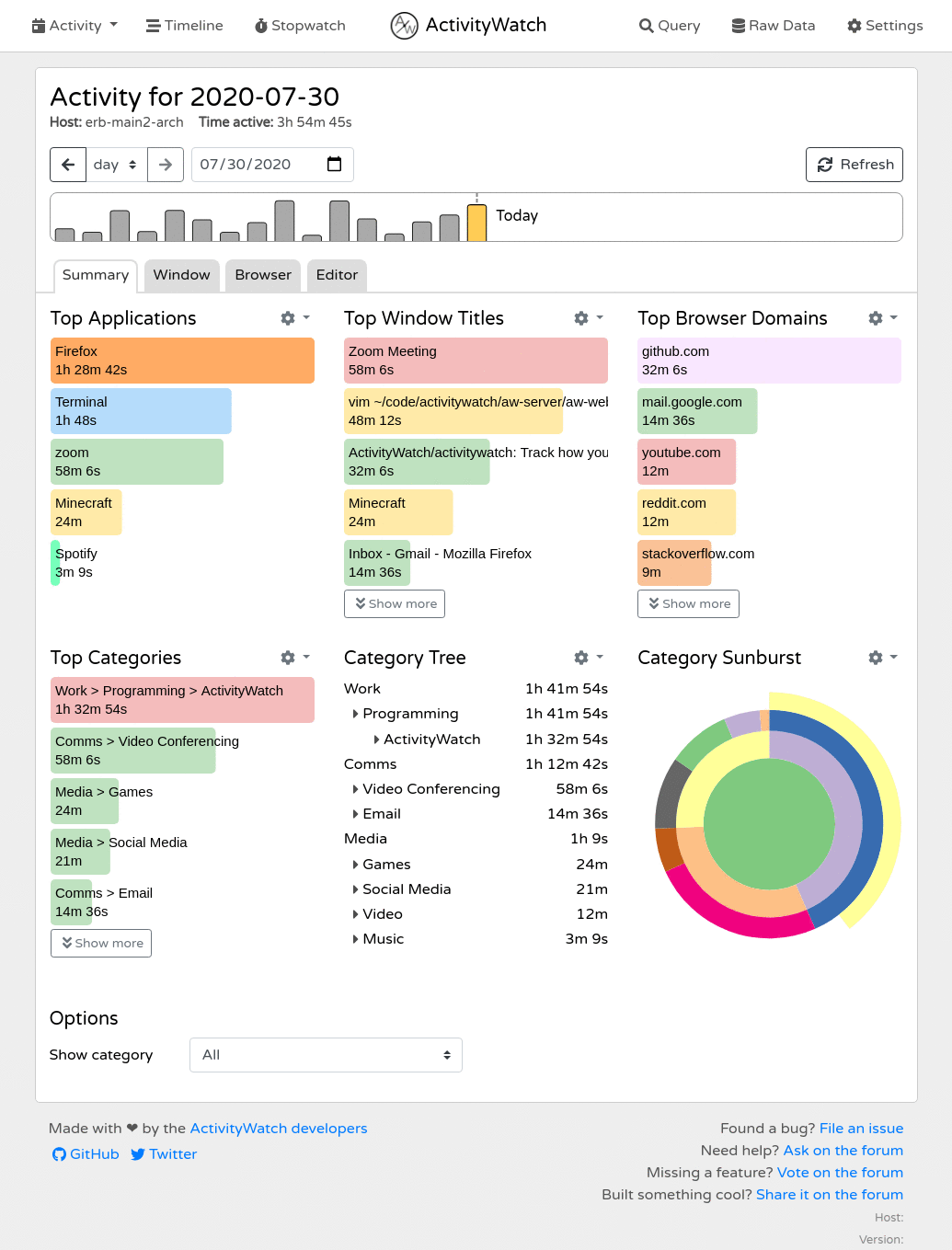
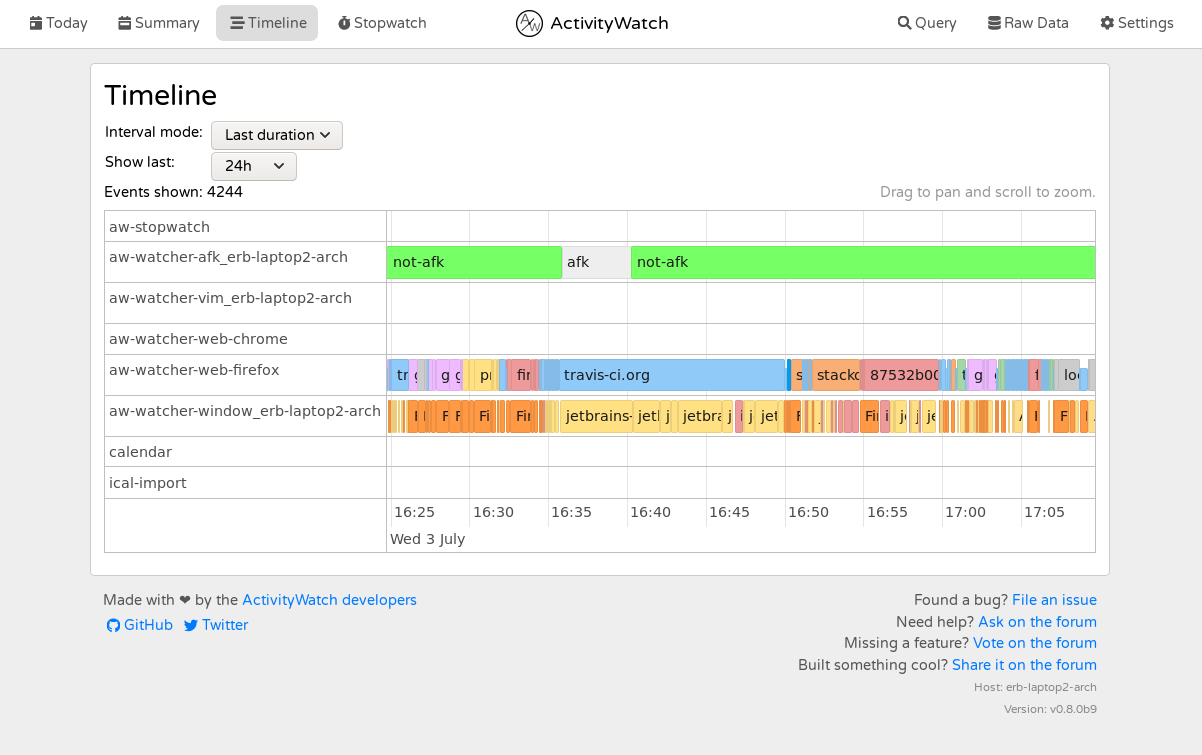
A browser-based interface with a timeline and activity summaries broken down by apps, websites and user-defined categories, plus a query explorer for writing and debugging queries, raw event browsing, and JSON export of single buckets or the whole dataset.Can I extend it or build my own tools on top?Yes. The local server exposes a REST API — buckets, events, heartbeats and a small query scripting language — with official client libraries for Python, JavaScript and Rust. Writing new watchers against aw-core and aw-client is the intended way to track more.
Yes. The local server exposes a REST API — buckets, events, heartbeats and a small query scripting language — with official client libraries for Python, JavaScript and Rust. Writing new watchers against aw-core and aw-client is the intended way to track more.What are similar projects?super-productivity, agentsview, wordcraft, Dayflow, AI-Engineering-Coach, gridcraft, redash, taskview-community
super-productivity, agentsview, wordcraft, Dayflow, AI-Engineering-Coach, gridcraft, redash, taskview-communityWhich topics is it in?time-tracker, open-source-alternative, analytics, browser-extension, app, data-visualization, offline, dashboard, monitoring, local-first, rest-api, mobile
time-tracker, open-source-alternative, analytics, browser-extension, app, data-visualization, offline, dashboard, monitoring, local-first, rest-api, mobile