

What is this?
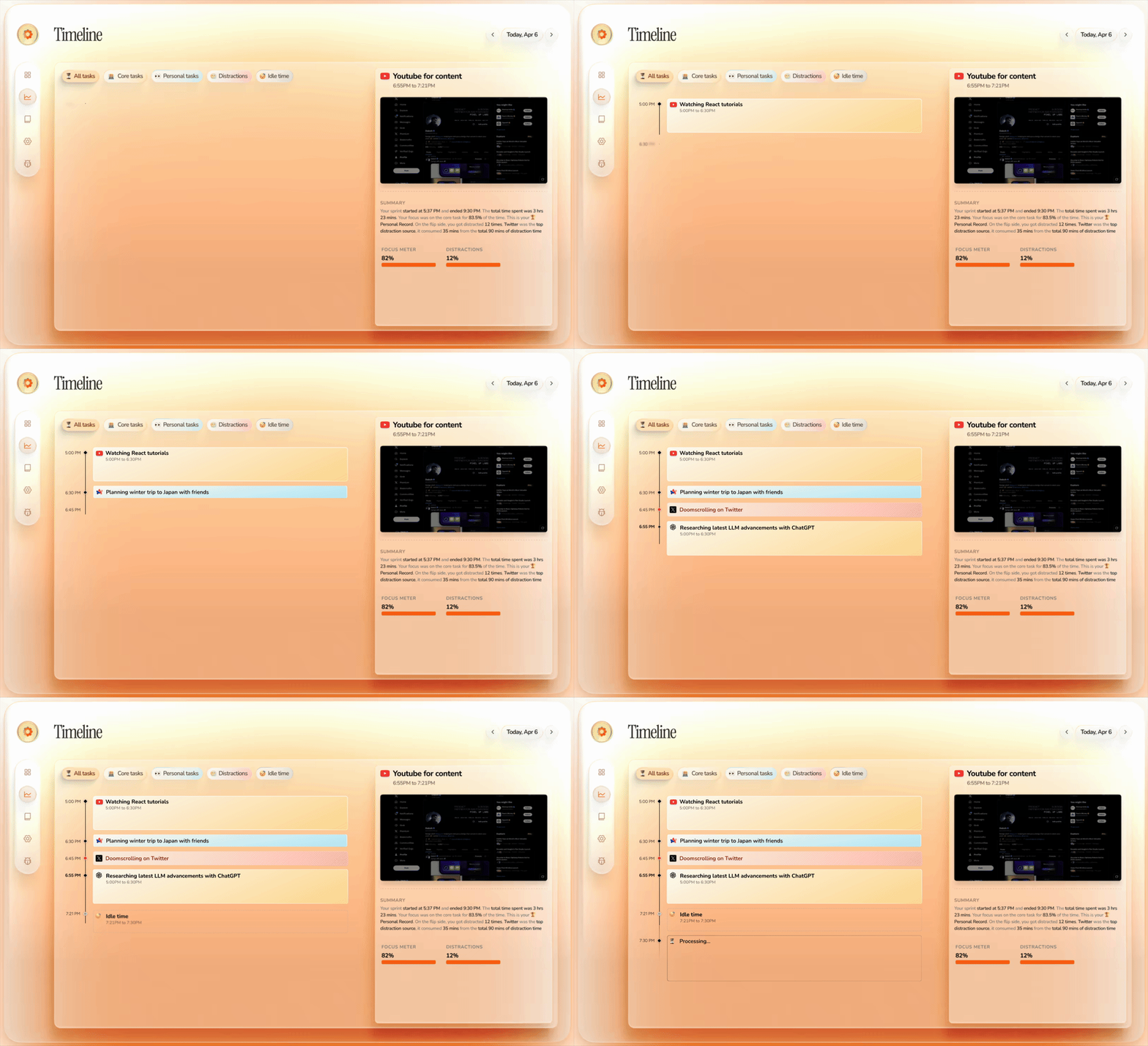
 Dayflow is a private, automatic work journal for Mac that watches your screen activity and turns it into a clear, chronological timeline of what you actually did during the day, no manual timers or notes needed.
Dayflow is a private, automatic work journal for Mac that watches your screen activity and turns it into a clear, chronological timeline of what you actually did during the day, no manual timers or notes needed.Does it record full video of my screen, or just snapshot the activity periodically?Dayflow captures lightweight screen chunks at intervals and sends them to your chosen AI provider for analysis, which then generates activity cards rather than a raw video recording.
Dayflow captures lightweight screen chunks at intervals and sends them to your chosen AI provider for analysis, which then generates activity cards rather than a raw video recording.Which AI providers can I use, and do I need an API key?You can run analysis fully locally through Ollama or LM Studio, use Gemini with your own API key, or route through ChatGPT/Claude via their local CLI tools; no account is required if you stick to local models.
You can run analysis fully locally through Ollama or LM Studio, use Gemini with your own API key, or route through ChatGPT/Claude via their local CLI tools; no account is required if you stick to local models.What's the tradeoff if I choose a cloud AI provider instead of local models?Choosing a cloud provider like Gemini, ChatGPT, or Claude sends the activity data needed for analysis off your machine, while local models keep everything on-device at the cost of potentially lower summary quality.
Choosing a cloud provider like Gemini, ChatGPT, or Claude sends the activity data needed for analysis off your machine, while local models keep everything on-device at the cost of potentially lower summary quality.Does it work on Windows or Linux too?No, Dayflow is Mac-only and requires macOS 14 or later along with Screen and System Audio Recording permission.
No, Dayflow is Mac-only and requires macOS 14 or later along with Screen and System Audio Recording permission.Where does my screen activity data go?By default your recordings, timeline, and database stay only on your Mac. If you pick a cloud AI provider instead, the activity data needed for analysis is sent to that provider.
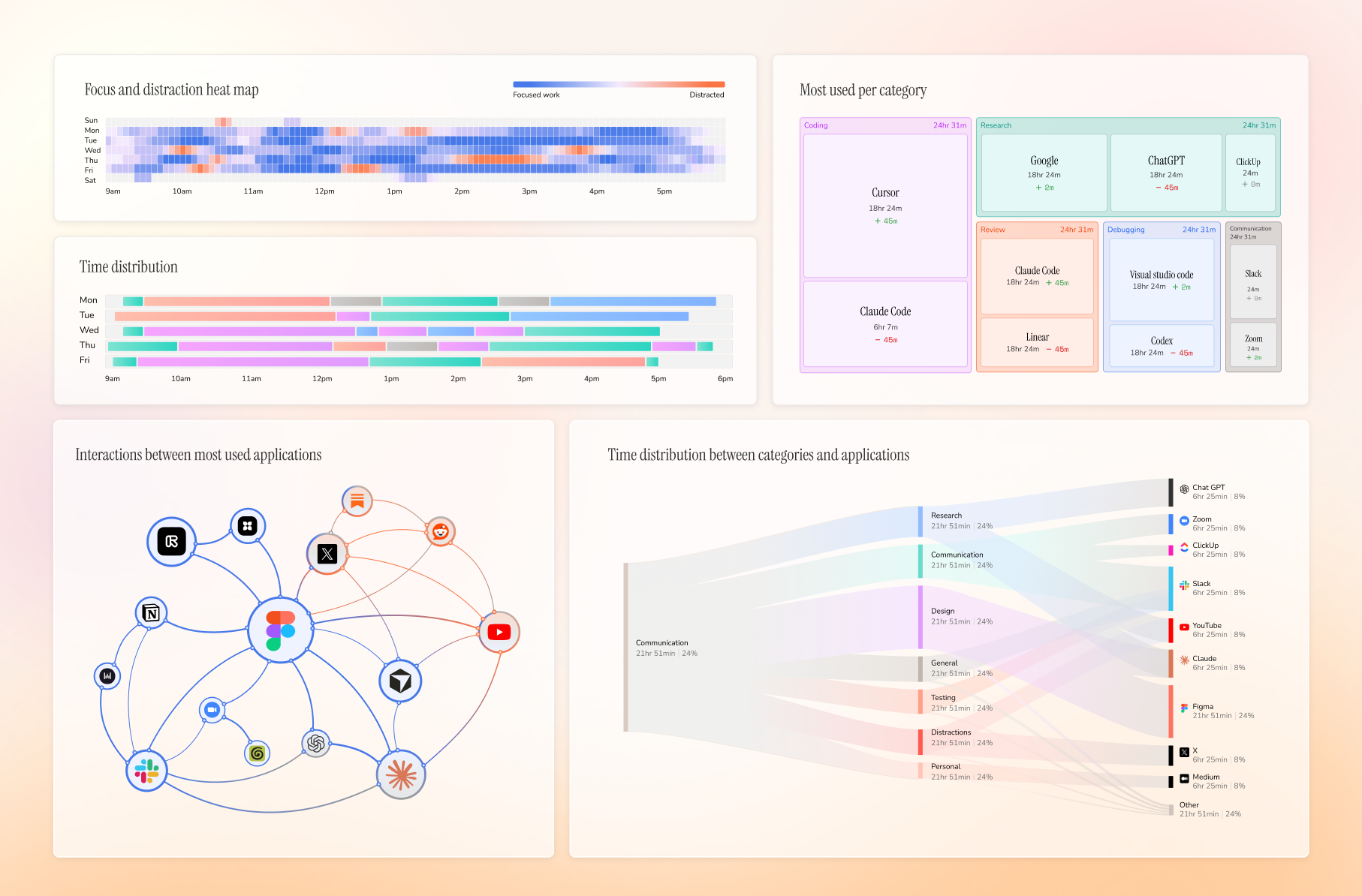
By default your recordings, timeline, and database stay only on your Mac. If you pick a cloud AI provider instead, the activity data needed for analysis is sent to that provider.What makes Dayflow different from a typical time tracker?Most time trackers only log which app had focus, but Dayflow analyzes what was actually on screen, so two hours in Cursor can be identified as shipping a feature versus debugging rather than just 'Cursor: 2h'.
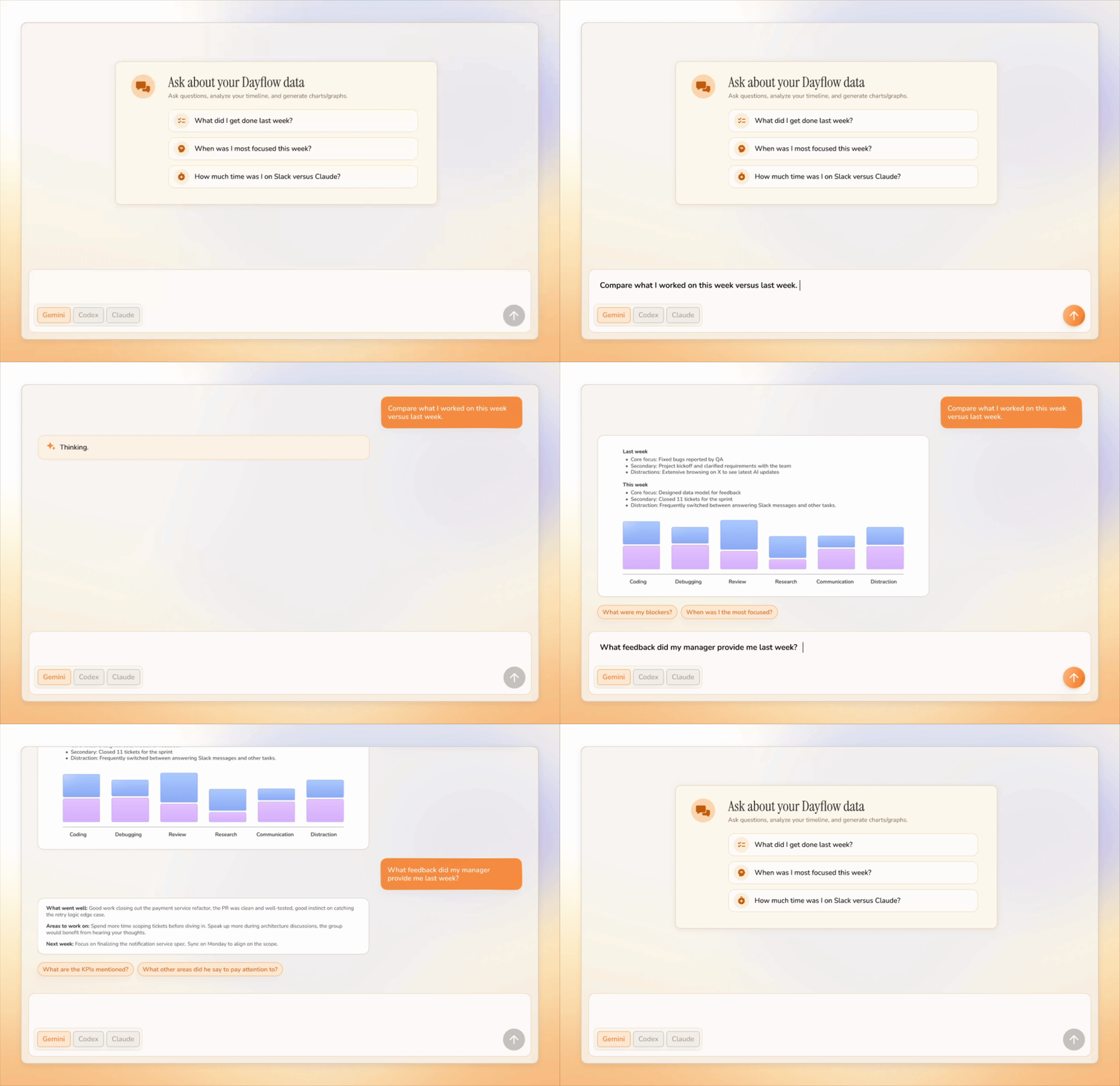
Most time trackers only log which app had focus, but Dayflow analyzes what was actually on screen, so two hours in Cursor can be identified as shipping a feature versus debugging rather than just 'Cursor: 2h'.Can I chat with my own timeline?Yes, you can ask natural-language questions about your day, week, or year and get answers grounded in your recorded activity instead of relying on memory or screenshots.
Yes, you can ask natural-language questions about your day, week, or year and get answers grounded in your recorded activity instead of relying on memory or screenshots.Can I export my timeline for status updates?Yes, Dayflow can export your timeline as Markdown for any date range, handy for status reports, client notes, or personal archives.
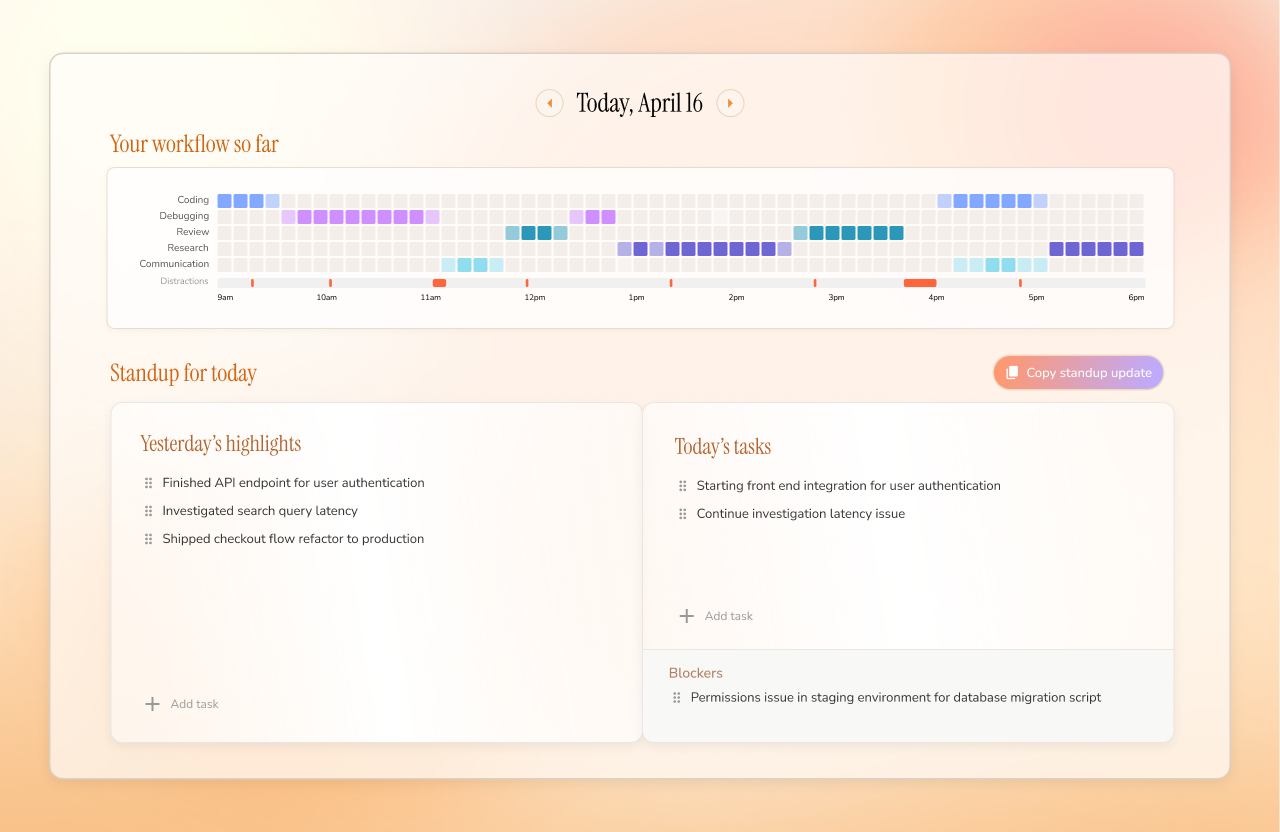
Yes, Dayflow can export your timeline as Markdown for any date range, handy for status reports, client notes, or personal archives.Does it help me prepare for daily standups?Yes, it surfaces yesterday's highlights, today's priorities, and blockers pulled straight from your timeline so you can write your standup update in minutes.
Yes, it surfaces yesterday's highlights, today's priorities, and blockers pulled straight from your timeline so you can write your standup update in minutes.What are similar projects?easyread, laya, super-productivity, chatbox, screenpipe, activitywatch, taskuary, qiaomu-clipper
easyread, laya, super-productivity, chatbox, screenpipe, activitywatch, taskuary, qiaomu-clipperWhich topics is it in?time, lmstudio, time-tracker, timeline, productivity-tools, screen-recording, chat, chatgpt, ollama, swift, gemini, local-first
time, lmstudio, time-tracker, timeline, productivity-tools, screen-recording, chat, chatgpt, ollama, swift, gemini, local-first