
Что это такое?
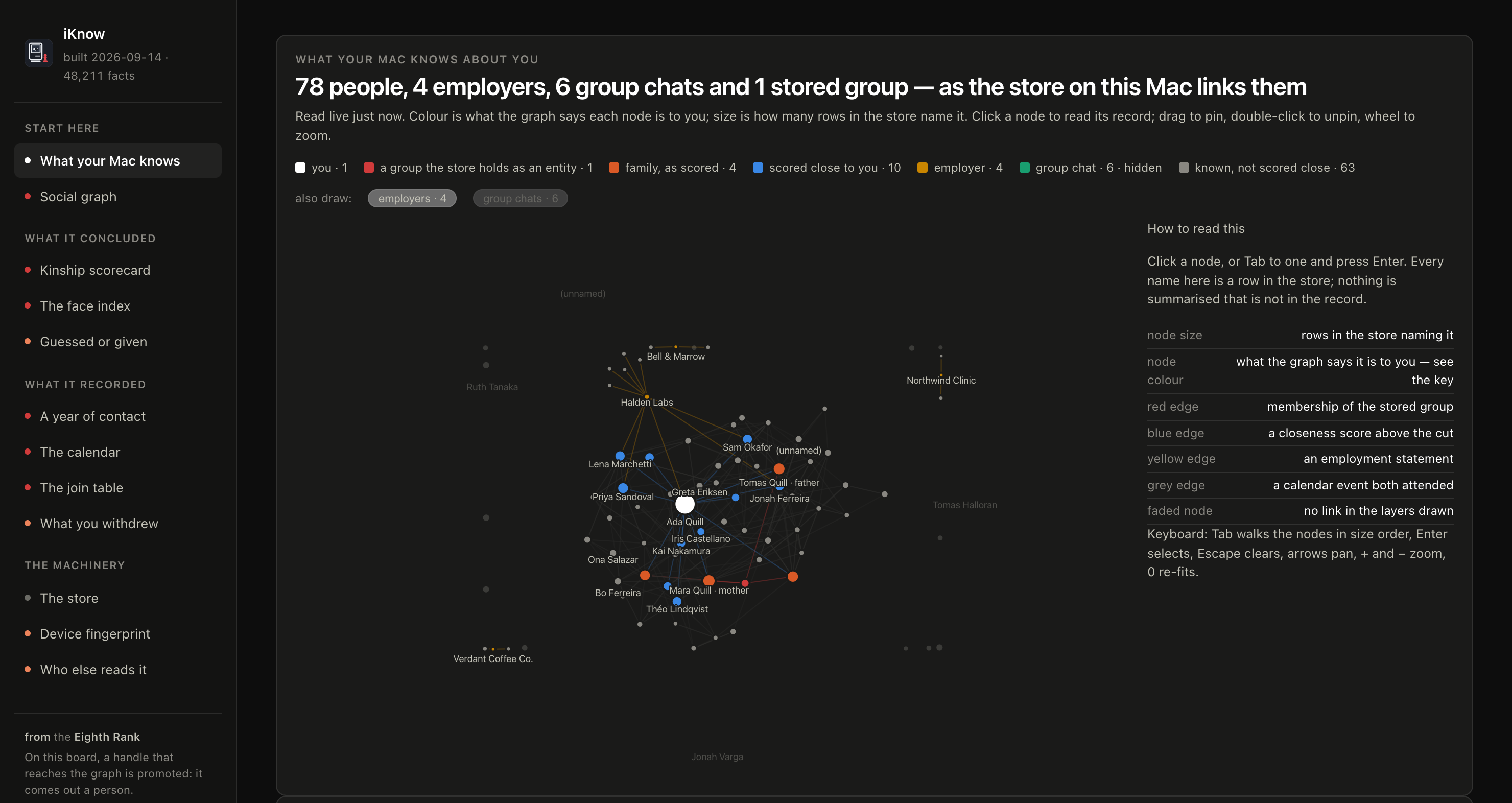
 iKnow — небольшое локальное веб-приложение, которое открывает граф знаний, построенный macOS о вас, и показывает, что в нём есть: что было записано, а что выведено.
Это установленное приложение или веб-страница, которую я открываю?Ни то, ни другое в точности. Это один процесс Python, который отдаёт страницу на 127.0.0.1 и выводит ссылку, которую вы открываете в браузере; сборка не нужна.
Ни то, ни другое в точности. Это один процесс Python, который отдаёт страницу на 127.0.0.1 и выводит ссылку, которую вы открываете в браузере; сборка не нужна.Как это запустить?Предоставьте вашему терминалу полный доступ к диску (Full Disk Access), запустите server.py через Python 3 из этого терминала и откройте ссылку, которую он выведет. При каждом запуске создаётся новый токен.
Предоставьте вашему терминалу полный доступ к диску (Full Disk Access), запустите server.py через Python 3 из этого терминала и откройте ссылку, которую он выведет. При каждом запуске создаётся новый токен.Нужно ли что-то, кроме Python 3?Нет, ни пакетов, ни npm, ни сборки. Но терминалу нужен полный доступ к диску, а когда закончите работу, его стоит снова отключить.
Нет, ни пакетов, ни npm, ни сборки. Но терминалу нужен полный доступ к диску, а когда закончите работу, его стоит снова отключить.Будет ли это работать на моей версии macOS?Проверено только на macOS 26.6.2, 26.7.1 и 27.0.1. Apple меняет хранилища между выпусками, поэтому некоторые страницы могут выводиться неполностью, а на macOS 27 и новее не все страницы могут пока работать полностью.
Проверено только на macOS 26.6.2, 26.7.1 и 27.0.1. Apple меняет хранилища между выпусками, поэтому некоторые страницы могут выводиться неполностью, а на macOS 27 и новее не все страницы могут пока работать полностью.Что-нибудь покидает мой Mac?Сервер привязан только к 127.0.0.1, политика Content-Security-Policy блокирует запросы за пределы машины, и ничего не записывается и не логируется. Но ИИ-агент, которому вы передадите руководство, отправит прочитанное провайдеру своей модели.
Сервер привязан только к 127.0.0.1, политика Content-Security-Policy блокирует запросы за пределы машины, и ничего не записывается и не логируется. Но ИИ-агент, которому вы передадите руководство, отправит прочитанное провайдеру своей модели.Зачем вообще нужен этот проект?Apple почти ничего не документирует о демоне, который строит этот граф, поэтому iKnow — это взгляд изнутри без объяснения для пользователя, что именно хранится.
Apple почти ничего не документирует о демоне, который строит этот граф, поэтому iKnow — это взгляд изнутри без объяснения для пользователя, что именно хранится.Что вообще хранит граф?Кого вы знаете и как macOS решила, что они связаны с вами, кому вы пишете и how often, лица, которые повторяются в ваших фотографиях, и где вы, возможно, окажетесь дальше.
Кого вы знаете и как macOS решила, что они связаны с вами, кому вы пишете и how often, лица, которые повторяются в ваших фотографиях, и где вы, возможно, окажетесь дальше.Можно ли доверять показанным деталям?В README сказано, что iKnow полностью сгенерирован LLM и может быть не на 100% точным, поэтому сверяйте важные детали с собственным Mac, прежде чем на них полагаться.
В README сказано, что iKnow полностью сгенерирован LLM и может быть не на 100% точным, поэтому сверяйте важные детали с собственным Mac, прежде чем на них полагаться.Какие есть похожие проекты?dsh-data-agent, ModelTrace, trade-journal, graphicle, graph-memory-starter, Ledgerify, lean-ctx, WeFlow
dsh-data-agent, ModelTrace, trade-journal, graphicle, graph-memory-starter, Ledgerify, lean-ctx, WeFlowВ каких он темах?localhost, apple-intelligence, knowledge-graph, apple, data-visualization, artificial-intelligence, reverse-engineering, sqlite, dashboard, local-first, web-app, privacy
localhost, apple-intelligence, knowledge-graph, apple, data-visualization, artificial-intelligence, reverse-engineering, sqlite, dashboard, local-first, web-app, privacy