
What is this?
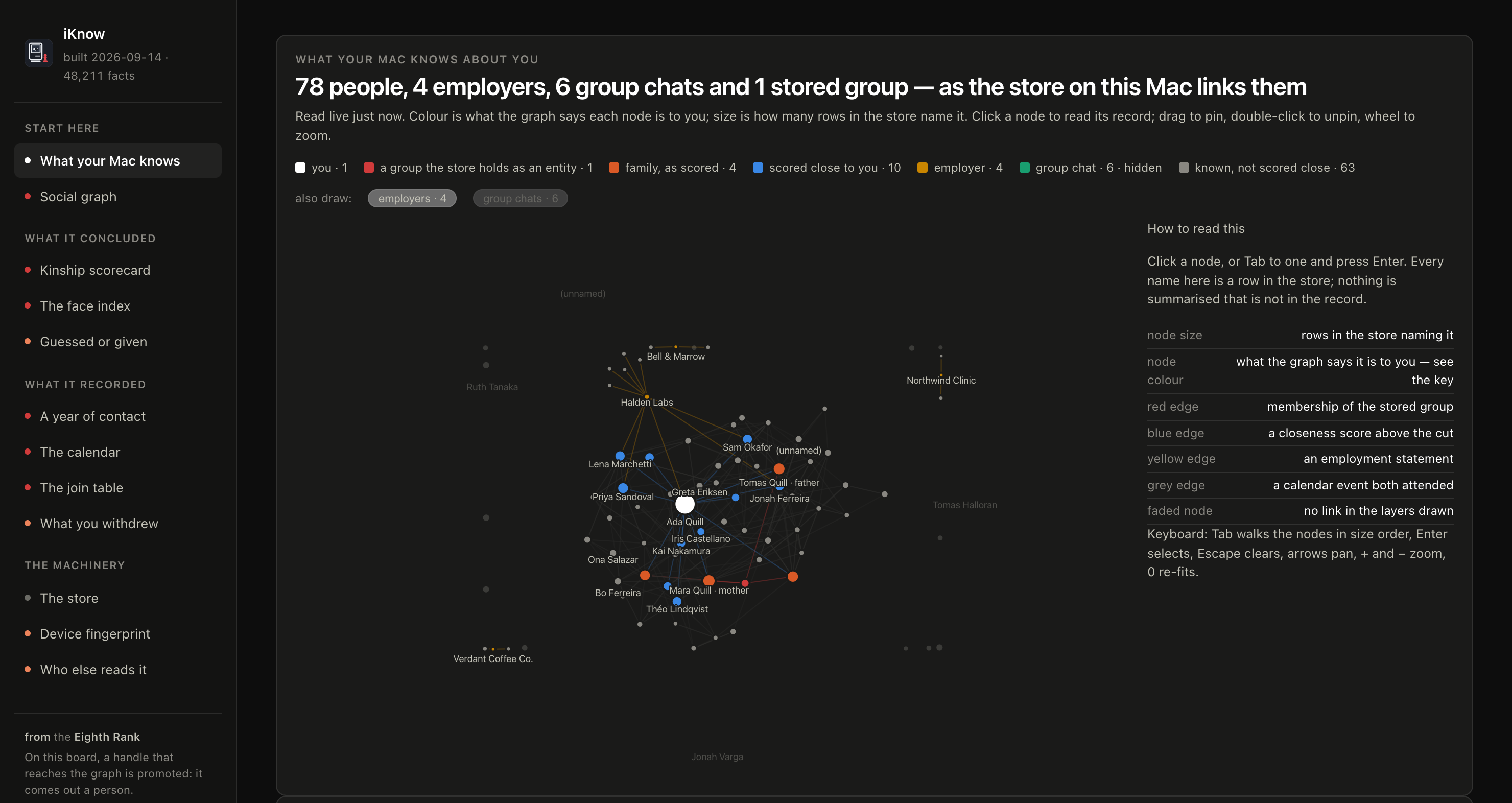
 iKnow is a small local web app that opens the knowledge graph macOS builds about you and shows what is in it, what was recorded and what was inferred.
Is it an installable app or a web page I open?Neither exactly. It is one Python process that serves the page on 127.0.0.1 and prints a link you open in your browser, with no build step.
Neither exactly. It is one Python process that serves the page on 127.0.0.1 and prints a link you open in your browser, with no build step.How do I get it running?Grant Full Disk Access to your terminal app, run server.py with Python 3 from that terminal, then open the link it prints. Each start creates a new token.
Grant Full Disk Access to your terminal app, run server.py with Python 3 from that terminal, then open the link it prints. Each start creates a new token.Do I need anything besides Python 3?No packages, no npm and no build step. You do need Full Disk Access for the terminal app, and you should switch it off again when you are done.
No packages, no npm and no build step. You do need Full Disk Access for the terminal app, and you should switch it off again when you are done.Will it work on my version of macOS?It has only been tested on macOS 26.6.2, 26.7.1 and 27.0.1. Apple changes the stores between releases, so some pages may come out incomplete, and on macOS 27 and later not every page may fully work yet.
It has only been tested on macOS 26.6.2, 26.7.1 and 27.0.1. Apple changes the stores between releases, so some pages may come out incomplete, and on macOS 27 and later not every page may fully work yet.Does anything leave my Mac?The server binds only to 127.0.0.1, a Content-Security-Policy blocks off-machine requests, and nothing is written or logged. An AI agent you point at the manual does send what it reads to its model provider.
The server binds only to 127.0.0.1, a Content-Security-Policy blocks off-machine requests, and nothing is written or logged. An AI agent you point at the manual does send what it reads to its model provider.Why does this project exist?Apple documents very little about the daemon that builds this graph, so iKnow is a look under the hood with no user-facing account of what it stores.
Apple documents very little about the daemon that builds this graph, so iKnow is a look under the hood with no user-facing account of what it stores.What kind of things does the graph hold?Who you know and how macOS decided they relate to you, who you write to and how often, faces that recur in your photos, and where you might be next.
Who you know and how macOS decided they relate to you, who you write to and how often, faces that recur in your photos, and where you might be next.Can I trust the details it shows?The README says iKnow is fully LLM-generated and may not be 100% accurate, so check important details against your own Mac before relying on them.
The README says iKnow is fully LLM-generated and may not be 100% accurate, so check important details against your own Mac before relying on them.What are similar projects?dsh-data-agent, ModelTrace, trade-journal, graphicle, graph-memory-starter, Ledgerify, lean-ctx, WeFlow
dsh-data-agent, ModelTrace, trade-journal, graphicle, graph-memory-starter, Ledgerify, lean-ctx, WeFlowWhich topics is it in?localhost, apple-intelligence, knowledge-graph, apple, data-visualization, artificial-intelligence, reverse-engineering, sqlite, dashboard, local-first, web-app, privacy
localhost, apple-intelligence, knowledge-graph, apple, data-visualization, artificial-intelligence, reverse-engineering, sqlite, dashboard, local-first, web-app, privacy