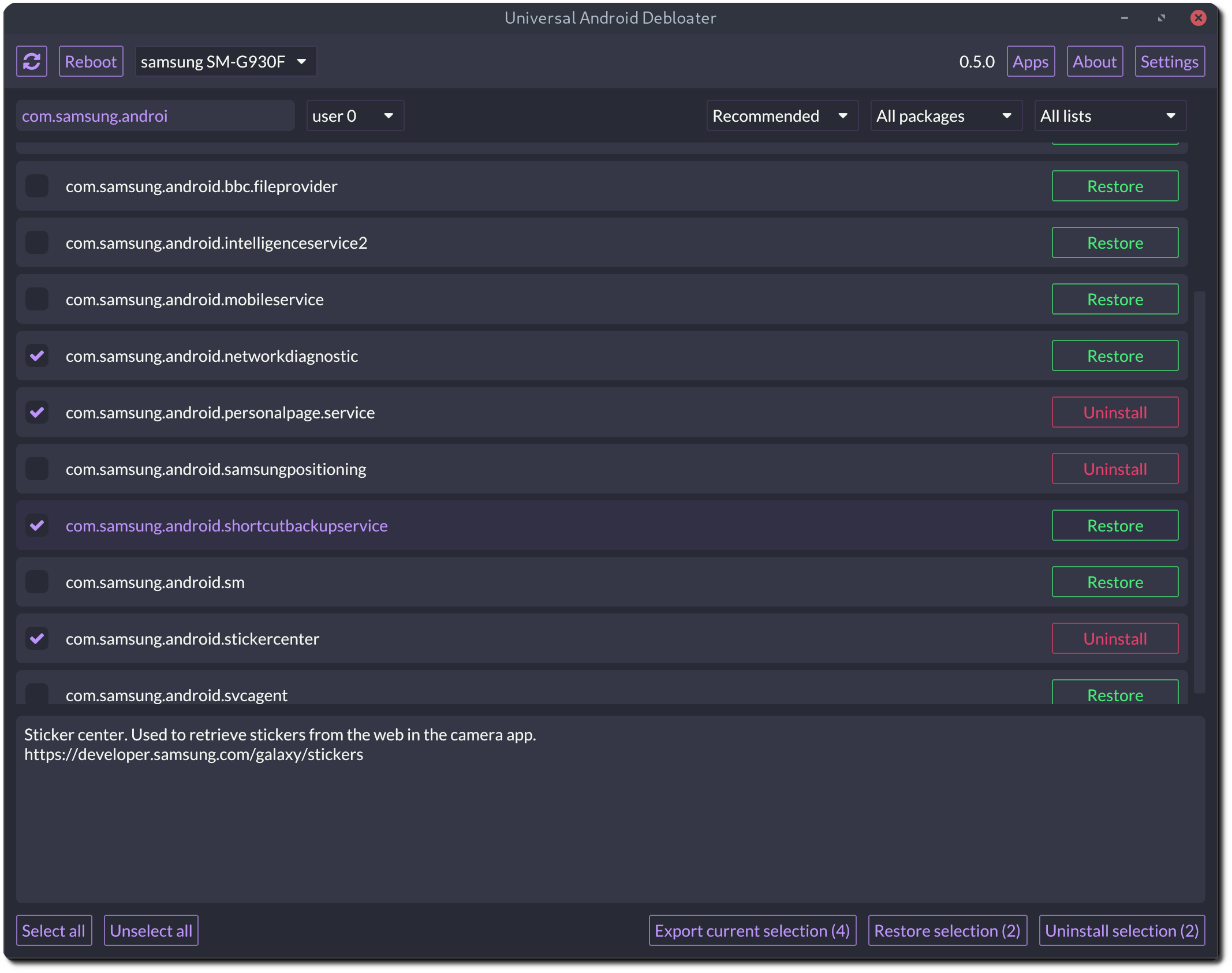
这是什么?
 一个用 Rust 编写的跨平台桌面图形界面工具,通过 ADB 在未 root 的安卓手机上移除或禁用预装的臃肿应用,提升隐私、续航和安全性。
一个用 Rust 编写的跨平台桌面图形界面工具,通过 ADB 在未 root 的安卓手机上移除或禁用预装的臃肿应用,提升隐私、续航和安全性。这是装在手机上的应用,还是在电脑上运行的?它在你的电脑上运行——支持 Windows、macOS 和 Linux——并通过 USB 借助 ADB 与手机通信;手机上不会安装任何东西。
它在你的电脑上运行——支持 Windows、macOS 和 Linux——并通过 USB 借助 ADB 与手机通信;手机上不会安装任何东西。我怎么把它跑起来?在手机上开启开发者选项和 USB 调试,在电脑上安装 Android 平台工具(ADB),然后运行与你操作系统对应的 UAD 发行版;如果 Vulkan 版本启动不了,就用 OpenGL 版本。
在手机上开启开发者选项和 USB 调试,在电脑上安装 Android 平台工具(ADB),然后运行与你操作系统对应的 UAD 发行版;如果 Vulkan 版本启动不了,就用 OpenGL 版本。需要 root 手机才能用吗?不需要——它就是专为未 root 的设备设计的,通过 ADB 工作。代价是:没有 root 的话,系统应用无法真正卸载,只能对当前用户禁用。
不需要——它就是专为未 root 的设备设计的,通过 ADB 工作。代价是:没有 root 的话,系统应用无法真正卸载,只能对当前用户禁用。如果删错了软件包,最坏会怎样?最坏的情况是无限重启(bootloop):大约 5 次启动失败后,手机会进入 recovery 模式,需要恢复出厂设置。设备不会变砖,但 README 坚持要求先做备份。
最坏的情况是无限重启(bootloop):大约 5 次启动失败后,手机会进入 recovery 模式,需要恢复出厂设置。设备不会变砖,但 README 坚持要求先做备份。我的手机品牌能用吗?大概率可以——有针对 Samsung、Xiaomi、Google、OnePlus、Sony、Huawei 等品牌的专用列表,还有通用列表(GFAM、AOSP、OEM),以及法国、美国、德国和英国的运营商列表。
大概率可以——有针对 Samsung、Xiaomi、Google、OnePlus、Sony、Huawei 等品牌的专用列表,还有通用列表(GFAM、AOSP、OEM),以及法国、美国、德国和英国的运营商列表。如果出了问题,我能撤销删除吗?可以——软件包可以在图形界面里恢复并重新启用,每个操作都有日志记录,方便你记住自己做过什么,选择结果还能保存为 uadexportedselection.txt 或从该文件加载。
可以——软件包可以在图形界面里恢复并重新启用,每个操作都有日志记录,方便你记住自己做过什么,选择结果还能保存为 uadexportedselection.txt 或从该文件加载。小米、华为这类国产手机也能用吗?可以,但它们的部分自带应用藏在 AOSP 软件包名称后面,所以 README 建议使用 AOSP 列表来找出它们。
可以,但它们的部分自带应用藏在 AOSP 软件包名称后面,所以 README 建议使用 AOSP 列表来找出它们。被删除的应用在系统更新后还会回来吗?会——厂商推送更新后,部分被卸载的系统应用可能被重新装上,所以每次更新后都需要重新运行 UAD。
会——厂商推送更新后,部分被卸载的系统应用可能被重新装上,所以每次更新后都需要重新运行 UAD。我能同时管理多部手机吗?可以——支持多设备,可以同时连接几部手机;工作资料(work profile)里的应用也能通过多用户支持来处理。
可以——支持多设备,可以同时连接几部手机;工作资料(work profile)里的应用也能通过多用户支持来处理。What are similar projects?Winhance, RemoveMacAI, cleanyourtv, FluentCleaner, RemoveWindowsAI, SU_IMD, cryptomator, Bulk-Crap-Uninstaller
Winhance, RemoveMacAI, cleanyourtv, FluentCleaner, RemoveWindowsAI, SU_IMD, cryptomator, Bulk-Crap-Uninstaller