Start here
git clone https://github.com/zorost/AI-Engineering-Lab.git
cd AI-Engineering-Lab
python -m pip install -r requirements.txt
- New to programming or to AI? Read START-HERE.md first. It names the
tools, the order, and what to do when something breaks.
- Open
curriculum/week-01. It sets up your machine and
generates the dataset every later week reuses. No GPU needed for the first eight weeks.
- Open the tracker in
curriculum/tracking, then follow the
Monday row.
Everything else in this repository is linked from the week that needs it. You never have to guess
what to read next.
What this is
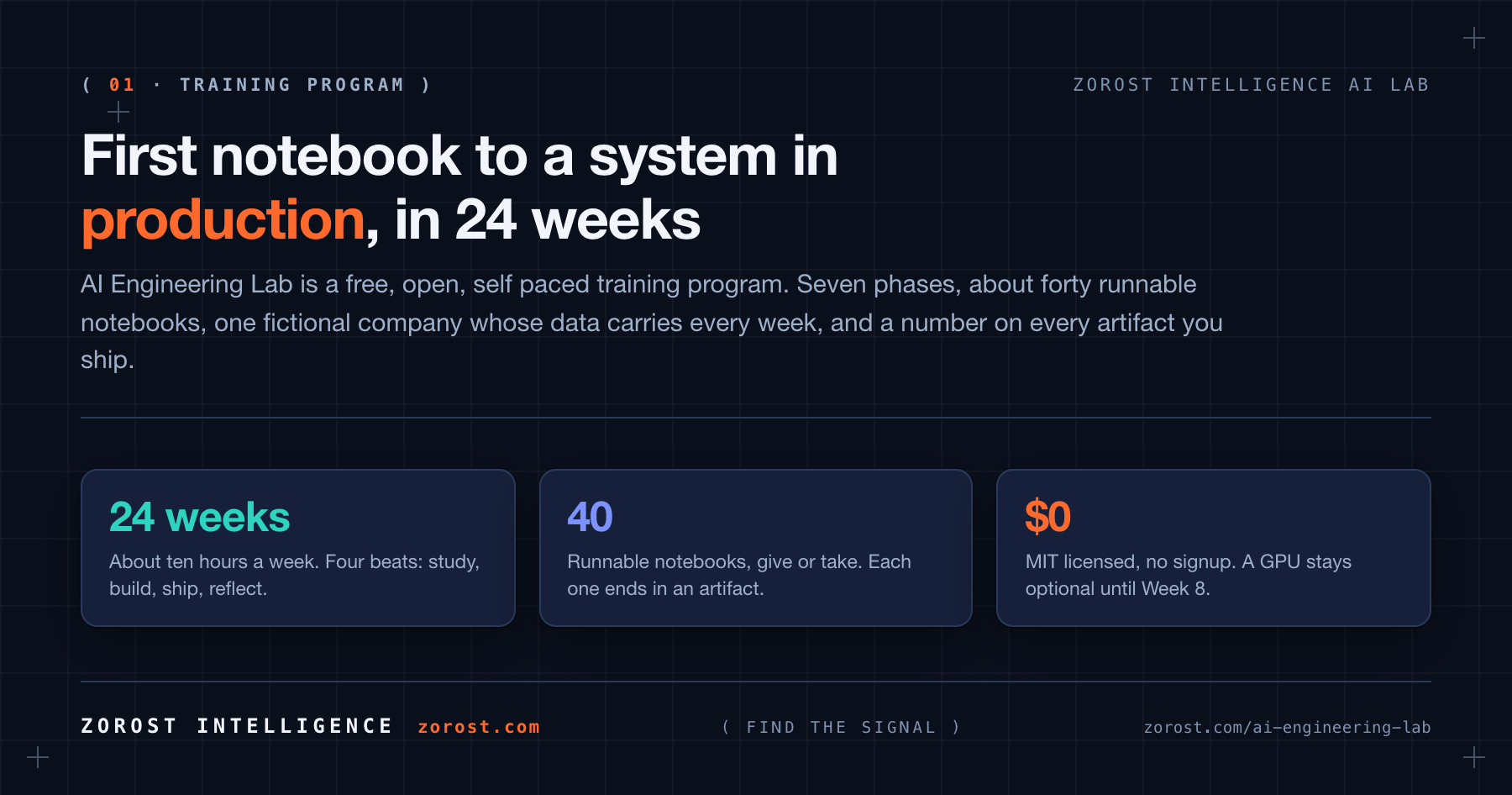
AI Engineering Lab is a free AI engineering course: an open, self-paced training program that
takes a motivated beginner from Python to production-grade AI systems in 24 weeks. Machine
learning and deep learning, large language model internals, prompt and context engineering,
retrieval augmented generation with vector search, quantization, fine-tuning with LoRA and DPO,
evaluation harnesses, coding-agent harnesses, AI agents and the Model Context Protocol, Azure AI
Foundry, Google Vertex AI, AWS Bedrock, and a governed Databricks lakehouse from zero to hero.
It is developed by Zorost Intelligence AI Lab. It is not a two-hour
prompt course. It is the curriculum the Lab would hand a new engineer joining a generative AI,
applied machine learning, or Databricks modernization team: opinionated, hands-on, use-case driven,
and honest about what breaks in production. If you are looking for an AI engineer roadmap you can
actually run rather than read, this is that, and every week ends in something that executes.
Every week pairs one concept with one artifact:
- A use case. One continuous fictional freight case study, all 24 weeks.
- Runnable notebooks. Python, SQL, and PySpark, local or on a free cloud notebook.
- A score. From Week 3 on, nothing is finished until it carries a metric and an error note.
Who it is for: software developers adding AI, analysts moving toward engineering, students and
career changers, technical founders. You need a computer you can install software on, about ten
hours a week, and basic computer literacy. You do not need prior Python, a GPU, or a paid API key.
Who it is not for: a research career in model architecture, or a weekend prompt workshop.
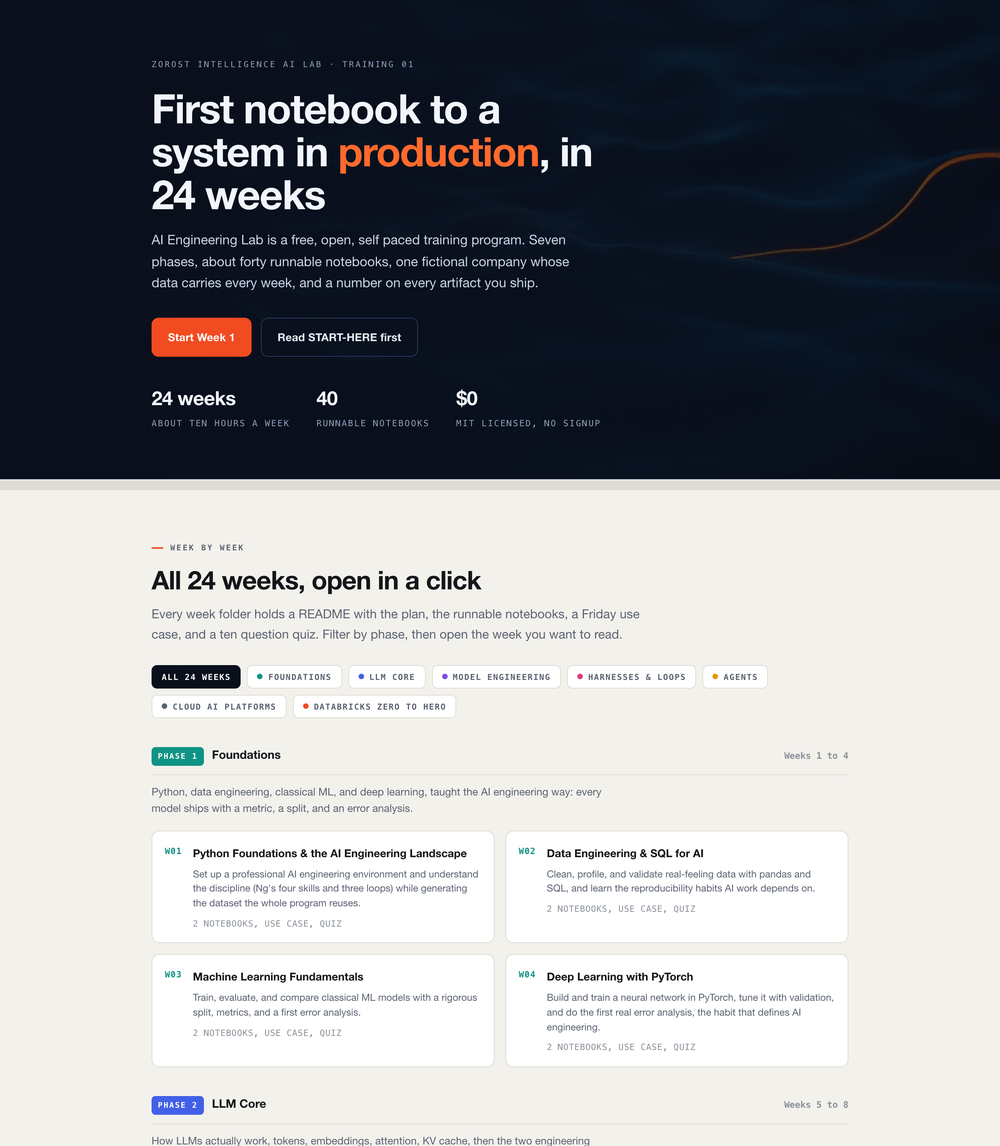
Browse the program online
The whole curriculum is published as a page you can read before cloning anything, at
zorost.github.io/AI-Engineering-Lab. All 24 weeks
are listed there with their objectives, filterable by phase, and each one links straight back to its
folder here.
The 24 week journey
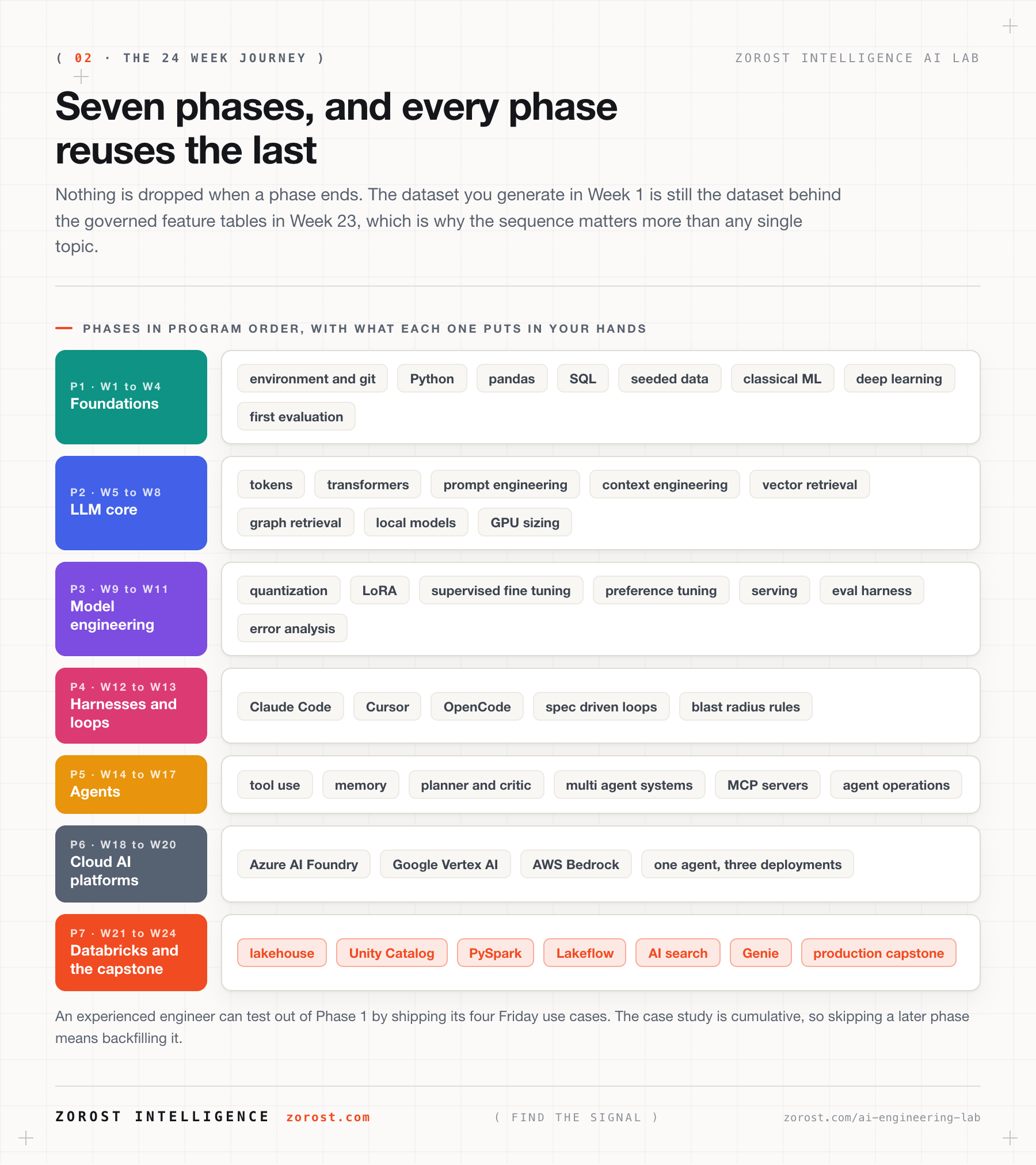
| Phase |
Weeks |
What you become |
| 1 · Foundations |
1 to 4 |
Python, data, machine learning, deep learning, with an evaluation mindset from day one |
| 2 · LLM core |
5 to 8 |
Tokens, transformers, prompt and context engineering, retrieval, graphs, local models |
| 3 · Model engineering |
9 to 11 |
Quantization, fine-tuning with LoRA and DPO, serving, evals and error analysis |
| 4 · Harnesses and loops |
12 to 13 |
Claude Code, Cursor, OpenCode, DeepSeek Harness, spec-driven loops |
| 5 · Agents |
14 to 17 |
Single agents, multi-agent systems, MCP, OpenClaw, Hermes, agent operations |
| 6 · Cloud AI platforms |
18 to 20 |
Azure AI Foundry, Google Vertex AI, AWS Bedrock: one agent, three clouds |
| 7 · Databricks zero to hero |
21 to 24 |
Lakehouse, Unity Catalog, PySpark, Lakeflow, AI Search, Genie, production |
Week by week: curriculum/README.md ·
Visual deep dive: curriculum/learning-path.md
How a week works
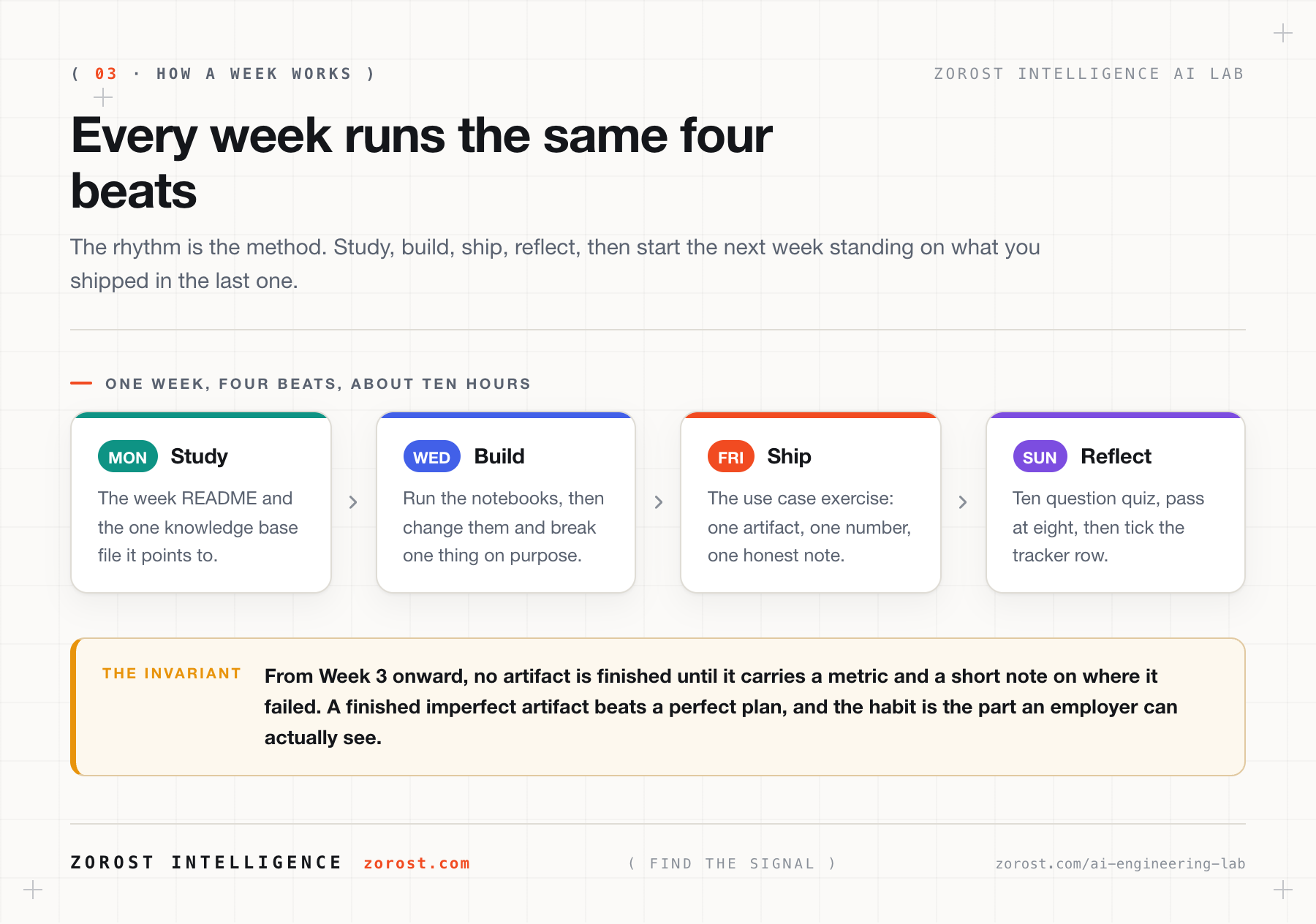
| Beat |
When |
What you do |
| Study |
Mon to Tue |
The week README and the one knowledge base file it points to |
| Build |
Wed to Thu |
Run the notebooks, then change them and break one thing on purpose |
| Ship |
Friday |
The use case exercise: one artifact, one number, one honest note |
| Reflect |
Fri to Sun |
Ten question quiz, pass at eight, then tick the tracker row |
From Week 3 on, every AI artifact ships with a metric and a short error-analysis note. That habit is
the point of the program.
One company, the whole way through
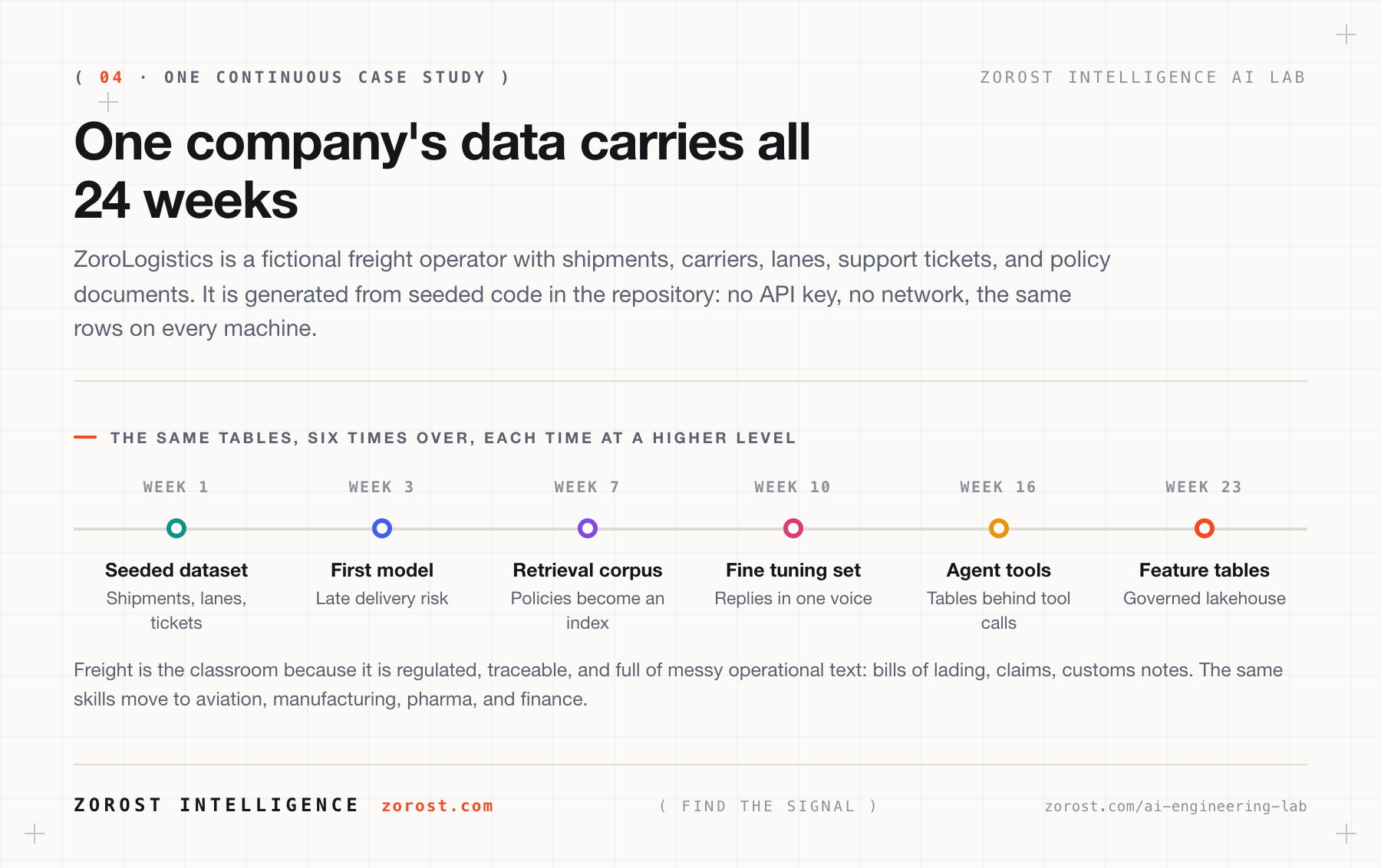
You are the AI engineering team at ZoroLogistics, a fictional freight operator. Week 1's seeded
dataset becomes Week 2's SQL practice, Week 3's training data, Week 7's retrieval corpus, Week 10's
fine-tuning set, Week 16's agent tools, and Week 23's feature tables. You graduate with a portfolio
of interconnected artifacts, not 24 disconnected demos.
Freight is the classroom because it is regulated, traceable, and full of messy operational text. The
skills transfer to aviation, manufacturing, pharma, government, and finance: the industries Zorost
already serves.
What is in the repository
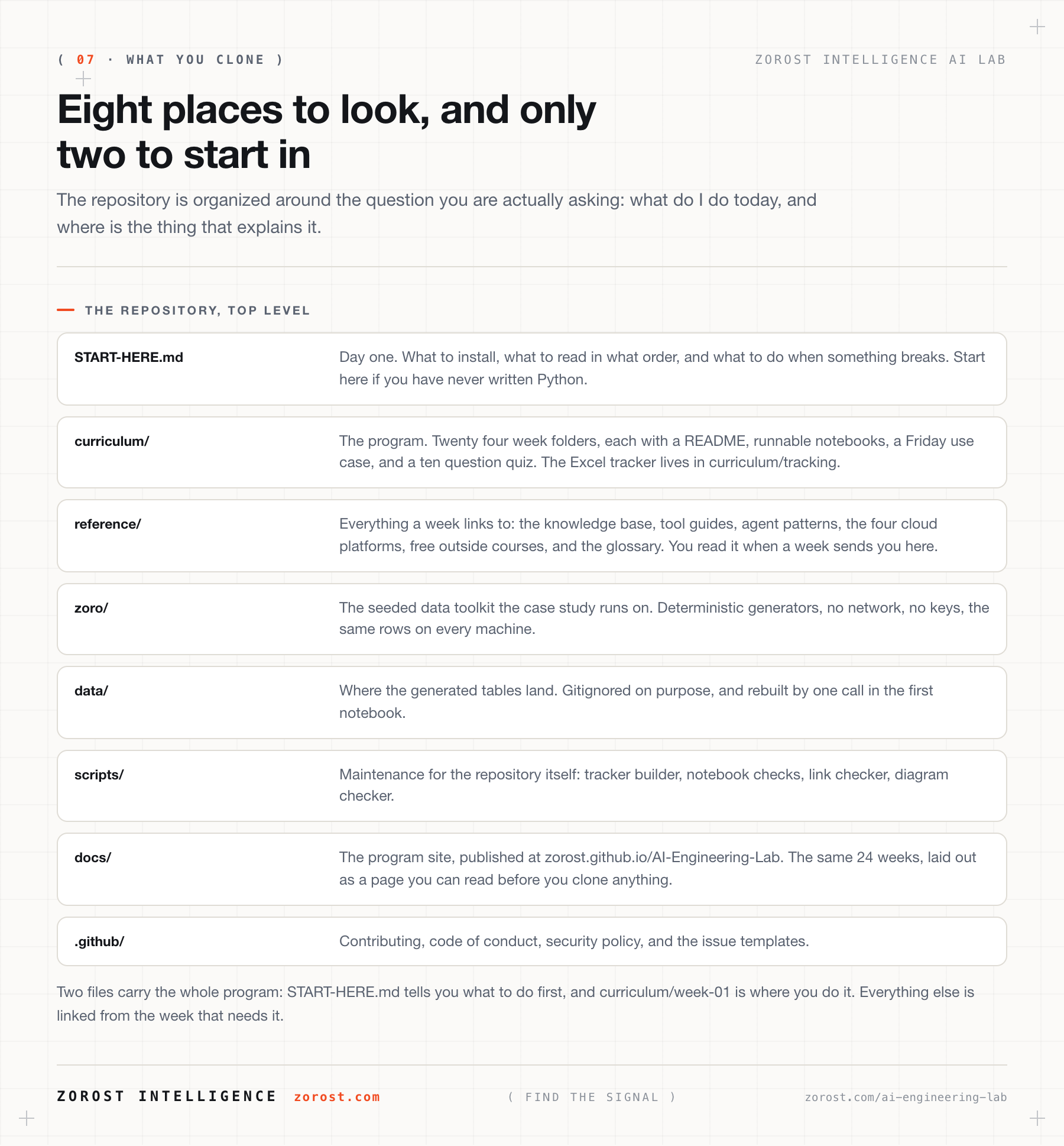
AI-Engineering-Lab/
├── START-HERE.md          # day one: install, order, what to do when it breaks
├── curriculum/            # the program: 24 week folders, manifest, Excel tracker
├── reference/             # what the weeks link to
│   ├── knowledge-base/    #   14 concept files, the reading behind each week
│   ├── skills/            #   tool guides: Claude Code, Cursor, OpenCode, Ollama
│   ├── agents/            #   agent patterns: OpenClaw, Hermes, MCP
│   ├── platforms/         #   Azure, Vertex, Bedrock, Databricks
│   ├── resources/         #   free outside courses, mapped to the week they help
│   └── GLOSSARY.md        #   every term, in plain language
├── zoro/                  # the seeded data toolkit the case study runs on
├── data/                  # generated tables land here (gitignored)
├── scripts/               # repository maintenance and checks
├── docs/                  # the program site published with GitHub Pages
└── assets/                # diagrams
The framework behind the program
The curriculum implements Andrew Ng's AI Engineering Skills Map and his three loops for
building software in the AI era. Zorost adds the part the map leaves out: skills do not ship,
systems do.
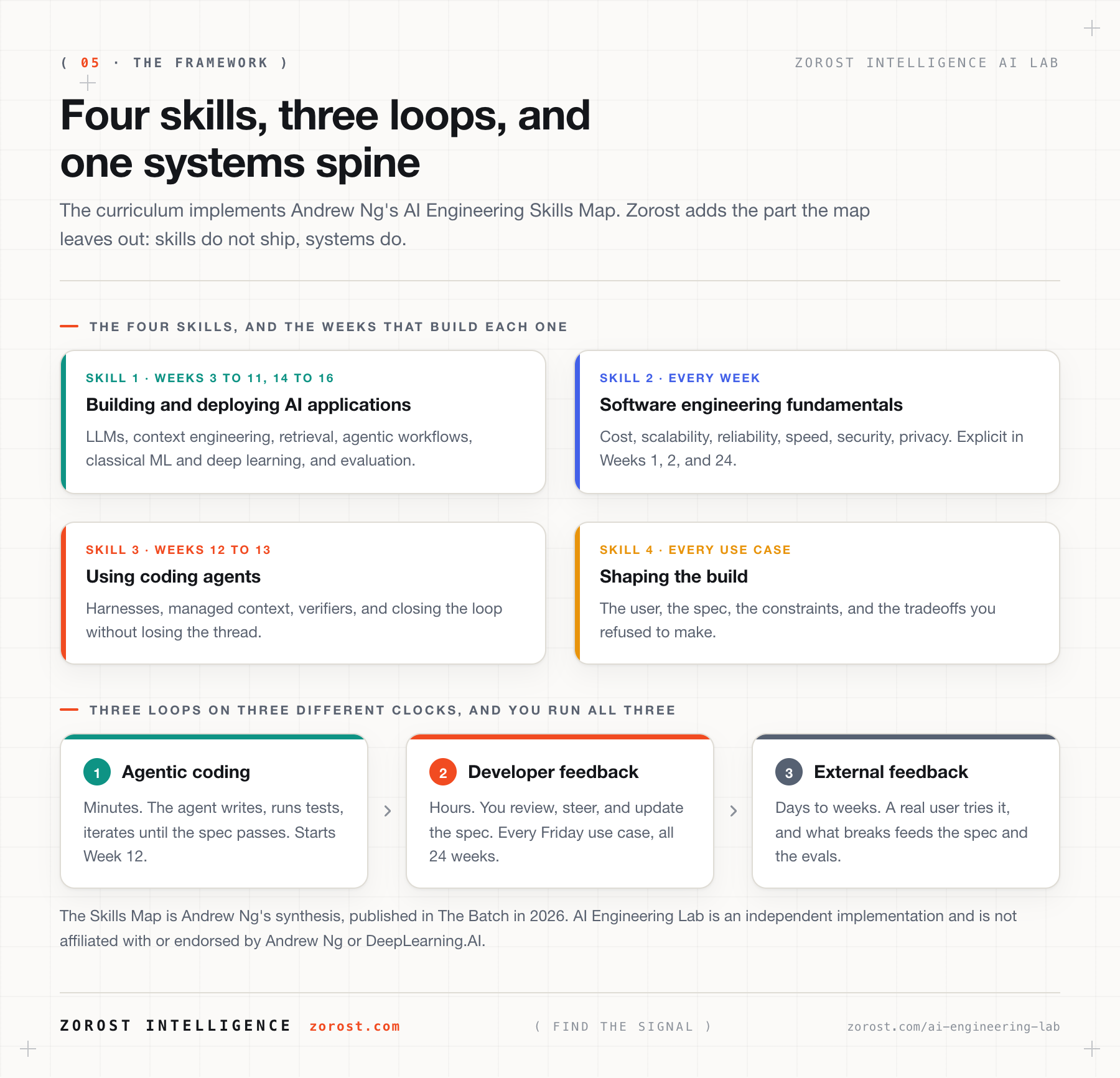
The Skills Map is Andrew Ng's synthesis, published in The Batch in 2026. AI Engineering Lab is an
independent implementation and is not affiliated with or endorsed by Andrew Ng or DeepLearning.AI.
The Lab's own reading of the map:
zorost.com/ai-engineering-skills-map-training-guide.
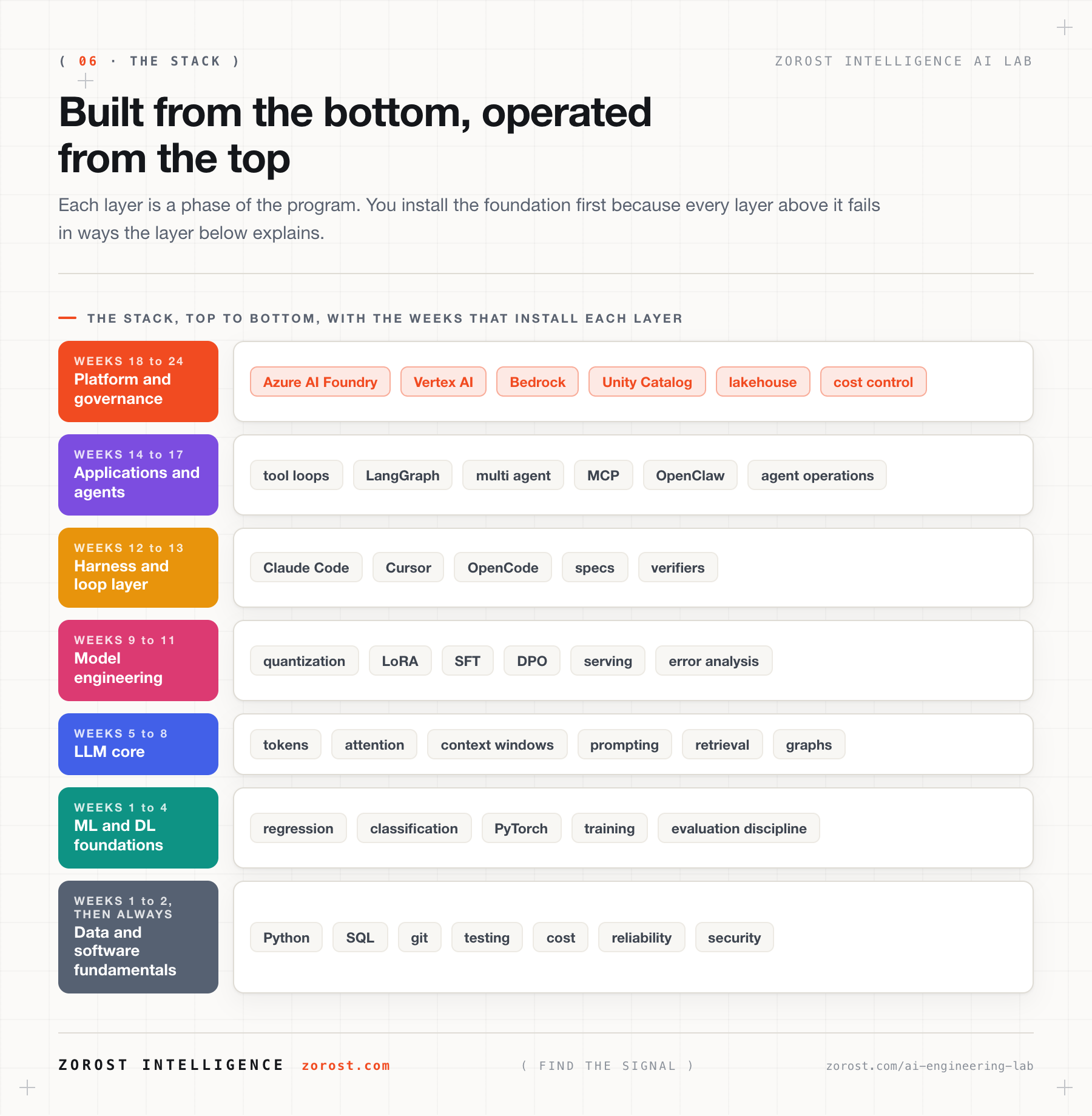
The stack you will master
What it costs
Nothing. The program is MIT licensed and there is no signup. Weeks 1 to 13 have a free path using
local models, free-tier APIs, or no API at all. Weeks 18 to 24 use cloud free tiers and tell you how
to stay inside them. A GPU is optional until Week 8.
Getting help
- Re-read the full error. The last line names the problem.
- Check that week's
exercises.md hints and the glossary.
- Open a GitHub issue with the week number, what you ran, and the traceback.
- Write [email protected] for reports, security, or conduct.
See contributing, code of conduct, and
security.
About Zorost Intelligence AI Lab
Zorost Intelligence designs, ships, and operates AI and data platforms for
organizations where accuracy, traceability, and compliance are non-negotiable. This program is
developed by the AI Lab and published as Training 01 on
zorost.com/ai-lab. The Lab's open test bench is
AI Fieldwork.
Original work by Zorost Intelligence. Vendor platforms are cited in each file's Sources section, and
no third-party course material is reproduced here.
License
MIT. See LICENSE. Learn freely, build freely, attribute Zorost Intelligence.
© 2026 Zorost Intelligence LLC · zorost.com · @ZorostAI · [email protected]





 这是 Zorost Intelligence AI Lab 推出的一门免费、可按自己节奏学习的 24 周 AI 工程课程,带领有干劲的初学者从 Python 一路学到生产级 AI 系统:涵盖机器学习、大语言模型、RAG、微调、智能体和 MCP,以及各大云平台和 Databricks。