


7.1K ·GitHub
这是什么?
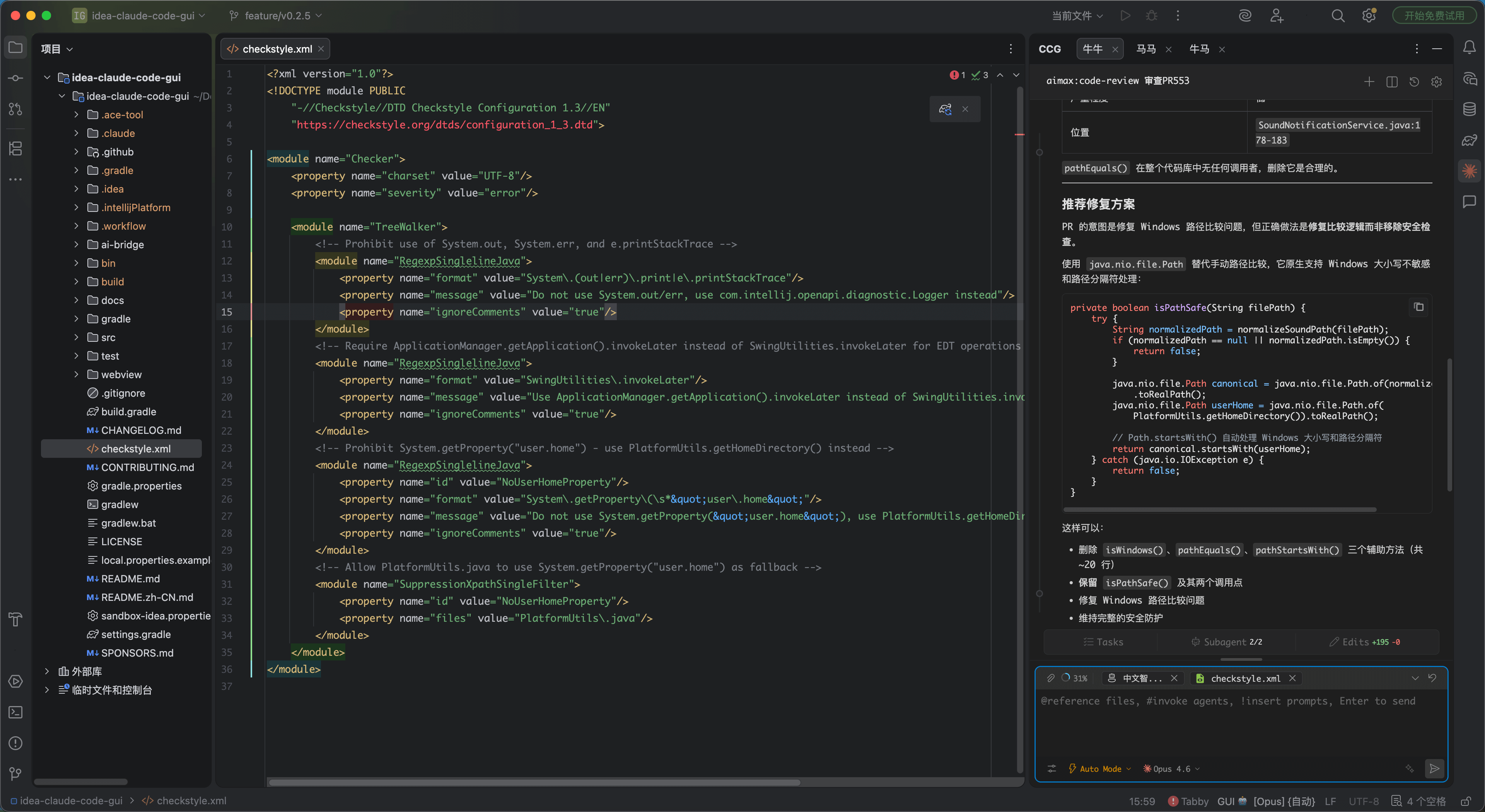
 CC GUI 是一个 IntelliJ IDEA 插件,可以为 Claude Code、OpenAI Codex 以及其他几款 AI 编程命令行工具在 IDE 内提供可视化的聊天式界面,无需再在终端中使用它们。
CC GUI 是一个 IntelliJ IDEA 插件,可以为 Claude Code、OpenAI Codex 以及其他几款 AI 编程命令行工具在 IDE 内提供可视化的聊天式界面,无需再在终端中使用它们。这是独立应用还是 JetBrains 插件?它是一个 JetBrains IDE 插件(专为 IntelliJ IDEA 打造),而不是单独的桌面应用;它把现有的命令行编程代理包装进 IDE 内的图形界面面板中。
它是一个 JetBrains IDE 插件(专为 IntelliJ IDEA 打造),而不是单独的桌面应用;它把现有的命令行编程代理包装进 IDE 内的图形界面面板中。我该如何安装和运行它?日常使用时,请按照项目的安装指南,从 JetBrains 插件市场将其安装为插件;如果要进行本地开发,则需先安装前端依赖,再安装 ai-bridge 依赖,然后在 IDEA 中运行、调试并构建该插件。
日常使用时,请按照项目的安装指南,从 JetBrains 插件市场将其安装为插件;如果要进行本地开发,则需先安装前端依赖,再安装 ai-bridge 依赖,然后在 IDEA 中运行、调试并构建该插件。它支持哪些 AI 编程命令行工具?它支持 Claude Code、OpenAI Codex、Grok CLI、Kimi CLI、OpenCode、PI CLI、OMP CLI 和 DeepSeek Harness,其中有几款标注为测试版;无论选择哪个引擎,都需要相应的 CLI 或 API 访问权限。
它支持 Claude Code、OpenAI Codex、Grok CLI、Kimi CLI、OpenCode、PI CLI、OMP CLI 和 DeepSeek Harness,其中有几款标注为测试版;无论选择哪个引擎,都需要相应的 CLI 或 API 访问权限。所有 AI 引擎的稳定性都一样吗?看起来只有 Claude Code 和 OpenAI Codex 得到了完整支持;其他引擎(Grok CLI、Kimi CLI、OpenCode、PI CLI、OMP CLI、DeepSeek Harness)则明确标注为测试版。
看起来只有 Claude Code 和 OpenAI Codex 得到了完整支持;其他引擎(Grok CLI、Kimi CLI、OpenCode、PI CLI、OMP CLI、DeepSeek Harness)则明确标注为测试版。只要我用 IntelliJ IDEA,它在任何操作系统上都能用吗?是的。作为 IntelliJ IDEA 插件,只要 IDEA 能运行的地方它都能跨平台运行(Windows、macOS、Linux);项目自身的标签也确认了这三个操作系统。
是的。作为 IntelliJ IDEA 插件,只要 IDEA 能运行的地方它都能跨平台运行(Windows、macOS、Linux);项目自身的标签也确认了这三个操作系统。为什么项目从“Claude Code GUI”改名为“CC GUI”?为降低 Claude 商标风险,项目进行了更名,并更新了 logo,以减少带有中国特色的元素。
为降低 Claude 商标风险,项目进行了更名,并更新了 logo,以减少带有中国特色的元素。它有没有做什么来防止 AI 做出不安全的改动?有。它包含全面的权限管理和安全控制,并定期进行安全审查:每次小版本发布前进行一次 /security-review 审计,每 10 个小版本进行一次完整的 claude-code-security 审计。
有。它包含全面的权限管理和安全控制,并定期进行安全审查:每次小版本发布前进行一次 /security-review 审计,每 10 个小版本进行一次完整的 claude-code-security 审计。我能在对话中引用文件或图片吗?可以。你可以使用 @file 引用来提供精确的代码上下文,也可以发送图片,以图示的方式描述需求。
可以。你可以使用 @file 引用来提供精确的代码上下文,也可以发送图片,以图示的方式描述需求。除了与 AI 聊天,它还提供哪些功能?它还包括:用于自动化任务的 Agent 系统、/init 和 /review 等斜杠命令、MCP 服务器支持、代码差异对比、会话历史、收藏与导出,以及兼容 cc-switch 的服务商管理。
它还包括:用于自动化任务的 Agent 系统、/init 和 /review 等斜杠命令、MCP 服务器支持、代码差异对比、会话历史、收藏与导出,以及兼容 cc-switch 的服务商管理。What are similar projects?context-mode, superpowers-zh, ideavim, openpencil, claudecodeui, pstack, casbin-gateway, brag
context-mode, superpowers-zh, ideavim, openpencil, claudecodeui, pstack, casbin-gateway, brag