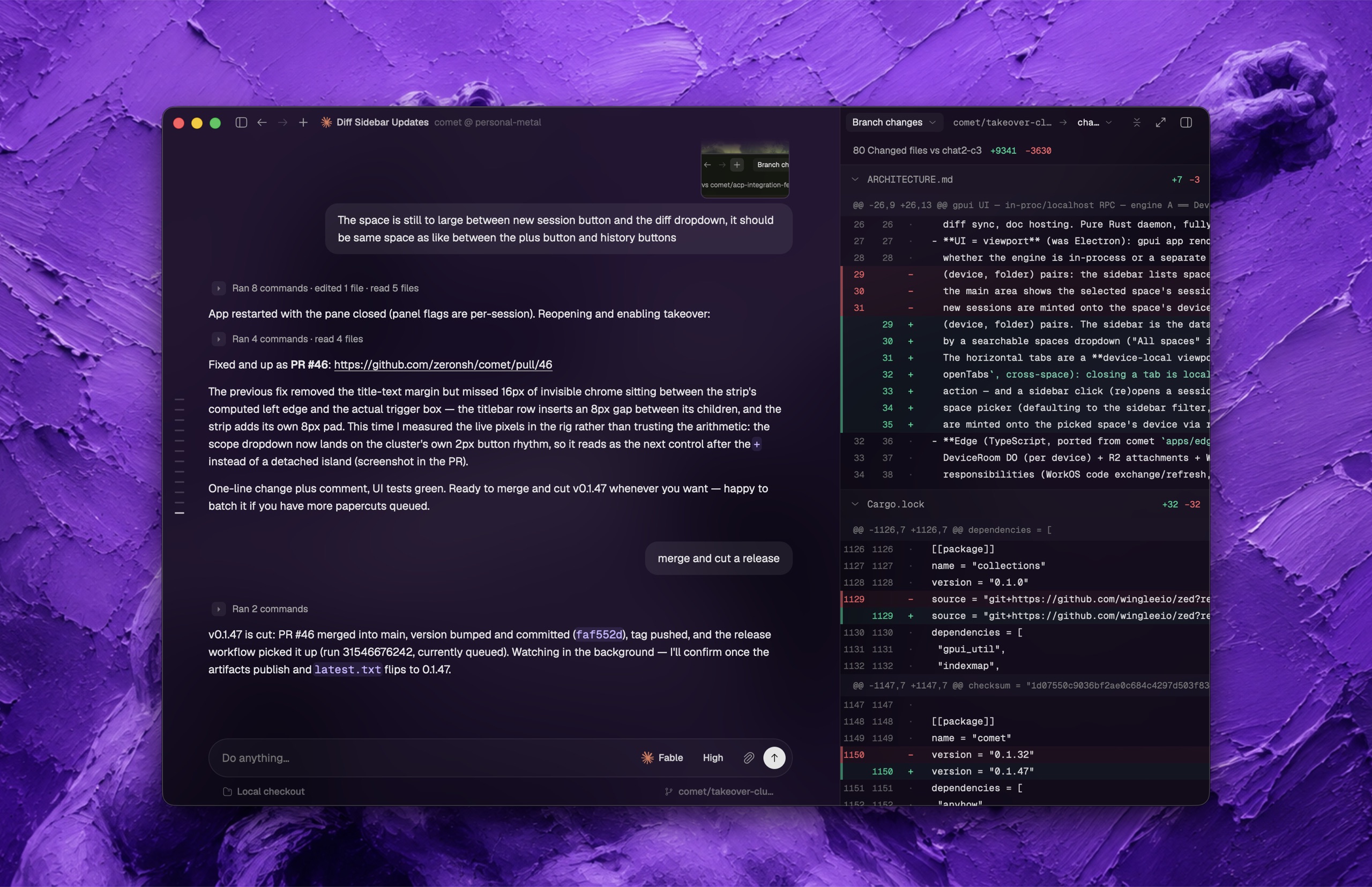

What is this?
 Zeron is a native desktop control plane that lets you run, monitor, and switch between multiple coding agents (Claude Code, Codex, Cursor, Devin, Grok, Hermes, Pi, Antigravity) from one app, with each device keeping its sessions local by default.
Zeron is a native desktop control plane that lets you run, monitor, and switch between multiple coding agents (Claude Code, Codex, Cursor, Devin, Grok, Hermes, Pi, Antigravity) from one app, with each device keeping its sessions local by default.Is this a desktop app, or more of a background service?Both: every device runs a small background engine (daemon) that stores agent sessions locally, paired with a desktop UI, and the installer keeps that daemon running across reboots.
Both: every device runs a small background engine (daemon) that stores agent sessions locally, paired with a desktop UI, and the installer keeps that daemon running across reboots.How do I install and run Zeron?On Linux, the installer starts the daemon immediately with no setup needed. On macOS, use the desktop release or build from source and run 'zeron daemon install' for the launchd service. On Windows, extract the portable release ZIP and run zeron.exe.
On Linux, the installer starts the daemon immediately with no setup needed. On macOS, use the desktop release or build from source and run 'zeron daemon install' for the launchd service. On Windows, extract the portable release ZIP and run zeron.exe.Do I need an account or internet connection to use it?No — a fresh install starts in local-only mode with no account or network connection required. The Linux desktop sidebar browser does need the Linux browser runtime installed.
No — a fresh install starts in local-only mode with no account or network connection required. The Linux desktop sidebar browser does need the Linux browser runtime installed.Any gotchas when switching between local and synced mode?Yes — signing in changes which profile loads on the next engine start, so you must stop the daemon before switching, and 'zeron login'/'zeron logout' refuse to run while an engine owns the data directory.
Yes — signing in changes which profile loads on the next engine start, so you must stop the daemon before switching, and 'zeron login'/'zeron logout' refuse to run while an engine owns the data directory.Can I keep agents running on a server after closing my laptop?Yes — with sync enabled, an always-on machine such as a VPS can keep agents running after you close your laptop, and you can drive them from another synced device.
Yes — with sync enabled, an always-on machine such as a VPS can keep agents running after you close your laptop, and you can drive them from another synced device.What can other devices see once I enable sync?Devices signed in to the same synced account are trusted with full remote access to a workspace: they can list, read, and write its files, and enabling 'Show ignored files' even exposes gitignored files like .env (though .git is always excluded). Signing in never uploads your existing local sessions.
Devices signed in to the same synced account are trusted with full remote access to a workspace: they can list, read, and write its files, and enabling 'Show ignored files' even exposes gitignored files like .env (though .git is always excluded). Signing in never uploads your existing local sessions.Which coding agents can Zeron control?Claude Code, Codex, Cursor, Devin, Grok, Hermes, Pi, and Antigravity.
Claude Code, Codex, Cursor, Devin, Grok, Hermes, Pi, and Antigravity.Can I drive an agent session from a different device?Yes — once two devices are signed in to the same synced account, you can start an agent on one and follow or drive it from another.
Yes — once two devices are signed in to the same synced account, you can start an agent on one and follow or drive it from another.If I sign in for sync, do my existing local sessions get uploaded?No, signing in does not upload, move, or import existing local sessions; they stay under the local profile and reappear if you switch back to local-only mode.
No, signing in does not upload, move, or import existing local sessions; they stay under the local profile and reappear if you switch back to local-only mode.What are similar projects?happy, hapi, ai-manager, foreman, token-monitor, codex-host, agents, backpass
happy, hapi, ai-manager, foreman, token-monitor, codex-host, agents, backpassWhich topics is it in?gpui, pi-coding-agent, hermes, remote-access, sync, vps, antigravity, grok, coding-agents, agent-orchestration, cursor, local-first
gpui, pi-coding-agent, hermes, remote-access, sync, vps, antigravity, grok, coding-agents, agent-orchestration, cursor, local-first