






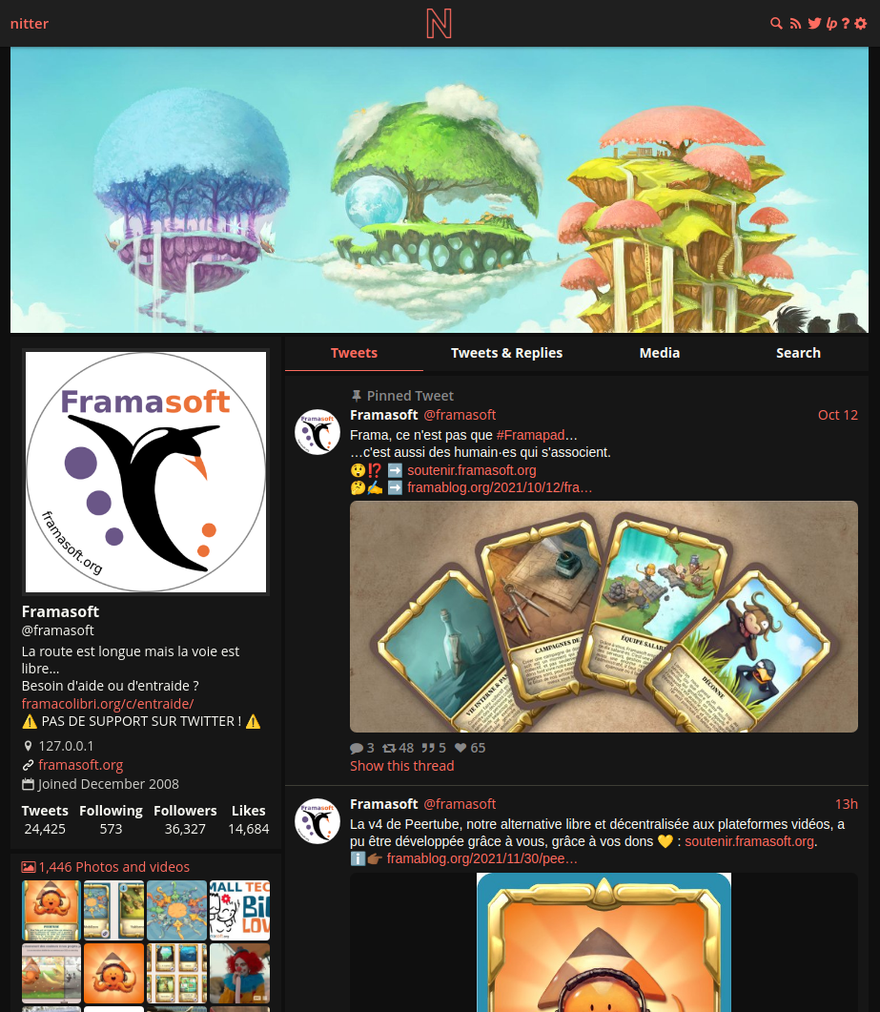
What is this?
 A free, open source alternative front-end for Twitter, focused on privacy and performance — it was inspired by the Invidious project. You browse Twitter through a Nitter instance instead of twitter.com.
A free, open source alternative front-end for Twitter, focused on privacy and performance — it was inspired by the Invidious project. You browse Twitter through a Nitter instance instead of twitter.com.How is it different from just visiting twitter.com?It works with no JavaScript and zero ads, and pages are far lighter — about 15x lighter than Twitter, with timelines loading 2-4x faster. Since 2024, twitter.com itself is unusable without signing up.
It works with no JavaScript and zero ads, and pages are far lighter — about 15x lighter than Twitter, with timelines loading 2-4x faster. Since 2024, twitter.com itself is unusable without signing up.How do I run my own instance?Build it from source with Nim, or run the prebuilt Docker image zedeus/nitter:latest (native amd64 and arm64). Redis or Valkey must be running, settings live in nitter.conf, and you should put Nitter behind a reverse proxy like Nginx or Apache.
Build it from source with Nim, or run the prebuilt Docker image zedeus/nitter:latest (native amd64 and arm64). Redis or Valkey must be running, settings live in nitter.conf, and you should put Nitter behind a reverse proxy like Nginx or Apache.What do I need installed first?libpcre, libsass (to compile the SCSS) and Redis for caching — the Valkey fork is recommended since Redis stopped being open source in 2024. Building from source also needs a Nim installation.
libpcre, libsass (to compile the SCSS) and Redis for caching — the Valkey fork is recommended since Redis stopped being open source in 2024. Building from source also needs a Nim installation.With all the X Corp legal trouble, is the project dead?Not officially: the GitHub repo is archived, and in August 2026 X Corp sent cease-and-desist letters demanding permanent takedowns of Nitter instances and the repo — but the project announced it will continue, with details to come.
Not officially: the GitHub repo is archived, and in August 2026 X Corp sent cease-and-desist letters demanding permanent takedowns of Nitter instances and the repo — but the project announced it will continue, with details to come.So does my browser ever talk to Twitter directly?No. Every request goes through the Nitter backend, so the client never talks to Twitter — that keeps Twitter from tracking your IP or fingerprinting your browser via JavaScript.
No. Every request goes through the Nitter backend, so the client never talks to Twitter — that keeps Twitter from tracking your IP or fingerprinting your browser via JavaScript.Is there a catch to the license?It is AGPLv3: fully free, but proprietary instances are not permitted, so any public deployment has to stay open source.
It is AGPLv3: fully free, but proprietary instances are not permitted, so any public deployment has to stay open source.Do I need a Twitter account to browse Nitter?No — Nitter uses Twitter's unofficial API, so no account or developer credentials are needed. An account system is on the roadmap to give you a clean chronological timeline without joining Twitter.
No — Nitter uses Twitter's unofficial API, so no account or developer credentials are needed. An account system is on the roadmap to give you a clean chronological timeline without joining Twitter.Can I use an existing instance instead of self-hosting?Yes. The project wiki lists community-run instances, plus browser extensions that redirect twitter.com links to Nitter automatically.
Yes. The project wiki lists community-run instances, plus browser extensions that redirect twitter.com links to Nitter automatically.What is the trickiest part of the Docker setup?The nitter.conf file must exist on the host before you mount it — Docker silently creates a directory in its place and the container fails with a 'not a directory' error. With docker-compose you also point redisHost at nitter-redis.
The nitter.conf file must exist on the host before you mount it — Docker silently creates a directory in its place and the container fails with a 'not a directory' error. With docker-compose you also point redisHost at nitter-redis.Does Nitter support RSS?Yes, it can expose Twitter content as RSS feeds, but they are instance-specific and public instances often disable them due to abuse.
Yes, it can expose Twitter content as RSS feeds, but they are instance-specific and public instances often disable them due to abuse.What are similar projects?invidious, omni-tools, searxng, LibreTranslate, glance, Piped, awesome-privacy, FreshRSS
invidious, omni-tools, searxng, LibreTranslate, glance, Piped, awesome-privacy, FreshRSSWhich topics is it in?x, anti-tracking, alternative, twitter, rss, foss, lightweight, agplv3, privacy-first, proxy, docker-compose, web-app
x, anti-tracking, alternative, twitter, rss, foss, lightweight, agplv3, privacy-first, proxy, docker-compose, web-app