What is this?
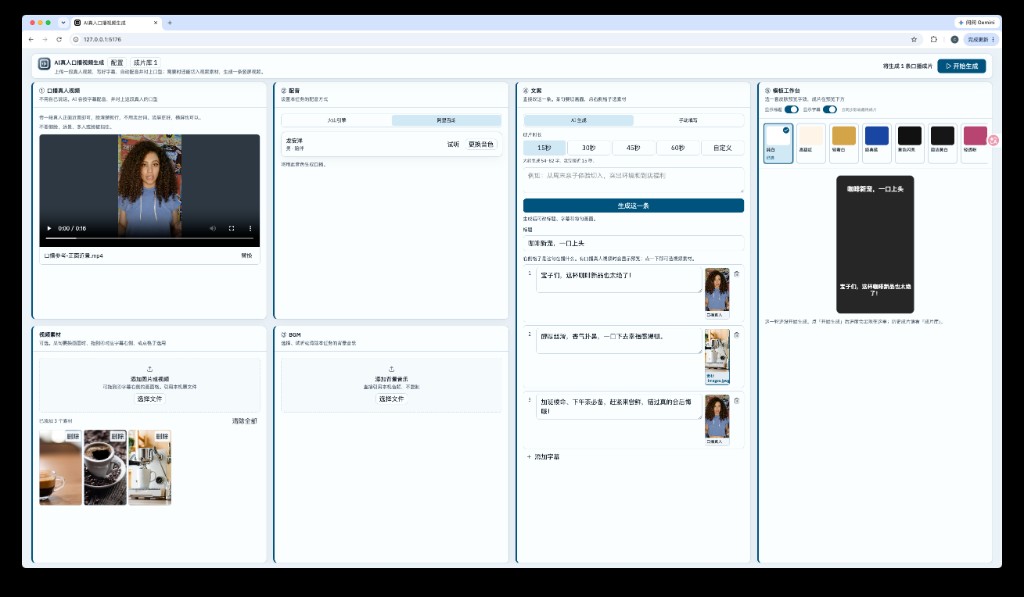
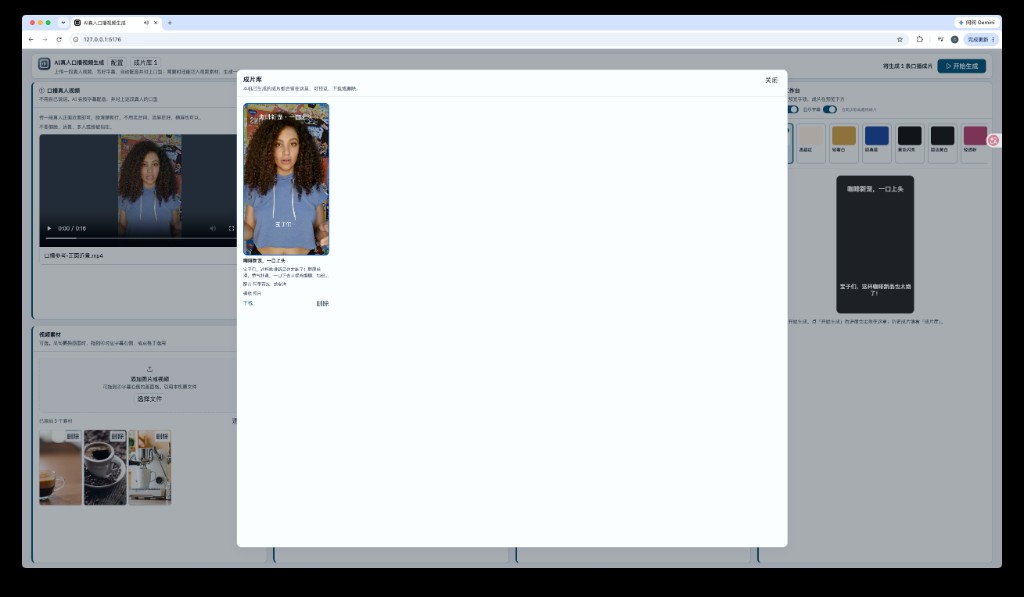
 A local web app that turns a real person's talking-head footage into a finished talking video: you upload a short clip of someone facing the camera, write the script, it generates the voiceover, lip-syncs the clip to that audio, and renders a vertical MP4 with FFmpeg.
A local web app that turns a real person's talking-head footage into a finished talking video: you upload a short clip of someone facing the camera, write the script, it generates the voiceover, lip-syncs the clip to that audio, and renders a vertical MP4 with FFmpeg.Is this a cloud service or something I run on my own machine?It's a self-hosted web app: a local Node.js server plus a browser UI, with no cloud backend of its own. Tasks, API keys, and finished videos stay on your machine, though the reference footage is briefly sent to Alibaba's cloud for the lip-sync step.
It's a self-hosted web app: a local Node.js server plus a browser UI, with no cloud backend of its own. Tasks, API keys, and finished videos stay on your machine, though the reference footage is briefly sent to Alibaba's cloud for the lip-sync step.How do I get it running?Install Node.js 20+ and FFmpeg/ffprobe locally, then run npm install, npm run build, and npm start (or npm run dev for development) and open the local URL it serves in your browser.
Install Node.js 20+ and FFmpeg/ffprobe locally, then run npm install, npm run build, and npm start (or npm run dev for development) and open the local URL it serves in your browser.What do I need before I can generate a video?Node.js 20+, FFmpeg and ffprobe runnable from your terminal, and an Alibaba Bailian VideoRetalk API key (required for lip-sync) plus either Bailian CosyVoice or Volcano Engine TTS credentials for dubbing; a DeepSeek key is optional for AI-written scripts.
Node.js 20+, FFmpeg and ffprobe runnable from your terminal, and an Alibaba Bailian VideoRetalk API key (required for lip-sync) plus either Bailian CosyVoice or Volcano Engine TTS credentials for dubbing; a DeepSeek key is optional for AI-written scripts.Any limitations I should know about?Only one video renders at a time and jobs can't run concurrently; closing the app or stopping the server mid-task kills the job and it won't auto-resume; and despite running locally, your reference video and generated audio are uploaded to Alibaba's temporary OSS storage for about 48 hours so VideoRetalk can process them.
Only one video renders at a time and jobs can't run concurrently; closing the app or stopping the server mid-task kills the job and it won't auto-resume; and despite running locally, your reference video and generated audio are uploaded to Alibaba's temporary OSS storage for about 48 hours so VideoRetalk can process them.Does this run on Windows, or only macOS/Linux?It's cross-platform as a Node.js app with a browser UI, but Linux users need Zenity installed for the native file picker (dragging files in works as a fallback), and macOS users can grab FFmpeg via Homebrew.
It's cross-platform as a Node.js app with a browser UI, but Linux users need Zenity installed for the native file picker (dragging files in works as a fallback), and macOS users can grab FFmpeg via Homebrew.What does picking a 'skin' actually change?It sets the subtitle/title visual style burned into the finished video, and you can toggle whether titles and subtitles are shown; the narration audio is still driven by whatever subtitle text you wrote.
It sets the subtitle/title visual style burned into the finished video, and you can toggle whether titles and subtitles are shown; the narration audio is still driven by whatever subtitle text you wrote.Can I swap in different footage for specific lines?Yes, for any sentence you can drag a video clip onto its subtitle slot so that section cuts to that footage instead of the talking-head shot, and multiple reference clips can be mixed into one output.
Yes, for any sentence you can drag a video clip onto its subtitle slot so that section cuts to that footage instead of the talking-head shot, and multiple reference clips can be mixed into one output.Is this an official ByteDance, Alibaba, or DeepSeek product?No, it's an independent open-source project by yizhi-chengzi that just calls Bailian, Volcano Engine, and DeepSeek APIs; it has no affiliation with Douyin, ByteDance, Volcano Engine, Alibaba Cloud, or DeepSeek.
No, it's an independent open-source project by yizhi-chengzi that just calls Bailian, Volcano Engine, and DeepSeek APIs; it has no affiliation with Douyin, ByteDance, Volcano Engine, Alibaba Cloud, or DeepSeek.Does hitting 'regenerate' redo the whole pipeline?Not necessarily: if the reference video, script, and chosen voice are unchanged, regenerating skips the lip-sync call and only reruns the FFmpeg composition step.
Not necessarily: if the reference video, script, and chosen voice are unchanged, regenerating skips the lip-sync call and only reruns the FFmpeg composition step.What are similar projects?lanshu-create-ai-presenter-video, storycast, cs-board, pokemonlive, ComfyUI-MiniMaxH3-TimelineDirector, OpenReels, reelmimic, Pixelle-Video
lanshu-create-ai-presenter-video, storycast, cs-board, pokemonlive, ComfyUI-MiniMaxH3-TimelineDirector, OpenReels, reelmimic, Pixelle-VideoWhich topics is it in?talking-head, lipsync, ai-video, privacy-first, tts, text-to-speech, ffmpeg, video-generation, deepseek, china, local-first, web-app
talking-head, lipsync, ai-video, privacy-first, tts, text-to-speech, ffmpeg, video-generation, deepseek, china, local-first, web-app