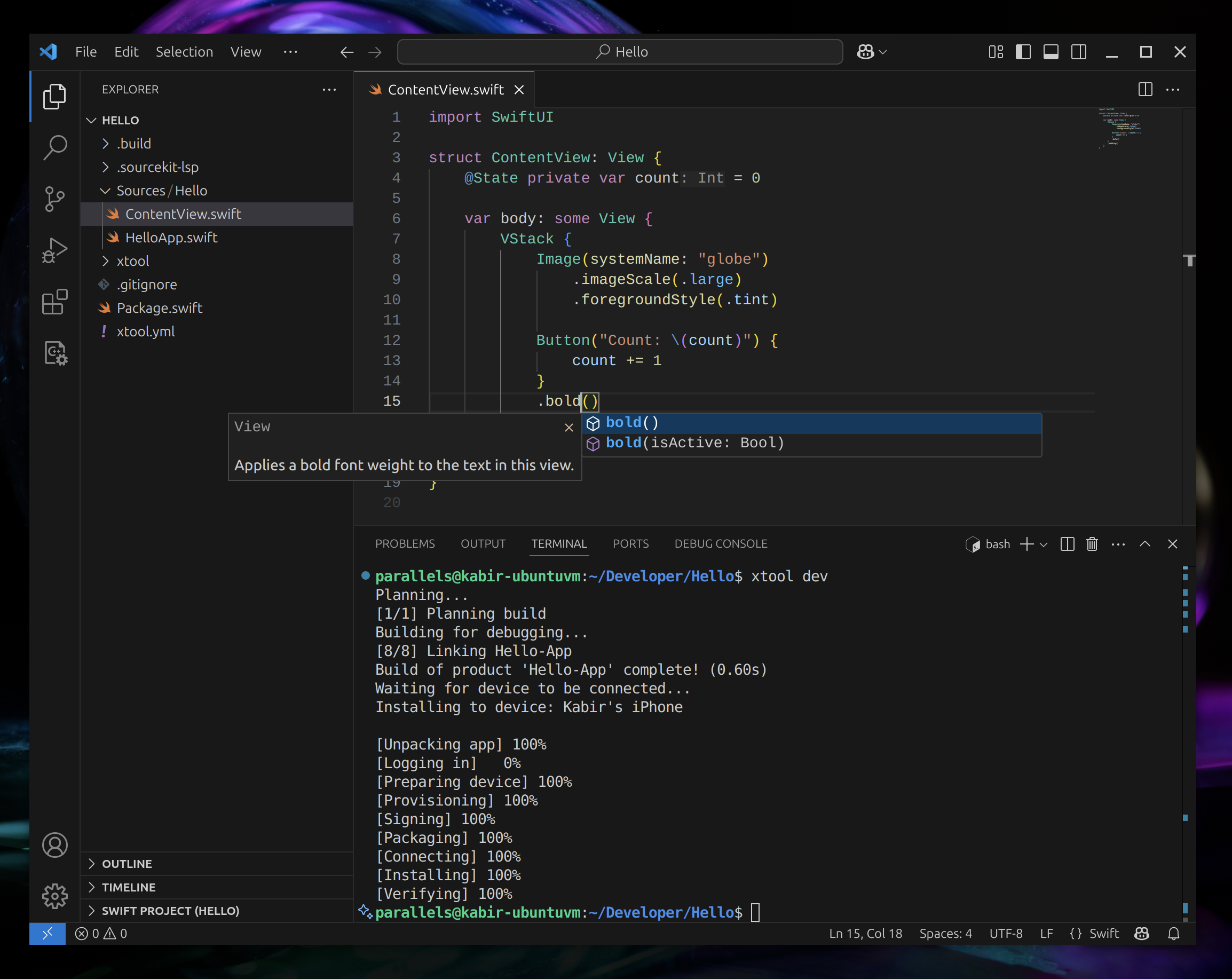
这是什么?
 xtool 是一款跨平台工具,可复刻 Xcode 的核心功能,让你在 Linux、Windows(通过 WSL)或 macOS 上构建、签名并安装以 SwiftPM 包形式编写的 iOS 应用。
xtool 是一款跨平台工具,可复刻 Xcode 的核心功能,让你在 Linux、Windows(通过 WSL)或 macOS 上构建、签名并安装以 SwiftPM 包形式编写的 iOS 应用。这是像 Xcode 那样的完整 IDE,还是仅仅一个命令行构建工具?它主要是一个命令行工具,用于构建、签名和安装以 SwiftPM 构建的 iOS 应用,另外还附带一个库(XKit),你可以把它嵌入自己的工具中与 Apple Developer Services 通信。
它主要是一个命令行工具,用于构建、签名和安装以 SwiftPM 构建的 iOS 应用,另外还附带一个库(XKit),你可以把它嵌入自己的工具中与 Apple Developer Services 通信。怎么安装 xtool 并上手使用?按照对应平台的安装指南操作(Linux/Windows 一条路径,macOS 另一条路径),然后跟随教程创建并运行你的第一个基于 xtool 的应用。
按照对应平台的安装指南操作(Linux/Windows 一条路径,macOS 另一条路径),然后跟随教程创建并运行你的第一个基于 xtool 的应用。它只能在 macOS 上用,还是也支持 Linux 和 Windows?它可以在 Linux、通过 WSL 的 Windows 以及 macOS 上运行,三者都是一等公民的安装目标。
它可以在 Linux、通过 WSL 的 Windows 以及 macOS 上运行,三者都是一等公民的安装目标。xtool 究竟能对我的 SwiftPM 包做什么?它可以把 SwiftPM 包构建成 iOS 应用,然后对应用进行签名和安装,涵盖了 Xcode 通常负责的核心构建与部署工作流。
它可以把 SwiftPM 包构建成 iOS 应用,然后对应用进行签名和安装,涵盖了 Xcode 通常负责的核心构建与部署工作流。XKit 是什么?XKit 是 xtool 背后的库,让你能在自己的应用中以编程方式与 Apple Developer Services 和 iOS 设备交互,以 SwiftPM 依赖的形式添加。
XKit 是 xtool 背后的库,让你能在自己的应用中以编程方式与 Apple Developer Services 和 iOS 设备交互,以 SwiftPM 依赖的形式添加。为什么要用 xtool,而不是直接用装了 Xcode 的 Mac?xtool 让 Linux 或 Windows 上的开发者无需拥有 Mac 就能构建并发布真正的 iOS 应用,使用开放标准而不是 Xcode 的专有工具链。
xtool 让 Linux 或 Windows 上的开发者无需拥有 Mac 就能构建并发布真正的 iOS 应用,使用开放标准而不是 Xcode 的专有工具链。What are similar projects?omarchy-apple-dev, SkeletonView, FSCalendar, AFNetworking, flutter_carplay, SwiftyJSON, Alamofire, CocoaPods
omarchy-apple-dev, SkeletonView, FSCalendar, AFNetworking, flutter_carplay, SwiftyJSON, Alamofire, CocoaPodsWhich topics is it in?swift-package-manager, wsl, xcode, package-manager, mobile-development, swift, sdk, mobile, ios, command-line-tool, terminal, tool
swift-package-manager, wsl, xcode, package-manager, mobile-development, swift, sdk, mobile, ios, command-line-tool, terminal, tool