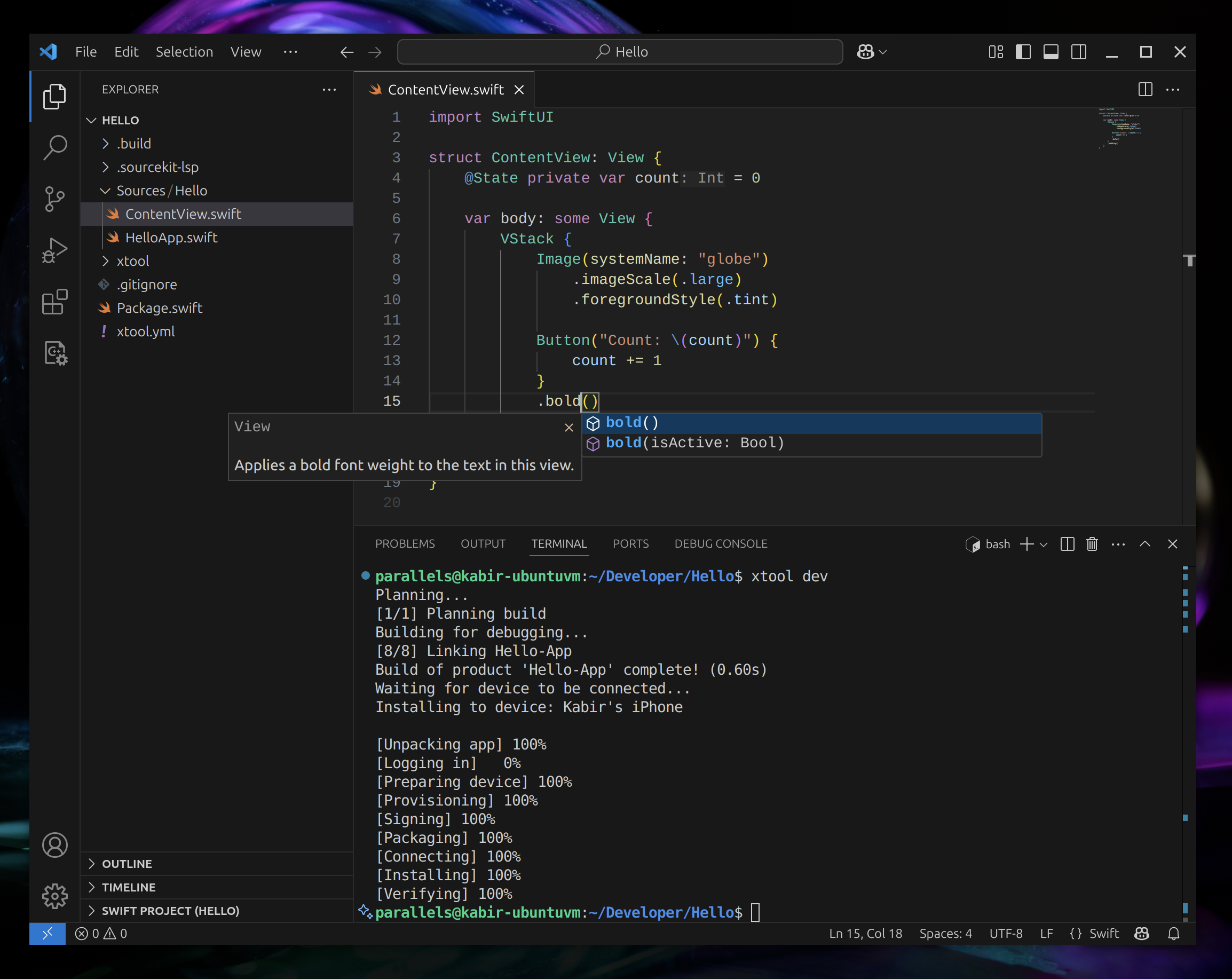
What is this?
 xtool is a cross-platform tool that replicates Xcode's core functionality, letting you build, sign, and install iOS apps written as SwiftPM packages from Linux, Windows (via WSL), or macOS.
xtool is a cross-platform tool that replicates Xcode's core functionality, letting you build, sign, and install iOS apps written as SwiftPM packages from Linux, Windows (via WSL), or macOS.Is this a full IDE like Xcode, or just a command-line build tool?It's primarily a command-line tool for building, signing, and installing iOS apps built with SwiftPM, plus a bundled library (XKit) you can embed in your own tools to talk to Apple Developer Services.
It's primarily a command-line tool for building, signing, and installing iOS apps built with SwiftPM, plus a bundled library (XKit) you can embed in your own tools to talk to Apple Developer Services.How do I install and get started with xtool?Follow the platform-specific installation guide (one path for Linux/Windows, another for macOS), then follow the tutorial to create and run your first xtool-powered app.
Follow the platform-specific installation guide (one path for Linux/Windows, another for macOS), then follow the tutorial to create and run your first xtool-powered app.Does it only work on macOS, or also on Linux and Windows?It runs on Linux, on Windows via WSL, and on macOS, covering all three as first-class install targets.
It runs on Linux, on Windows via WSL, and on macOS, covering all three as first-class install targets.What exactly can xtool do with my SwiftPM package?It can build a SwiftPM package into an iOS app, then sign and install that app, covering the core build-and-deploy workflow Xcode normally handles.
It can build a SwiftPM package into an iOS app, then sign and install that app, covering the core build-and-deploy workflow Xcode normally handles.What is XKit?XKit is the library underlying xtool that lets you programmatically interact with Apple Developer Services and iOS devices from your own app, added as a SwiftPM dependency.
XKit is the library underlying xtool that lets you programmatically interact with Apple Developer Services and iOS devices from your own app, added as a SwiftPM dependency.Why would I use xtool instead of just using a Mac with Xcode?xtool lets developers on Linux or Windows build and ship real iOS apps without owning a Mac, using open standards instead of Xcode's proprietary toolchain.
xtool lets developers on Linux or Windows build and ship real iOS apps without owning a Mac, using open standards instead of Xcode's proprietary toolchain.What are similar projects?omarchy-apple-dev, SkeletonView, FSCalendar, AFNetworking, flutter_carplay, SwiftyJSON, Alamofire, CocoaPods
omarchy-apple-dev, SkeletonView, FSCalendar, AFNetworking, flutter_carplay, SwiftyJSON, Alamofire, CocoaPodsWhich topics is it in?swift-package-manager, wsl, xcode, package-manager, mobile-development, swift, sdk, mobile, ios, command-line-tool, terminal, tool
swift-package-manager, wsl, xcode, package-manager, mobile-development, swift, sdk, mobile, ios, command-line-tool, terminal, tool