





:rotating_light: :warning: This project is going through some changes as we prepare for v1.0. This includes
a rename from WTF to Tessera! Stay tuned! :warning: :rotating_light:
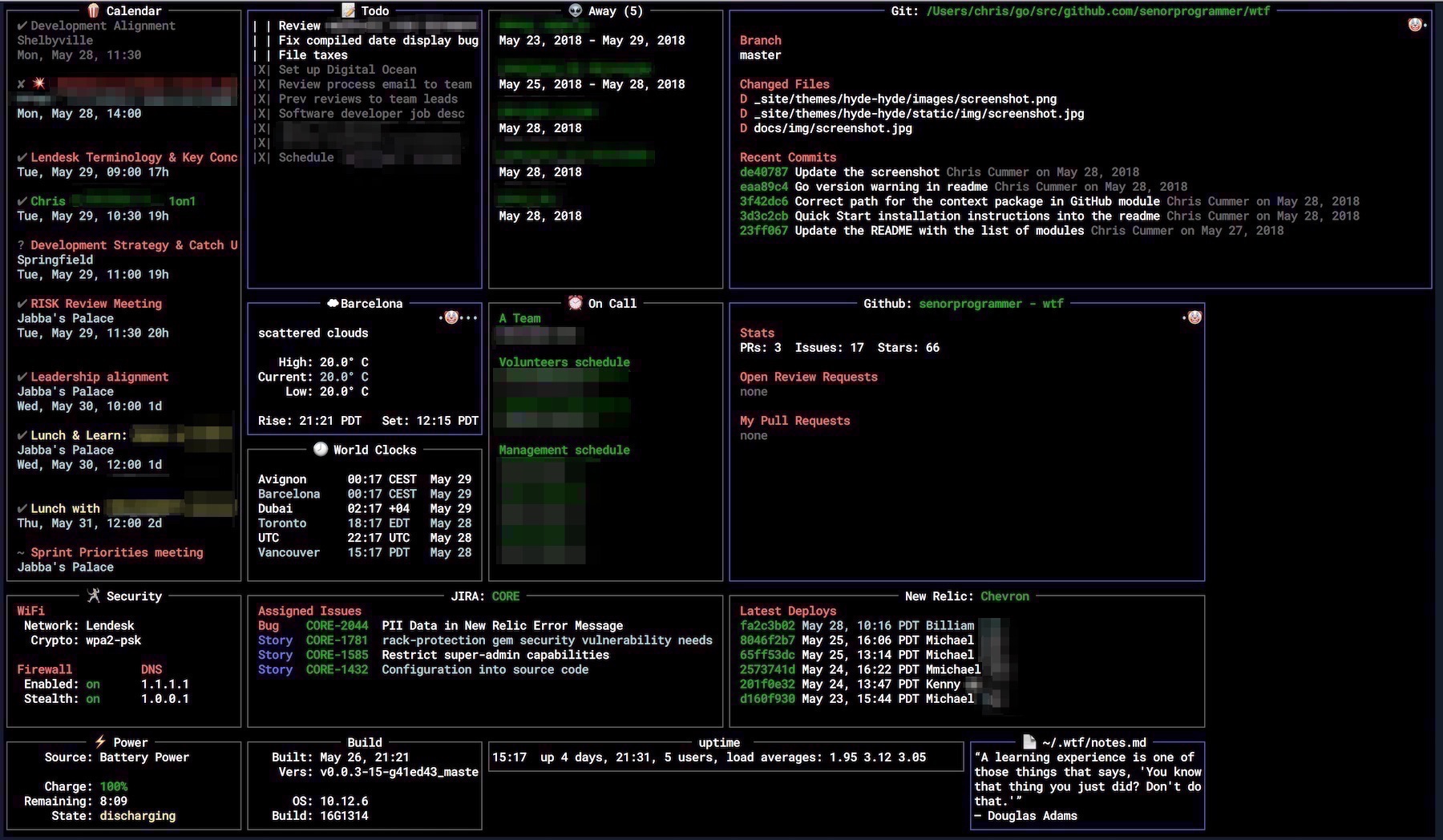
WTF (aka 'wtfutil') is the personal information dashboard for your terminal, providing at-a-glance access to your very important but infrequently-needed stats and data.
Used by thousands of developers and tech people around the world, WTF is free and open-source. To support the continued use and development of WTF, please consider sponsoring WTF via GitHub Sponsors.
Awesome! See here for how you can change the exit message, the message WTF shows when quitting, to something special just for you.
Installation
Installing via Homebrew
The simplest way from Homebrew:
brew install wtfutil

wtfutil
That version can sometimes lag a bit, as recipe updates take time to get accepted into homebrew-core. If you always want the bleeding edge of releases, you can tap it:
brew install linodians/tap/wtfutil

wtfutil
Installing via go install
Just run
go install github.com/wtfutil/wtf@latest
Installing via MacPorts
You can also install via MacPorts:
sudo port selfupdate
sudo port install wtfutil

wtfutil
Installing a Binary
Download the latest binary from GitHub.
WTF is a stand-alone binary. Once downloaded, copy it to a location you can run executables from (ie: /usr/local/bin/), and set the permissions accordingly:
chmod a+x /usr/local/bin/wtfutil
and you should be good to go.
Installing from Source
If you want to run the build command from within your $GOPATH:
# Set the Go proxy
export GOPROXY="https://proxy.golang.org,direct"

# Disable the Go checksum database
export GOSUMDB=off

# Enable Go modules
export GO111MODULE=on

go get -u github.com/wtfutil/wtf
cd $GOPATH/src/github.com/wtfutil/wtf
make install
make run
If you want to run the build command from a folder that is not in your $GOPATH:
# Set the Go proxy
export GOPROXY="https://proxy.golang.org,direct"

go get -u github.com/wtfutil/wtf
cd $GOPATH/src/github.com/wtfutil/wtf
make install
make run
Installing via Arch User Repository
Arch Linux users can utilise the wtfutil package to build it from source, or wtfutil-bin to install pre-built binaries.
Documentation
See https://wtfutil.com for the definitive
documentation. Here's some short-cuts:
Modules
Modules are the chunks of functionality that make WTF useful. Modules are added and configured by including their configuration values in your config.yml file. The documentation for each module describes how to configure them.
Some interesting modules you might consider adding to get you started:
Getting Bugs Fixed or Features Added
WTF is open-source software, informally maintained by a small collection of volunteers who come and go at their leisure. There are absolutely no guarantees that, even if an issue is opened for them, bugs will be fixed or features added.
If there is a bug that you really need to have fixed or a feature you really want to have implemented, you can greatly increase your chances of that happening by creating a bounty on BountySource to provide an incentive for someone to tackle it.
Contributing to the Source Code
First, kindly read Talk, then code by Dave Cheney. It's great advice and will often save a lot of time and effort.
Next, kindly read CONTRIBUTING.md for details on our code of conduct, and the process for submitting pull requests.
Then create your branch, write your code, submit your PR, and join the rest of the awesome people who've contributed their time and effort towards WTF. Without their contributors, WTF wouldn't be possible.
Don't worry if you've never written Go before, or never contributed to an open source project before, or that your code won't be good enough. For a surprising number of people WTF has been their first Go project, or first open source contribution. If you're here, and you've read this far, you're the right stuff.
Contributing to the Documentation
Documentation now lives in its own repository here: https://github.com/wtfutil/wtfdocs.
Please make all additions and updates to documentation in that repository.
Adding Dependencies
Dependency management in WTF is handled by Go modules. Please check out that page for more details on how Go modules work.
Acknowledgments
The inspiration for WTF came from Monica Dinculescu's
tiny-care-terminal.
WTF is built atop tcell and tview, fantastic projects both. WTF is built, packaged, and deployed via GoReleaser.


 WTF(也叫 'wtfutil')是一个运行在终端里的个人信息面板,让你一眼就能看到那些重要但不常查看的统计数据。它免费开源,有成千上万的开发者和技术人员在使用。