Что это такое?
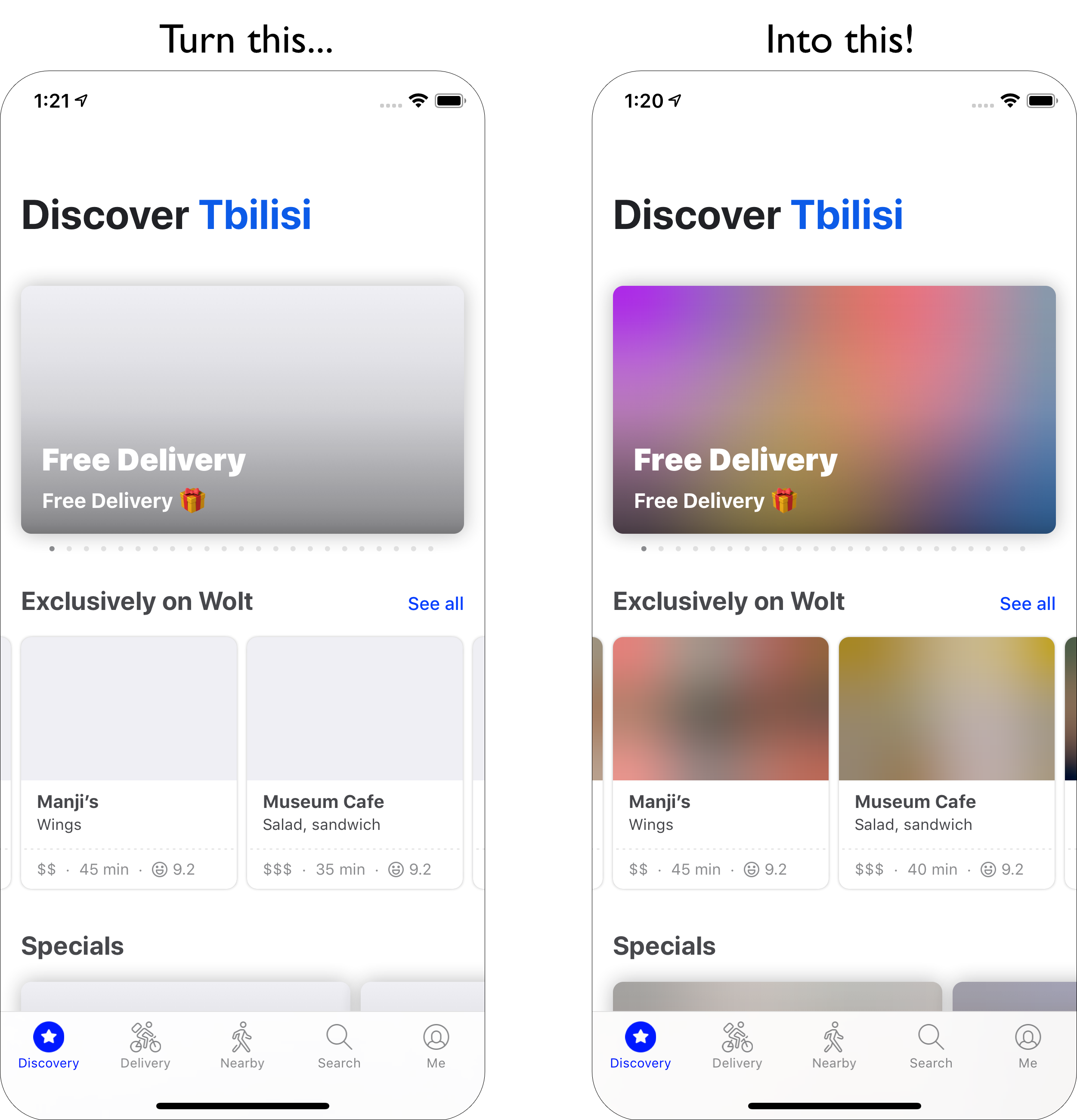
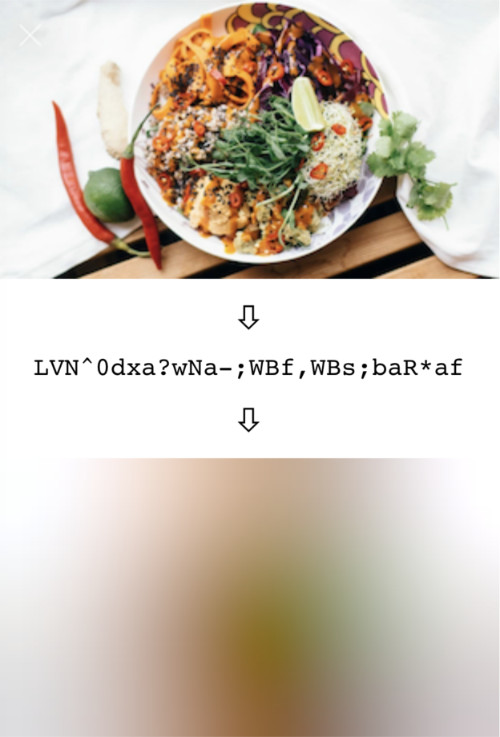
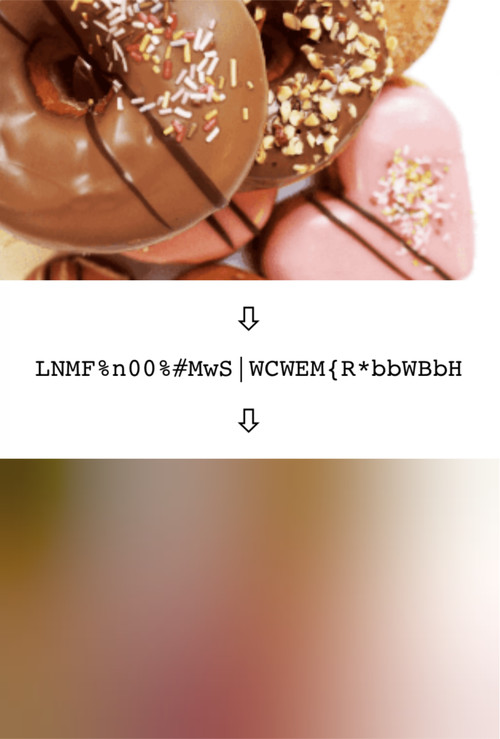
 BlurHash — это компактная заглушка для изображения: строка из 20–30 символов, в которую закодировано размытое превью картинки. Клиент декодирует её и показывает, пока настоящее изображение загружается.
BlurHash — это компактная заглушка для изображения: строка из 20–30 символов, в которую закодировано размытое превью картинки. Клиент декодирует её и показывает, пока настоящее изображение загружается.Это приложение, которое я устанавливаю, или библиотека?Это алгоритм, который используется через небольшие библиотеки — вся реализация занимает меньше 200 строк кода, поэтому её легко портировать на любой язык или платформу.
Это алгоритм, который используется через небольшие библиотеки — вся реализация занимает меньше 200 строк кода, поэтому её легко портировать на любой язык или платформу.С чего начать?Добавьте реализацию для своего языка, закодируйте каждое изображение один раз на бэкенде и передавайте строку из 20–30 символов внутри того формата данных, который вы уже отправляете клиентам.
Добавьте реализацию для своего языка, закодируйте каждое изображение один раз на бэкенде и передавайте строку из 20–30 символов внутри того формата данных, который вы уже отправляете клиентам.Он поддерживает мой язык или стек?Официальные реализации есть для C (кодировщик), Swift, Kotlin (декодер для Android), TypeScript и Python; сторонние порты добавляют Go, PHP, Java, Rust, Ruby, Elixir, Dart, .NET и другие.
Официальные реализации есть для C (кодировщик), Swift, Kotlin (декодер для Android), TypeScript и Python; сторонние порты добавляют Go, PHP, Java, Rust, Ruby, Elixir, Dart, .NET и другие.Есть ли у кодирования и декодирования проблемы с производительностью?Да: реализации не оптимизированы и сильно замедляются на очень больших изображениях. Кодируйте уменьшенные версии картинок и декодируйте заглушки шириной около 20–32 пикселей, а масштабирование доверяйте интерфейсу.
Да: реализации не оптимизированы и сильно замедляются на очень больших изображениях. Кодируйте уменьшенные версии картинок и декодируйте заглушки шириной около 20–32 пикселей, а масштабирование доверяйте интерфейсу.Он нужен мне на бэкенде, на клиенте или там и там?И там и там: бэкенд кодирует и хранит строку вместе с каждым изображением, а клиент декодирует её в заглушку, которая показывается, пока настоящее изображение загружается по сети.
И там и там: бэкенд кодирует и хранит строку вместе с каждым изображением, а клиент декодирует её в заглушку, которая показывается, пока настоящее изображение загружается по сети.Он работает на мобильных и в вебе?Да — официальные реализации сделаны для iOS (Swift), Android (Kotlin) и веба (TypeScript), а сама Wolt использует BlurHash во всех своих клиентах: iOS, Android и веб.
Да — официальные реализации сделаны для iOS (Swift), Android (Kotlin) и веба (TypeScript), а сама Wolt использует BlurHash во всех своих клиентах: iOS, Android и веб.Как выбрать количество компонент X и Y?Это дело вкуса: больше компонент — больше деталей, но строка становится длиннее и результат может выглядеть хуже. Авторы обычно берут 4 на 3, подстраивая значения под пропорции ваших изображений.
Это дело вкуса: больше компонент — больше деталей, но строка становится длиннее и результат может выглядеть хуже. Авторы обычно берут 4 на 3, подстраивая значения под пропорции ваших изображений.Зачем нужен параметр punch?Он регулирует контрастность декодированной заглушки: 1 — обычный вид, меньшие значения делают эффект мягче, большие — сильнее. Технически он масштабирует AC-компоненты вверх или вниз.
Он регулирует контрастность декодированной заглушки: 1 — обычный вид, меньшие значения делают эффект мягче, большие — сильнее. Технически он масштабирует AC-компоненты вверх или вниз.BlurHash годится только как заглушка на время загрузки?Нет. Им можно маскировать изображения без дорогих эффектов размытия (так делает Mastodon) и приближённо получать средние цвета участков картинки — средний цвет всего изображения это просто DC-компонента.
Нет. Им можно маскировать изображения без дорогих эффектов размытия (так делает Mastodon) и приближённо получать средние цвета участков картинки — средний цвет всего изображения это просто DC-компонента.Кто использует BlurHash в продакшене?Wolt на iOS, Android и в вебе; Mastodon — для заглушек и скрытия чувствительных медиа; Signal — до загрузки фото- и видеосообщений; Jellyfin — для изображений фильмов и сериалов.
Wolt на iOS, Android и в вебе; Mastodon — для заглушек и скрытия чувствительных медиа; Signal — до загрузки фото- и видеосообщений; Jellyfin — для изображений фильмов и сериалов.What are similar projects?hello-algo, capacitor, flatbuffers, react-native-skia, wcdb, react-native-continued-task, NativeScript, react-content-loader
hello-algo, capacitor, flatbuffers, react-native-skia, wcdb, react-native-continued-task, NativeScript, react-content-loader