

Что это такое?
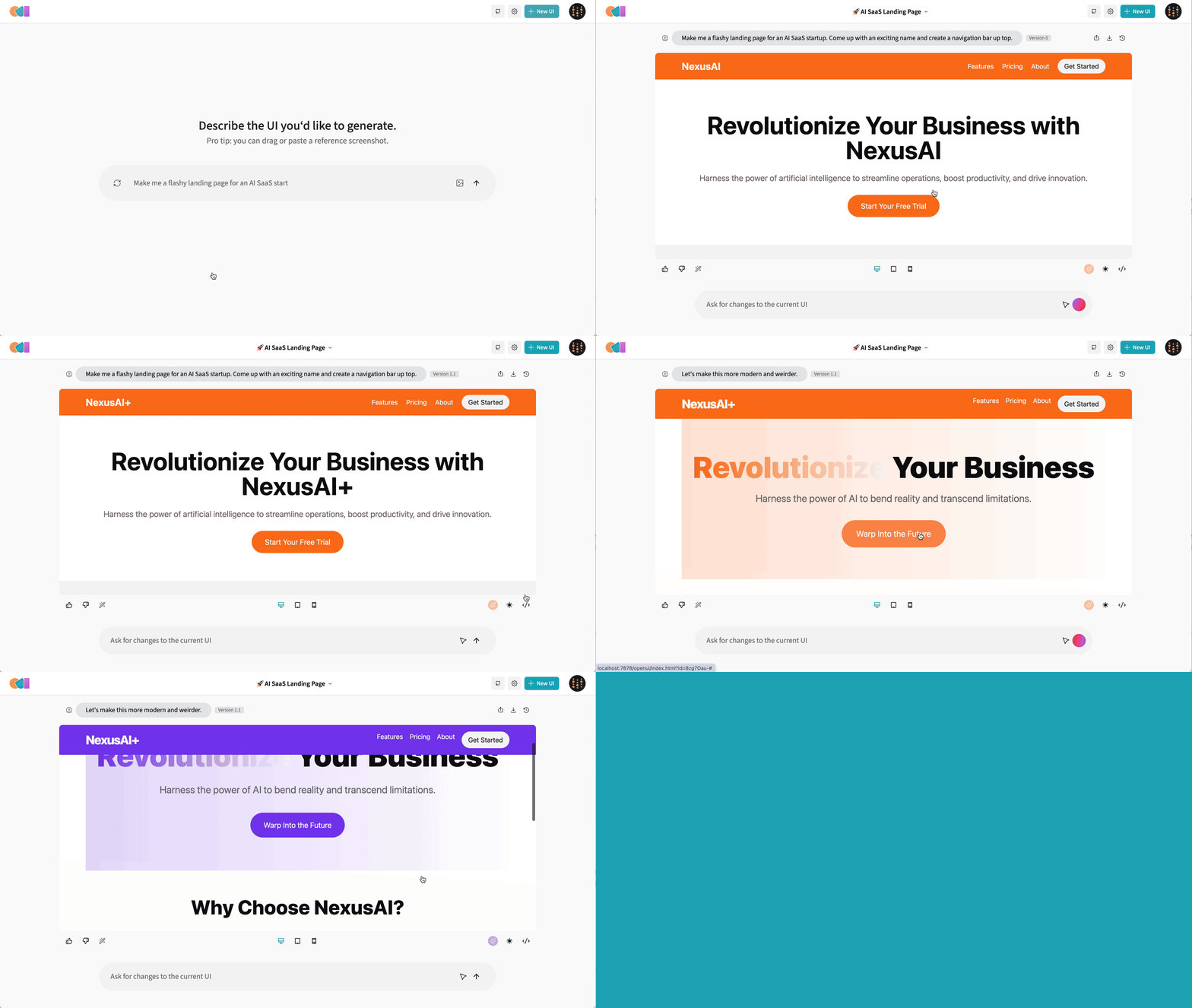
 OpenUI — инструмент с открытым исходным кодом от W&B, который превращает текстовое описание в работающий интерфейс: описываете компонент, смотрите, как он отрисовывается, просите внести изменения, а затем конвертируете результат в React, Svelte, Web Components и другие форматы.
OpenUI — инструмент с открытым исходным кодом от W&B, который превращает текстовое описание в работающий интерфейс: описываете компонент, смотрите, как он отрисовывается, просите внести изменения, а затем конвертируете результат в React, Svelte, Web Components и другие форматы.Это хостинговый сайт вроде v0 или что-то, что я запускаю сам?И то и другое. Есть хостинговая живая демка, чтобы быстро посмотреть, а предпочтительный способ развернуть у себя — Docker: вы получаете веб-приложение, которое открываете в браузере на локальном порту.
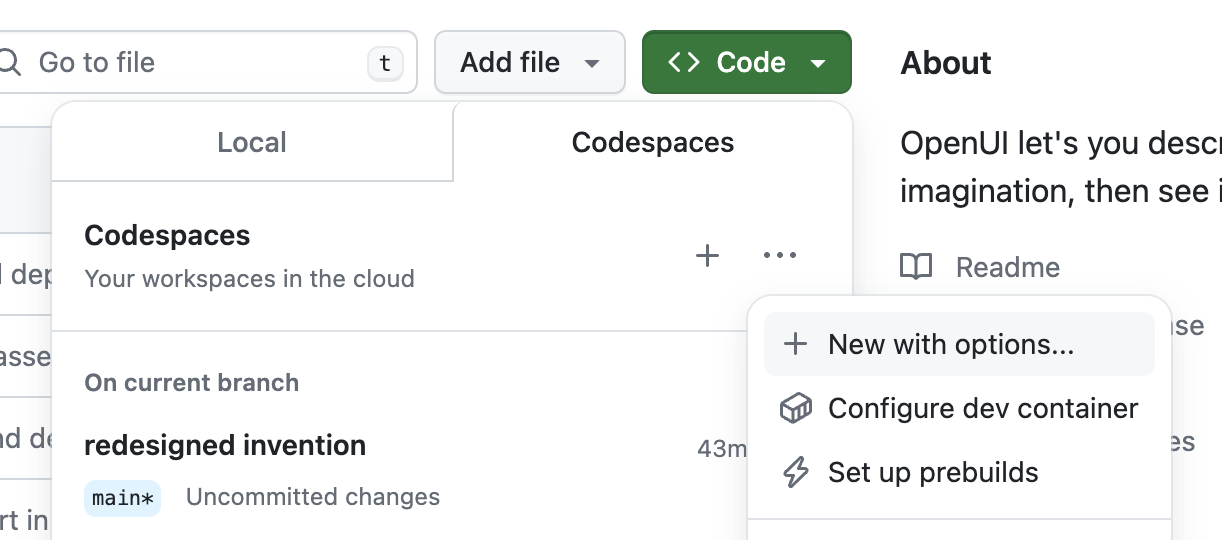
И то и другое. Есть хостинговая живая демка, чтобы быстро посмотреть, а предпочтительный способ развернуть у себя — Docker: вы получаете веб-приложение, которое открываете в браузере на локальном порту.Как запустить его у себя на компьютере?Сначала Docker: запустите контейнер OpenUI, пробросив API-ключи вашего провайдера из переменных окружения shell. Для запуска из исходников нужны установленные git и uv; в документации описаны также настройка через dev-контейнер и Codespace.
Сначала Docker: запустите контейнер OpenUI, пробросив API-ключи вашего провайдера из переменных окружения shell. Для запуска из исходников нужны установленные git и uv; в документации описаны также настройка через dev-контейнер и Codespace.Мне нужен ключ OpenAI или можно подключить другие модели?Подойдёт любой провайдер: OpenAI, Groq и всё, что поддерживает LiteLLM (Gemini, Anthropic, Cohere, Mistral, эндпоинты, совместимые с OpenAI), плюс локальные модели Ollama. Достаточно задать переменную окружения только для выбранного провайдера.
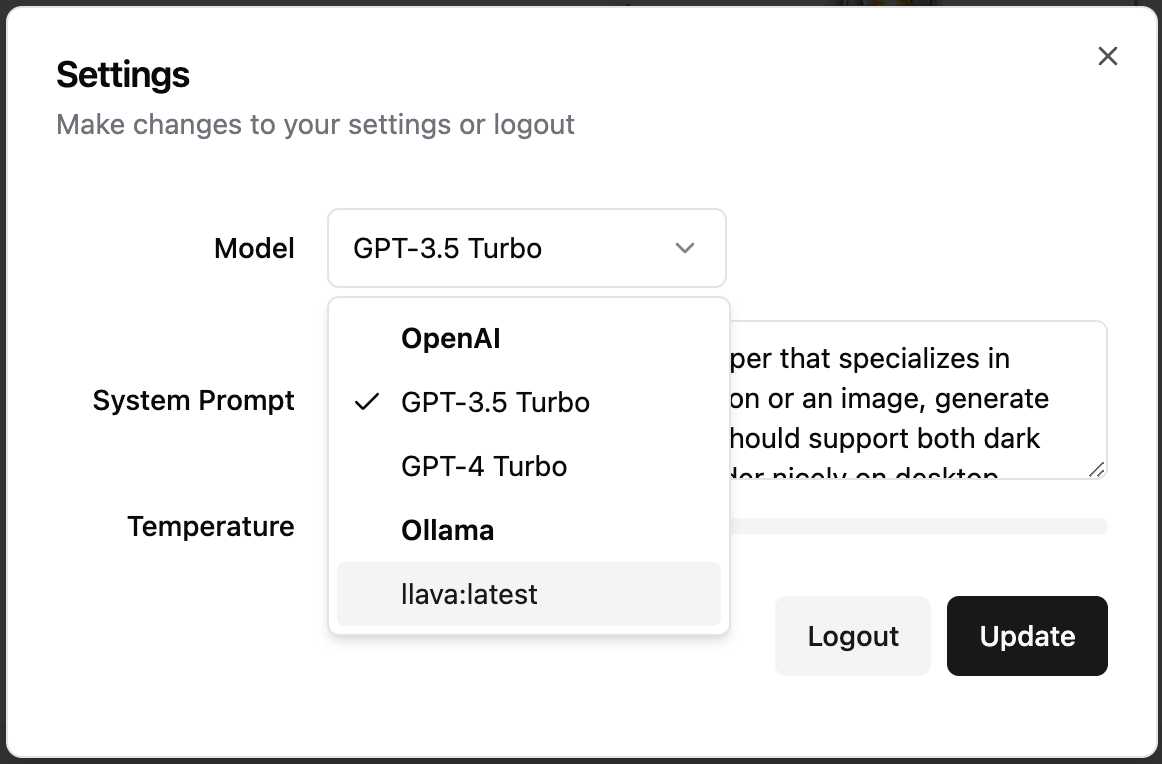
Подойдёт любой провайдер: OpenAI, Groq и всё, что поддерживает LiteLLM (Gemini, Anthropic, Cohere, Mistral, эндпоинты, совместимые с OpenAI), плюс локальные модели Ollama. Достаточно задать переменную окружения только для выбранного провайдера.Есть ли подводные камни, прежде чем я выберу этот инструмент?Автор признаёт, что он 'не так отполирован', как v0, а полностью локальная настройка через Docker Compose помечена как скорее всего очень медленная — на Mac лучше запускать Ollama нативно, чтобы задействовать возможности M1/M2.
Автор признаёт, что он 'не так отполирован', как v0, а полностью локальная настройка через Docker Compose помечена как скорее всего очень медленная — на Mac лучше запускать Ollama нативно, чтобы задействовать возможности M1/M2.Может ли он работать полностью локально, чтобы мои запросы не уходили с компьютера?Да — направьте его на Ollama и используйте локальные модели вроде Llava. Если OpenUI запущен в Docker и не видит ваш локальный Ollama, задайте переменную OLLAMA_HOST с хостом и портом вашего Ollama.
Да — направьте его на Ollama и используйте локальные модели вроде Llava. Если OpenUI запущен в Docker и не видит ваш локальный Ollama, задайте переменную OLLAMA_HOST с хостом и портом вашего Ollama.Чем он отличается от v0?Та же идея «описал — получил результат», но OpenUI имеет открытый исходный код (Apache-2.0) и работает с любым провайдером, поддерживаемым LiteLLM, или с локальной моделью Ollama, а не с одним вендором. Автор в шутку говорит, что он просто 'не так отполирован'.
Та же идея «описал — получил результат», но OpenUI имеет открытый исходный код (Apache-2.0) и работает с любым провайдером, поддерживаемым LiteLLM, или с локальной моделью Ollama, а не с одним вендором. Автор в шутку говорит, что он просто 'не так отполирован'.Во что он может конвертировать мой дизайн?Помимо итераций в чате, можно попросить OpenUI сконвертировать сгенерированный HTML в React, Svelte, Web Components и другие форматы.
Помимо итераций в чате, можно попросить OpenUI сконвертировать сгенерированный HTML в React, Svelte, Web Components и другие форматы.Почему W&B создала этот инструмент?Это инструмент, который W&B использует внутри себя, чтобы тестировать и прототипировать инструменты нового поколения для создания мощных приложений на базе LLM.
Это инструмент, который W&B использует внутри себя, чтобы тестировать и прототипировать инструменты нового поколения для создания мощных приложений на базе LLM.Можно ли попробовать, ничего не устанавливая?Да — есть хостинговая живая демка и среда Gitpod, которая устанавливает и запускает Open UI автоматически; задайте OPENAI_API_KEY в своём аккаунте Gitpod, если хотите модели OpenAI.
Да — есть хостинговая живая демка и среда Gitpod, которая устанавливает и запускает Open UI автоматически; задайте OPENAI_API_KEY в своём аккаунте Gitpod, если хотите модели OpenAI.What are similar projects?openpencil, quivr, screenshot-to-code, boardui, casbin-gateway, evenfire, get-it, LangBot
openpencil, quivr, screenshot-to-code, boardui, casbin-gateway, evenfire, get-it, LangBotWhich topics is it in?webcomponents, web-components, svelte, code-generation, tailwindcss, openai-compatible, ollama, gemini, generative-ai, anthropic, html, ui
webcomponents, web-components, svelte, code-generation, tailwindcss, openai-compatible, ollama, gemini, generative-ai, anthropic, html, ui