





learn-harness-engineering README

The project's README from github.com/walkinglabs/learn-harness-engineering. As one markdown file: README.md.

English 简体中文 繁體中文 日本語 한국어 Español Français Русский Deutsch العربية Tiếng Việt Oʻzbekcha Türkçe Português-BR Українська

Learn Harness Engineering

A project-based course on building the environment, state management, verification, and control mechanisms that make AI coding agents work reliably.

14 Lectures 8 Projects 15 Languages MIT License Join the Discord community

🌍 This course is available in 15 languages: English, 简体中文, 繁體中文, 日本語, 한국어, Español, Français, Русский, Deutsch, العربية, Tiếng Việt, Oʻzbekcha, Türkçe, Portuguese (BR), Українська. Choose your language from the badges above.

🆕 What's New — August 2026

Frontier Harness Design Breakdowns — new section (4 breakdowns)

What Details
New section Frontier Harness Design Breakdowns — Apply the course's five-subsystem framework (instructions, tools, environment, state, feedback) to reverse-engineer how four frontier products build real harnesses.
Pi How Pi builds its harness — a minimal kernel, programmable expansion, and context engineering behind "ask Pi to build what you want."
Claude Code How Claude Code builds its harness — four-layer memory, five-level compaction, hooks, and sub-agent isolation.
Codex How Codex builds its harness — the repository as source of truth, AGENTS.md as a directory page, and worktree isolation.
DeepSeek How DeepSeek builds its harness — "everything is a plugin," capability seams, and an event pipeline.
All 15 languages Full translation coverage across all supported languages.

Key idea: The course gives you a framework; these breakdowns show you how the same principles actually play out in production harnesses.


Graph Engineering Update — 1 new lecture, 1 new project

What Details
Lecture 14 From Single Loops to Graph Engineering — Why a single loop grows into a graph: the four stacked layers (prompt → context → loop → graph) and where harness sits in that stack, the four parts of a graph (nodes, edges, shared state, routing), why in-loop checkpoints can't fix the three structural failures at scale (Goodhart, blindness upward, conflict), a framework-agnostic six-step walkthrough for building your first graph, graph vs. workflow, anchors, which open-source "graph engineering" projects existed before the name vs. after it, the orchestration tax, and when a graph is actually worth drawing.
Project 08 Draw Your Workflow as a Graph — Three progressive experiments: draw your maker-checker loop as an explicit graph, add a parallel fan-out/fan-in node, then add a conditional rollback edge and a human-approval node.

Key idea: A loop is a graph with one node. When your task needs specialization, parallelism, shared state, verification, and recovery — it has stopped being a loop. It's a graph.


🆕 What's New — July 2026

Loop Engineering Update — 1 new lecture, 1 new project

What Details
Lecture 13 Why You Need to Stop Prompting Your Agent — From /goal to the six primitives of loop engineering (automations, worktrees, skills, connectors, sub-agents, external state), the generator/evaluator split, four silent costs, and a step-by-step guide to building your first loop.
Project 07 Build Your First Automated Loop — Three progressive experiments: goal loop, timer loop, and maker-checker loop. Compare manual vs. automated, measure intervention reduction, and learn to step outside the loop.
Code templates goal-template.md, loop-state-template.md, maker-prompt.md, checker-prompt.md — drop-in templates for building loops immediately.
All 15 languages Full translation coverage across all supported languages.

Key idea: Harness engineering builds the vehicle. Loop engineering designs the road it drives on — and you design the road from outside the car.


Learn Harness Engineering is a course dedicated to the engineering of AI coding agents. We have deeply studied and synthesized the most advanced Harness Engineering theories and practices in the industry. Our core references include:

Quick start? The skills/harness-creator/ skill can help you scaffold a production-grade harness (AGENTS.md, feature lists, init.sh, verification workflows) for your own project in minutes.


Table of Contents


✨ Visual Preview

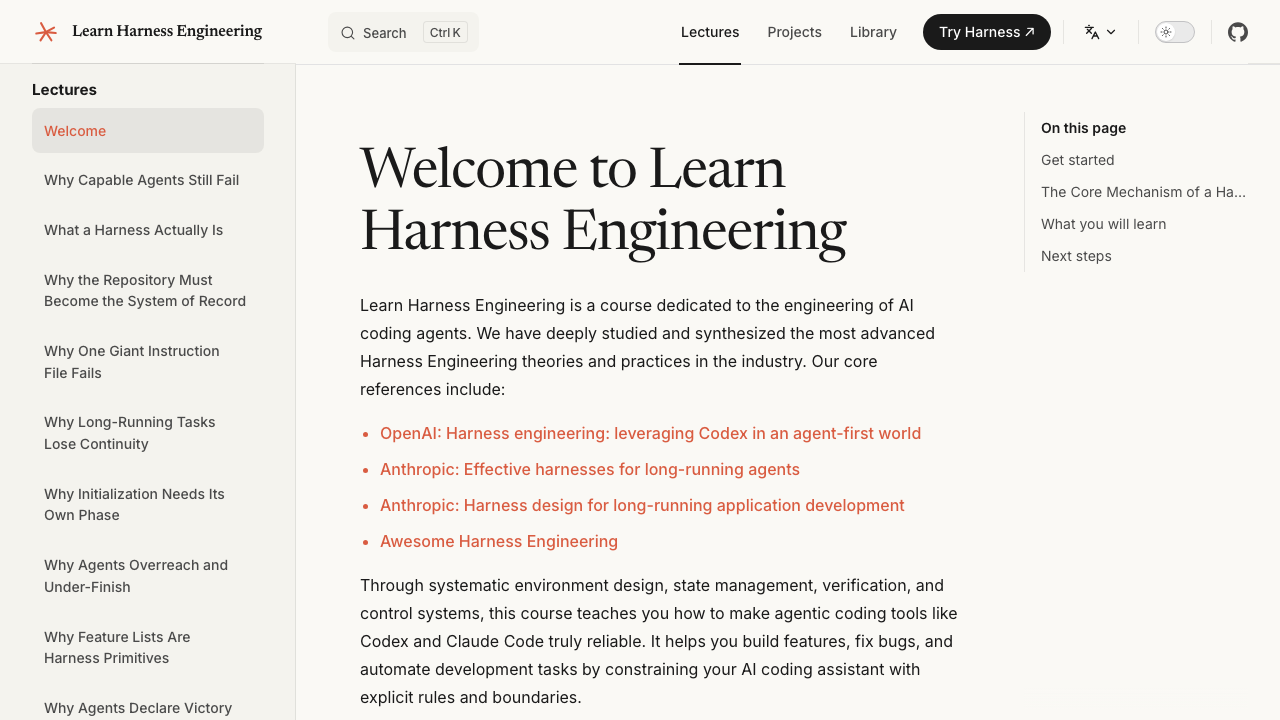
🏠 Course Homepage

A comprehensive course outline and introduction to core philosophies, providing a clear path to get started.

Course homepage preview

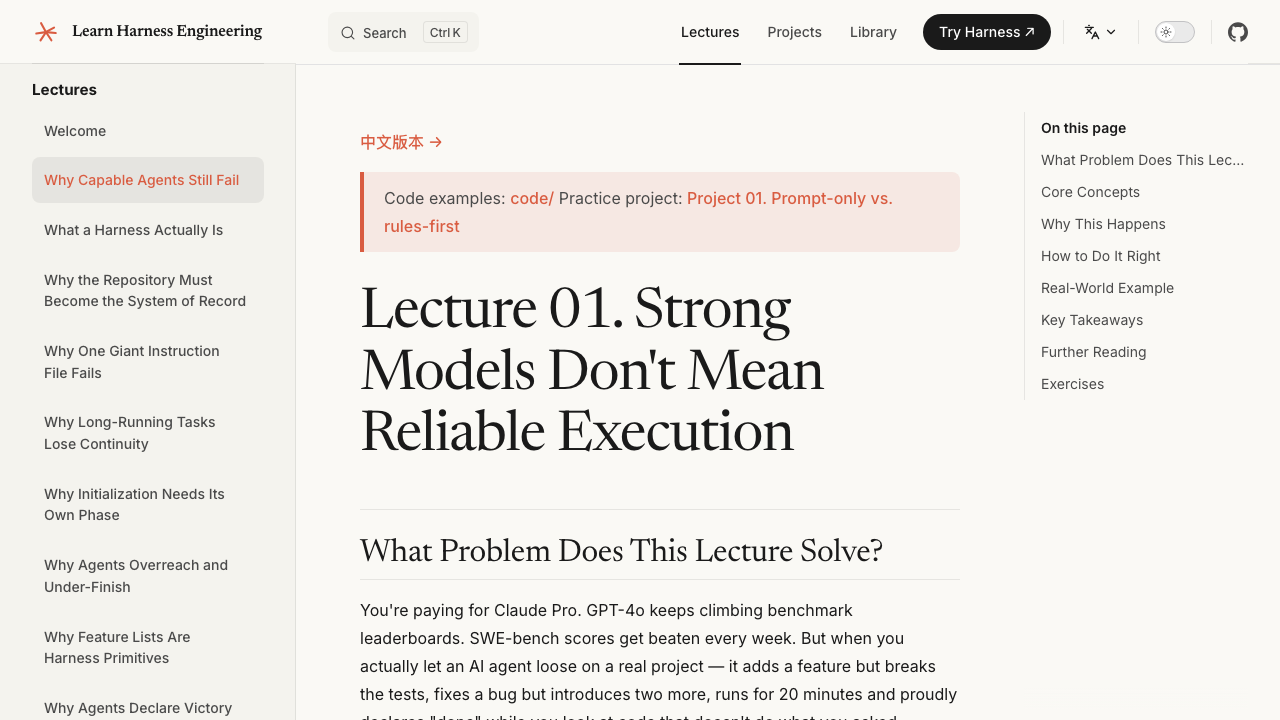
📖 Immersive Lectures

Deep dives into real-world pain points and hands-on projects (like Project 01) for an immersive learning experience.

Course lecture preview

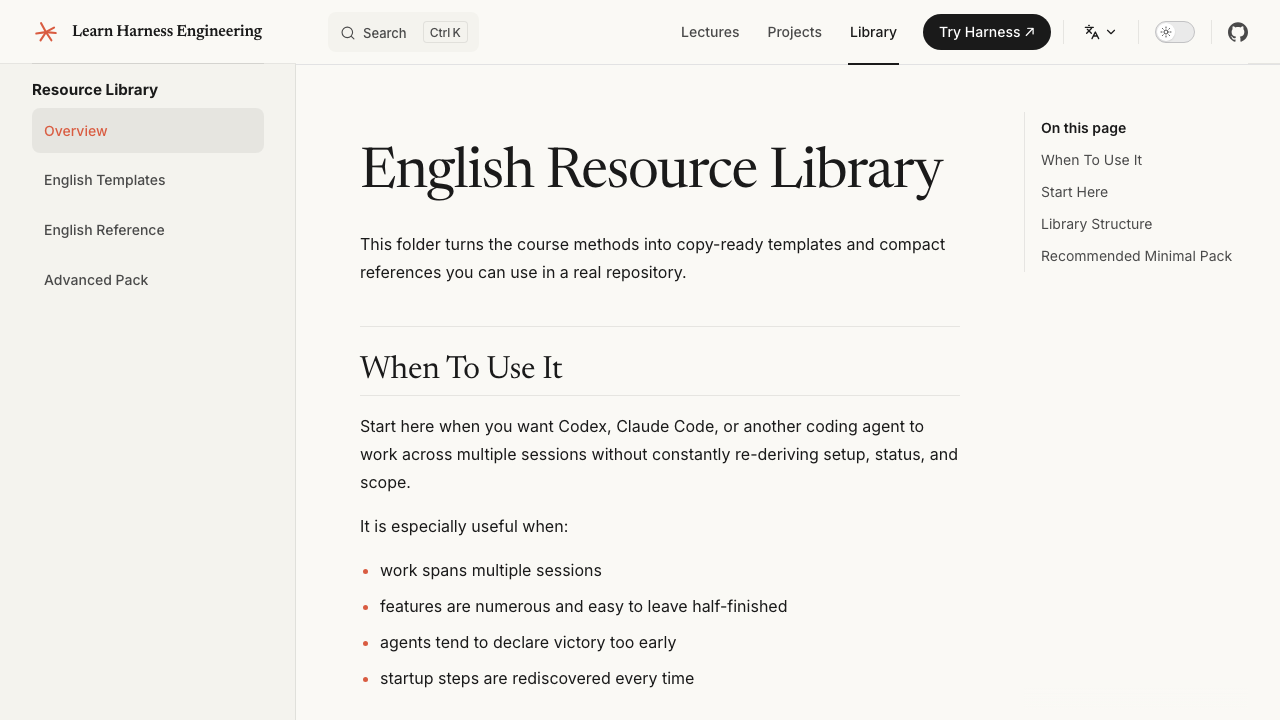
🗂️ Ready-to-Use Resource Library

Templates and reference configurations designed to solve common pitfalls in multi-turn AI agent development, such as context loss and premature task completion.

Resource library preview

PDF Coursebooks

The repository now includes a PDF build pipeline for the course content.


The Model Is Smart, The Harness Makes It Reliable

There's a hard truth most people learn the hard way: the strongest model in the world will still fail on real engineering tasks if you don't build a proper environment around it.

You've probably seen this yourself. You give Claude or GPT a task in your repo. It starts well — reads files, writes code, looks productive. Then something goes wrong. It skips a step. It breaks a test. It says "done" but nothing actually works. You spend more time cleaning up than if you'd done it yourself.

This isn't a model problem. It's a harness problem.

The evidence is clear. Anthropic ran a controlled experiment: same model (Opus 4.5), same prompt ("build a 2D retro game editor"). Without a harness, it spent $9 in 20 minutes and produced something that didn't work. With a full harness (planner + generator + evaluator), it spent $200 in 6 hours and built a game you could actually play. The model didn't change. The harness did.

OpenAI reported the same thing with Codex: in a well-harnessed repository, the same model goes from "unreliable" to "reliable." Not a marginal improvement — a qualitative shift.

This course teaches you how to build that environment.

                    THE HARNESS PATTERN
                    ====================

    You --> give task --> Agent reads harness files --> Agent executes
                                                        |
                                              harness governs every step:
                                              |
                                              +--> Instructions: what to do, in what order
                                              +--> Scope:        one feature at a time, no overreach
                                              +--> State:        progress log, feature list, git history
                                              +--> Verification: tests, lint, type-check, smoke runs
                                              +--> Lifecycle:    init at start, clean state at end
                                              |
                                              v
                                         Agent stops only when
                                         verification passes

What Harness Engineering Actually Means

Harness engineering is about building a complete working environment around the model so it produces reliable results. It's not about writing better prompts. It's about designing the system the model operates inside.

A harness has five subsystems:

    ┌────────────────────────────────────────────────────────────────┐
    │                          THE HARNESS                           │
    │                                                                │
    │   ┌──────────────┐  ┌──────────────┐  ┌────────────────────┐   │
    │   │ Instructions │  │    State     │  │   Verification     │   │
    │   │              │  │              │  │                    │   │
    │   │ AGENTS.md    │  │ progress.md  │  │ tests + lint       │   │
    │   │ CLAUDE.md    │  │ feature_list │  │ type-check         │   │
    │   │ feature_list │  │ git log      │  │ smoke runs         │   │
    │   │ docs/        │  │ session hand │  │ e2e pipeline       │   │
    │   └──────────────┘  └──────────────┘  └────────────────────┘   │
    │                                                                │
    │   ┌──────────────┐  ┌──────────────────────────────────────┐   │
    │   │    Scope     │  │         Session Lifecycle            │   │
    │   │              │  │                                      │   │
    │   │ one feature  │  │ init.sh at start                     │   │
    │   │ at a time    │  │ clean-state checklist at end         │   │
    │   │ definition   │  │ handoff note for next session        │   │
    │   │ of done      │  │ commit only when safe to resume      │   │
    │   └──────────────┘  └──────────────────────────────────────┘   │
    │                                                                │
    └────────────────────────────────────────────────────────────────┘

    The MODEL decides what code to write.
    The HARNESS governs when, where, and how it writes it.
    The harness doesn't make the model smarter.
    It makes the model's output reliable.

Each subsystem has one job:


Why This Course Exists

The question isn't "can models write code?" They can. The question is: can they reliably complete real engineering tasks inside real repositories, over multiple sessions, without constant human supervision?

Right now, the answer is: not without a harness.

    WITHOUT HARNESS                            WITH HARNESS
    ==============                             ============

    Session 1: agent writes code               Session 1: agent reads instructions
               agent breaks tests                         agent runs init.sh
               agent says "done"                          agent works on one feature
               you fix it manually                        agent verifies before claiming done
                                                          agent updates progress log
    Session 2: agent starts fresh                         agent commits clean state
               agent has no memory
               of what happened before         Session 2: agent reads progress log
               agent re-does work                         agent picks up exactly where it left off
               or does something else entirely            agent continues the unfinished feature
               you fix it again                           you review, not rescue

    Result: you spend more time                Result: agent does the work,
            cleaning up than if you                    you verify the result
            did it yourself

The questions this course actually cares about:


Course Curriculum & Documentation

For the full course materials, please visit the Documentation Website.

The curriculum is divided into three parts:

  1. Lectures: 13 conceptual units explaining the theory behind harness engineering.
  2. Projects: 7 hands-on projects where you build an agentic workspace from scratch.
  3. Resource Library: Copy-ready templates (AGENTS.md, feature_list.json, init.sh, etc.) to use in your own repositories today.

Quick Start: Improve Your Agent Today

You don't need to read all 14 lectures before you start getting value. If you're already using a coding agent on a real project, here's how to improve it right now.

The idea is simple: instead of just writing prompts, give your agent a set of structured files that define what to do, what's been done, and how to verify the work. These files live inside your repo, so every session starts from the same state.

    YOUR PROJECT ROOT
    ├── AGENTS.md              <-- the agent's operating manual
    ├── CLAUDE.md              <-- (alternative, if using Claude Code)
    ├── init.sh                <-- runs install + verify + start
    ├── feature_list.json      <-- what features exist, which are done
    ├── claude-progress.md     <-- session progress (historical filename; agent-agnostic)
    └── src/                   <-- your actual code

Grab the starter templates from the Resource Library and drop them into your project. That's it. Four files, and your agent sessions will already be significantly more stable than running on prompts alone.

claude-progress.md is a generic, repository-local session progress log; the name is retained for compatibility with the course examples. It is not tied to Claude Code and is not updated automatically by any agent. Codex, OpenHands, Antigravity, and other coding agents can use the same file when their root instructions tell them to read it at startup and update it before handoff.


Capstone Project: A Real App

All six course projects revolve around the same product: an Electron-based personal knowledge base desktop app.

    ┌──�

learn-harness-engineering (walkinglabs/learn-harness-engineering)

Searching Database…

Что это такое?Бесплатный практический курс по harness-инжинирингу — построению окружения, управления состоянием, проверки результатов и контроля, благодаря которым ИИ-агенты для кода надёжно доводят реальную работу в репозитории до конца. В курсе есть лекции, практические проекты и библиотека шаблонов, всё переведено на 15 языков.
Это курс, который я читаю, или набор файлов, которые я кладу в свой репозиторий?Скорее курс: сайт с документацией, лекциями и практическими проектами, плюс библиотека готовых к копированию шаблонов (AGENTS.md, featurelist.json, init.sh), которые вы просто вставляете в свои репозитории.
Как получить пользу уже сегодня, не читая сначала весь курс?Сразу переходите к разделу Quick Start: возьмите четыре стартовых шаблона из библиотеки ресурсов, положите их в свой проект — и сессии сразу станут заметно стабильнее. Или запустите навык harness-creator, и за считанные минуты он развернёт каркас (harness) производственного уровня.
С какими агентами для кода это работает?С любым — подход не зависит от конкретного агента. В примерах используются Claude Code, Codex, OpenHands и Antigravity, а claude-progress.md — это обычный лог внутри репозитория, который можно велеть любому агенту прочитать при запуске; автоматически его никто не обновляет.
Курс уже закончен или продолжает пополняться?Продолжает пополняться. В июле 2026 года добавили Loop Engineering (лекцию и проект про автоматические циклы), в августе 2026 — Graph Engineering и новый раздел с разборами передовых дизайнов harness-каркасов. Поэтому статические цифры вроде «13 лекций» отстают от реальных пополнений.
Это для новичков или для тех, кто уже пользуется агентами для кода?Для тех и других. Курс подаётся как обучение с нуля до первого результата, но быстрый старт рассчитан на то, что вы уже запускаете агента для кода на реальном проекте и хотите, чтобы сессии работали стабильнее прямо сейчас.
Можно ли читать курс офлайн?Да: выполните npm run pdf:build, и PDF-версии учебника появятся в artifacts/pdfs/ (локально нужны Node и npm). Есть и GitHub Actions workflow, который умеет публиковать их в GitHub Releases.
Зачем нужен harness-каркас, если модель и так умная?Потому что надёжность зависит от окружения, а не от модели. Anthropic давал Opus 4.5 один и тот же промпт с каркасом и без: без каркаса модель за 20 минут сожгла 9 долларов и выдала нерабочий результат, а с каркасом planner-generator-evaluator 200 долларов за 6 часов дали играбельную игру.
Из каких пяти подсистем состоит harness-каркас?Инструкции (пошаговые документы, которые говорят агенту, что делать и в каком порядке), состояние (прогресс сохраняется на диск между сессиями), проверка (доказательством считается только пройденный набор тестов), границы (одна фича за раз) и жизненный цикл сессии (чистый старт и передача дел).
Что именно я соберу в проектах?Вы соберёте агентное рабочее пространство с нуля, причём все проекты ведут к одному главному: настольному приложению — личной базе знаний на Electron. В недавних проектах вы создаёте свой первый автоматический цикл и рисуете рабочий процесс в виде явного графа.
О чём разборы передовых harness-дизайнов?О том, как строят каркасы четыре реальных продукта: Pi (минимальное ядро, программируемое расширение, инженерия контекста), Claude Code (четырёхуровневая память, пятиуровневое сжатие, хуки, изоляция суб-агентов), Codex (репозиторий как источник истины, AGENTS.md, изоляция через worktree) и DeepSeek (всё — плагин).
Size
28.3 MB
Stars
21K
Updated
CommitOct 20
Age
6mo
Commits · 90 Days