






这是什么?
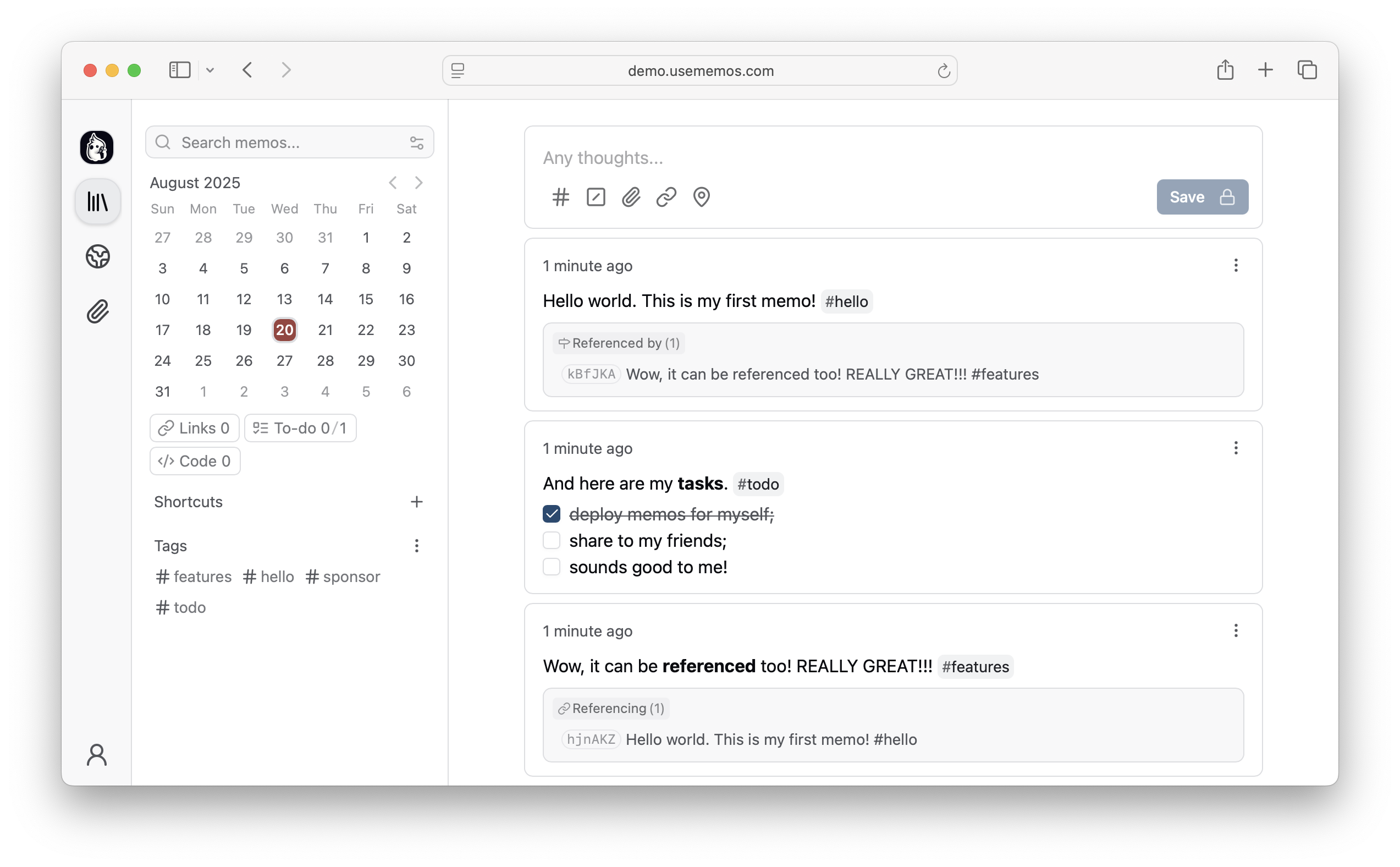
 Memos 是一款开源的自托管应用,用来记录简短笔记,比如日常笔记、链接、工作日志和代码片段。这些内容会按时间顺序汇总到一条 Markdown 时间线中,你可以通过搜索、标签或日期随时回看。
Memos 是一款开源的自托管应用,用来记录简短笔记,比如日常笔记、链接、工作日志和代码片段。这些内容会按时间顺序汇总到一条 Markdown 时间线中,你可以通过搜索、标签或日期随时回看。这是托管服务,还是需要我自己运行的软件?这是需要自行部署的软件(例如使用 Docker)。官方提供了在线演示供试用,但没有托管服务套餐,你需要在自己可控的基础设施上运行自己的实例。
这是需要自行部署的软件(例如使用 Docker)。官方提供了在线演示供试用,但没有托管服务套餐,你需要在自己可控的基础设施上运行自己的实例。我该怎么把它跑起来?使用 Docker 并执行 README 中的快速启动命令即可运行 Memos。其他安装方式(二进制文件、手动部署)请参阅单独的部署指南。
使用 Docker 并执行 README 中的快速启动命令即可运行 Memos。其他安装方式(二进制文件、手动部署)请参阅单独的部署指南。我需要先单独配置数据库吗?不需要。Memos 默认使用 SQLite,所以只需安装 Docker(或 Go 运行环境),无需外部数据库服务器即可开始使用。
不需要。Memos 默认使用 SQLite,所以只需安装 Docker(或 Go 运行环境),无需外部数据库服务器即可开始使用。它是不是想做成像 Notion 那样的完整工作区?不是。它有意只专注于快速记录,定位是轻量的时间线,而不是包含知识库、项目或模板的一体化工作区。
不是。它有意只专注于快速记录,定位是轻量的时间线,而不是包含知识库、项目或模板的一体化工作区。我的笔记和数据会怎样?所有数据都保存在你可控的基础设施上。Memos 为自托管,不包含任何遥测功能,源代码采用完整的 MIT 许可证。
所有数据都保存在你可控的基础设施上。Memos 为自托管,不包含任何遥测功能,源代码采用完整的 MIT 许可证。Web Clipper 是做什么用的?这是一款适用于 Chrome 和 Firefox 的浏览器扩展,可以把网页、选中的文字或图片直接保存到 Memos,并生成带有来源链接的 Markdown 笔记。
这是一款适用于 Chrome 和 Firefox 的浏览器扩展,可以把网页、选中的文字或图片直接保存到 Memos,并生成带有来源链接的 Markdown 笔记。我能把部分笔记设为私密,同时分享其他笔记吗?可以。你可以逐条选择笔记是保持私密还是公开发布,因此分享是有选择性的,而不是全有或全无。
可以。你可以逐条选择笔记是保持私密还是公开发布,因此分享是有选择性的,而不是全有或全无。每条笔记都需要加标题或选择文件夹吗?不需要。Memos 的设计目标是让记录尽可能顺畅:你直接用 Markdown 写作,写完即可保存,无需选择标题、文件夹或模板。
不需要。Memos 的设计目标是让记录尽可能顺畅:你直接用 Markdown 写作,写完即可保存,无需选择标题、文件夹或模板。安装之前能先试用吗?可以。README 中提供了在线演示链接,你可以在自行部署实例之前,先体验时间线、搜索和标签功能。
可以。README 中提供了在线演示链接,你可以在自行部署实例之前,先体验时间线、搜索和标签功能。What are similar projects?karakeep, siyuan, hister, linkding, edgeever, leanote, Trilium, qiaomu-clipper
karakeep, siyuan, hister, linkding, edgeever, leanote, Trilium, qiaomu-clipperWhich topics is it in?timeline, personal-knowledge-management, notes, firefox-extension, self-hosting, foss, knowledge-management, note-taking, chrome-extension, browser-extension, search, sqlite
timeline, personal-knowledge-management, notes, firefox-extension, self-hosting, foss, knowledge-management, note-taking, chrome-extension, browser-extension, search, sqlite