What is this?
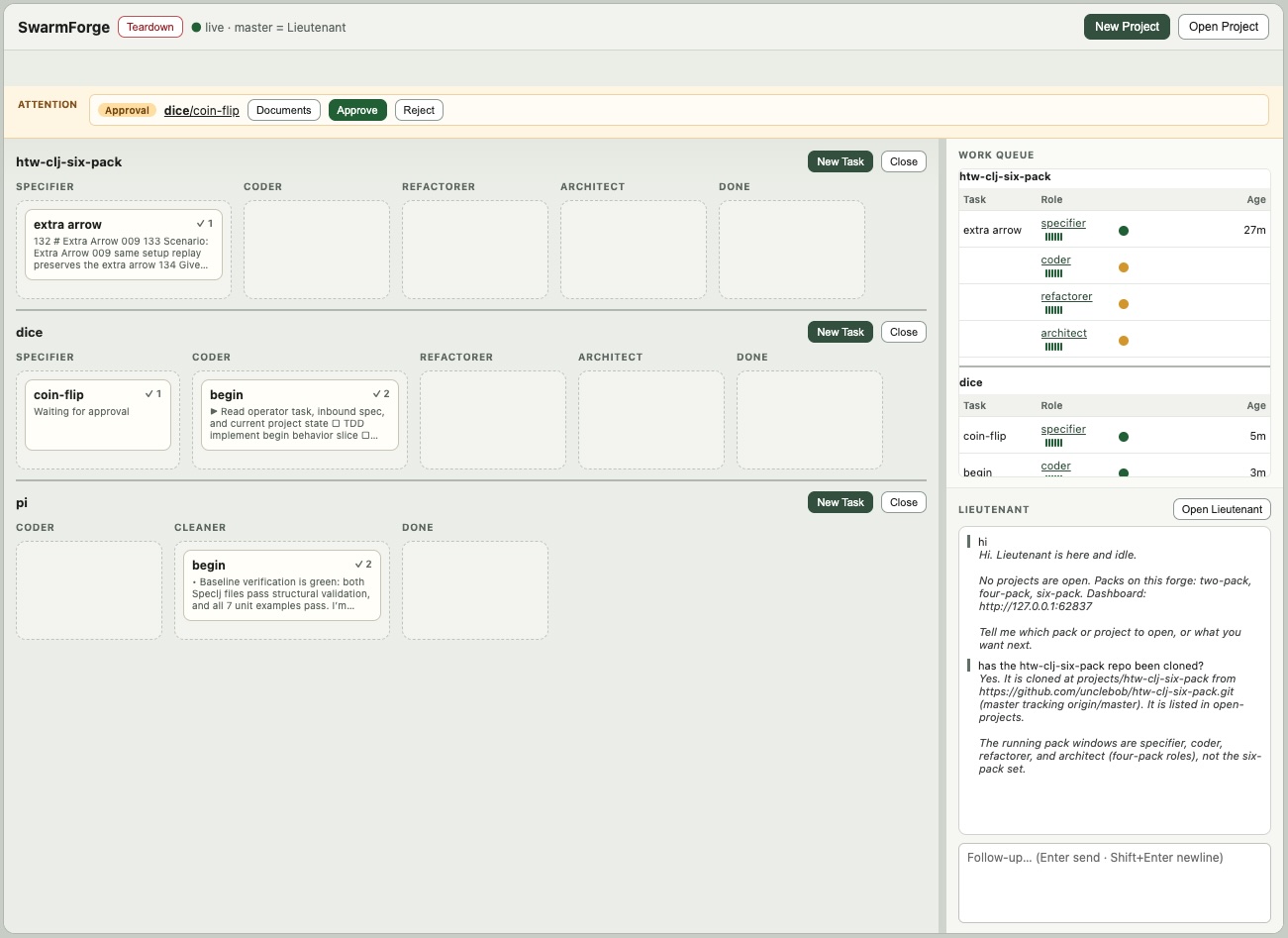
 SwarmForge coordinates multiple AI coding agents that work in isolated git worktrees and tmux sessions, exchanging completed work through durable 'handoffs' while the operator watches a local dashboard to approve, clarify, and stop the swarm.
SwarmForge coordinates multiple AI coding agents that work in isolated git worktrees and tmux sessions, exchanging completed work through durable 'handoffs' while the operator watches a local dashboard to approve, clarify, and stop the swarm.Is this main branch itself something I run, or just the source for other products?Main is the landing page, installer source, and shared runtime/engineering law — it is not a runnable product by itself. The actual installable products (two-pack, four-pack, six-pack, project-manager, lieutenant) live on separate branches and get composed into your project by the get-swarm-forge helper.
Main is the landing page, installer source, and shared runtime/engineering law — it is not a runnable product by itself. The actual installable products (two-pack, four-pack, six-pack, project-manager, lieutenant) live on separate branches and get composed into your project by the get-swarm-forge helper.How do I install and start a swarm?Put the get-swarm-forge helper on PATH (e.g. add ~/cmds), then run a command like 'get-swarm-forge two-pack' inside an existing repo to compose a pack, or in an empty directory to install a forge (e.g. 'get-swarm-forge lieutenant'). Running ./swarm then starts the configured roles or the forge dashboard.
Put the get-swarm-forge helper on PATH (e.g. add ~/cmds), then run a command like 'get-swarm-forge two-pack' inside an existing repo to compose a pack, or in an empty directory to install a forge (e.g. 'get-swarm-forge lieutenant'). Running ./swarm then starts the configured roles or the forge dashboard.What do I need installed before running it?You need zsh, git, tmux, and Babashka (bb), plus at least one configured AI agent backend — grok, codex, claude, or copilot.
You need zsh, git, tmux, and Babashka (bb), plus at least one configured AI agent backend — grok, codex, claude, or copilot.Does this README tell me which backend and roles are actually running?No — the branch configuration file, not this README, is the authority for current backend assignments and project topology; each product's own README (two-pack, six-pack, lieutenant, etc.) documents its specific routes and roles. Branches like squad, sprint-module-squad, and adversaries are separate experiments, not official get-swarm-forge products.
No — the branch configuration file, not this README, is the authority for current backend assignments and project topology; each product's own README (two-pack, six-pack, lieutenant, etc.) documents its specific routes and roles. Branches like squad, sprint-module-squad, and adversaries are separate experiments, not official get-swarm-forge products.What's the difference between a pack and a forge?A pack (two-pack, four-pack, six-pack) is composed into an existing project and runs a fixed pipeline of roles like coder, cleaner, specifier, architect, refactorer and QA. A forge (project-manager, lieutenant) is installed into an empty directory and manages multiple projects at once, with a host lieutenant that opens and refreshes project swarms.
A pack (two-pack, four-pack, six-pack) is composed into an existing project and runs a fixed pipeline of roles like coder, cleaner, specifier, architect, refactorer and QA. A forge (project-manager, lieutenant) is installed into an empty directory and manages multiple projects at once, with a host lieutenant that opens and refreshes project swarms.How do agents hand work off to each other?Agents commit their work and send it with swarmhandoff.sh, the next role accepts it with readyfornext.sh, and finishes the item with donewithcurrent.sh; a background handoff daemon (handoffd) delivers queued handoffs and notifies the receiving tmux session.
Agents commit their work and send it with swarmhandoff.sh, the next role accepts it with readyfornext.sh, and finishes the item with donewithcurrent.sh; a background handoff daemon (handoffd) delivers queued handoffs and notifies the receiving tmux session.What rules do the agents follow?Each agent reads swarmforge/constitution.prompt plus three shared articles owned by main — engineering.prompt, workflow.prompt, and handoffs.prompt — along with its own role prompt under swarmforge/roles/, which defines what it may change, must verify, and where its handoff goes next.
Each agent reads swarmforge/constitution.prompt plus three shared articles owned by main — engineering.prompt, workflow.prompt, and handoffs.prompt — along with its own role prompt under swarmforge/roles/, which defines what it may change, must verify, and where its handoff goes next.Is there a real SWARM cryptocurrency token tied to this project?No — the README explicitly warns readers not to spend money on a 'bankrbot SWARM token'; it has nothing to do with this software.
No — the README explicitly warns readers not to spend money on a 'bankrbot SWARM token'; it has nothing to do with this software.Which topics is it in?clojure, git-worktrees, tmux, copilot, multi-agent-systems, grok, agent-framework, workflow-automation, orchestration, agent-orchestration, git, multi-agent
clojure, git-worktrees, tmux, copilot, multi-agent-systems, grok, agent-framework, workflow-automation, orchestration, agent-orchestration, git, multi-agent