
Arrmada
Your whole media server in one app — movies, TV, books and requests, without the *arr stack.
Install · Features · Docs · Issues
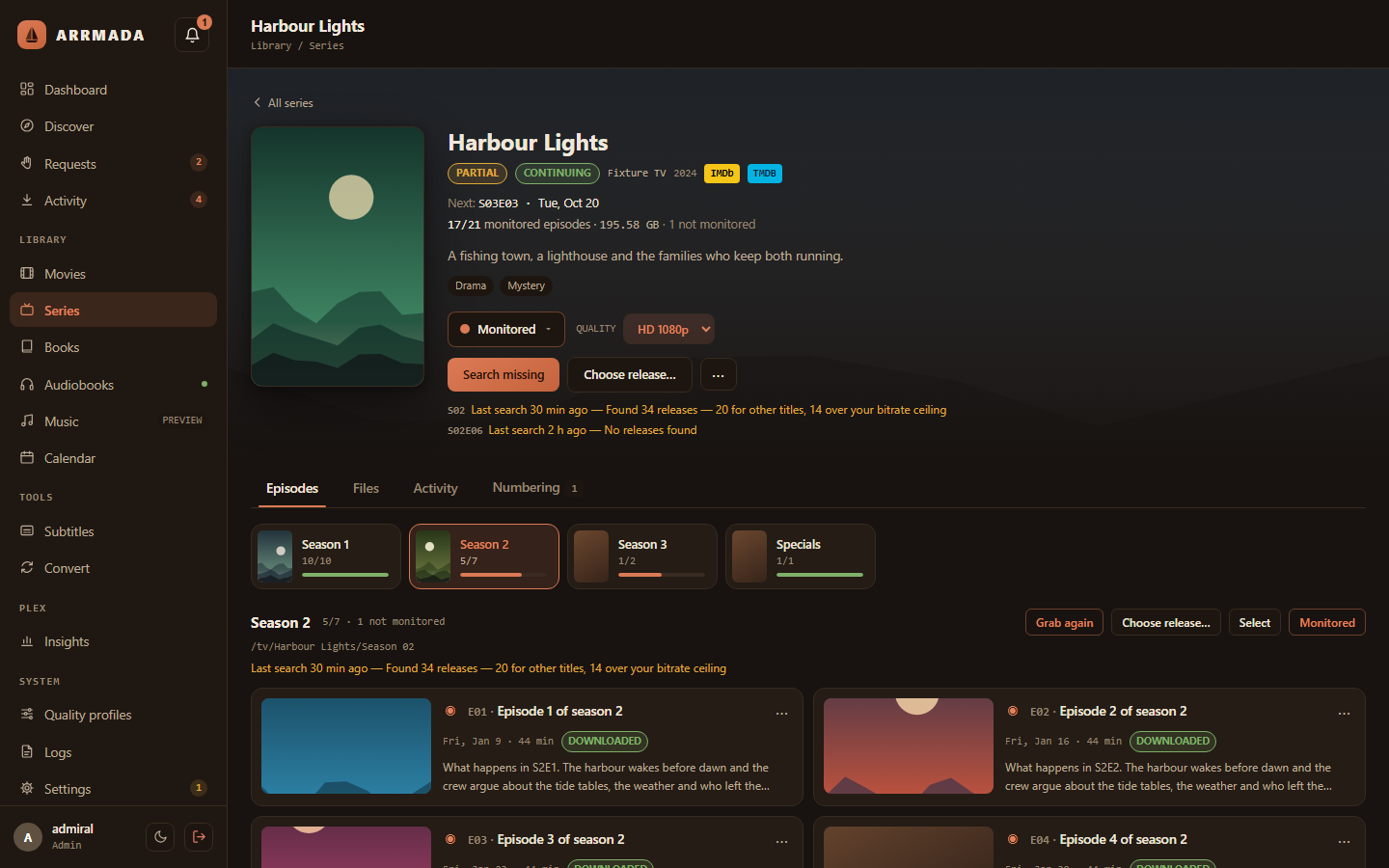
Arrmada finds, downloads and organises your movies, TV, books and audiobooks, lets your
household request what they want to watch, and keeps your Plex or Jellyfin library tidy — with one
database and one web page instead of half a dozen apps. qBittorrent comes with it, already
set up.
Early days: Arrmada is under active development (v0.x). Expect rough edges, and keep
backups.
What it does
- 🎬 Movies and TV — search, download, import, rename and upgrade, the way Radarr and Sonarr do. Anime numbering included. Moving over? Import your Radarr and Sonarr libraries, files and all.
- 📚 Books and audiobooks — ebooks and audiobooks with series tracking, plus a built-in audiobook server for listening apps like Lissen.
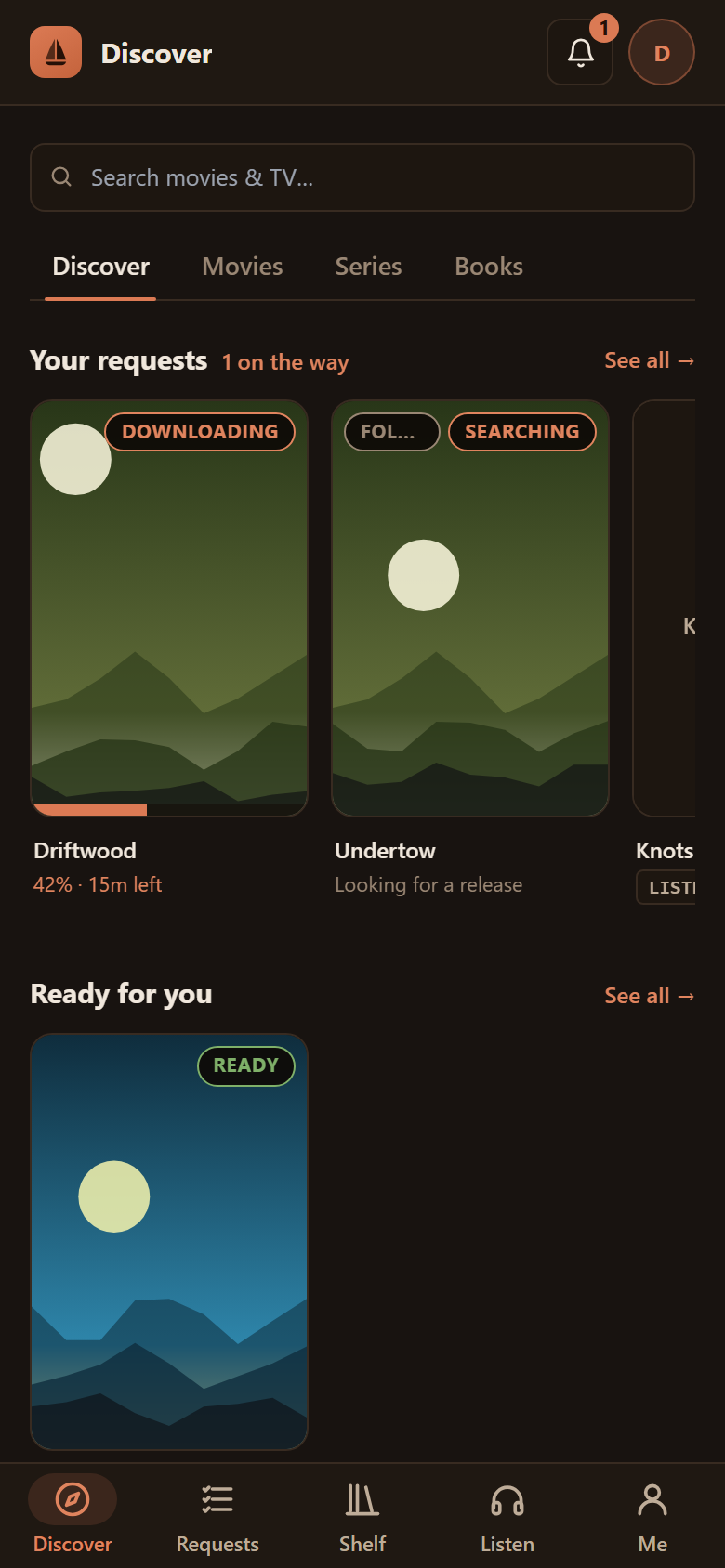
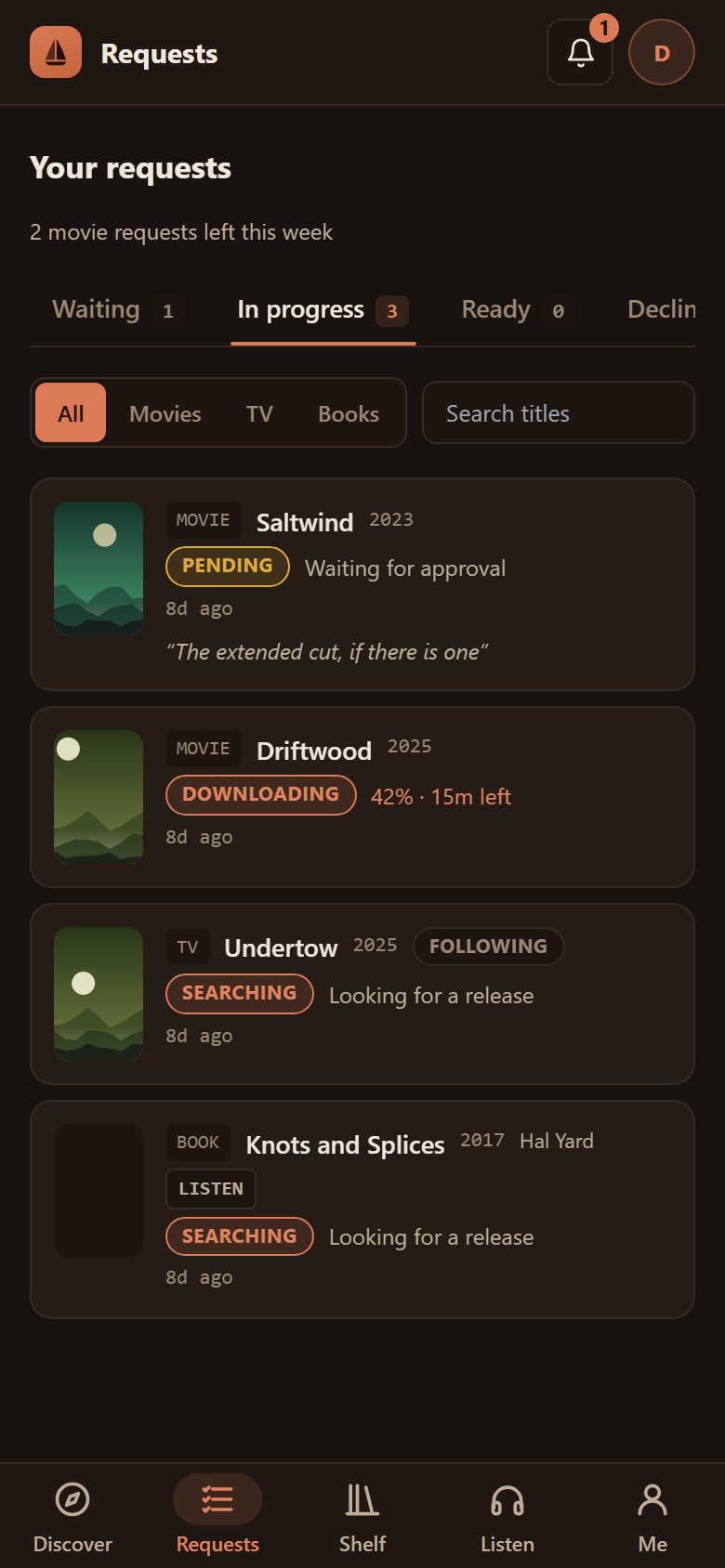
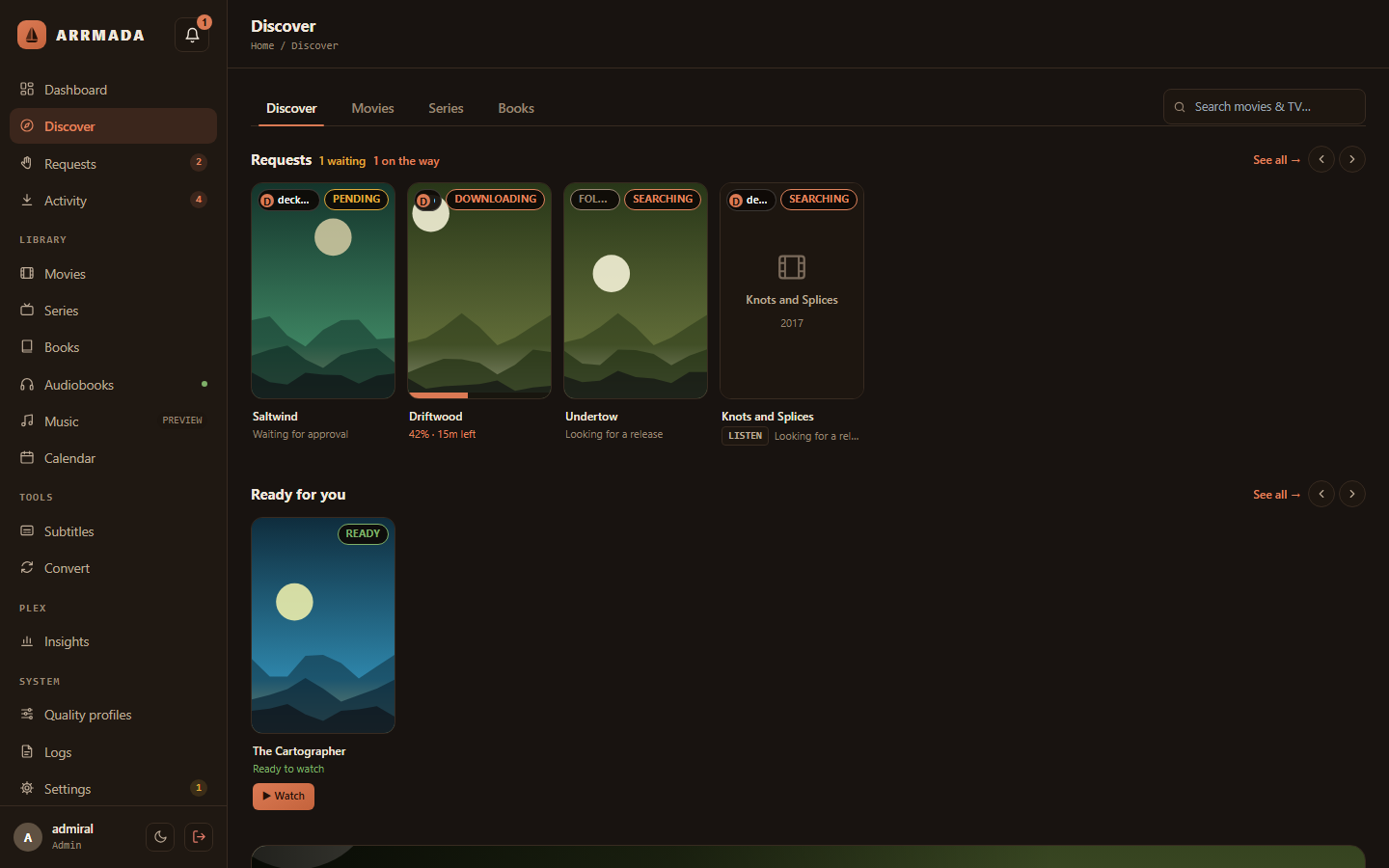
- 🙋 Requests — family and friends browse and request titles, Overseerr-style, and get told when they're ready. Sign in with Plex or Jellyfin.
- 💬 Subtitles — pulls them out of the file, downloads them, or writes them with local AI.
- 🗜️ Convert — shrinks wasteful video overnight to HEVC or AV1, checking every result against the original.
- 📺 Plex and Jellyfin — connect either or both: Watch buttons, library updates after every change, and Insights — who's watching what, history and stats, Tautulli-style.
- 📰 Usenet, optional — SABnzbd alongside qBittorrent (
--with-sabnzbd sets one up for you); bring your own Usenet provider and indexers.
- 🛟 Safety nets — hardlinked imports, a recycle bin, nightly backups and one-step rollbacks.
See everything it does →
Install
You need a Linux server with Docker and Docker Compose (on Unraid: the Docker Compose
Manager plugin). On the server, run:
curl -fsSL https://raw.githubusercontent.com/tristenlammi/Arrmada/main/install.sh | sh
It asks where to keep Arrmada's files and where your media lives (press Enter to accept the
suggestions), then starts everything. Open the address it prints —
http://<your-server>:7878 — create your admin account, and a short setup walks you
through the rest in the browser: your free TMDB key, your library folders, your media server (Plex, Jellyfin or both) and indexers.
Install guide, options and Unraid notes →
Prefer Docker Compose?
In an empty folder on the server:
curl -fsSL https://raw.githubusercontent.com/tristenlammi/Arrmada/main/docker-compose.example.yml -o docker-compose.yml
Next to it, a .env with your folders (full paths), and the other settings marked ← in
the file if you want to change them (the user and group, your timezone, the port):
ARRMADA_DATA_HOST=/srv/arrmada/data     # Arrmada's database and settings
ARRMADA_STORAGE_HOST=/srv/media         # your libraries and downloads
Then run docker compose up -d, open http://<your-server>:7878 and follow the setup.
The compose file itself stays as downloaded, so updating it never loses your settings.
To update: docker compose pull && docker compose up -d. That skips the installer's
pre-update backup and automatic roll-back; the app still copies its database before any
upgrade of it. More →
Using Portainer? The same file works as a stack, with the same lines as its environment
variables: Using Portainer →
On Unraid, from the Docker page
Arrmada's Unraid template is one container with qBittorrent and FlareSolverr built in and
already connected (switch either off to use your own), plus a SABnzbd (for Usenet) and a
Prowlarr that stay off until you switch them on. It's managed and updated from Unraid's
Docker tab like your other containers, with your media share at /storage.
Arrmada on Unraid →
Update
Run the same line again:
curl -fsSL https://raw.githubusercontent.com/tristenlammi/Arrmada/main/install.sh | sh
It backs up the database, updates, and checks Arrmada comes back — if the new version doesn't
start, it goes back to the one you had. (In Arrmada's folder, sh update.sh does the same.)
Installs follow the stable channel: updates bring the latest published release, never
unreleased code. Developers can follow main instead, the newest code compiled on the
server (Following main).
More about updating →
Screenshots
Requirements
- A 64-bit Linux server — Unraid, Debian, Ubuntu and the like — on Intel/AMD (x86-64) or
64-bit ARM (arm64: a Raspberry Pi 4/5 with a 64-bit OS, ARM NAS boxes). On ARM, Convert and
AI subtitles run on the CPU (what differs).
- Docker with Compose v2.
- A free TMDB API key (entered in the app).
- Optional: Intel or AMD graphics for faster Convert and AI subtitles, or an NVIDIA card for
faster Convert (x86-64 only; GPU setup), and a Plex or Jellyfin server.
Documentation
|
|
| Install |
The one-liner, its options, Unraid, the git checkout way |
| Unraid |
The Unraid template: share layout, the built-in qBittorrent or your own, GPU, updates |
| Updating |
Updates, rollbacks, published images |
| Configuration |
Ports, .env, media folders and hardlinks, recycle bin, reverse proxies |
| VPN (Gluetun) |
Sending qBittorrent's traffic through a VPN with Gluetun, Compose or Unraid |
| GPU |
Hardware encoding for Convert (Intel, AMD, NVIDIA) and GPU AI subtitles |
| Backups |
Backups, restoring, a forgotten admin password |
| Troubleshooting |
Common problems and fixes |
| Features |
Everything Arrmada does |
| Alerts to n8n |
Sending alerts to n8n or any webhook as signed JSON, and every event's fields |
| API keys for scripts |
Personal API keys: calling Arrmada from n8n, Home Assistant or curl |
| Homepage dashboard |
Arrmada's numbers on a gethomepage.dev dashboard: the widget key, the services.yaml entry and every field |
| Development |
Building and testing it yourself |
| Releasing |
For maintainers |
How it's built and tested
Arrmada is written with heavy AI assistance (Claude): I decide what it does, review the
results, and run it on my own server every day, but most of the code is AI-written, and
commits say so. It is still pre-1.0. So you can judge it on what's checked rather than on
trust, here is what runs before anything reaches main:
- On every push (GitHub Actions): the Go suite under the race detector (around a thousand
test files, including the sign-in, sessions, two-factor and API-key code),
go vet and
gofmt, shellcheck on the install and update scripts, and the web app's lint, type check,
unit tests (about 800) and browser tests (about 700, at desktop and phone sizes). Every image
is built for x86-64 and arm64.
- Known vulnerabilities and code scanning: every push also runs
govulncheck (fails if
our code can reach a known hole in Go or a Go library), npm audit on the web app's
shipped dependencies, and GitHub's CodeQL scan.
- Guard rails as tests: a fixed table of every API route and who may call it, so a route
can't quietly become public; architecture rules (
internal/archtest) that fail the build
when code takes a shortcut they forbid; and a scan that keeps secrets out of logs and support
bundles.
- A separate review of each feature before it merges, looking for data loss, security
holes and regressions for existing installs. These reviews are AI-run too: they catch a lot,
but they are not a human security audit. Periodic security-only audits (sign-in and
permissions, public routes, file handling, outbound requests and secrets, deployment) are
run the same way, and their findings are fixed before anything else.
If you find a problem, especially in sign-in or anything that touches your files, please open
an issue, or report security problems privately (see Security). A second pair
of human eyes on the sign-in code is very welcome.
Contributing
Bug reports and ideas are welcome in Issues.
For code, see Development — please open an issue before a big change.
License
MIT © 2026 Tristen Lammi
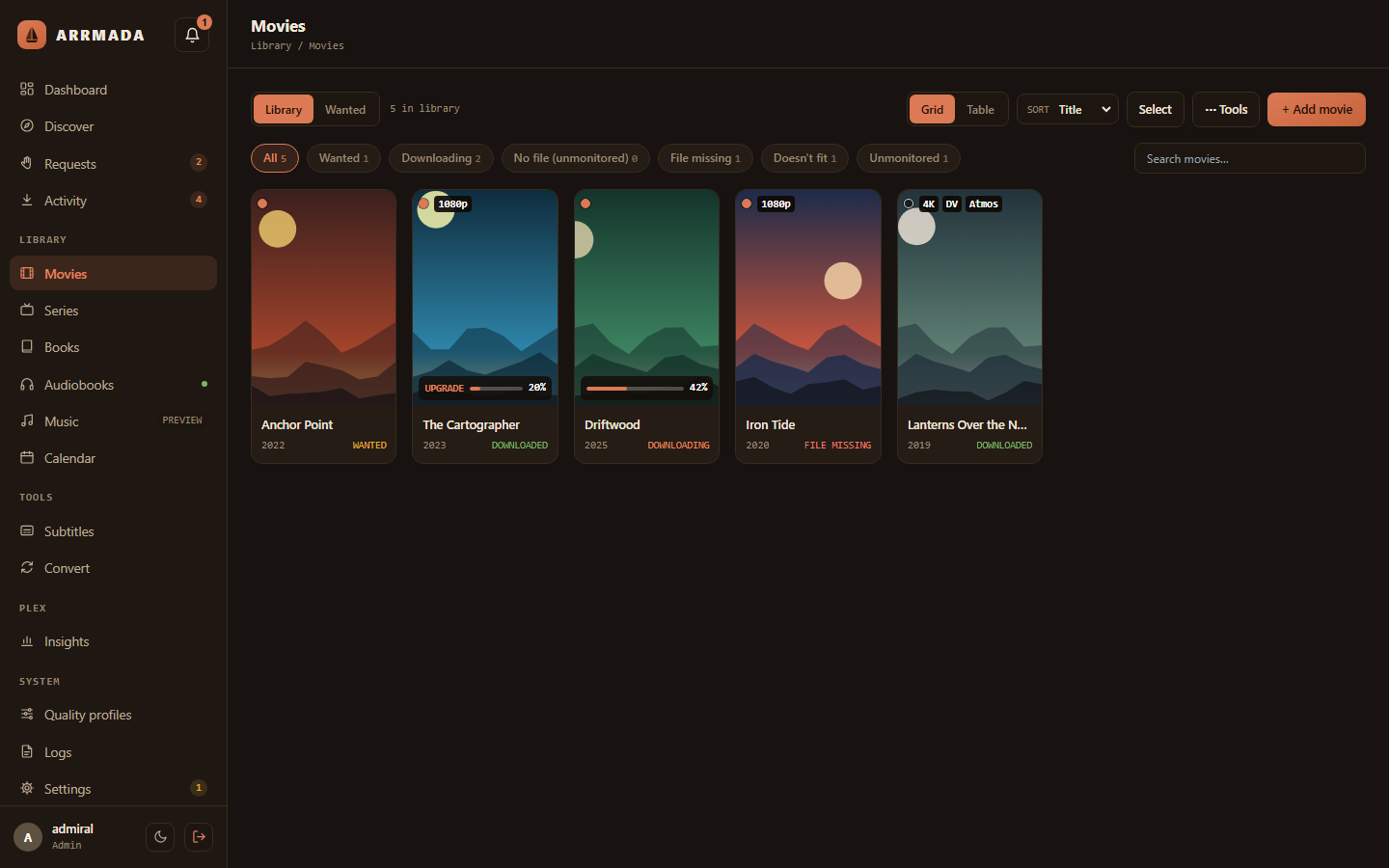
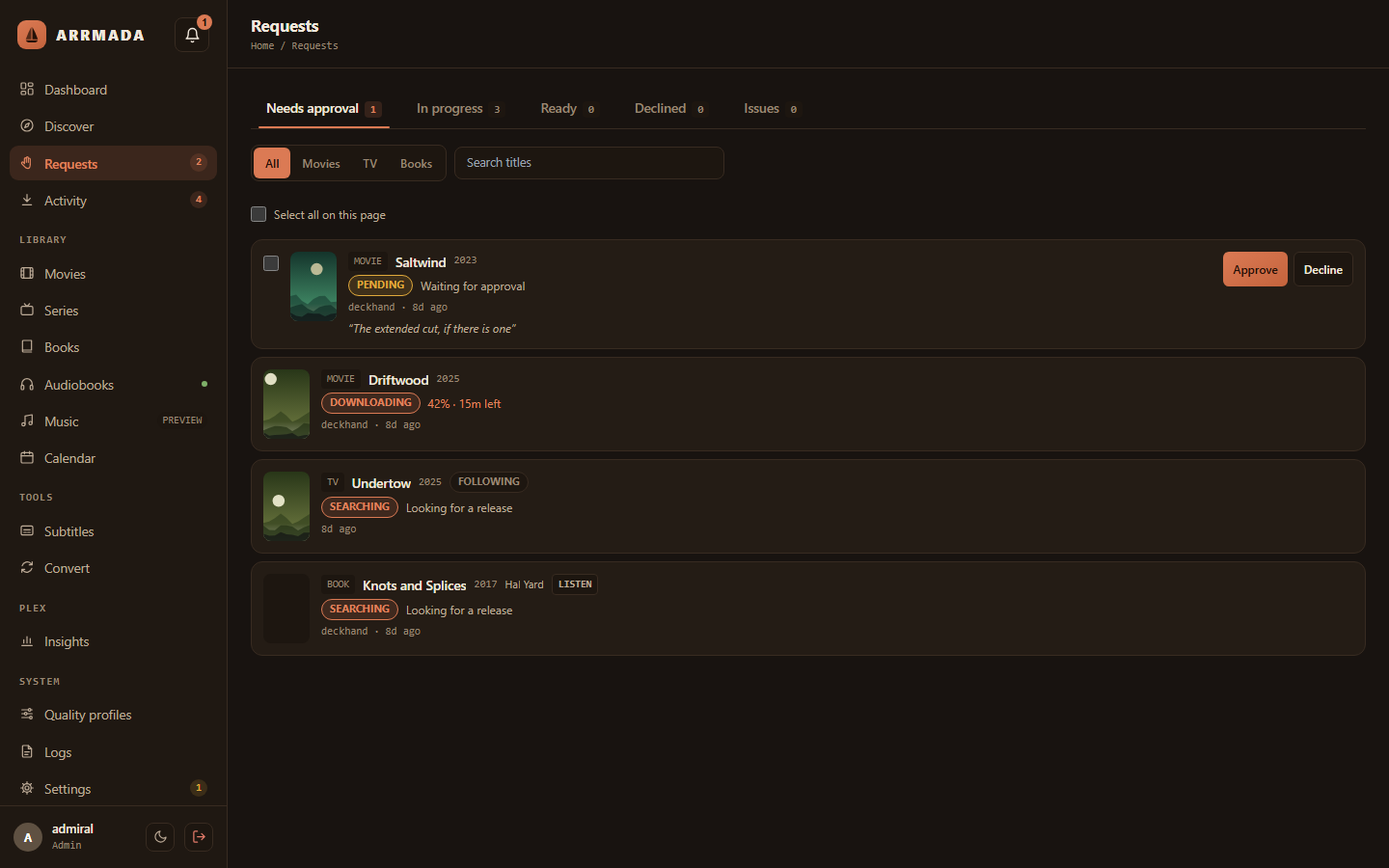
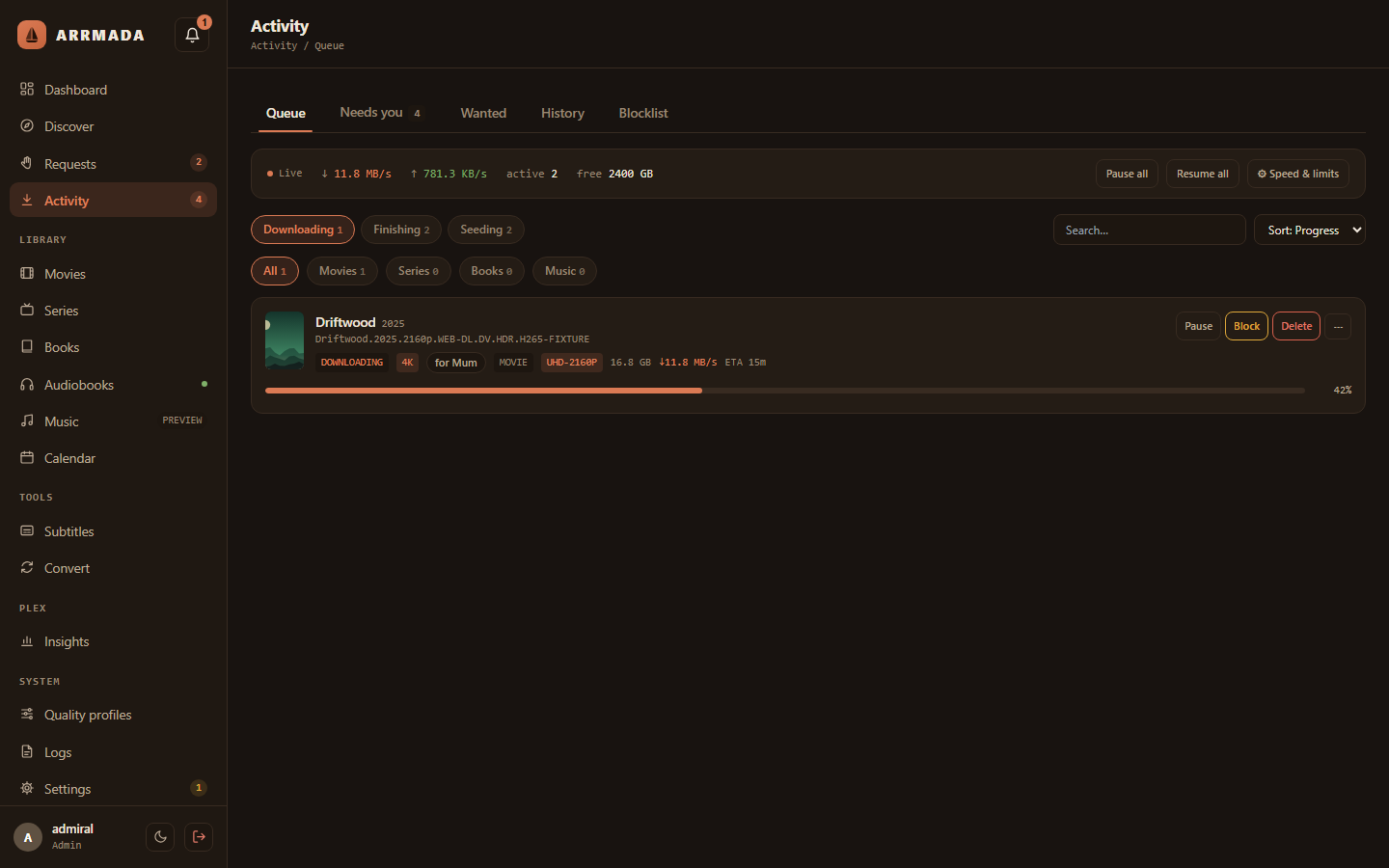
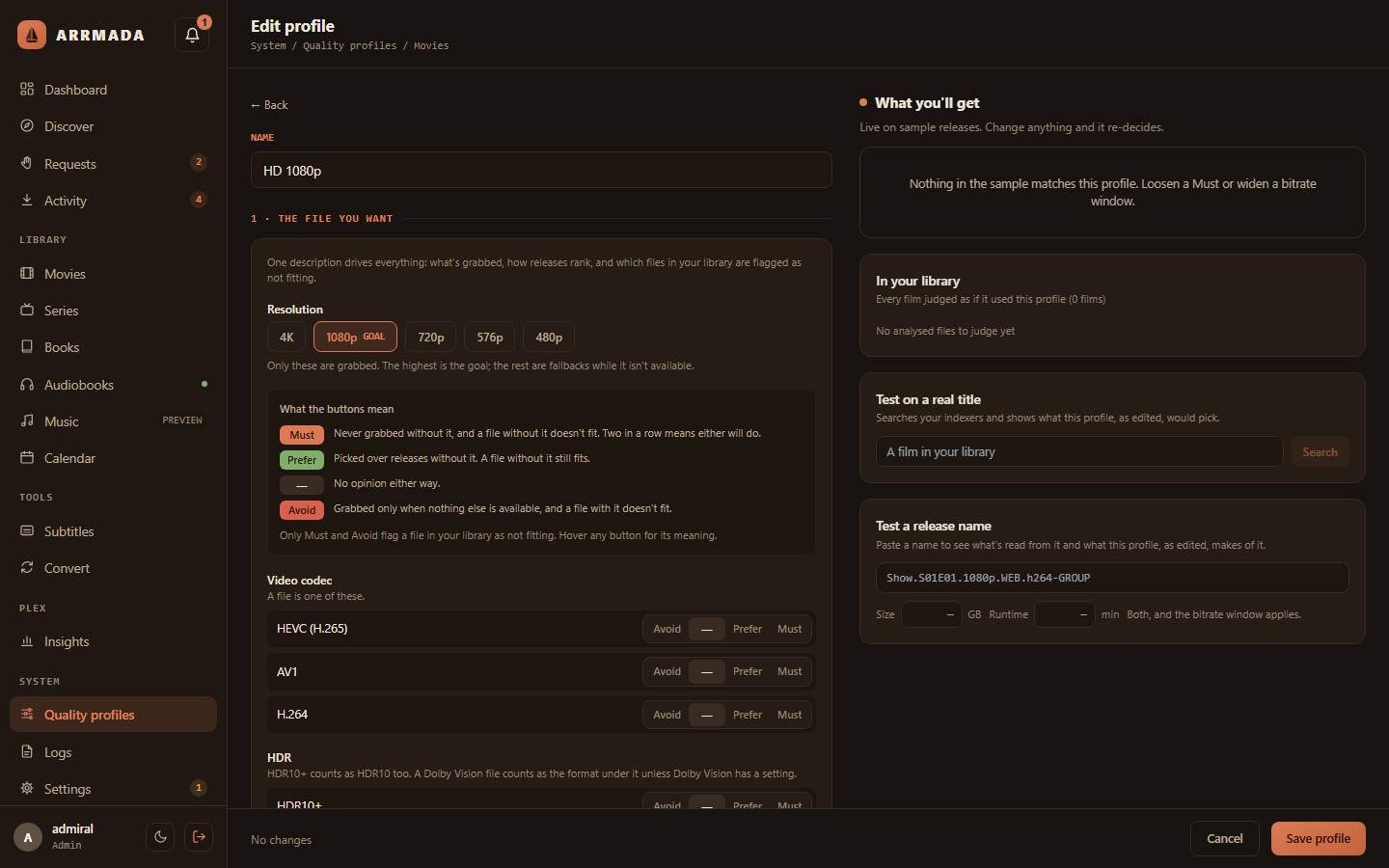
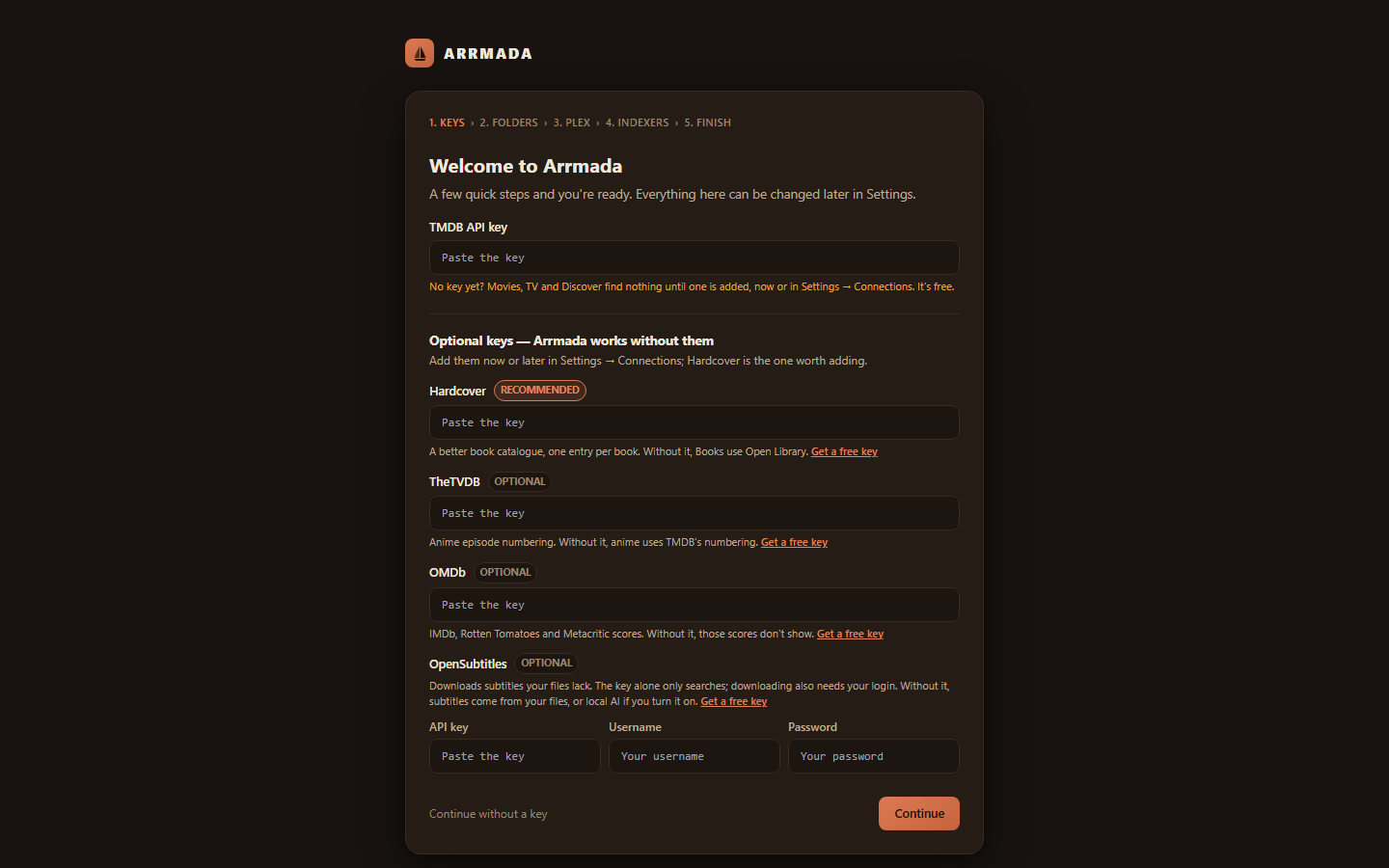

 Arrmada 是一款自托管应用,可以替代整个“arr 全家桶”:它负责查找、下载、整理并提供电影、剧集、书籍和有声书,允许家庭成员请求影片,并整理 Plex 或 Jellyfin 媒体库,所有功能都在一个应用、一个数据库中完成。