Что это такое?
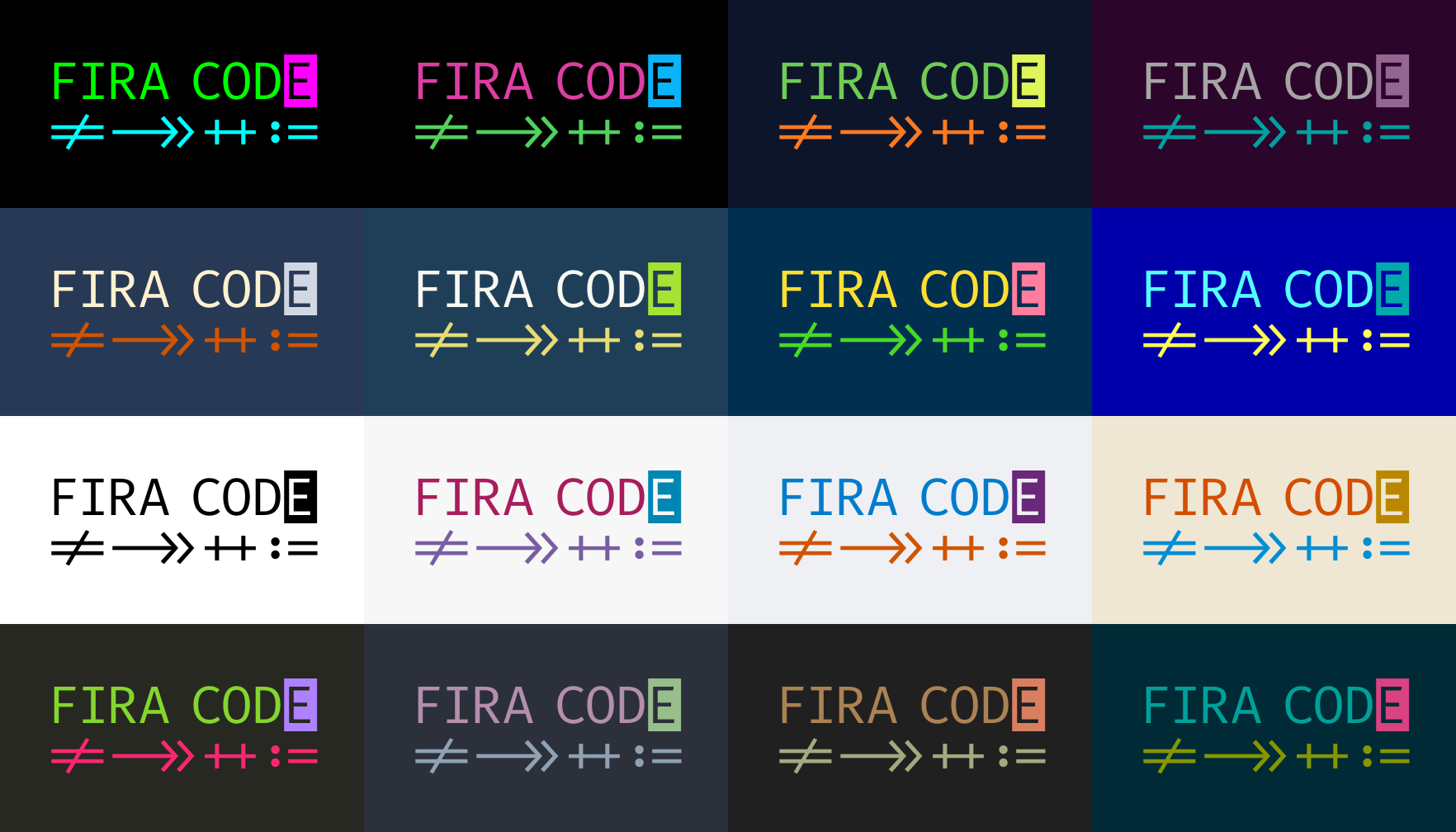
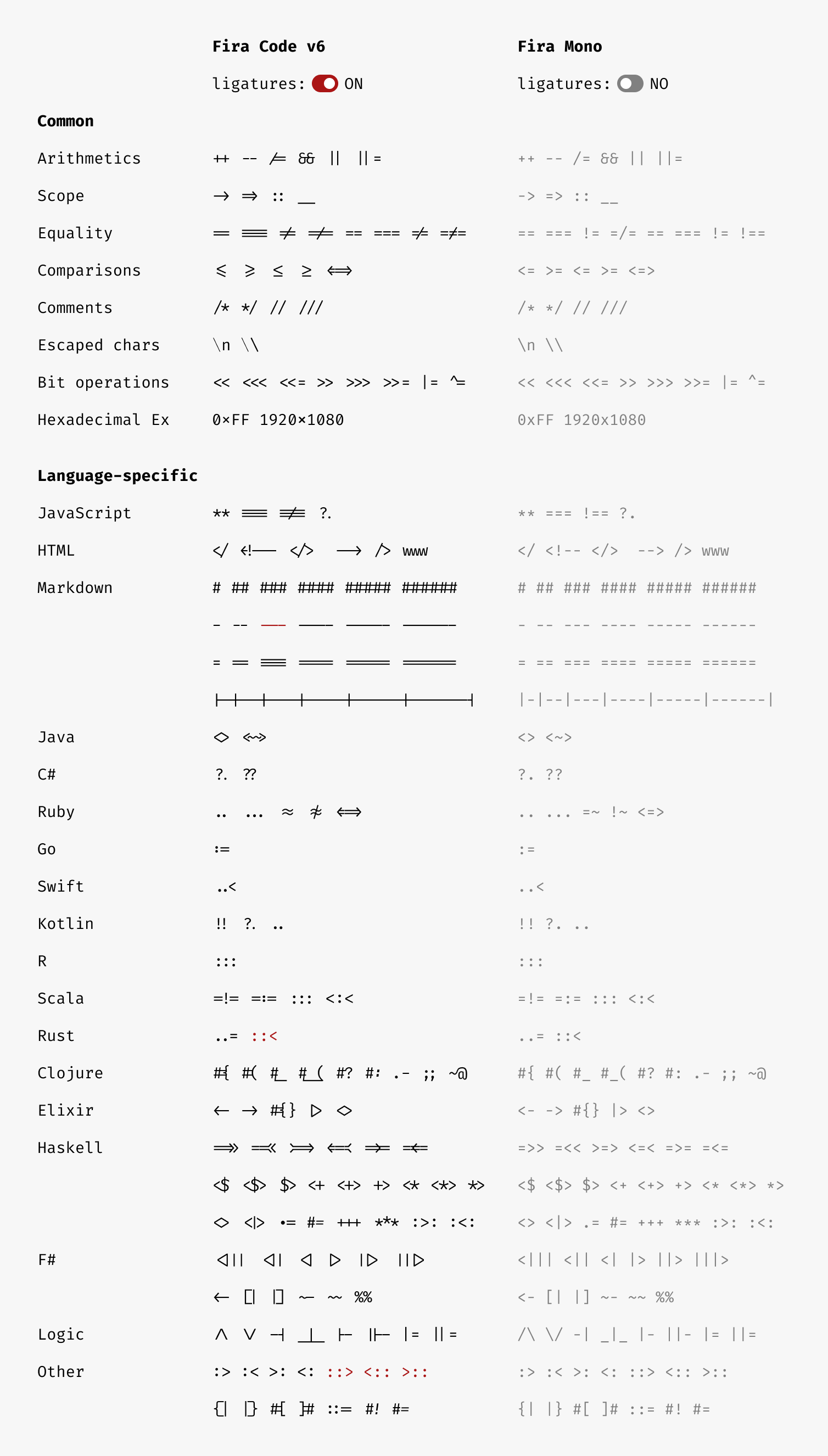
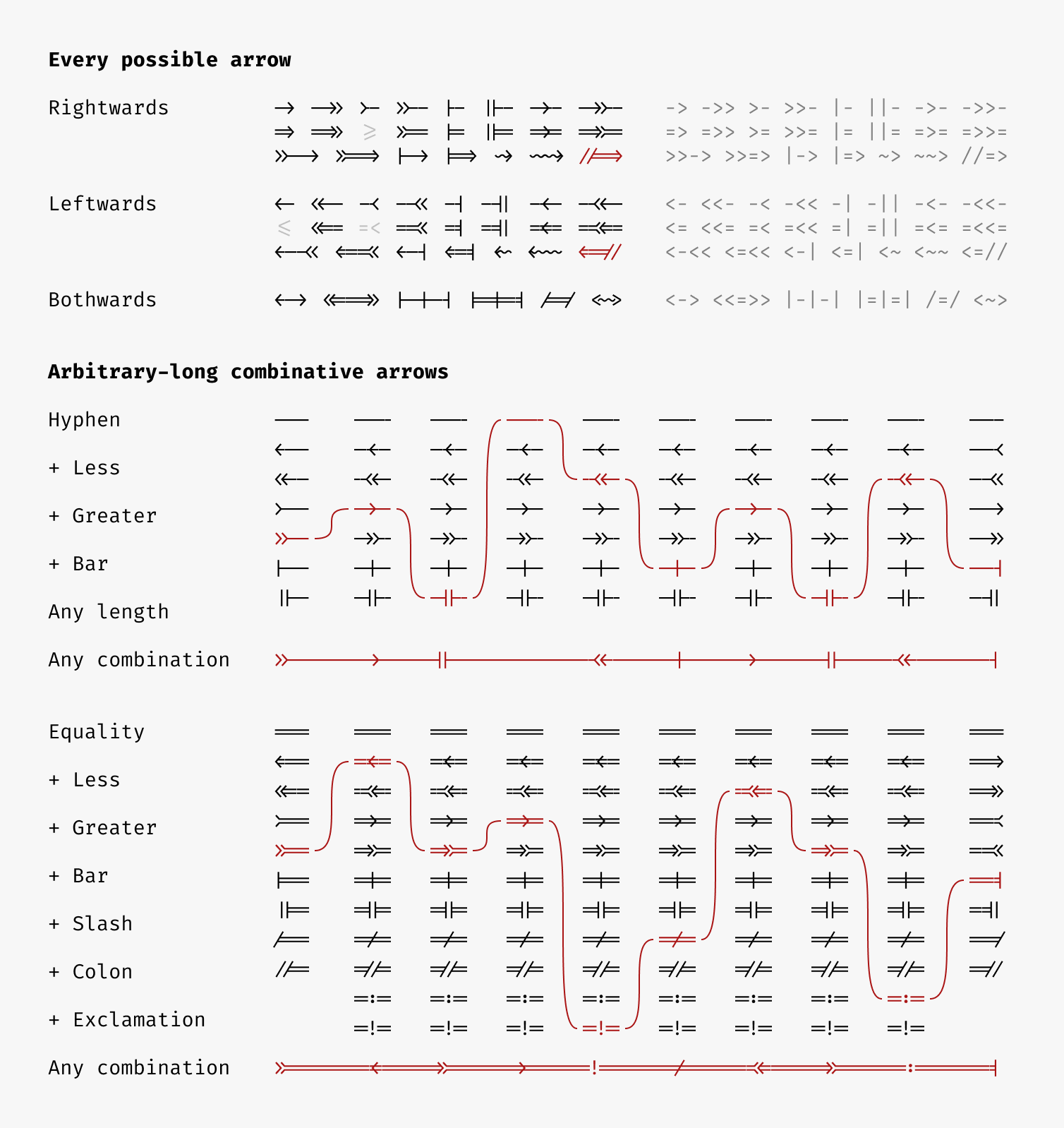
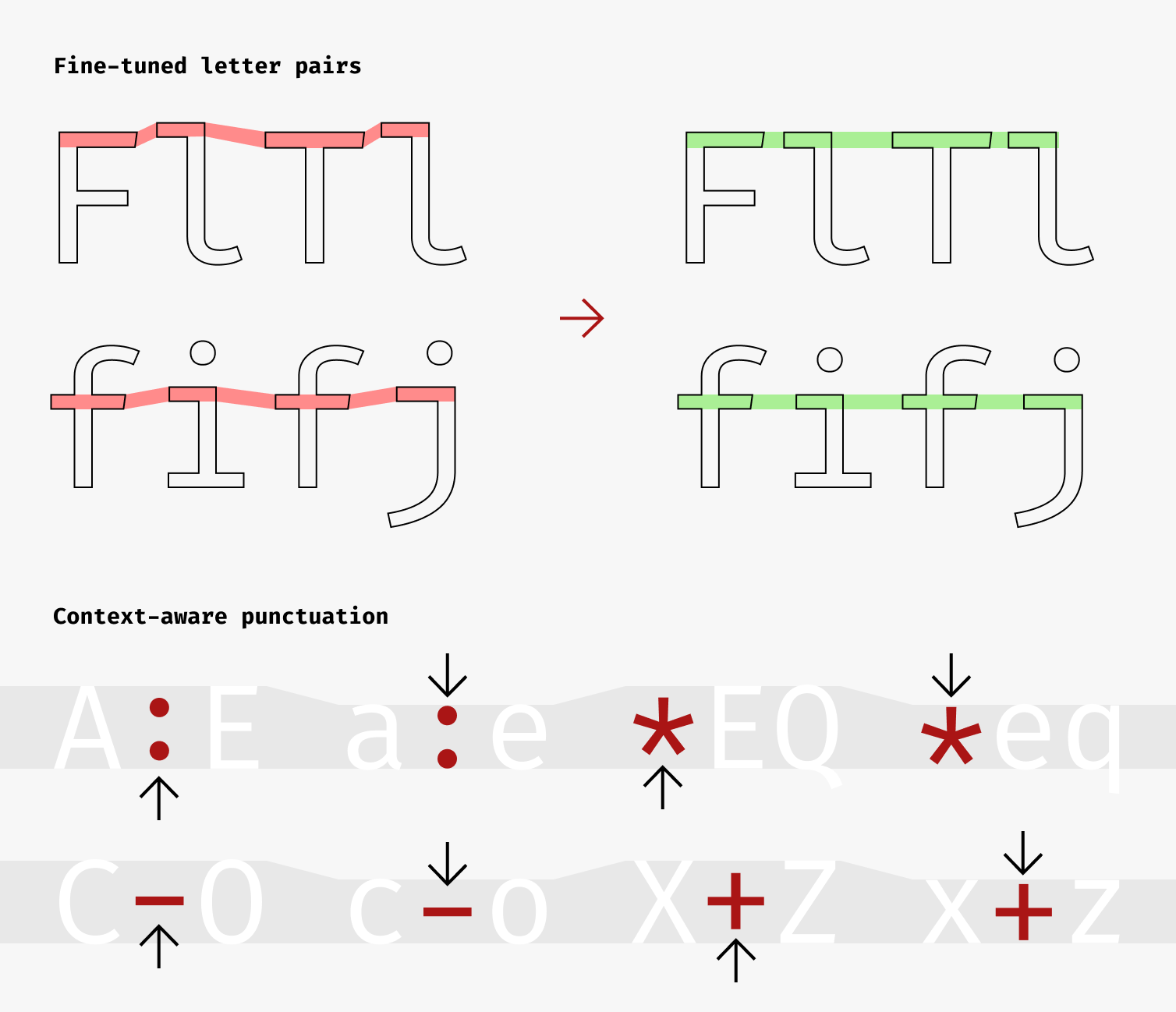
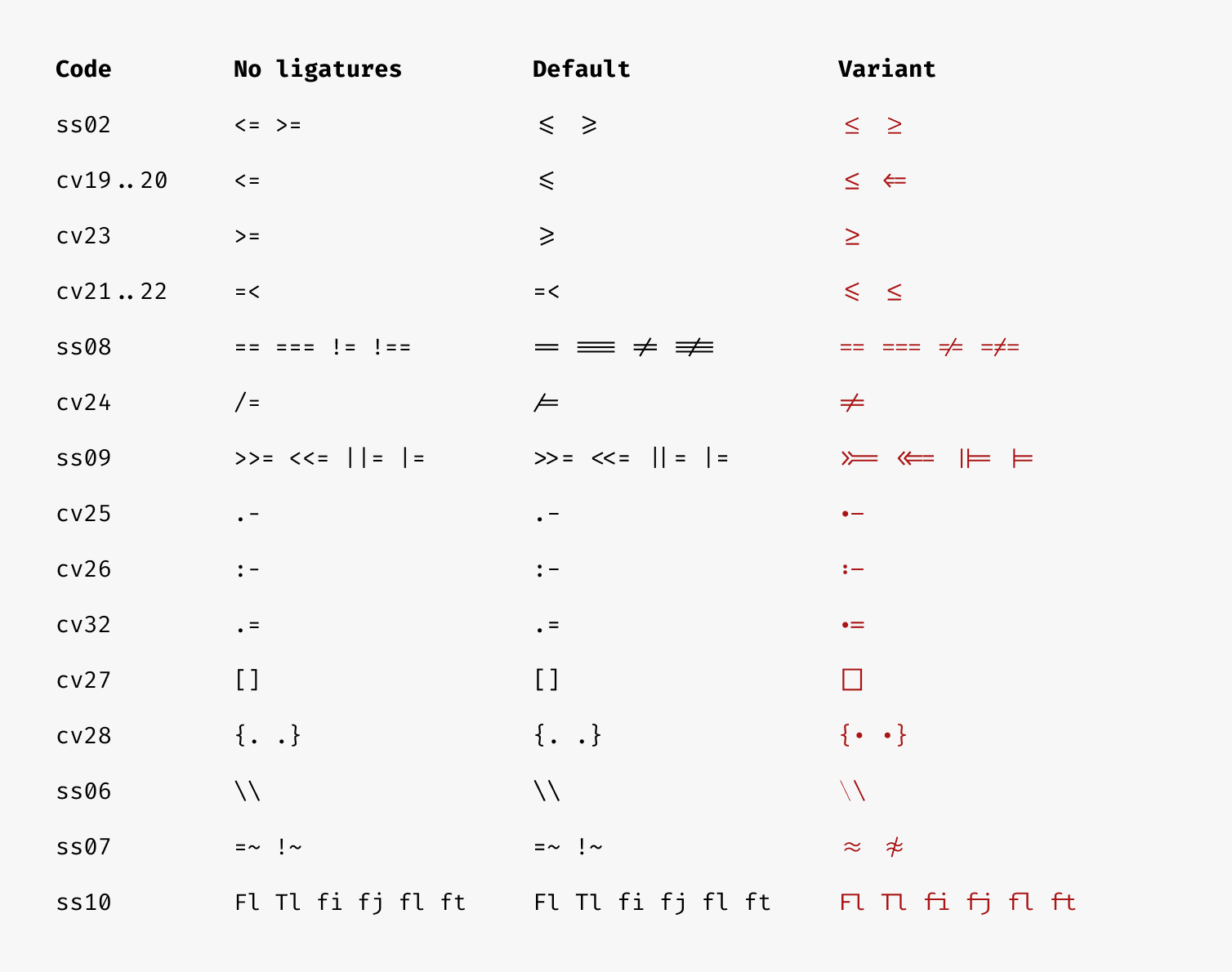
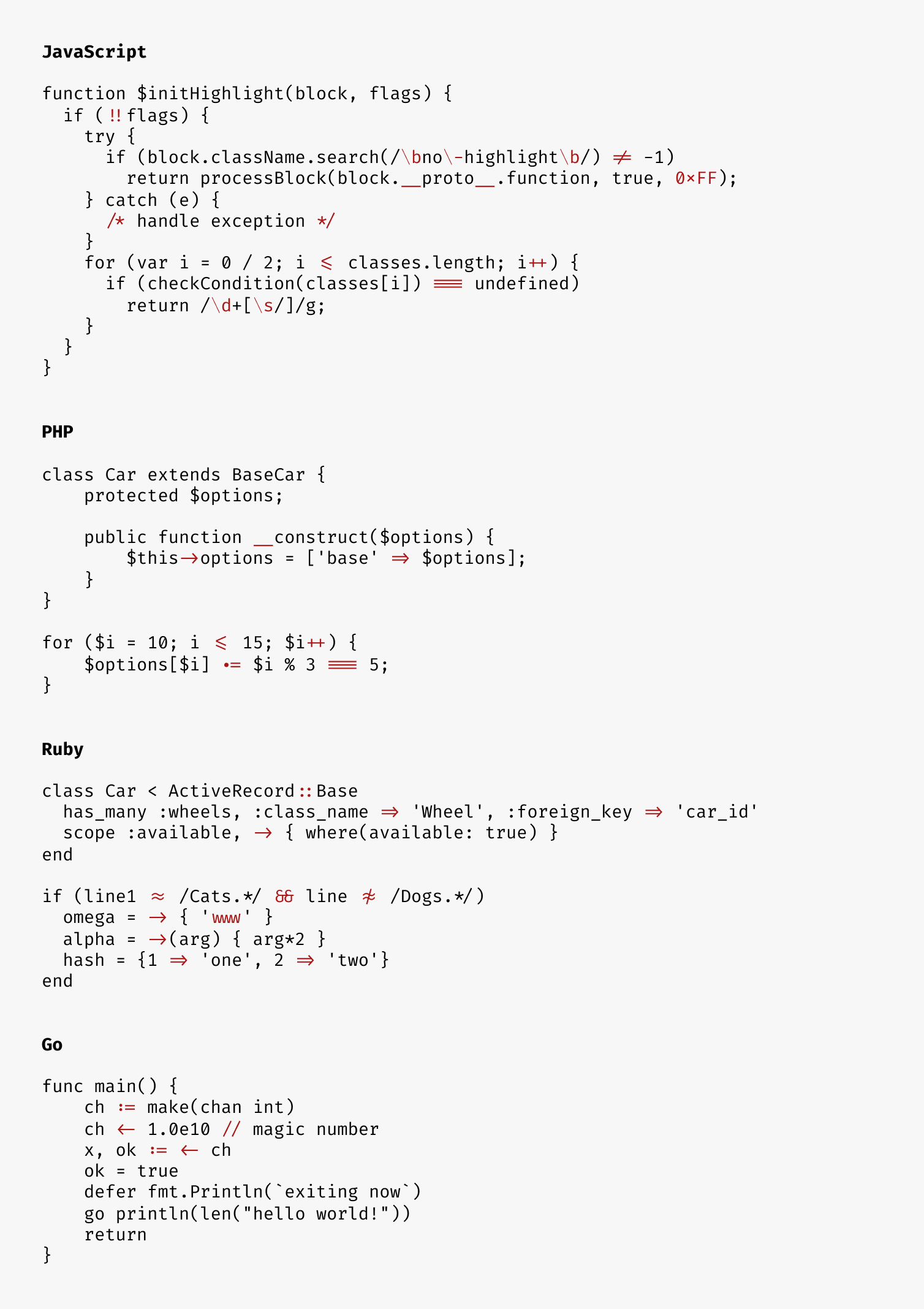
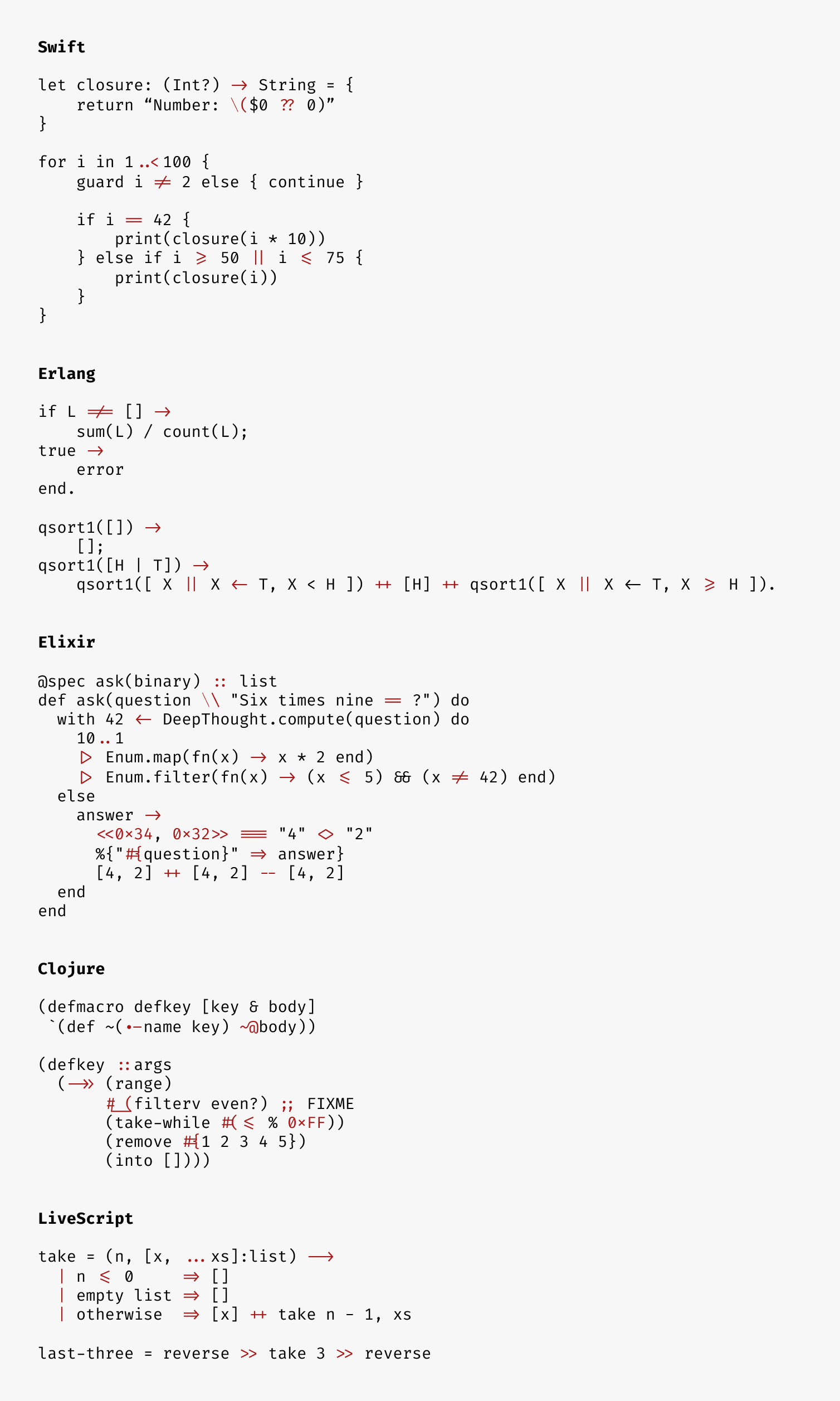
 Fira Code — это бесплатный моноширинный шрифт для программистов, который использует лигатуры, чтобы превращать часто встречающиеся последовательности из нескольких символов (например, -> или ==) в единые глифы, которые легче читать.
Fira Code — это бесплатный моноширинный шрифт для программистов, который использует лигатуры, чтобы превращать часто встречающиеся последовательности из нескольких символов (например, -> или ==) в единые глифы, которые легче читать.Это файл шрифта или плагин для редактора кода?Это просто шрифт (основанный на Fira Mono), который вы устанавливаете в систему; отображением лигатур занимается ваш редактор, терминал или браузер, а не сам установщик шрифта.
Это просто шрифт (основанный на Fira Mono), который вы устанавливаете в систему; отображением лигатур занимается ваш редактор, терминал или браузер, а не сам установщик шрифта.Как мне его установить и включить?Скачайте и установите шрифт, как любой другой, затем включите поддержку лигатур в нужном редакторе или терминале согласно его инструкции; во многих приложениях нужно включить параметр вроде 'calt' или 'font-variant-ligatures: contextual'.
Скачайте и установите шрифт, как любой другой, затем включите поддержку лигатур в нужном редакторе или терминале согласно его инструкции; во многих приложениях нужно включить параметр вроде 'calt' или 'font-variant-ligatures: contextual'.Будут ли лигатуры работать в любом редакторе или терминале, которым я пользуюсь?Нет, поддержка сильно различается: многие популярные инструменты, такие как IDLE, Dreamweaver, Alacritty, ConEmu, GNOME Terminal и PuTTY, вообще не отображают лигатуры, поэтому сначала проверьте таблицы совместимости.
Нет, поддержка сильно различается: многие популярные инструменты, такие как IDLE, Dreamweaver, Alacritty, ConEmu, GNOME Terminal и PuTTY, вообще не отображают лигатуры, поэтому сначала проверьте таблицы совместимости.Для кого предназначен этот шрифт?Для программистов, которые работают с кодом, насыщенным символами, и хотят, чтобы частые последовательности операторов воспринимались как единый визуальный элемент.
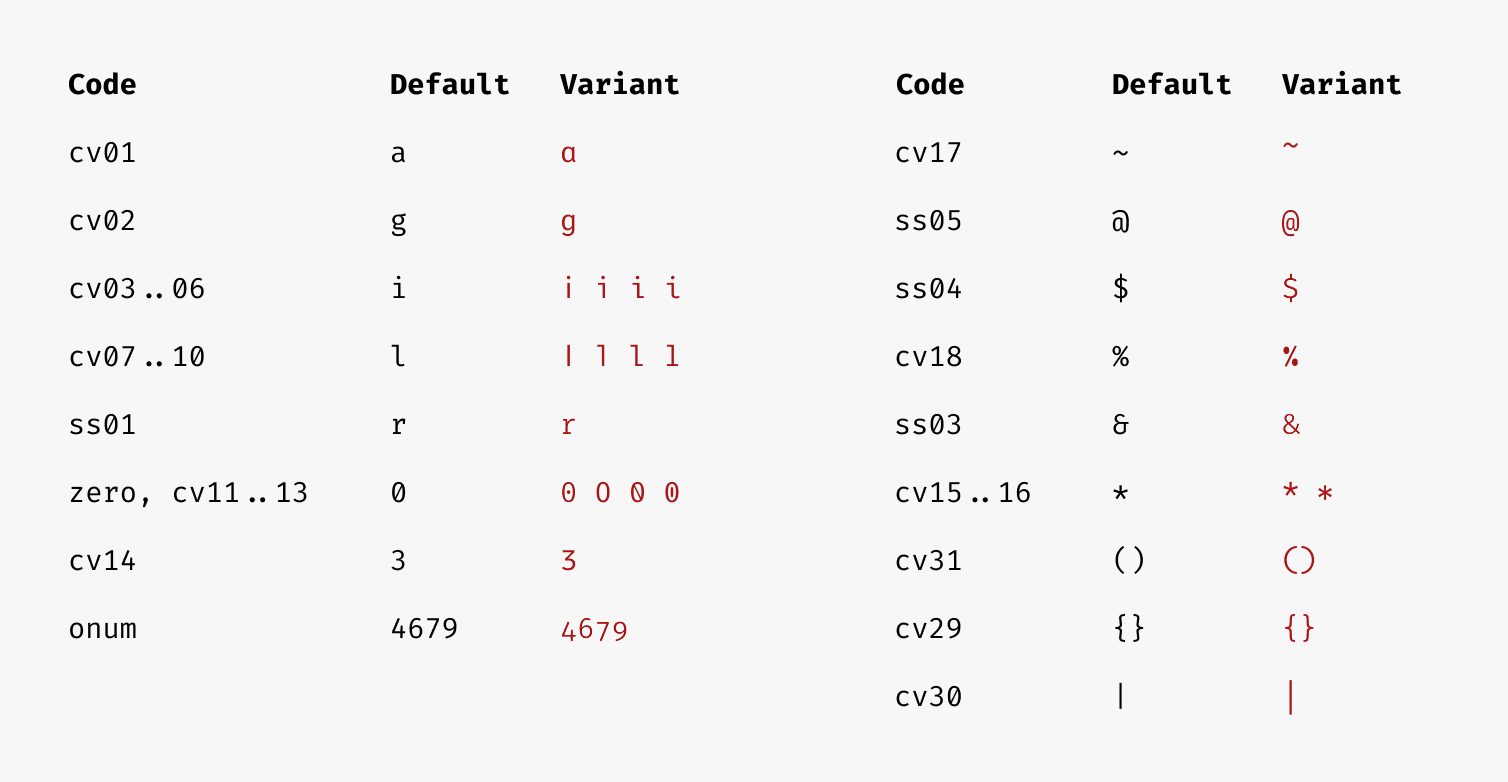
Для программистов, которые работают с кодом, насыщенным символами, и хотят, чтобы частые последовательности операторов воспринимались как единый визуальный элемент.Можно ли настроить, какие стилистические наборы или начертания будут собраны?Да, скрипт сборки принимает флаг -f/--features для стилистических наборов и вариантов символов, а флаг -w/--weights ограничивает, какие начертания (Light, Regular, Retina, Medium, SemiBold, Bold) будут сгенерированы.
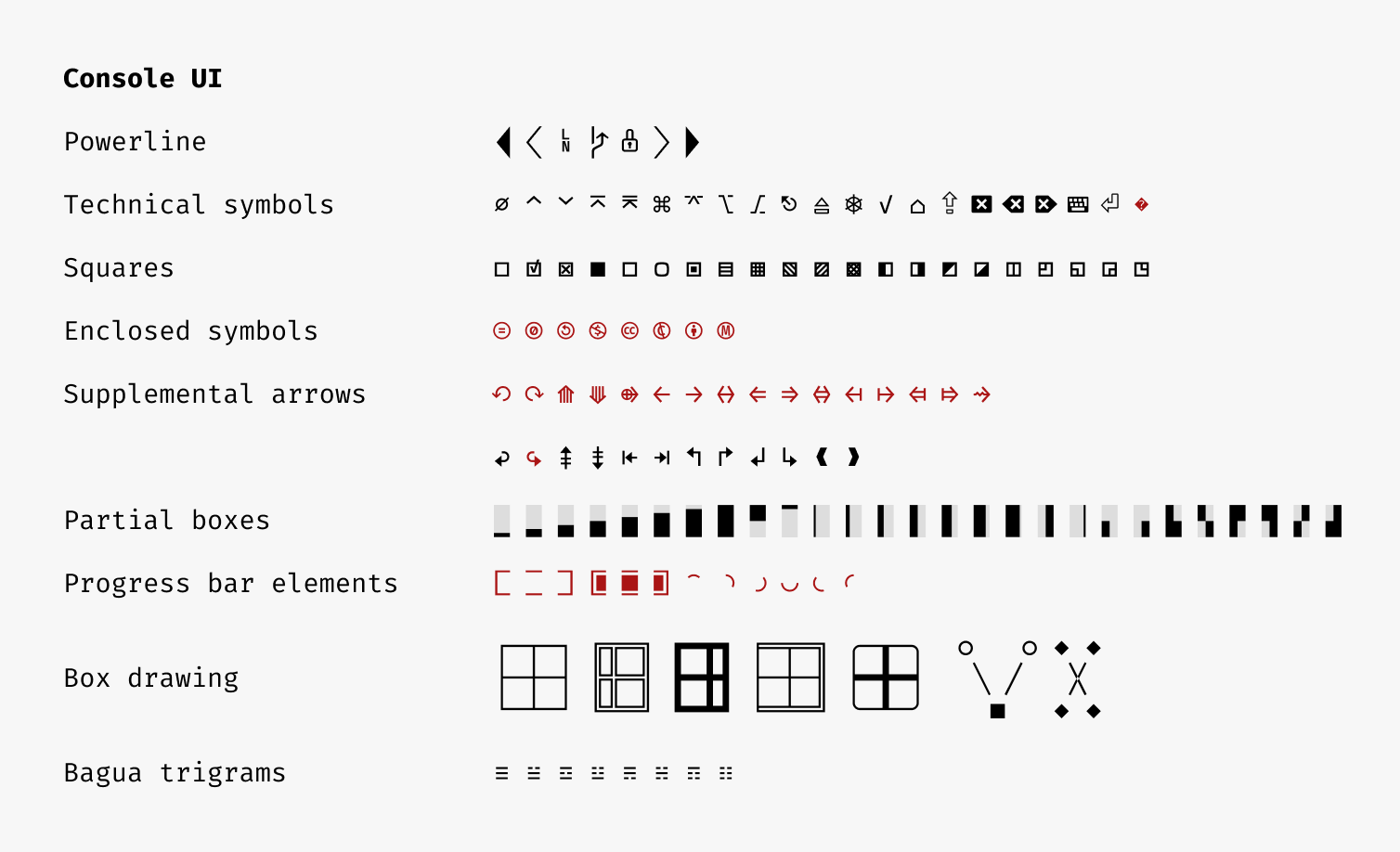
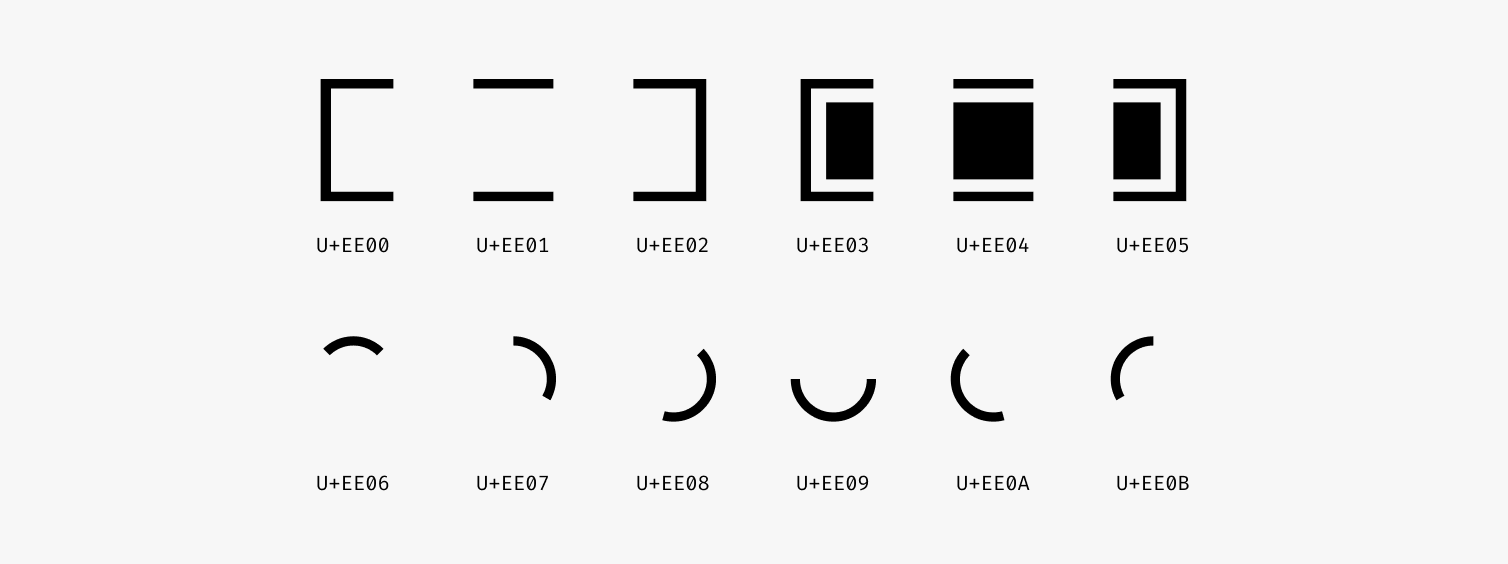
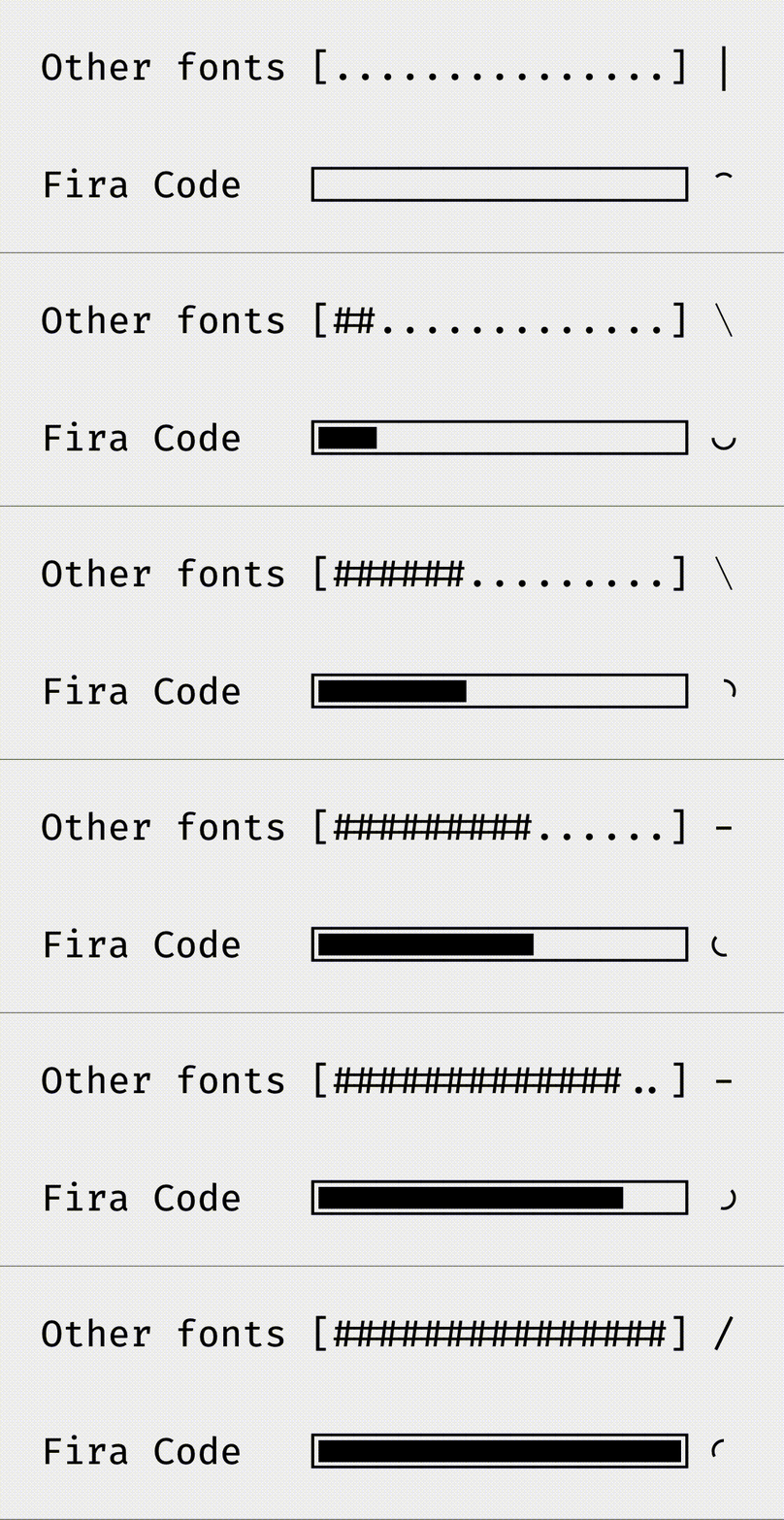
Да, скрипт сборки принимает флаг -f/--features для стилистических наборов и вариантов символов, а флаг -w/--weights ограничивает, какие начертания (Light, Regular, Retina, Medium, SemiBold, Bold) будут сгенерированы.Что такое функция индикаторов прогресса?Fira Code — первый программистский шрифт, в котором есть отдельные глифы в диапазоне U+EE00-EE0B для отрисовки индикаторов прогресса в терминальных интерфейсах; также предложена переменная окружения UNICODEPROGRESSBAR как эвристика для их обнаружения.
Fira Code — первый программистский шрифт, в котором есть отдельные глифы в диапазоне U+EE00-EE0B для отрисовки индикаторов прогресса в терминальных интерфейсах; также предложена переменная окружения UNICODEPROGRESSBAR как эвристика для их обнаружения.Есть ли альтернативные шрифты, если Fira Code мне не подходит?В README перечислены бесплатные альтернативы: Hasklig, Iosevka, Cascadia Code и JetBrains Mono, а также платные варианты: PragmataPro и Mono Lisa.
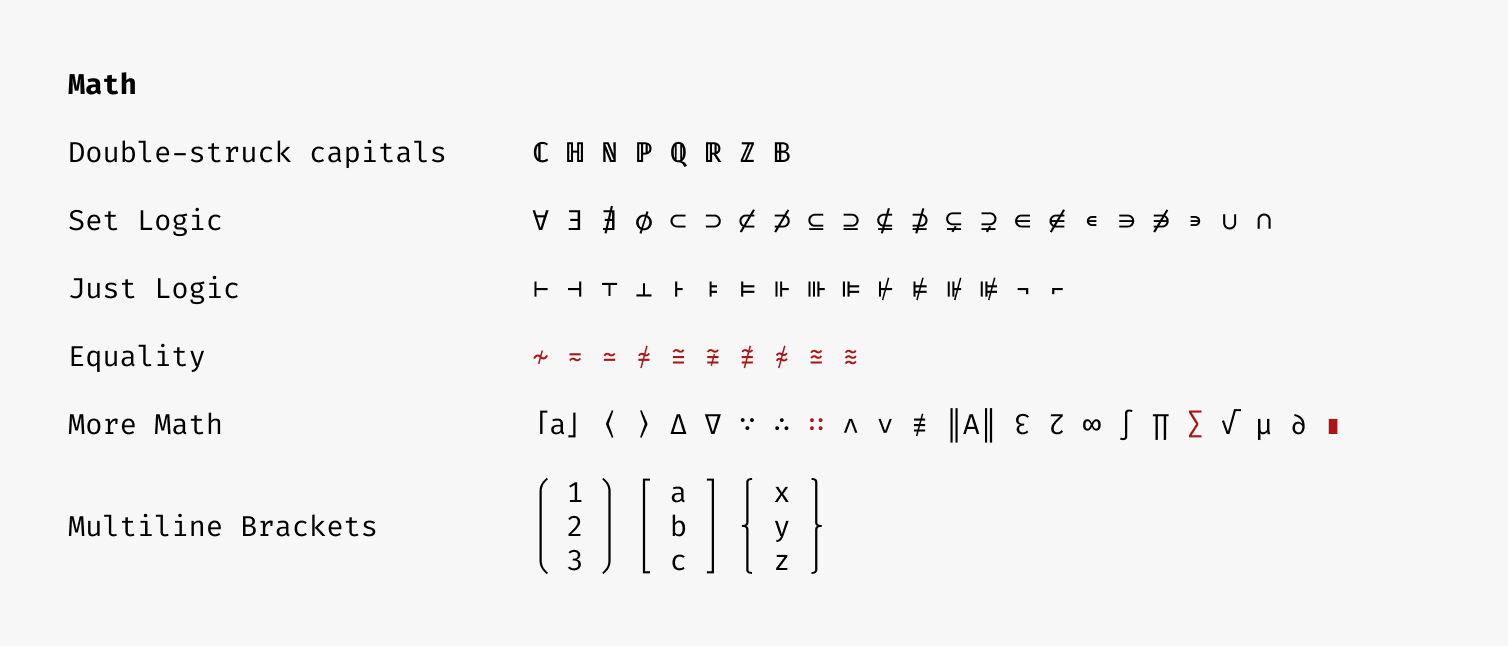
В README перечислены бесплатные альтернативы: Hasklig, Iosevka, Cascadia Code и JetBrains Mono, а также платные варианты: PragmataPro и Mono Lisa.Хорошо ли он подходит для математических записей или символов псевдографики?Да, у него широкое покрытие Unicode для математической записи и специальная поддержка символов ASCII, псевдографики и powerline, которые используются в консольных интерфейсах.
Да, у него широкое покрытие Unicode для математической записи и специальная поддержка символов ASCII, псевдографики и powerline, которые используются в консольных интерфейсах.What are similar projects?Monocraft, Iosevka, JetBrainsMono, maple-font, cascadia-code, nerd-fonts, Hack, source-code-pro
Monocraft, Iosevka, JetBrainsMono, maple-font, cascadia-code, nerd-fonts, Hack, source-code-proWhich topics is it in?programming-ligatures, ligatures, powerline, clojure, monospace, fonts, font, icons, typography, free, terminal, developer-tools
programming-ligatures, ligatures, powerline, clojure, monospace, fonts, font, icons, typography, free, terminal, developer-tools