









这是什么?
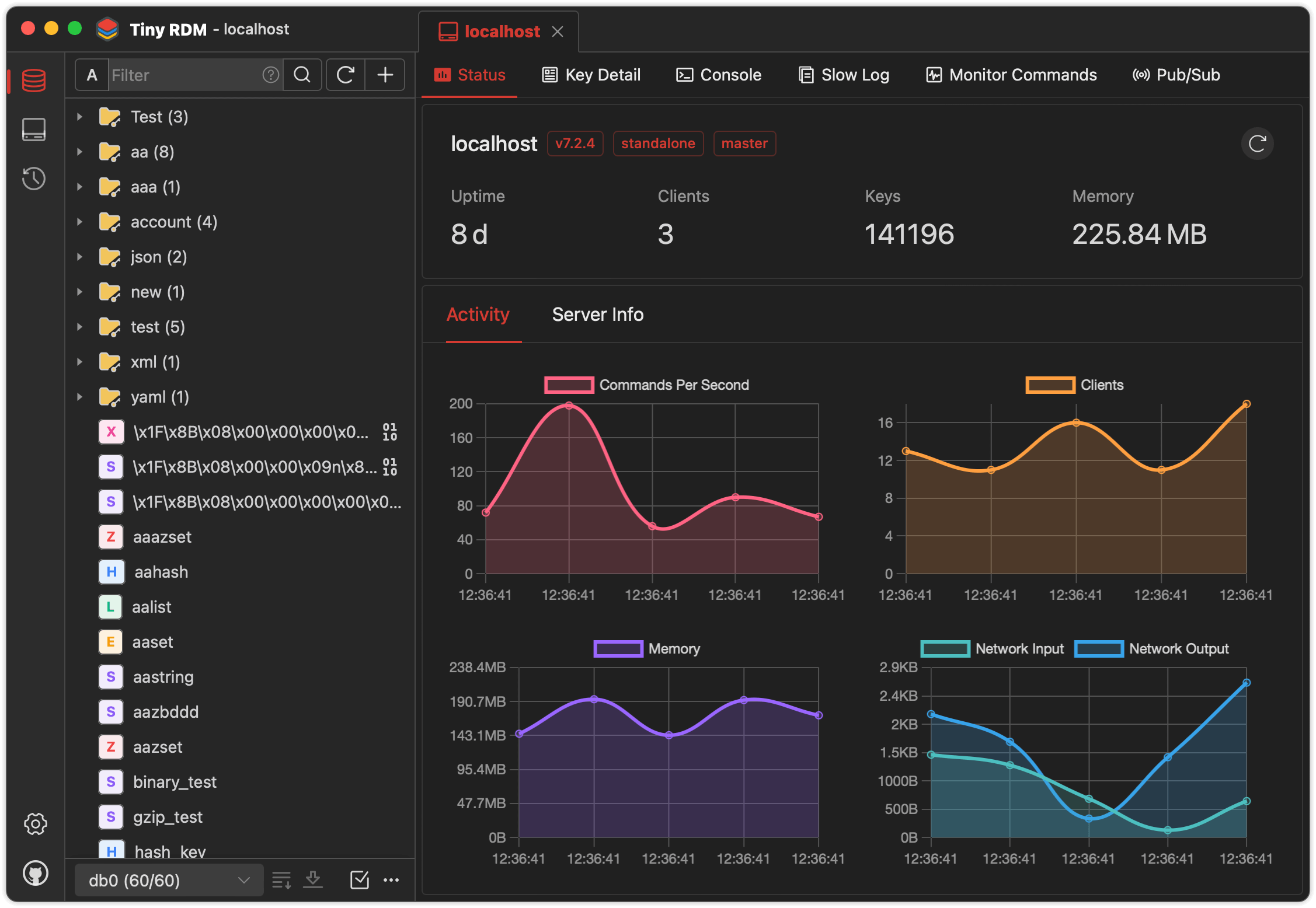
 Tiny RDM(Tiny Redis Desktop Manager)是一款现代、轻量的 Redis 数据库图形化管理客户端,提供适用于 Mac、Windows 和 Linux 的桌面应用,也提供可通过 Docker 运行的网页版。
Tiny RDM(Tiny Redis Desktop Manager)是一款现代、轻量的 Redis 数据库图形化管理客户端,提供适用于 Mac、Windows 和 Linux 的桌面应用,也提供可通过 Docker 运行的网页版。它只是桌面应用,还是也能当服务器运行?两种形式都有:它是用 Wails 构建的原生桌面客户端(不内嵌浏览器),同时也提供可通过 Docker 部署的网页应用,方便远程或团队访问。
两种形式都有:它是用 Wails 构建的原生桌面客户端(不内嵌浏览器),同时也提供可通过 Docker 部署的网页应用,方便远程或团队访问。我该怎么把它跑起来?免费下载适合你操作系统的预编译桌面应用,或使用 Docker Compose 部署网页版,并设置 ADMIN_USERNAME 和 ADMIN_PASSWORD 环境变量。
免费下载适合你操作系统的预编译桌面应用,或使用 Docker Compose 部署网页版,并设置 ADMIN_USERNAME 和 ADMIN_PASSWORD 环境变量。我需要装 Go 或 Node.js 才能用吗?只有想从源码构建时才需要:需要 Go(最新版)、Node.js >=20、NPM >=9 以及 Wails CLI。如果只是下载预编译的程序或 Docker 镜像,则完全不需要这些。
只有想从源码构建时才需要:需要 Go(最新版)、Node.js >=20、NPM >=9 以及 Wails CLI。如果只是下载预编译的程序或 Docker 镜像,则完全不需要这些。macOS 上安装时有什么需要注意的坑吗?在 macOS 上,安装后应用可能会因为 Gatekeeper 而无法打开;需要在终端运行一条命令允许它运行,然后重新打开应用。
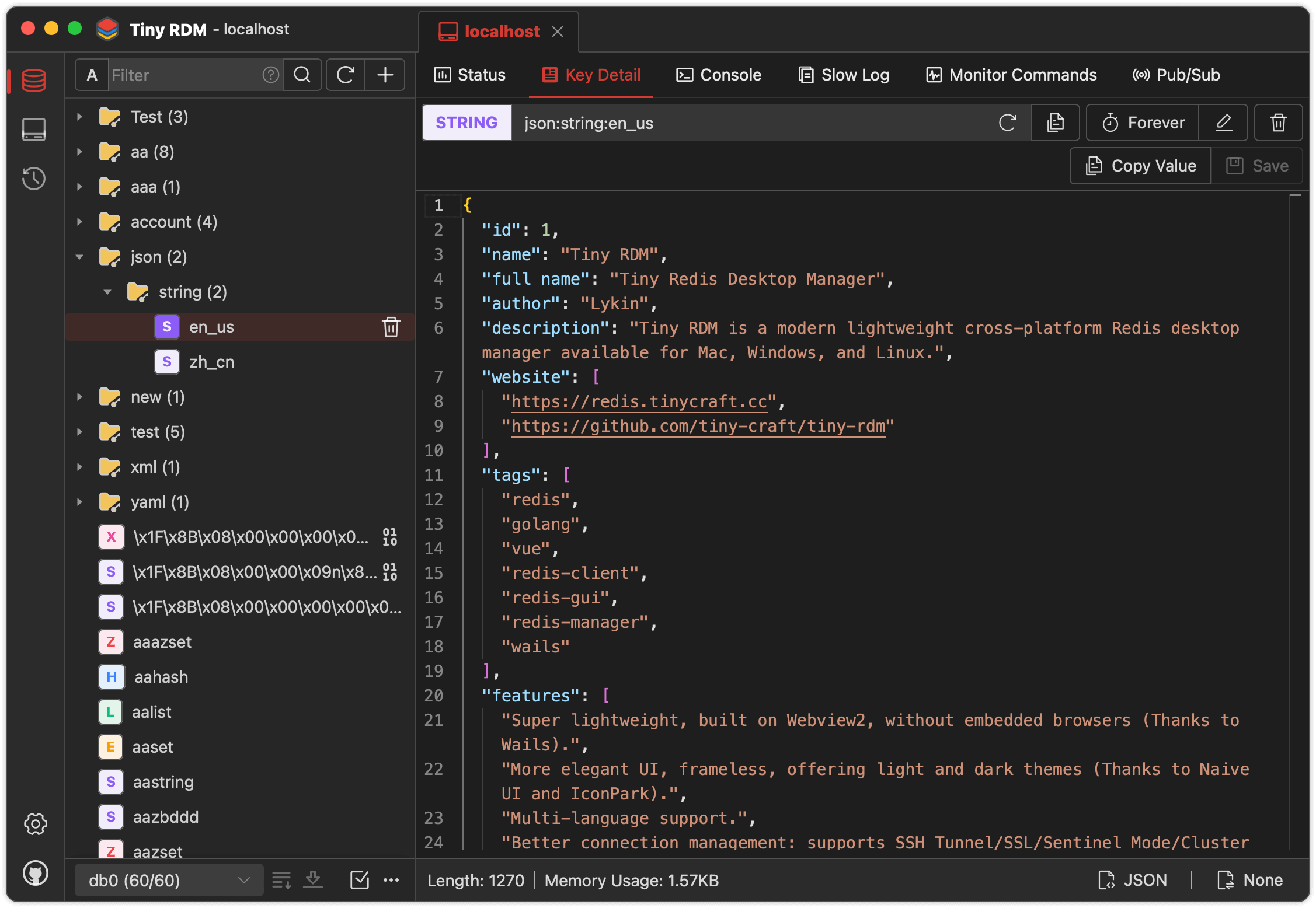
在 macOS 上,安装后应用可能会因为 Gatekeeper 而无法打开;需要在终端运行一条命令允许它运行,然后重新打开应用。除了基本的键浏览,它还支持别的功能吗?支持。它提供 SSH 隧道、SSL、Sentinel 和 Cluster 模式、代理等连接管理功能,还支持对 Lists、Hashes、Strings、Sets 和 Streams 的完整增删改查(CRUD)、命令行模式、慢日志以及实时命令监控。
支持。它提供 SSH 隧道、SSL、Sentinel 和 Cluster 模式、代理等连接管理功能,还支持对 Lists、Hashes、Strings、Sets 和 Streams 的完整增删改查(CRUD)、命令行模式、慢日志以及实时命令监控。桌面应用能在哪些系统上运行?桌面客户端支持 Mac、Windows 和 Linux,网页版则可以通过 Docker 部署到任何地方。
桌面客户端支持 Mac、Windows 和 Linux,网页版则可以通过 Docker 部署到任何地方。能处理上百万个键的 Redis 数据库吗?可以。它使用 SCAN 分段加载,因此大型键空间会逐步加载,不会导致界面卡死;对大型 Lists、Hashes、Sets 和 Sorted Sets 也采用同样的分段加载方式。
可以。它使用 SCAN 分段加载,因此大型键空间会逐步加载,不会导致界面卡死;对大型 Lists、Hashes、Sets 和 Sorted Sets 也采用同样的分段加载方式。它有内置的代码或数据编辑器吗?有。它集成了 Monaco Editor(与 VS Code 相同的编辑器引擎),用于查看和编辑值。
有。它集成了 Monaco Editor(与 VS Code 相同的编辑器引擎),用于查看和编辑值。我能导入或导出数据和连接配置吗?可以。它支持导入和导出键数据及连接配置,同时支持发布/订阅(pub/sub)。
可以。它支持导入和导出键数据及连接配置,同时支持发布/订阅(pub/sub)。浅色/深色主题和多语言本地化有什么区别?界面基于 Naive UI 和 IconPark 构建,提供浅色和深色主题,并支持多种语言,欢迎社区贡献更多语言。
界面基于 Naive UI 和 IconPark 构建,提供浅色和深色主题,并支持多种语言,欢迎社区贡献更多语言。What are similar projects?AnotherRedisDesktopManager, GoNavi, dbx, tusk, Chat2DB, workbuddy2api-panel, gpt-load, beekeeper-studio
AnotherRedisDesktopManager, GoNavi, dbx, tusk, Chat2DB, workbuddy2api-panel, gpt-load, beekeeper-studioWhich topics is it in?monaco-editor, wails, redis-client, icon-pack, database-client, ssh, redis, golang, vue, sqlite, proxy, docker-compose
monaco-editor, wails, redis-client, icon-pack, database-client, ssh, redis, golang, vue, sqlite, proxy, docker-compose