









What is this?
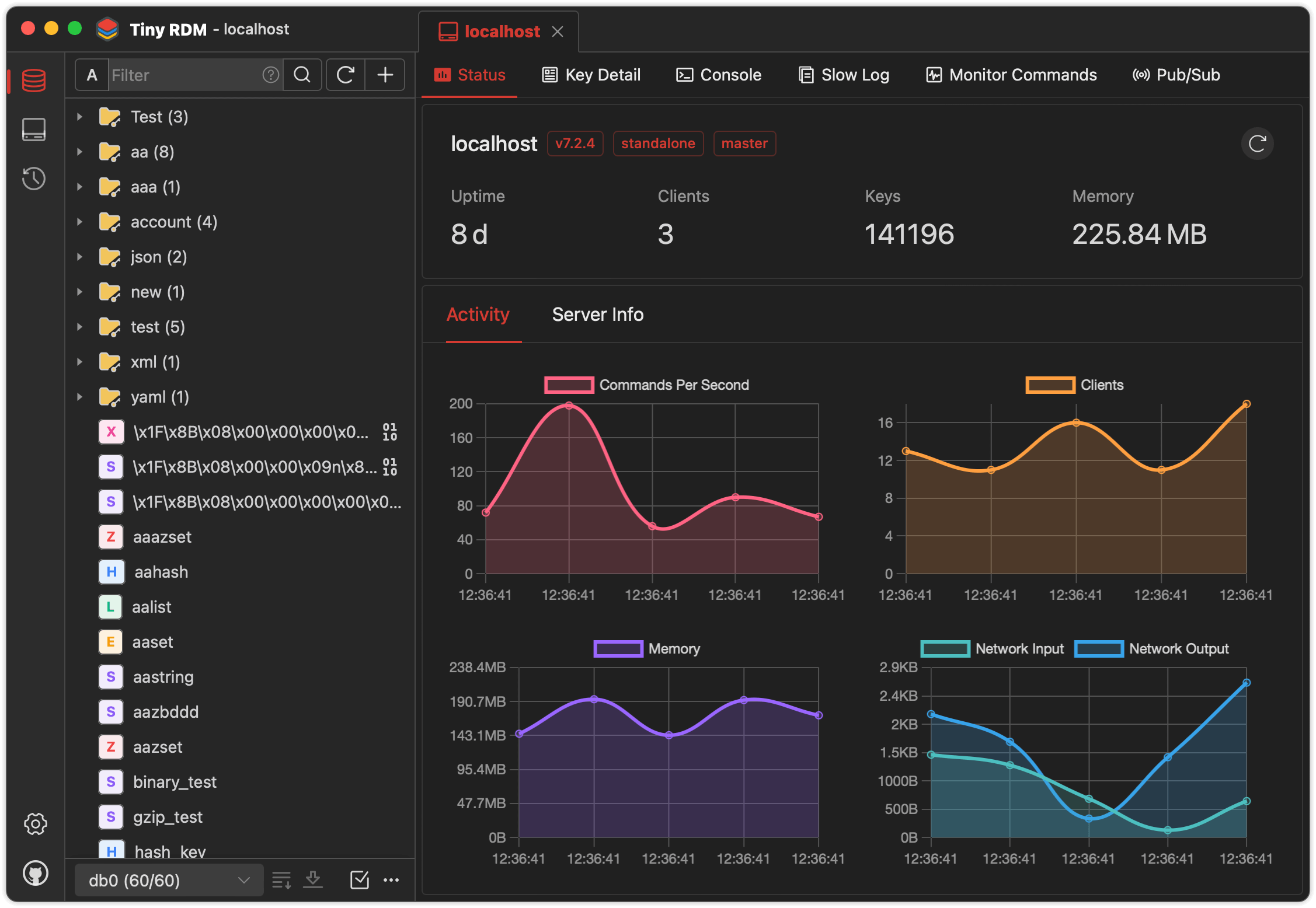
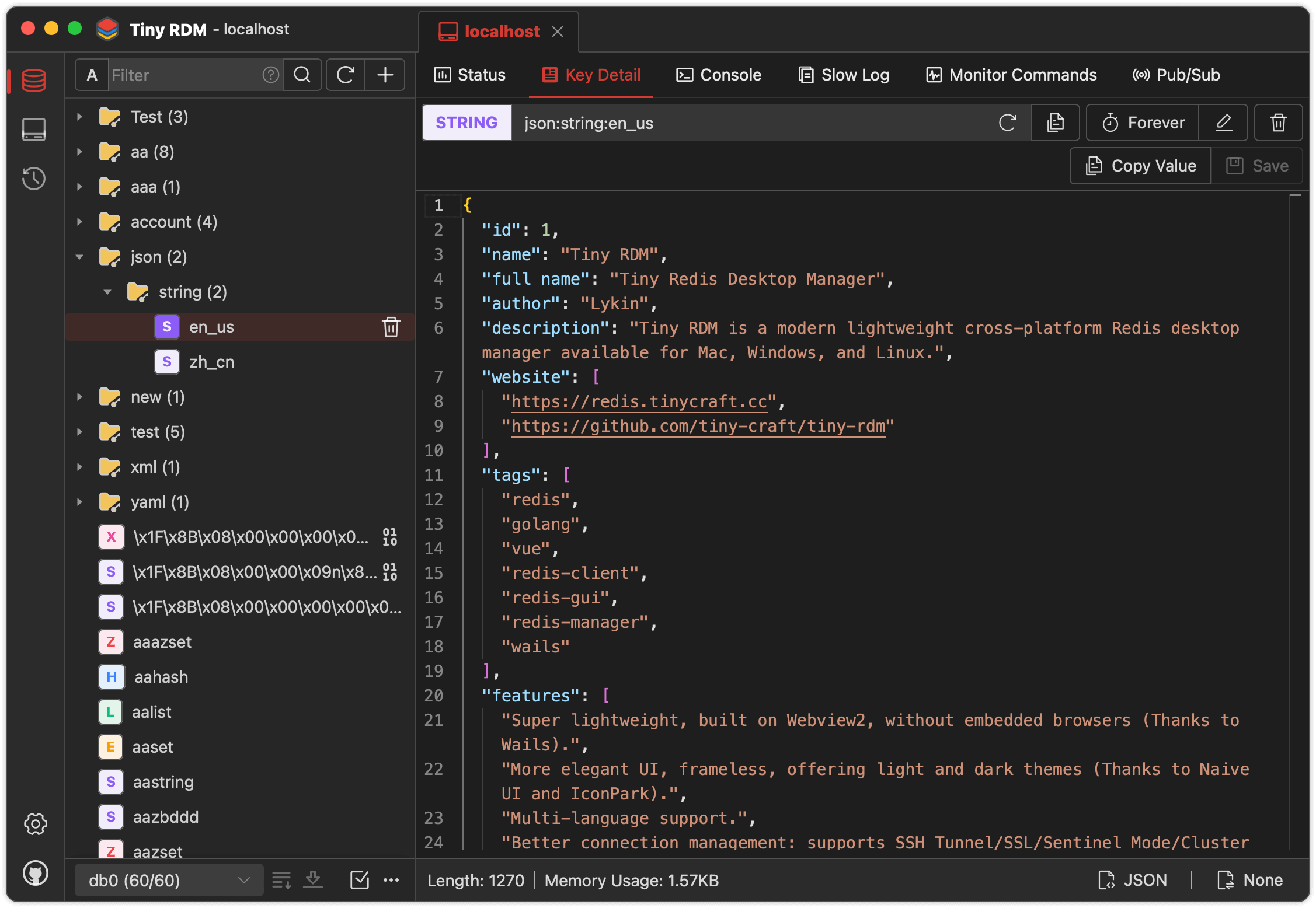
 Tiny RDM (Tiny Redis Desktop Manager) is a modern, lightweight GUI client for managing Redis databases, available as a desktop app for Mac, Windows, and Linux, plus a web version you can run via Docker.
Tiny RDM (Tiny Redis Desktop Manager) is a modern, lightweight GUI client for managing Redis databases, available as a desktop app for Mac, Windows, and Linux, plus a web version you can run via Docker.Is this just a desktop app, or can I also run it as a server?Both: it ships as a native desktop client built with Wails (no embedded browser), and separately as a web app you deploy via Docker for remote/team access.
Both: it ships as a native desktop client built with Wails (no embedded browser), and separately as a web app you deploy via Docker for remote/team access.How do I get it running?Download the prebuilt desktop app for your OS for free, or deploy the web version using Docker Compose with ADMIN_USERNAME and ADMIN_PASSWORD environment variables.
Download the prebuilt desktop app for your OS for free, or deploy the web version using Docker Compose with ADMIN_USERNAME and ADMIN_PASSWORD environment variables.Do I need Go or Node.js to use it?Only if you want to build it from source — you need Go (latest), Node.js >=20, NPM >=9, and the Wails CLI. If you just download the prebuilt binary or Docker image, none of that is required.
Only if you want to build it from source — you need Go (latest), Node.js >=20, NPM >=9, and the Wails CLI. If you just download the prebuilt binary or Docker image, none of that is required.Any install pitfalls on macOS?On macOS the app may refuse to open after installation due to Gatekeeper; you need to run a terminal command to allow it, then reopen the app.
On macOS the app may refuse to open after installation due to Gatekeeper; you need to run a terminal command to allow it, then reopen the app.Does it support more than just basic key browsing?Yes — it supports connection management with SSH tunnels, SSL, Sentinel and Cluster modes, proxies, plus full CRUD on Lists, Hashes, Strings, Sets and Streams, command-line mode, slow logs, and real-time command monitoring.
Yes — it supports connection management with SSH tunnels, SSL, Sentinel and Cluster modes, proxies, plus full CRUD on Lists, Hashes, Strings, Sets and Streams, command-line mode, slow logs, and real-time command monitoring.Which platforms does the desktop app run on?Mac, Windows, and Linux for the desktop client, with a separate web version deployable anywhere via Docker.
Mac, Windows, and Linux for the desktop client, with a separate web version deployable anywhere via Docker.Can it handle Redis databases with millions of keys?Yes, it uses SCAN for segmented loading so large keyspaces load incrementally instead of freezing the UI, and it applies the same segmented loading to large Lists, Hashes, Sets, and Sorted Sets.
Yes, it uses SCAN for segmented loading so large keyspaces load incrementally instead of freezing the UI, and it applies the same segmented loading to large Lists, Hashes, Sets, and Sorted Sets.Does it have a built-in code/data editor?Yes, it integrates the Monaco Editor (the same editor engine as VS Code) for viewing and editing values.
Yes, it integrates the Monaco Editor (the same editor engine as VS Code) for viewing and editing values.Can I import or export data and connection profiles?Yes, it supports import/export of both key data and connection profiles, plus pub/sub support.
Yes, it supports import/export of both key data and connection profiles, plus pub/sub support.What's the difference between light/dark theming and localization?The UI is built on Naive UI and IconPark for light/dark themes, and it supports multiple languages with community contributions welcome for adding more.
The UI is built on Naive UI and IconPark for light/dark themes, and it supports multiple languages with community contributions welcome for adding more.What are similar projects?AnotherRedisDesktopManager, GoNavi, dbx, tusk, Chat2DB, workbuddy2api-panel, gpt-load, beekeeper-studio
AnotherRedisDesktopManager, GoNavi, dbx, tusk, Chat2DB, workbuddy2api-panel, gpt-load, beekeeper-studioWhich topics is it in?monaco-editor, wails, redis-client, icon-pack, database-client, ssh, redis, golang, vue, sqlite, proxy, docker-compose
monaco-editor, wails, redis-client, icon-pack, database-client, ssh, redis, golang, vue, sqlite, proxy, docker-compose