






851 ·GitHub
What is this?
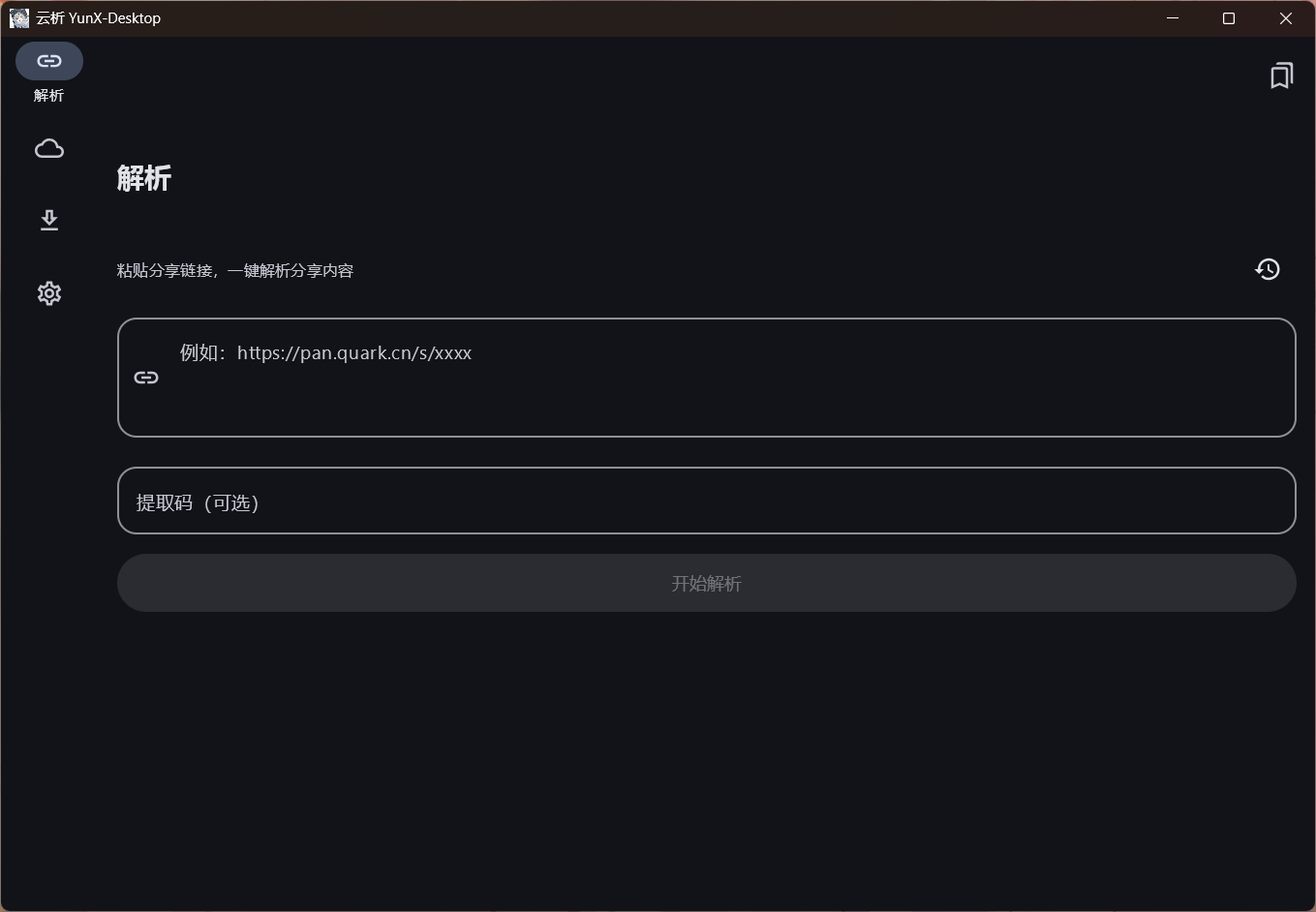
 YunX-Desktop is a Windows desktop port of the YunX (云析) Android app. You paste a cloud-drive share link, browse the shared files, and download them directly on your PC at high speed.
YunX-Desktop is a Windows desktop port of the YunX (云析) Android app. You paste a cloud-drive share link, browse the shared files, and download them directly on your PC at high speed.How is this different from the upstream Android app?It is a rewritten desktop port of the upstream CYQawa/YunX Android app, with reworked login methods, Windows system integration (tray, notifications, native dialogs), data storage, and build/distribution, while dropping some mobile-only features.
It is a rewritten desktop port of the upstream CYQawa/YunX Android app, with reworked login methods, Windows system integration (tray, notifications, native dialogs), data storage, and build/distribution, while dropping some mobile-only features.How do I get it running?Download the latest release and choose either the portable version (unzip the folder anywhere and double-click YunX-Desktop.exe) or the installer version (installs to %LOCALAPPDATA%\Programs\YunX-Desktop with Start Menu/desktop shortcuts); both have identical features.
Download the latest release and choose either the portable version (unzip the folder anywhere and double-click YunX-Desktop.exe) or the installer version (installs to %LOCALAPPDATA%\Programs\YunX-Desktop with Start Menu/desktop shortcuts); both have identical features.Does downloading from every supported netdisk work reliably?Baidu netdisk is explicitly discouraged because using it through this app can get your account flagged by Baidu's risk control.
Baidu netdisk is explicitly discouraged because using it through this app can get your account flagged by Baidu's risk control.Does it run on anything other than Windows?No, it's built specifically as a Windows desktop app (Windows 10/11 x64) using Compose Multiplatform Desktop with native Win32 integration via JNA.
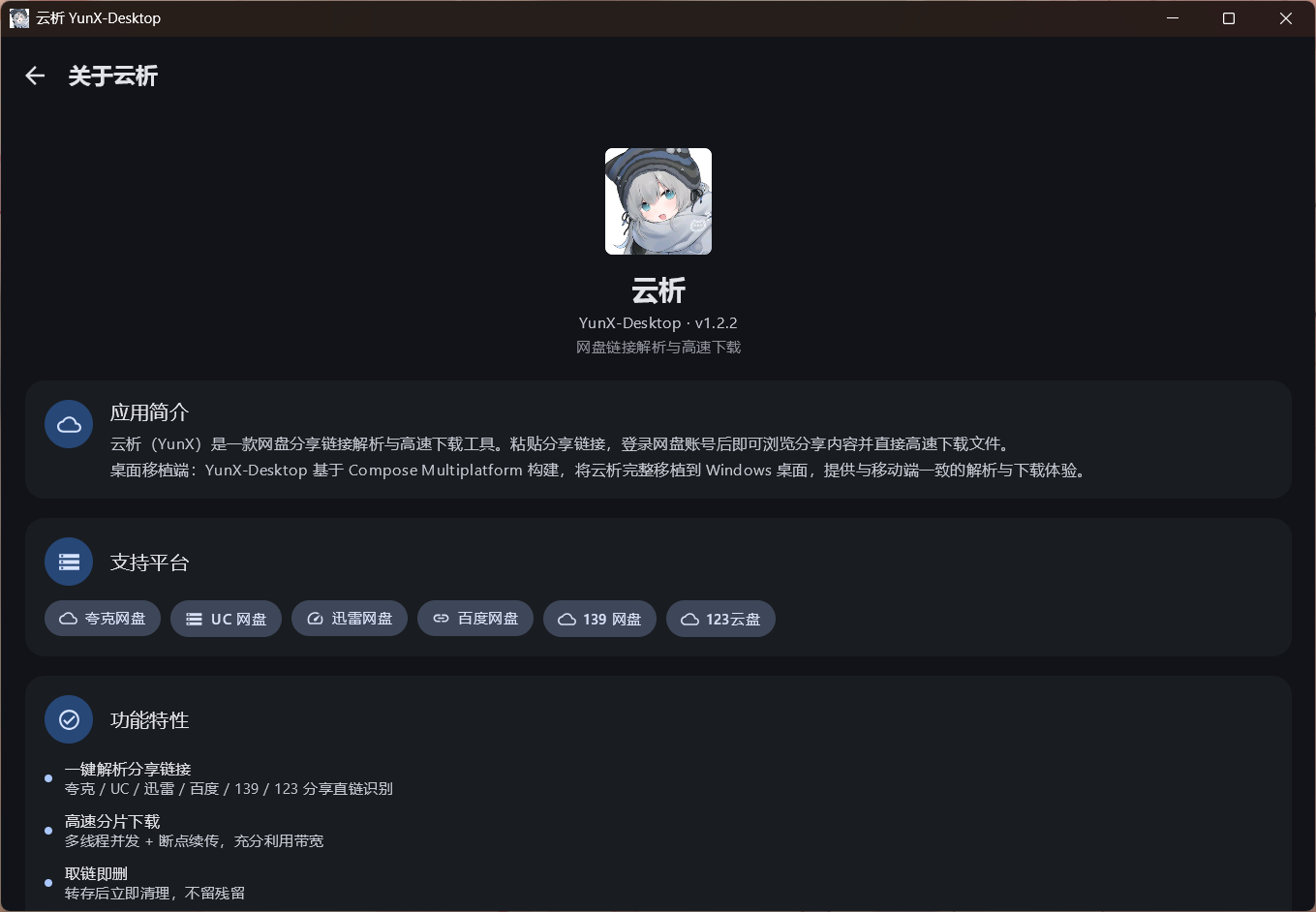
No, it's built specifically as a Windows desktop app (Windows 10/11 x64) using Compose Multiplatform Desktop with native Win32 integration via JNA.Which cloud drives and link types does it support?Quark, UC, Thunder (迅雷), Baidu, 139 (和彩云), and 123 netdisk share links with auto-matched extraction codes, plus GitHub repo/account/file direct links.
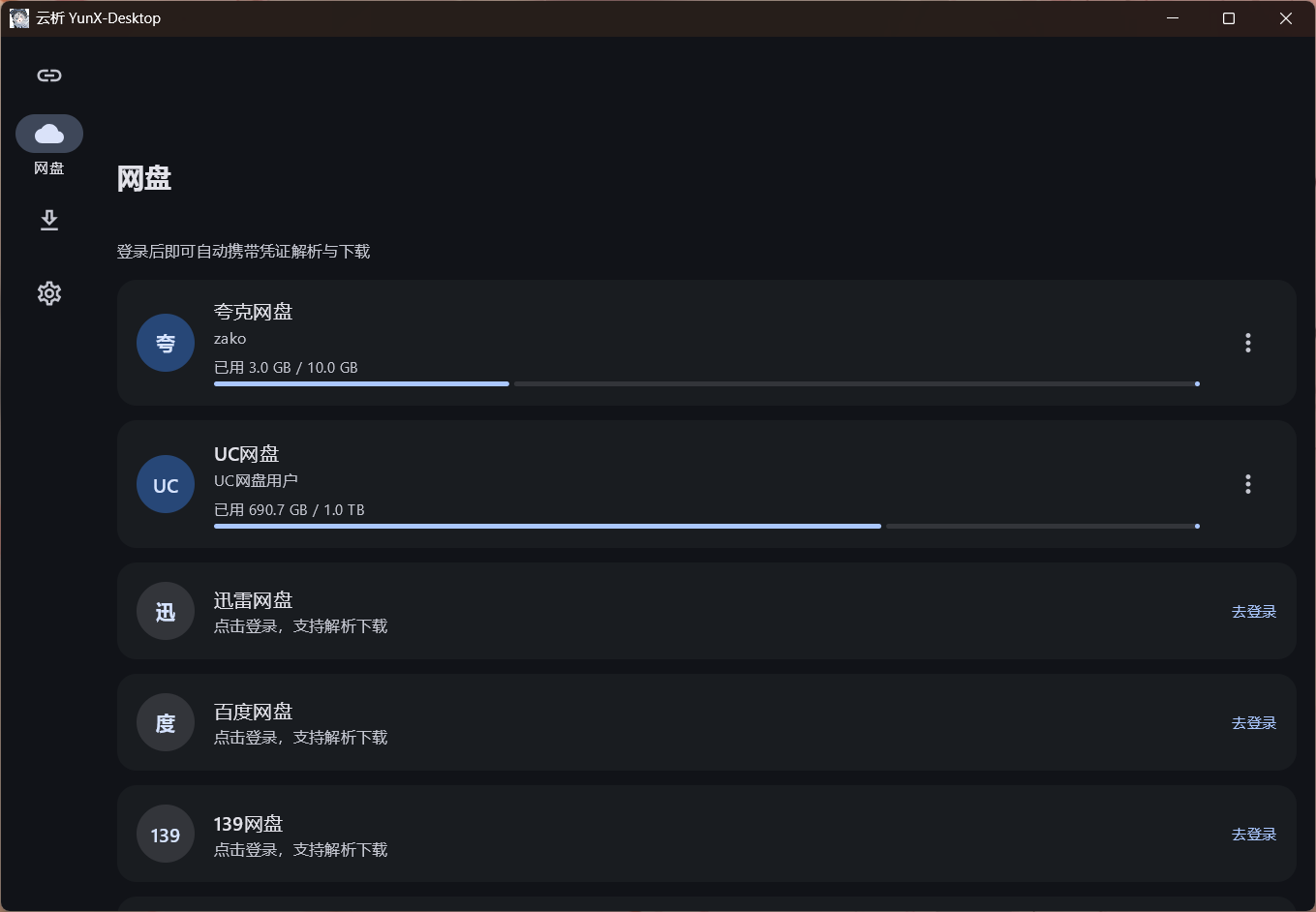
Quark, UC, Thunder (迅雷), Baidu, 139 (和彩云), and 123 netdisk share links with auto-matched extraction codes, plus GitHub repo/account/file direct links.How do I log into my netdisk account?You can log in via an embedded Chromium browser, import cookies from your local browser with one click, manually paste cookies, or (for GitHub) use a Personal Access Token.
You can log in via an embedded Chromium browser, import cookies from your local browser with one click, manually paste cookies, or (for GitHub) use a Personal Access Token.Is this app really free?Yes, YunX is always free and open source under AGPL-3.0; the README states any paid version is a scam repackage and users who paid for it should demand a refund.
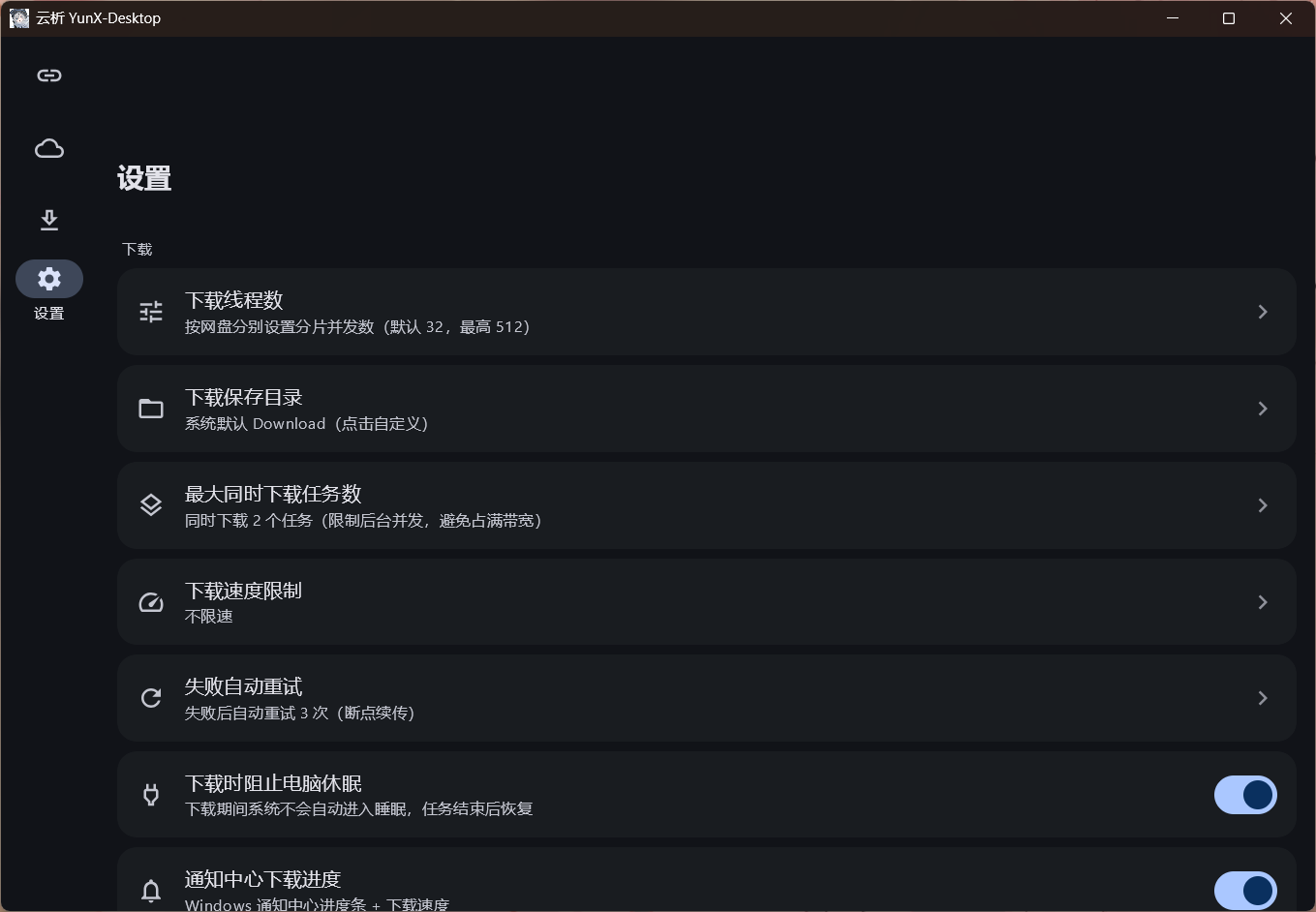
Yes, YunX is always free and open source under AGPL-3.0; the README states any paid version is a scam repackage and users who paid for it should demand a refund.How fast and reliable are downloads?Downloads use Range-based chunked concurrency with automatic resume, automatic retry on failure, and a global speed limit, with progress shown live in the Windows notification center.
Downloads use Range-based chunked concurrency with automatic resume, automatic retry on failure, and a global speed limit, with progress shown live in the Windows notification center.What are similar projects?YunX, Game-Cheats-Manager, rayburst, floral-notepaper, quiver-launcher, ab-download-manager, aliyunpan, proxyee-down
YunX, Game-Cheats-Manager, rayburst, floral-notepaper, quiver-launcher, ab-download-manager, aliyunpan, proxyee-downWhich topics is it in?resumable, clipboard, download-manager, cloud-storage, tray, file-sharing, dark-mode, notifications, downloader, agplv3, kotlin, github
resumable, clipboard, download-manager, cloud-storage, tray, file-sharing, dark-mode, notifications, downloader, agplv3, kotlin, github