









101.6K ·GitHub
Что это такое?
 Claude-Mem даёт агентам для программирования постоянную память между сессиями: он фиксирует всё, что делает ваш агент, сжимает это с помощью ИИ и возвращает нужный контекст в будущие сессии.
Claude-Mem даёт агентам для программирования постоянную память между сессиями: он фиксирует всё, что делает ваш агент, сжимает это с помощью ИИ и возвращает нужный контекст в будущие сессии.Это отдельное приложение или плагин для моего агента?Это система плагинов и воркеров, которая подключается к жизненному циклу вашего агента (начало сессии, отправка промпта, использование инструментов, завершение сессии) и в фоне запускает локальный воркер-сервис с SQLite и векторной базой данных Chroma.
Это система плагинов и воркеров, которая подключается к жизненному циклу вашего агента (начало сессии, отправка промпта, использование инструментов, завершение сессии) и в фоне запускает локальный воркер-сервис с SQLite и векторной базой данных Chroma.Что мне нужно запустить на компьютере, чтобы это работало?Нужны Node.js 20+ и Claude Code (или другой поддерживаемый агент) с поддержкой плагинов; Bun и uv устанавливаются автоматически, если их нет, а SQLite 3 уже встроен.
Нужны Node.js 20+ и Claude Code (или другой поддерживаемый агент) с поддержкой плагинов; Bun и uv устанавливаются автоматически, если их нет, а SQLite 3 уже встроен.Стоит ли что-то бесплатный облачный сервис памяти?После входа в аккаунт облачная память «claude-mem observer» становится доступна бесплатно первые 30 дней; после окончания пробного периода она переключается на использование вашего тарифного плана Anthropic, если вы не оформите подписку.
После входа в аккаунт облачная память «claude-mem observer» становится доступна бесплатно первые 30 дней; после окончания пробного периода она переключается на использование вашего тарифного плана Anthropic, если вы не оформите подписку.Какие агенты для программирования оно поддерживает?Оно работает с Claude Code, OpenClaw, Codex, Gemini, Hermes, Copilot, OpenCode и другими агентами, а для OpenCode, Antigravity CLI и шлюзов OpenClaw есть отдельные способы установки.
Оно работает с Claude Code, OpenClaw, Codex, Gemini, Hermes, Copilot, OpenCode и другими агентами, а для OpenCode, Antigravity CLI и шлюзов OpenClaw есть отдельные способы установки.Работает ли это на Windows, а не только на Mac/Linux?Да, оно кроссплатформенное; в README даже есть заметки по настройке для Windows о добавлении Node.js/npm в PATH.
Да, оно кроссплатформенное; в README даже есть заметки по настройке для Windows о добавлении Node.js/npm в PATH.Нужен ли постоянно запущенный демон для синхронизации памяти?Демон не нужен: при использовании Cloud Sync воркер-процесс синхронизирует память с облаком в момент записи.
Демон не нужен: при использовании Cloud Sync воркер-процесс синхронизирует память с облаком в момент записи.Можно ли хранить данные памяти полностью локально, без облачного сервиса?Да: локальный режим наблюдателя включается по выбору флагом --provider host, а вместо облачного сервиса CMEM Pro можно использовать свой ключ OpenRouter или Gemini либо свой тарифный план Anthropic.
Да: локальный режим наблюдателя включается по выбору флагом --provider host, а вместо облачного сервиса CMEM Pro можно использовать свой ключ OpenRouter или Gemini либо свой тарифный план Anthropic.Как на самом деле устроен поиск по памяти?Claude-Mem предоставляет 4 инструмента MCP (search, timeline, getObservations и рабочий процесс index) по трёхуровневой схеме, экономящей токены: search возвращает компактный индекс (~50–100 токенов на результат), timeline даёт хронологический контекст, а getObservations загружает полные данные только для отобранных ID, экономя примерно в 10 раз токены по сравнению с загрузкой всего подряд.
Claude-Mem предоставляет 4 инструмента MCP (search, timeline, getObservations и рабочий процесс index) по трёхуровневой схеме, экономящей токены: search возвращает компактный индекс (~50–100 токенов на результат), timeline даёт хронологический контекст, а getObservations загружает полные данные только для отобранных ID, экономя примерно в 10 раз токены по сравнению с загрузкой всего подряд.Можно ли исключить из сохранения конфиденциальные данные?Да, функция Privacy Control позволяет помечать тегами конфиденциальное содержимое, чтобы оно не сохранялось в памяти.
Да, функция Privacy Control позволяет помечать тегами конфиденциальное содержимое, чтобы оно не сохранялось в памяти.Что за токен CMEM, упомянутый в README?CMEM — токен сообщества, который поддерживает создатель проекта, но не выпускал его; он служит катализатором роста сообщества и не связан с самим открытым программным обеспечением.
CMEM — токен сообщества, который поддерживает создатель проекта, но не выпускал его; он служит катализатором роста сообщества и не связан с самим открытым программным обеспечением.Есть ли интерфейс, чтобы посмотреть, что запомнил агент?Да: веб-просмотрщик (Web Viewer) показывает поток памяти в реальном времени по адресу воркера, который выводится при запуске, а также есть навык (skill) для Claude Desktop для поиска по памяти из разговоров на десктопе.
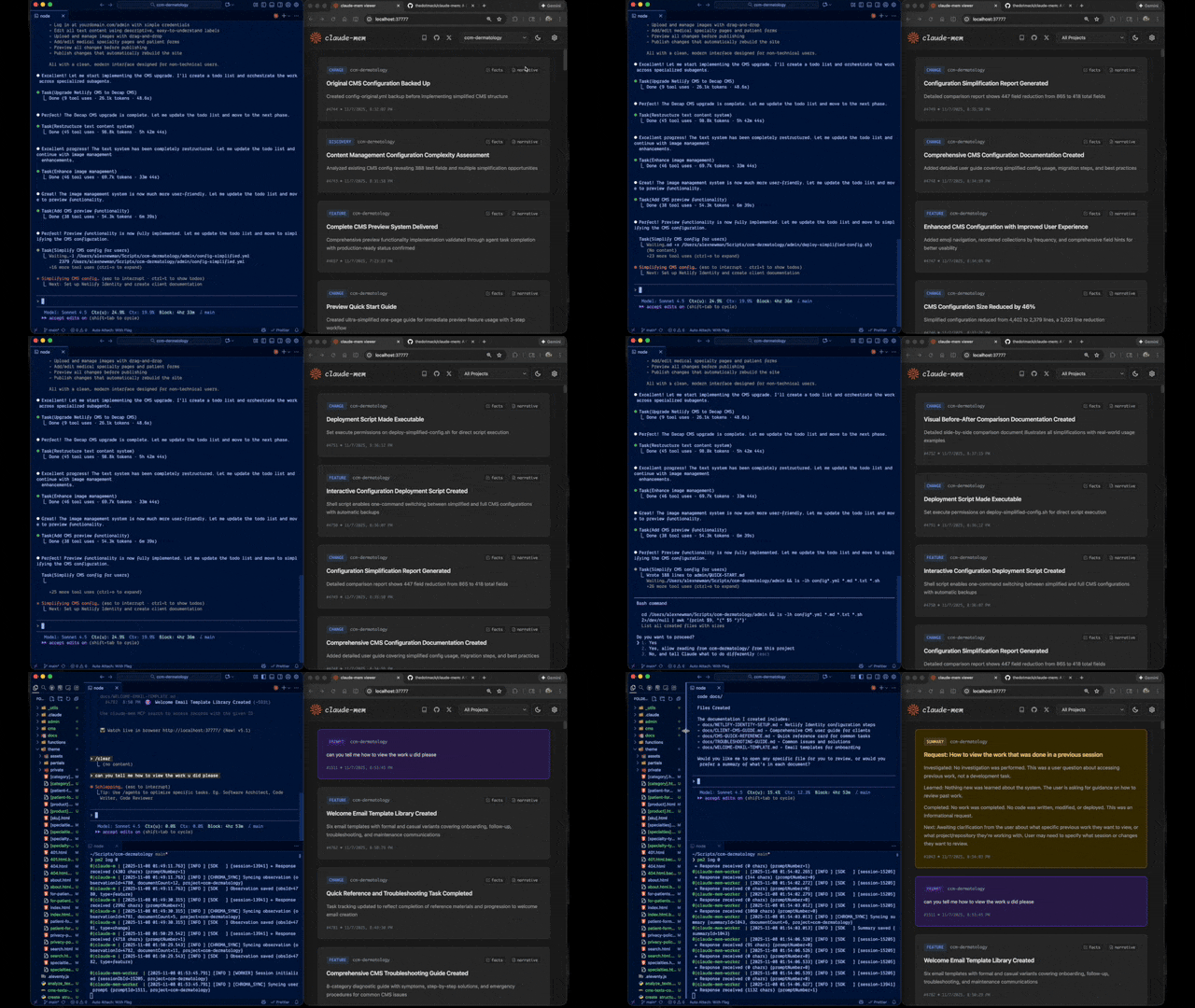
Да: веб-просмотрщик (Web Viewer) показывает поток памяти в реальном времени по адресу воркера, который выводится при запуске, а также есть навык (skill) для Claude Desktop для поиска по памяти из разговоров на десктопе.What are similar projects?LongMemory, jevmem, ruflo, mem0, EverOS, brigade, nautilus-compass, supermemory
LongMemory, jevmem, ruflo, mem0, EverOS, brigade, nautilus-compass, supermemoryWhich topics is it in?claude-agent-sdk, chromadb, memory-engine, ai-memory, mcp-client, long-term-memory, claude-code-plugin, vector-database, embeddings, claude-skills, agent-memory, model-context-protocol
claude-agent-sdk, chromadb, memory-engine, ai-memory, mcp-client, long-term-memory, claude-code-plugin, vector-database, embeddings, claude-skills, agent-memory, model-context-protocol