Empire Atlas
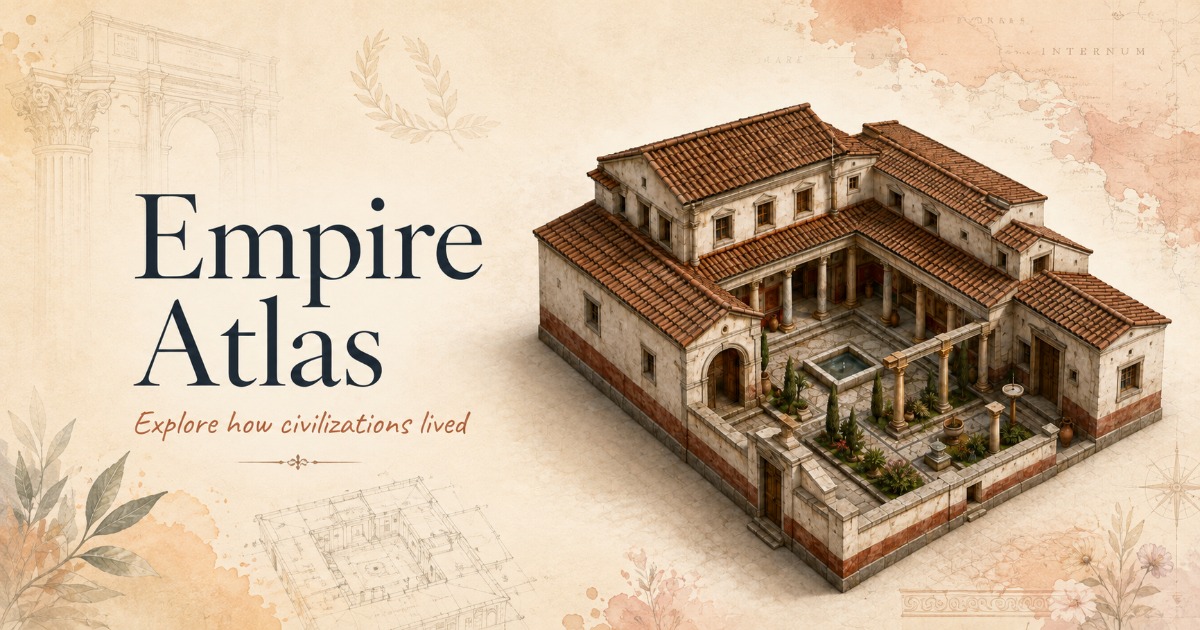
Explore how civilizations lived. An interactive 3D atlas of domestic architecture across eight
historical empires. Turn each dwelling on its plinth, read the features pinned to its stonework, and
follow the household through its rooms, its objects and its geography.
Contents
What it is
Eight dwellings, one for each empire, each modelled in 3D and annotated with the architectural
features that made it work as a home. The viewer is the centre of the app: a turntable stage lit like
a museum vitrine, where a dwelling can be orbited, zoomed, sectioned and read.
What you can do
|
|
| Turn the dwelling |
Orbit, pan and zoom the model, or drive it from the keyboard (arrows, +/-, Home) |
| Read its architecture |
Four hotspot pins per dwelling, fixed to the geometry itself; hover one for its annotation, click to push the camera in |
| See through it |
Wireframe and x-ray section layers, plus a turntable reference grid |
| Go deeper |
Interior views, floor plans, household objects, daily life and the empire's geography |
| Learn and test |
A written lesson per empire, a timeline, and a quiz |
| Search everything |
⌘K finds empires, dwellings and individual architectural features |
The dwellings
| Empire |
Dwelling |
Period |
| Ancient Egypt |
Courtyard House |
c. 1500 BCE (New Kingdom) |
| Persian Empire |
Noble Residence |
c. 500 BCE (Achaemenid) |
| Han China |
Siheyuan |
c. 100 CE (Eastern Han) |
| Roman Empire |
Roman Domus |
1st century CE |
| Byzantine Empire |
Urban House |
c. 10th century CE |
| Inca Empire |
Stone Dwelling |
c. 15th century CE |
| Ottoman Empire |
Courtyard Home |
c. 17th century CE |
| Mughal Empire |
Haveli |
c. 17th century CE |
Adding a ninth means adding a data file and its assets. The viewer and the UI are entirely
data-driven and need no changes. See src/types/empire.ts for the contract.
How it was made
This project was produced end to end with generative tools, each doing the part it is best at.
The application — Kimi K3
The entire codebase was generated with Kimi K3: the React application, the three.js viewer, the
design system and the empire content.
The 3D models — Tripo 3D
All eight dwellings were modelled with Tripo AI, exported as
Draco-compressed glTF (public/models/*.glb, ~2.1 MB each). They arrive as single-mesh models with
baked textures, which the viewer normalises into a consistent frame at load.
The imagery — GPT Image 2.0, run through Tripo
The 56 illustrations were generated with GPT Image 2.0: hero cutaways, interiors, floor plans,
artefact studies, daily-life scenes and empire maps.
Worth recording: these were generated through Tripo's GPT Image 2.0 rather than going
direct. Tripo handles batch requests well, and in practice batching the image set through it came
back noticeably faster than running the same batch against GPT Image 2 directly. That matters when a
single empire needs seven consistent images and the set needs regenerating as the art direction
settles.
Running it
Requires Node 20 or newer.
npm install
npm run dev        # dev server on :3000
npm run build      # typecheck (tsc -b) then production build to dist/
npm run preview    # serve the production build
npm run lint
npm run build runs tsc -b first, so a type error fails the build rather than shipping.
How it is put together
src/
├─ App.tsx                 app shell: layout, routing of modals, responsive behaviour
├─ three/
│  └─ engine.ts            the entire 3D viewer — renderer, lighting, camera, transitions,
│                          hotspot resolution, model residency
├─ components/
│  ├─ Viewer.tsx           canvas host, tool rail, layer menu, request sequencing
│  ├─ HotspotLayer.tsx     screen-space pins and their hover annotations
│  ├─ EmpireLibrary.tsx    the empire rail (desktop) and drawer contents (mobile)
│  ├─ InfoPanel.tsx        selected-dwelling detail, in a rail or in the page flow
│  ├─ BottomCards.tsx      the five exploration cards
│  ├─ Banner.tsx           dismissible attribution bar
│  ├─ modals.tsx           lesson, quiz, artefacts, timeline, sections, ⌘K search
│  └─ ui/                  shadcn/ui primitives
├─ data/
│  └─ empires/*.ts         one file per empire: copy, facts, hotspots, lesson, quiz, timeline
└─ types/empire.ts         the data contract every empire satisfies
Stack — React 19 · TypeScript 5.9 · Vite 7 · Tailwind CSS 3.4 · three.js 0.185 (WebGPU renderer
with TSL node materials) · GSAP 3 · three-mesh-bvh · shadcn/ui
Design language — a warm parchment palette on Cormorant Garamond and Inter, defined once as CSS
custom properties in src/index.css and bridged into Tailwind and shadcn tokens.
Responsive behaviour — the three-column desktop stage engages at 1280px. Below that the empire
library moves into a drawer behind a hamburger, the dwelling detail reads inline beneath the model,
and the exploration cards step from five columns to three, two, then one.
Notes on the 3D viewer
A few decisions in src/three/engine.ts that are not obvious from the code:
Hotspots resolve against the geometry, not against coordinates. Authoring a pin as a fixed point
in the model's bounding box puts it in mid-air as often as on the building. Instead each hotspot
declares what kind of surface it belongs on (roof, court or wall), and the engine samples a
20×20 top-surface height field over the footprint to find it, preferring candidates that are actually
visible from the resting camera. The authored anchor only breaks ties.
The stage backdrop is CSS, not scene geometry. The canvas is transparent. A rendered parchment
gradient would be run through ACES tone mapping and come out grey, so the backdrop is painted in CSS
behind the canvas and keeps the exact palette of the surrounding UI.
Switching dwellings is a turntable spin. The dwelling on stage spins up about its own axis and,
at the point where it is turning fastest, the next one takes over the same rotation and carries it to
rest. Nothing leaves the ground, which is what avoids the floor plane slicing through a colonnade or
an open courtyard, and lets the dwelling keep casting its shadow throughout.
Shadows are drawn on demand. Orbiting moves the camera, not the building, so the shadow map is
refreshed only when the geometry actually changes rather than every frame.
Recently seen dwellings stay resident. Six models are kept parsed in memory, and hovering an
empire in the library begins fetching it, so the click that follows lands on a model that is already
downloaded, parsed, BVH-built and hotspot-resolved, instead of paying for all of that mid-animation.
Pins cost nothing per frame. The projection loop holds element handles by ref, takes the stage
size from a ResizeObserver rather than reading layout, reuses its vectors, and writes a class only
when it changes.
Accessibility
- Full keyboard control of the viewer, and hotspot pins are focusable buttons whose annotation opens
on focus as well as hover
prefers-reduced-motion is honoured and tracked live: transitions resolve instantly, and the pin
and loading animations stop- Semantic landmarks, labelled controls,
aria-pressed/aria-expanded on toggles, and live regions
on loading state
- Focus rings are never removed, only restyled
Before you deploy
og:image and og:url in index.html are supposed to be absolute URLs. Most crawlers
resolve a relative path against the page, but not all do. Once the site has a domain, swap
/og-cover.jpg for the full URL and add an og:url. There is a comment marking the spot.

 Empire Atlas 是一个交互式 3D 图集,让你探索八个历史帝国的居住建筑——从古埃及到莫卧儿帝国——你可以环绕观赏精细的 3D 住宅模型,并阅读带标注的建筑特征。