



What is this?
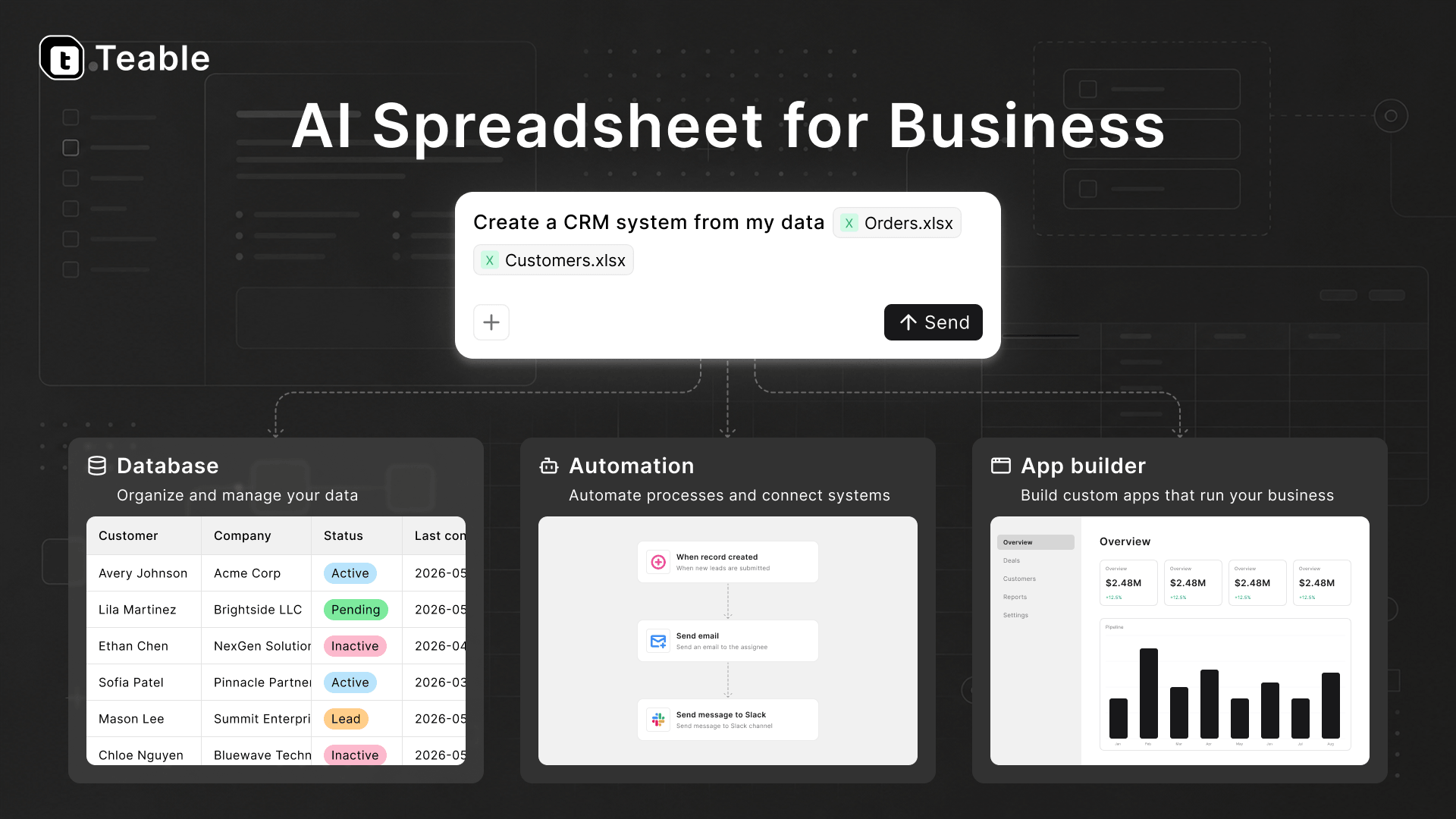
 An AI spreadsheet for business — spreadsheet-simple on the surface, a real PostgreSQL database underneath, with AI chat, an app builder, and automations on top of your live data.
An AI spreadsheet for business — spreadsheet-simple on the surface, a real PostgreSQL database underneath, with AI chat, an app builder, and automations on top of your live data.Is it just a spreadsheet, or something bigger?Four platforms in one: a PostgreSQL-backed database collaboration platform, an AI workflow engine, an agent sandbox, and an app deployment platform — every published app runs as its own long-lived container.
Four platforms in one: a PostgreSQL-backed database collaboration platform, an AI workflow engine, an agent sandbox, and an app deployment platform — every published app runs as its own long-lived container.How do I get started — cloud or self-hosted?Try the hosted cloud at teable.ai, or deploy it yourself: the full AI platform from the teableio/teable-deployment repo, or a standalone install via the Docker guide — up in minutes.
Try the hosted cloud at teable.ai, or deploy it yourself: the full AI platform from the teableio/teable-deployment repo, or a standalone install via the Docker guide — up in minutes.What does a self-hosted deployment need?Standalone runs from Docker; the full AI platform comes from the teableio/teable-deployment repo onto your own machines or cluster. Building from source needs Node 22+ and pnpm 9.13+.
Standalone runs from Docker; the full AI platform comes from the teableio/teable-deployment repo onto your own machines or cluster. Building from source needs Node 22+ and pnpm 9.13+.Is anything missing in the lightweight standalone install?Yes — standalone has no AI features and no App Builder; those require Teable Cloud or the full-featured self-host. Tables, collaboration, API, and automation still work.
Yes — standalone has no AI features and no App Builder; those require Teable Cloud or the full-featured self-host. Tables, collaboration, API, and automation still work.Do I need to be a developer to use it?No — the pitch is that the whole team builds: describe an app to the agent and it ships wired to your live database, while views, automations, and permissions are configured without code.
No — the pitch is that the whole team builds: describe an app to the agent and it ships wired to your live database, while views, automations, and permissions are configured without code.Where does it actually run?It's a web app: use the hosted cloud in a browser, or run the whole thing yourself — self-hosted via Docker on your own machines.
It's a web app: use the hosted cloud in a browser, or run the whole thing yourself — self-hosted via Docker on your own machines.Can I run it on my own server or cluster?Yes — the full platform deploys onto your own machines or cluster, and if you start standalone and add the AI runtime later, your data stays in place.
Yes — the full platform deploys onto your own machines or cluster, and if you start standalone and add the AI runtime later, your data stays in place.Where does my data live, and can I use my own AI models?On your own infrastructure if you want: everything rests on your own PostgreSQL, AI sessions run in isolated sandbox containers, and you can plug in your own models and keys.
On your own infrastructure if you want: everything rests on your own PostgreSQL, AI sessions run in isolated sandbox containers, and you can plug in your own models and keys.What do I get in the spreadsheet itself, without touching AI?Grid, Form, Kanban, Gallery, and Calendar views; formulas, field conversion, filtering, grouping, sorting, and aggregation; comments, record history, undo/redo, real-time collaboration; attachments preview, batch editing, import/export, search, validation, charts, plugins, SQL query — and millions of rows without breaking a sweat.
Grid, Form, Kanban, Gallery, and Calendar views; formulas, field conversion, filtering, grouping, sorting, and aggregation; comments, record history, undo/redo, real-time collaboration; attachments preview, batch editing, import/export, search, validation, charts, plugins, SQL query — and millions of rows without breaking a sweat.How is it different from Airtable?It positions itself as an Airtable alternative built on PostgreSQL you own: data, apps, automations, and permissions live in one place, and the AI operates that live data — so what it builds extends your workflow instead of becoming another silo.
It positions itself as an Airtable alternative built on PostgreSQL you own: data, apps, automations, and permissions live in one place, and the AI operates that live data — so what it builds extends your workflow instead of becoming another silo.Can my AI coding agent deploy it for me?Yes — hand the teableio/teable-deployment repo to an agent like Claude Code or Codex, give it a domain, a DNS token, and access to the target machine or cluster, and it can take the deployment end to end.
Yes — hand the teableio/teable-deployment repo to an agent like Claude Code or Codex, give it a domain, a DNS token, and access to the target machine or cluster, and it can take the deployment end to end.What are similar projects?apitable, nocodb, illa-builder, nocobase, ToolJet, LoomFlow, appsmith, airbyte
apitable, nocodb, illa-builder, nocobase, ToolJet, LoomFlow, appsmith, airbyteWhich topics is it in?airtable, internal-tool, app-builder, agent-sandbox, ai-chat, spreadsheet, postgres, byok, low-code, no-code, sandbox, workflow
airtable, internal-tool, app-builder, agent-sandbox, ai-chat, spreadsheet, postgres, byok, low-code, no-code, sandbox, workflow