Checkout Opcode, the second iteration of Devika. New version out soon!

🚀 Devika - Agentic AI Software Engineer 👩💻
[!IMPORTANT]
This project is currently in a very early development/experimental stage. There are a lot of unimplemented/broken features at the moment. Contributions are welcome to help out with the progress!
Table of Contents
About
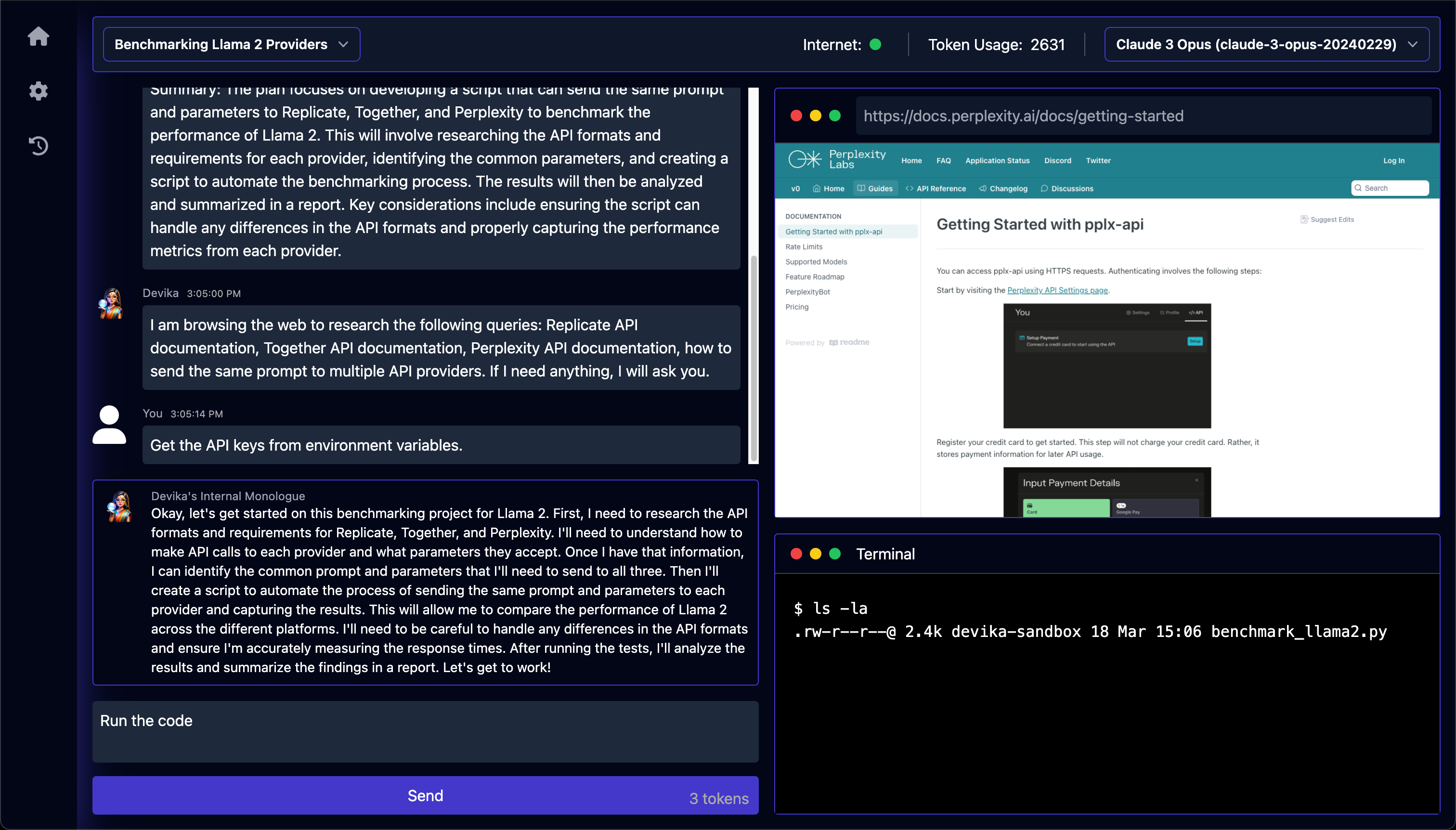
Devika is an advanced AI software engineer that can understand high-level human instructions, break them down into steps, research relevant information, and write code to achieve the given objective. Devika utilizes large language models, planning and reasoning algorithms, and web browsing abilities to intelligently develop software.
Devika aims to revolutionize the way we build software by providing an AI pair programmer who can take on complex coding tasks with minimal human guidance. Whether you need to create a new feature, fix a bug, or develop an entire project from scratch, Devika is here to assist you.
[!NOTE]
Devika is modeled after Devin by Cognition AI. This project aims to be an open-source alternative to Devin with an "overly ambitious" goal to meet the same score as Devin in the SWE-bench Benchmarks... and eventually beat it?
Demos
https://github.com/stitionai/devika/assets/26198477/cfed6945-d53b-4189-9fbe-669690204206
Key Features
- 🤖 Supports Claude 3, GPT-4, Gemini, Mistral , Groq and Local LLMs via Ollama. For optimal performance: Use the Claude 3 family of models.
- 🧠 Advanced AI planning and reasoning capabilities
- 🔍 Contextual keyword extraction for focused research
- 🌐 Seamless web browsing and information gathering
- 💻 Code writing in multiple programming languages
- 📊 Dynamic agent state tracking and visualization
- 💬 Natural language interaction via chat interface
- 📂 Project-based organization and management
- 🔌 Extensible architecture for adding new features and integrations
System Architecture
Read README.md for the detailed documentation.
Getting Started
Requirements
Version's requirements
  - Python >= 3.10 and < 3.12
  - NodeJs >= 18
  - bun
- Install uv - Python Package manager download
- Install bun - JavaScript runtime download
- For ollama ollama setup guide (optinal: if you don't want to use the local models then you can skip this step)
- For API models, configure the API keys via setting page in UI.
Installation
To install Devika, follow these steps:
- Clone the Devika repository:
git clone https://github.com/stitionai/devika.git
- Navigate to the project directory:
cd devika
- Create a virtual environment and install the required dependencies (you can use any virtual environment manager):
uv venv

# On macOS and Linux.
source .venv/bin/activate

# On Windows.
.venv\Scripts\activate

uv pip install -r requirements.txt
- Install the playwright for browsering capabilities:
playwright install --with-deps # installs browsers in playwright (and their deps) if required
- Start the Devika server:
python devika.py
- if everything is working fine, you see the following output:
root: INFO : Devika is up and running!
- Now, for frontend, open a new terminal and navigate to the
ui directory:cd ui/
bun install
bun run start
- Access the Devika web interface by opening a browser and navigating to
http://127.0.0.1:3001
how to use
To start using Devika, follow these steps:
- Open the Devika web interface in your browser.
- To create a project, click on 'select project' and then click on 'new project'.
- Select the search engine and model configuration for your project.
- In the chat interface, provide a high-level objective or task description for Devika to work on.
- Devika will process your request, break it down into steps, and start working on the task.
- Monitor Devika's progress, view generated code, and provide additional guidance or feedback as needed.
- Once Devika completes the task, review the generated code and project files.
- Iterate and refine the project as desired by providing further instructions or modifications.
Configuration
Devika requires certain configuration settings and API keys to function properly:
when you first time run Devika, it will create a config.toml file for you in the root directory. You can configure the following settings in the settings page via UI:
API KEYS
BING: Your Bing Search API key for web searching capabilities.GOOGLE_SEARCH: Your Google Search API key for web searching capabilities.GOOGLE_SEARCH_ENGINE_ID: Your Google Search Engine ID for web searching using Google.OPENAI: Your OpenAI API key for accessing GPT models.GEMINI: Your Gemini API key for accessing Gemini models.CLAUDE: Your Anthropic API key for accessing Claude models.MISTRAL: Your Mistral API key for accessing Mistral models.GROQ: Your Groq API key for accessing Groq models.NETLIFY: Your Netlify API key for deploying and managing web projects.
API_ENDPOINTS
BING: The Bing API endpoint for web searching.GOOGLE: The Google API endpoint for web searching.OLLAMA: The Ollama API endpoint for accessing Local LLMs.OPENAI: The OpenAI API endpoint for accessing OpenAI models.
Make sure to keep your API keys secure and do not share them publicly. For setting up the Bing and Google search API keys, follow the instructions in the search engine setup
Contributing
We welcome contributions to enhance Devika's capabilities and improve its performance. To contribute, please see the CONTRIBUTING.md file for steps.
Help and Support
If you have any questions, feedback, or suggestions, please feel free to reach out to us. you can raise an issue in the issue tracker or join the discussions for general discussions.
We also have a Discord server for the Devika community, where you can connect with other users, share your experiences, ask questions, and collaborate on the project. To join the Devika community Discord server, click here.
License
Devika is released under the MIT License. See the LICENSE file for more information.
Star History
We hope you find Devika to be a valuable tool in your software development journey. If you have any questions, feedback, or suggestions, please don't hesitate to reach out. Happy coding with Devika!

 Devika 是一个开源的智能体 AI 软件工程师。它能接收高层级的任务描述,对任务进行规划和调研,上网搜索信息,并编写完成任务所需的代码。它是作为 Cognition AI 旗下 Devin 的开源替代品而构建的。