
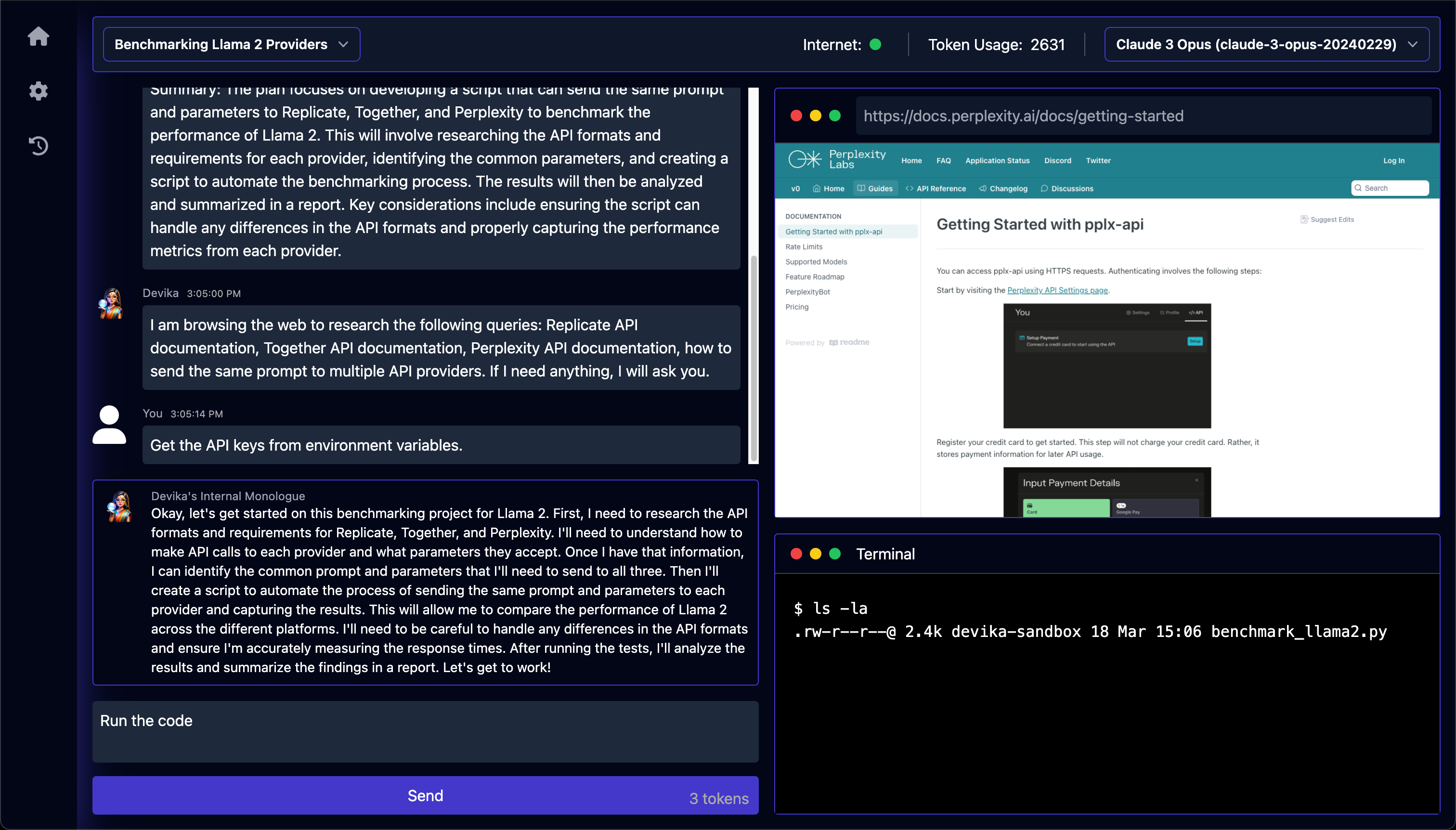
Что это такое?
 Devika — это ИИ-агент с открытым исходным кодом, который работает как инженер-программист: получает общее описание задачи, составляет план и изучает её, ищет информацию в интернете и пишет код, необходимый для её выполнения. Проект создан как открытая альтернатива Devin от Cognition AI.
Devika — это ИИ-агент с открытым исходным кодом, который работает как инженер-программист: получает общее описание задачи, составляет план и изучает её, ищет информацию в интернете и пишет код, необходимый для её выполнения. Проект создан как открытая альтернатива Devin от Cognition AI.Это инструмент командной строки или у него есть собственный интерфейс?Devika работает как локальное веб-приложение: серверная часть на Python и отдельный фронтенд, который открывается в браузере. Это не инструмент командной строки и не плагин для IDE.
Devika работает как локальное веб-приложение: серверная часть на Python и отдельный фронтенд, который открывается в браузере. Это не инструмент командной строки и не плагин для IDE.Как его запустить?Клонируйте репозиторий, создайте виртуальное окружение Python и установите зависимости с помощью uv, установите Playwright для просмотра веб-страниц, запустите сервер Devika, затем отдельно запустите фронтенд из папки ui с помощью bun и откройте его в браузере.
Клонируйте репозиторий, создайте виртуальное окружение Python и установите зависимости с помощью uv, установите Playwright для просмотра веб-страниц, запустите сервер Devika, затем отдельно запустите фронтенд из папки ui с помощью bun и откройте его в браузере.Что нужно установить до начала работы?Для серверной части на Python нужен uv, для фронтенда — bun. Если хотите использовать локальные модели, настройте Ollama; в противном случае добавьте ключи API таких сервисов, как OpenAI, Claude, Gemini, Mistral или Groq, через интерфейс настроек.
Для серверной части на Python нужен uv, для фронтенда — bun. Если хотите использовать локальные модели, настройте Ollama; в противном случае добавьте ключи API таких сервисов, как OpenAI, Claude, Gemini, Mistral или Groq, через интерфейс настроек.Насколько он стабилен, чтобы на него можно было полагаться?Нет — в проекте прямо указано, что он находится на очень раннем, экспериментальном этапе, где многие функции не реализованы или работают некорректно.
Нет — в проекте прямо указано, что он находится на очень раннем, экспериментальном этапе, где многие функции не реализованы или работают некорректно.Какие модели ИИ лучше всего работают с Devika?Проект рекомендует для оптимальной работы семейство Claude 3, хотя поддерживаются также GPT-4, Gemini, Mistral, Groq и локальные модели Ollama.
Проект рекомендует для оптимальной работы семейство Claude 3, хотя поддерживаются также GPT-4, Gemini, Mistral, Groq и локальные модели Ollama.Зачем создали Devika?Проект создан как открытая альтернатива Devin с амбициозной целью в перспективе достичь или превзойти результат Devin в бенчмарке SWE-bench.
Проект создан как открытая альтернатива Devin с амбициозной целью в перспективе достичь или превзойти результат Devin в бенчмарке SWE-bench.Нужны ли мне ещё ключи API для поиска?Да — для веб-исследований Devika требуется ключ API Bing или Google Search (а также Google Search Engine ID), который настраивается на странице настроек вместе с ключами API моделей.
Да — для веб-исследований Devika требуется ключ API Bing или Google Search (а также Google Search Engine ID), который настраивается на странице настроек вместе с ключами API моделей.What are similar projects?brigade, ruflo, self-operating-computer, trae-agent, aichat, CUAWright, hive, agentscope
brigade, ruflo, self-operating-computer, trae-agent, aichat, CUAWright, hive, agentscopeWhich topics is it in?groq, mistral, code-generation, autonomous-agents, browser-automation, large-language-models, ollama, chatbot, agentic-ai, gemini, anthropic, coding-agent
groq, mistral, code-generation, autonomous-agents, browser-automation, large-language-models, ollama, chatbot, agentic-ai, gemini, anthropic, coding-agent