
What is this?
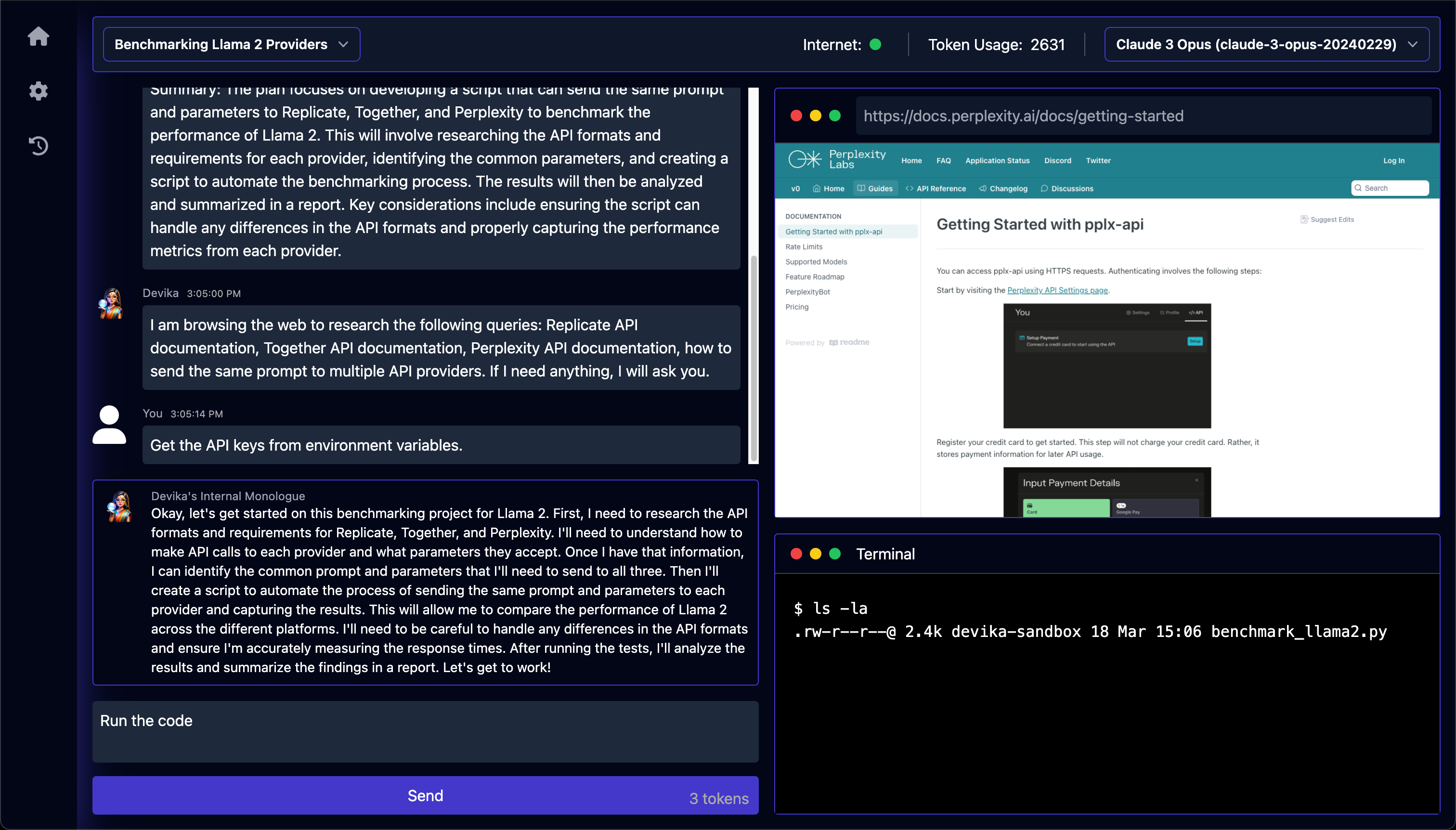
 Devika is an open-source agentic AI software engineer that takes a high-level task description, plans and researches it, browses the web for information, and writes the code needed to complete it. It's built as an open alternative to Cognition AI's Devin.
Devika is an open-source agentic AI software engineer that takes a high-level task description, plans and researches it, browses the web for information, and writes the code needed to complete it. It's built as an open alternative to Cognition AI's Devin.Is this a CLI tool or does it have its own interface?Devika runs as a local web app: a Python backend server plus a separate frontend you open in a browser, not a command-line tool or IDE plugin.
Devika runs as a local web app: a Python backend server plus a separate frontend you open in a browser, not a command-line tool or IDE plugin.How do I get it running?Clone the repo, create a Python virtual environment and install dependencies with uv, install Playwright for browsing, start the Devika server, then separately start the frontend from the ui directory with bun and open it in your browser.
Clone the repo, create a Python virtual environment and install dependencies with uv, install Playwright for browsing, start the Devika server, then separately start the frontend from the ui directory with bun and open it in your browser.What do I need installed before I start?You need uv for the Python backend and bun for the frontend. If you want local models you also set up Ollama; otherwise you add API keys for services like OpenAI, Claude, Gemini, Mistral or Groq through the settings UI.
You need uv for the Python backend and bun for the frontend. If you want local models you also set up Ollama; otherwise you add API keys for services like OpenAI, Claude, Gemini, Mistral or Groq through the settings UI.Is this stable enough to rely on?No - the project explicitly warns it's in a very early, experimental stage with a lot of unimplemented or broken features.
No - the project explicitly warns it's in a very early, experimental stage with a lot of unimplemented or broken features.Which AI models work best with Devika?The project recommends the Claude 3 family for optimal performance, though GPT-4, Gemini, Mistral, Groq, and local Ollama models are also supported.
The project recommends the Claude 3 family for optimal performance, though GPT-4, Gemini, Mistral, Groq, and local Ollama models are also supported.Why was Devika created?It was built as an open-source alternative to Devin, with the ambitious goal of eventually matching or beating Devin's score on the SWE-bench benchmark.
It was built as an open-source alternative to Devin, with the ambitious goal of eventually matching or beating Devin's score on the SWE-bench benchmark.Do I need search API keys too?Yes - for web research Devika needs a Bing or Google Search API key (plus a Google Search Engine ID), configured on the settings page alongside your model API keys.
Yes - for web research Devika needs a Bing or Google Search API key (plus a Google Search Engine ID), configured on the settings page alongside your model API keys.What are similar projects?brigade, ruflo, self-operating-computer, trae-agent, aichat, CUAWright, hive, agentscope
brigade, ruflo, self-operating-computer, trae-agent, aichat, CUAWright, hive, agentscopeWhich topics is it in?groq, mistral, code-generation, autonomous-agents, browser-automation, large-language-models, ollama, chatbot, agentic-ai, gemini, anthropic, coding-agent
groq, mistral, code-generation, autonomous-agents, browser-automation, large-language-models, ollama, chatbot, agentic-ai, gemini, anthropic, coding-agent