





10.2K ·GitHub
What is this?
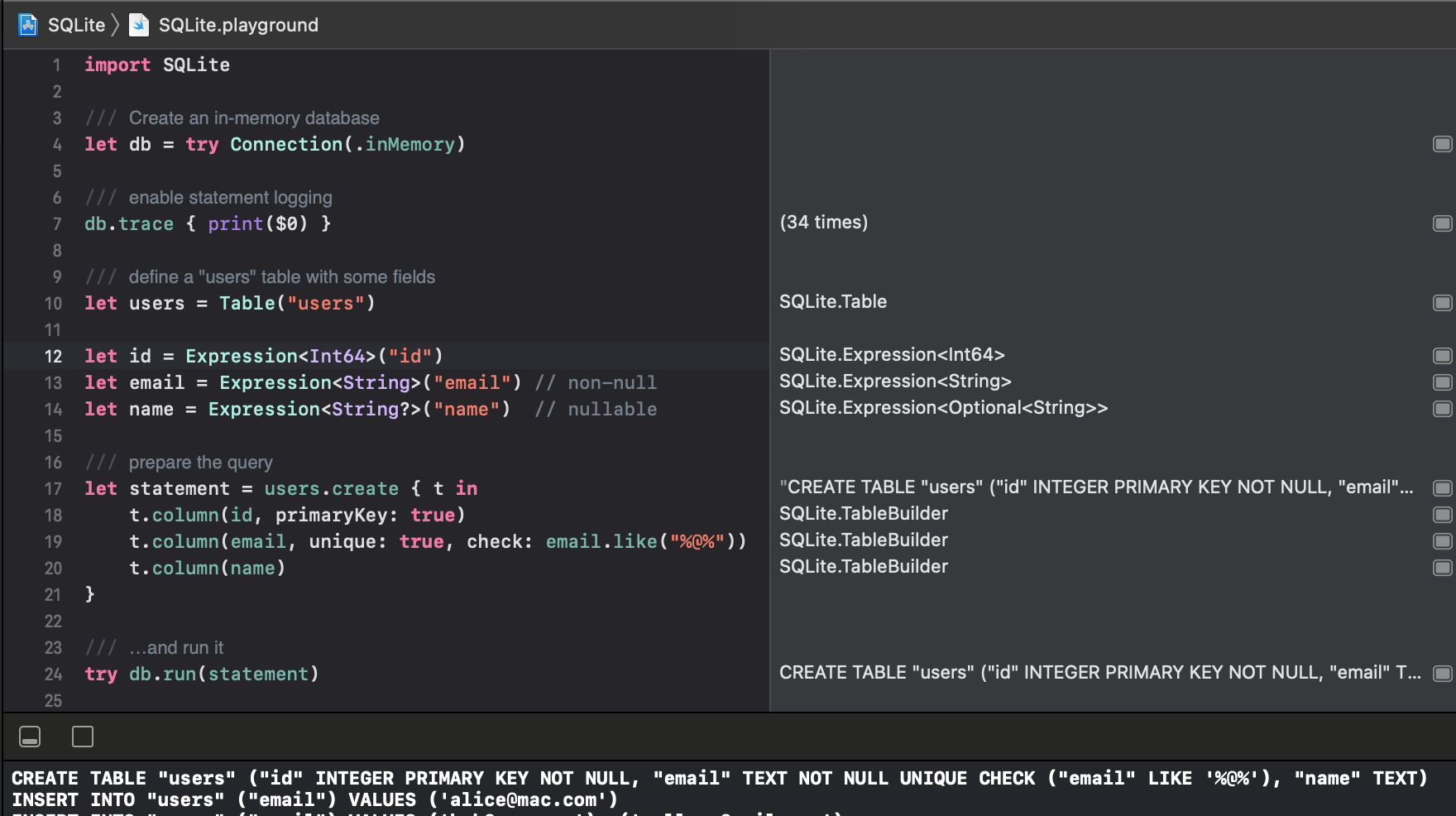
 SQLite.swift is a type-safe, Swift-language layer over SQLite3 that lets you write and run SQL queries with compile-time checking instead of raw SQL strings.
SQLite.swift is a type-safe, Swift-language layer over SQLite3 that lets you write and run SQL queries with compile-time checking instead of raw SQL strings.Is this a full ORM or just a thin wrapper around the C API?It's a library, not a full ORM: it offers a chainable, lazy-executing query builder and typed data access, but it also works as a lightweight, Swift-friendly wrapper directly over SQLite's C API when you need it.
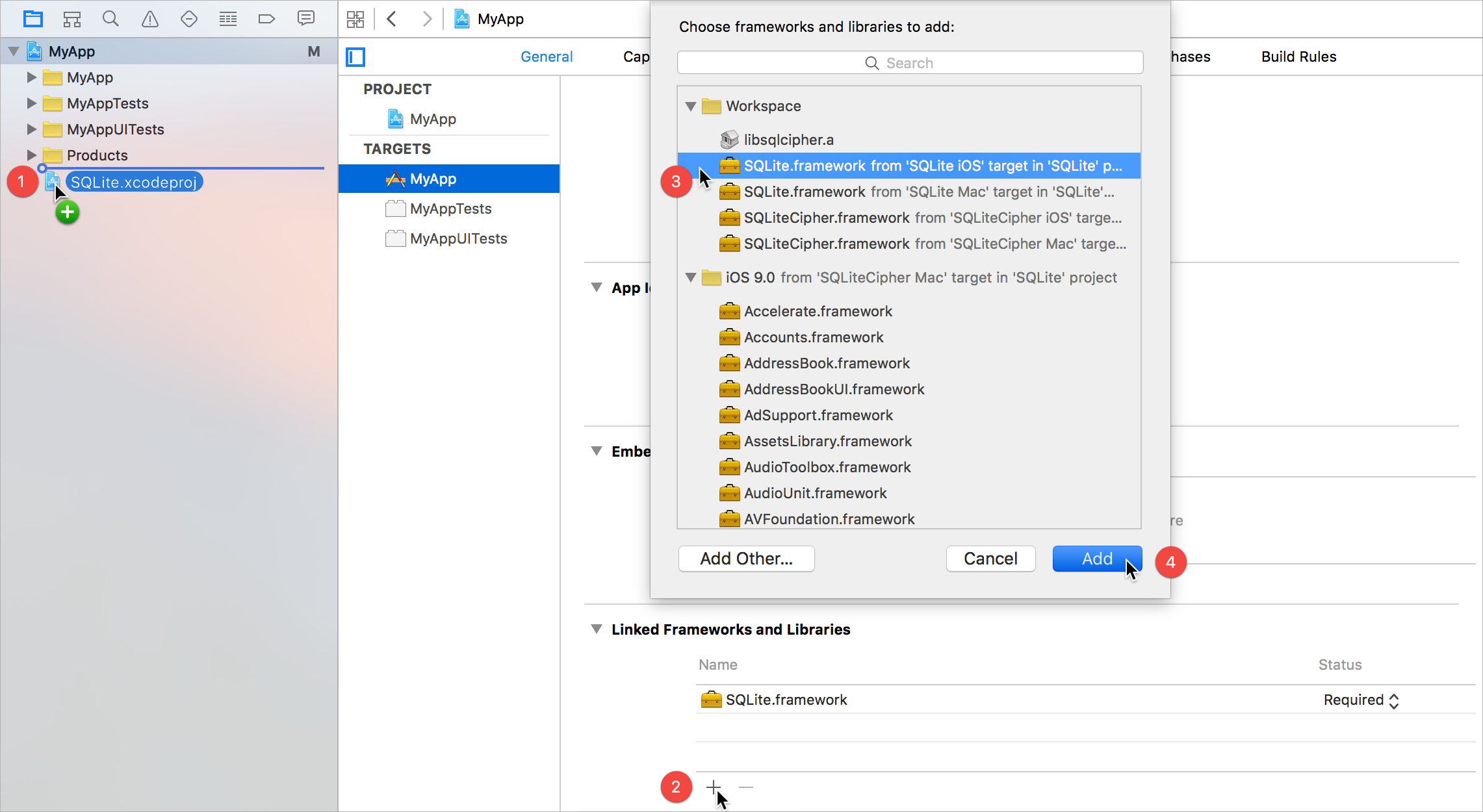
It's a library, not a full ORM: it offers a chainable, lazy-executing query builder and typed data access, but it also works as a lightweight, Swift-friendly wrapper directly over SQLite's C API when you need it.How do I add it to a project?Use the Swift Package Manager by adding it to your Package.swift and building, or install via Carthage/CocoaPods, or manually drag SQLite.xcodeproj into your Xcode project and link the framework.
Use the Swift Package Manager by adding it to your Package.swift and building, or install via Carthage/CocoaPods, or manually drag SQLite.xcodeproj into your Xcode project and link the framework.Do I need Xcode or a specific Swift version?You need Xcode (or Swift Package Manager/Carthage/CocoaPods tooling) and Swift 5, since the project is marked Swift5 compatible.
You need Xcode (or Swift Package Manager/Carthage/CocoaPods tooling) and Swift 5, since the project is marked Swift5 compatible.Is Linux support complete?It runs on Linux, but the README explicitly notes there are some limitations compared to Apple platforms.
It runs on Linux, but the README explicitly notes there are some limitations compared to Apple platforms.Does it only work on Apple platforms?It's primarily built for Apple platforms (iOS/macOS, installable via CocoaPods/Carthage/Xcode) but also works on Linux with some caveats.
It's primarily built for Apple platforms (iOS/macOS, installable via CocoaPods/Carthage/Xcode) but also works on Linux with some caveats.Does it support full-text search?Yes, it has built-in Full-text search support as one of its documented features.
Yes, it has built-in Full-text search support as one of its documented features.Can it work with encrypted databases?Yes, it supports SQLCipher via Swift Package Manager for encrypted SQLite databases.
Yes, it supports SQLCipher via Swift Package Manager for encrypted SQLite databases.Does it handle database schema migrations?Yes, it provides schema query/migration support, and there's a companion project, SQLiteMigrationManager.swift, built specifically for migrations.
Yes, it provides schema query/migration support, and there's a companion project, SQLiteMigrationManager.swift, built specifically for migrations.What are the alternatives if this doesn't fit my needs?The README points to other Swift SQLite wrappers like GRDB, SQLiteDB, and FMDB as alternatives.
The README points to other Swift SQLite wrappers like GRDB, SQLiteDB, and FMDB as alternatives.What are similar projects?wcdb, SwiftyJSON, fmdb, Alamofire, AFNetworking, IQKeyboardManager, turso, Spring
wcdb, SwiftyJSON, fmdb, Alamofire, AFNetworking, IQKeyboardManager, turso, Spring