
18.1K ·GitHub
这是干什么的?
 一个命令行工具,能把 git 那种机器格式的 diff 输出变成人类易读的文本,让你更快地审查改动、发现问题。
一个命令行工具,能把 git 那种机器格式的 diff 输出变成人类易读的文本,让你更快地审查改动、发现问题。这是要添加到我项目里的库,还是一个需要安装的工具?是一个独立工具。你只需安装一个脚本,然后要么配置 git 让每次 diff 都自动运行它,要么在终端里把任何 diff 输出通过管道传给它。
是一个独立工具。你只需安装一个脚本,然后要么配置 git 让每次 diff 都自动运行它,要么在终端里把任何 diff 输出通过管道传给它。怎么安装,怎么接入 git?把最新 GitHub release 里的 diff-so-fancy 脚本复制到你的 $PATH 中,或者直接装包:它发布在 npm、Homebrew、Fedora、Arch 的 extra 仓库里,Debian/Ubuntu 上还有 ppa:aos。然后配置 git,让所有 diff 输出都使用它。
把最新 GitHub release 里的 diff-so-fancy 脚本复制到你的 $PATH 中,或者直接装包:它发布在 npm、Homebrew、Fedora、Arch 的 extra 仓库里,Debian/Ubuntu 上还有 ppa:aos。然后配置 git,让所有 diff 输出都使用它。除了 git,运行它还需要别的东西吗?它是用 Perl 写的,所以你的机器上需要有 Perl 运行环境,另外日常的 diff 流程也离不开 git。
它是用 Perl 写的,所以你的机器上需要有 Perl 运行环境,另外日常的 diff 流程也离不开 git。安装时有什么坑吗?如果你是为了开发而克隆仓库(而不是用 release 版本),lib/ 目录必须和主脚本放在同一目录下。npm 或发行版包的问题应该反馈到对应包自己的 issue 跟踪器,而不是这个仓库。
如果你是为了开发而克隆仓库(而不是用 release 版本),lib/ 目录必须和主脚本放在同一目录下。npm 或发行版包的问题应该反馈到对应包自己的 issue 跟踪器,而不是这个仓库。它能在 Windows 上运行吗,还是只能用于 Mac 和 Linux?它是一个可移植的脚本,只要能跑 Perl 和 git 的地方就能用:README 里列出了 macOS 的 brew、Fedora、Arch 以及 Debian/Ubuntu 的 PPA,而且 npm 包是跨平台的,Windows 也能用。
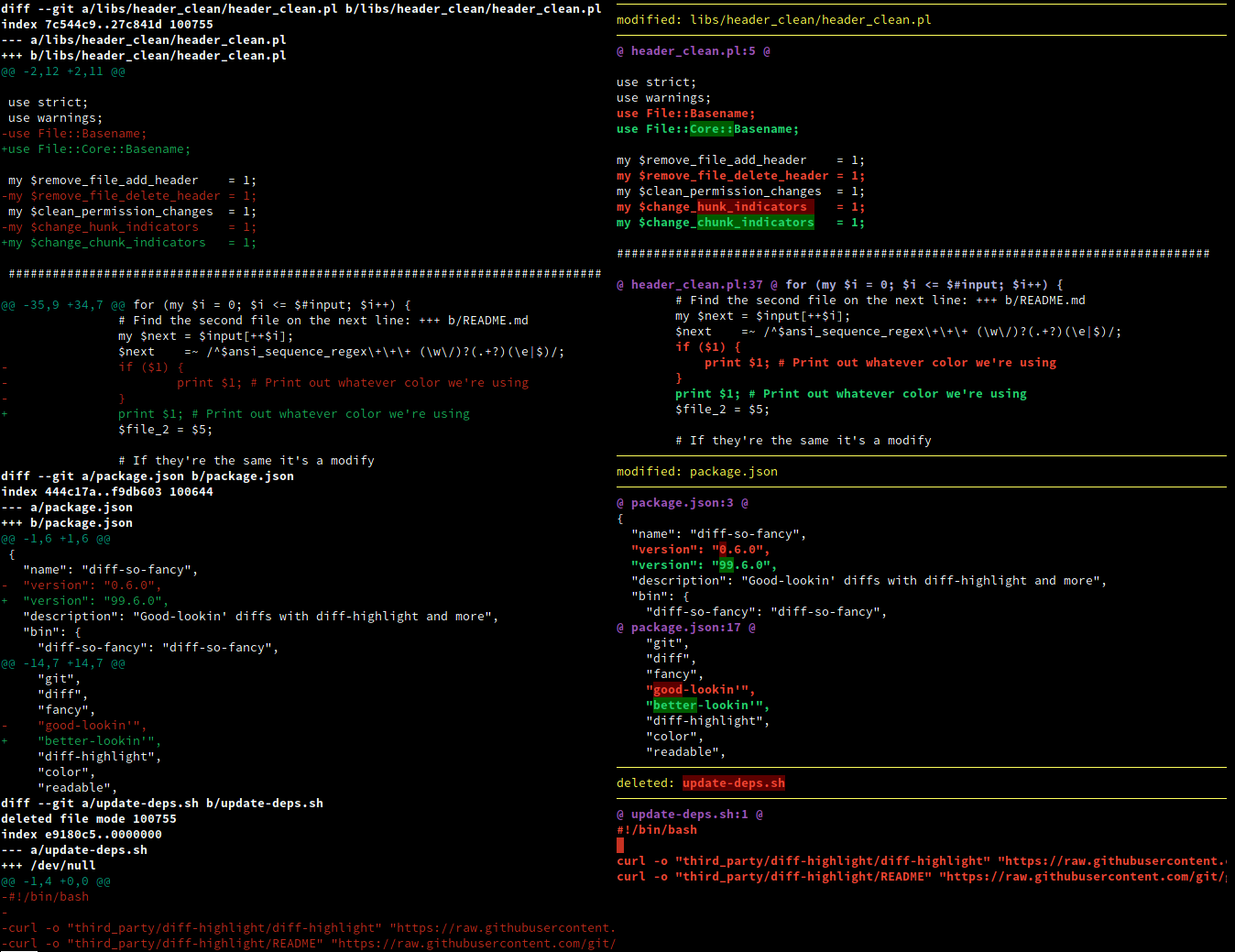
它是一个可移植的脚本,只要能跑 Perl 和 git 的地方就能用:README 里列出了 macOS 的 brew、Fedora、Arch 以及 Debian/Ubuntu 的 PPA,而且 npm 包是跨平台的,Windows 也能用。它具体把 diff 的显示改成了什么样?git 的代码块(chunk)头部会变成简化、易读的格式,开头第一段空行会加上颜色,行首的 + 和 - 符号也可以去掉。头部可以精简成只有文件名和行号的一行,还会根据你的屏幕大小画一把 Unicode 标尺。这些都是可选项 —— markEmptyLines、changeHunkIndicators、stripLeadingSymbols、useUnicodeRuler、rulerWidth、shortHeaders、semIntegration —— 每项都有合理的默认值。
git 的代码块(chunk)头部会变成简化、易读的格式,开头第一段空行会加上颜色,行首的 + 和 - 符号也可以去掉。头部可以精简成只有文件名和行号的一行,还会根据你的屏幕大小画一把 Unicode 标尺。这些都是可选项 —— markEmptyLines、changeHunkIndicators、stripLeadingSymbols、useUnicodeRuler、rulerWidth、shortHeaders、semIntegration —— 每项都有合理的默认值。我能在 git 之外用它处理普通的 diff 输出吗?可以 —— 用 -u 参数运行 diff 得到统一格式的输出,然后通过管道传给 diff-so-fancy。也支持递归模式,用 -r 或 --recursive 即可。
可以 —— 用 -u 参数运行 diff 得到统一格式的输出,然后通过管道传给 diff-so-fancy。也支持递归模式,用 -r 或 --recursive 即可。它和 Delta 或 difftastic 有什么不同?README 把 Delta、difftastic 和 Lazygit 列为同类工具。Lazygit 甚至内置了 diff-so-fancy 集成,所以你可以直接在这个终端界面里获得同样易读的输出,不用在两者之间做选择。
README 把 Delta、difftastic 和 Lazygit 列为同类工具。Lazygit 甚至内置了 diff-so-fancy 集成,所以你可以直接在这个终端界面里获得同样易读的输出,不用在两者之间做选择。What are similar projects?difftastic, vim-fugitive, git-filter-repo, cz-cli, cloc, gitui, delta, tatr
difftastic, vim-fugitive, git-filter-repo, cz-cli, cloc, gitui, delta, tatrWhich topics is it in?perl, diff, script, syntax-highlighting, version-control, code-quality, code-review, cli-tool, git, command-line, utility, developers
perl, diff, script, syntax-highlighting, version-control, code-quality, code-review, cli-tool, git, command-line, utility, developers