
18.1K ·GitHub
What is this?
 A command-line tool that turns git's machine-readable diff output into human-readable text, so you can review changes and spot defects faster.
A command-line tool that turns git's machine-readable diff output into human-readable text, so you can review changes and spot defects faster.Is this a library I add to my project, or a tool I install?A standalone tool. You install one script, then either configure git to run it on every diff or pipe any diff output through it from the terminal.
A standalone tool. You install one script, then either configure git to run it on every diff or pipe any diff output through it from the terminal.How do I install it and hook it into git?Copy the diff-so-fancy script from the latest GitHub release into your $PATH, or grab a package: it's on npm, Homebrew, Fedora, in the Arch extra repo, and as ppa:aos for Debian/Ubuntu. Then configure git to use it for all diff output.
Copy the diff-so-fancy script from the latest GitHub release into your $PATH, or grab a package: it's on npm, Homebrew, Fedora, in the Arch extra repo, and as ppa:aos for Debian/Ubuntu. Then configure git to use it for all diff output.Does it need anything besides git to run?It's written in Perl, so you need a Perl runtime on your machine, plus git for the usual diff workflow.
It's written in Perl, so you need a Perl runtime on your machine, plus git for the usual diff workflow.Any install pitfalls?If you clone the repo for development instead of using a release, the lib/ directory must stay next to the main script. Problems with npm or distro packages should be reported to those packages' own issue trackers, not this repo.
If you clone the repo for development instead of using a release, the lib/ directory must stay next to the main script. Problems with npm or distro packages should be reported to those packages' own issue trackers, not this repo.Will it run on Windows, or is it a Mac and Linux thing?It's a portable script that runs wherever Perl and git do: the README lists brew for macOS, Fedora, Arch and a Debian/Ubuntu PPA, and the npm package works cross-platform, Windows included.
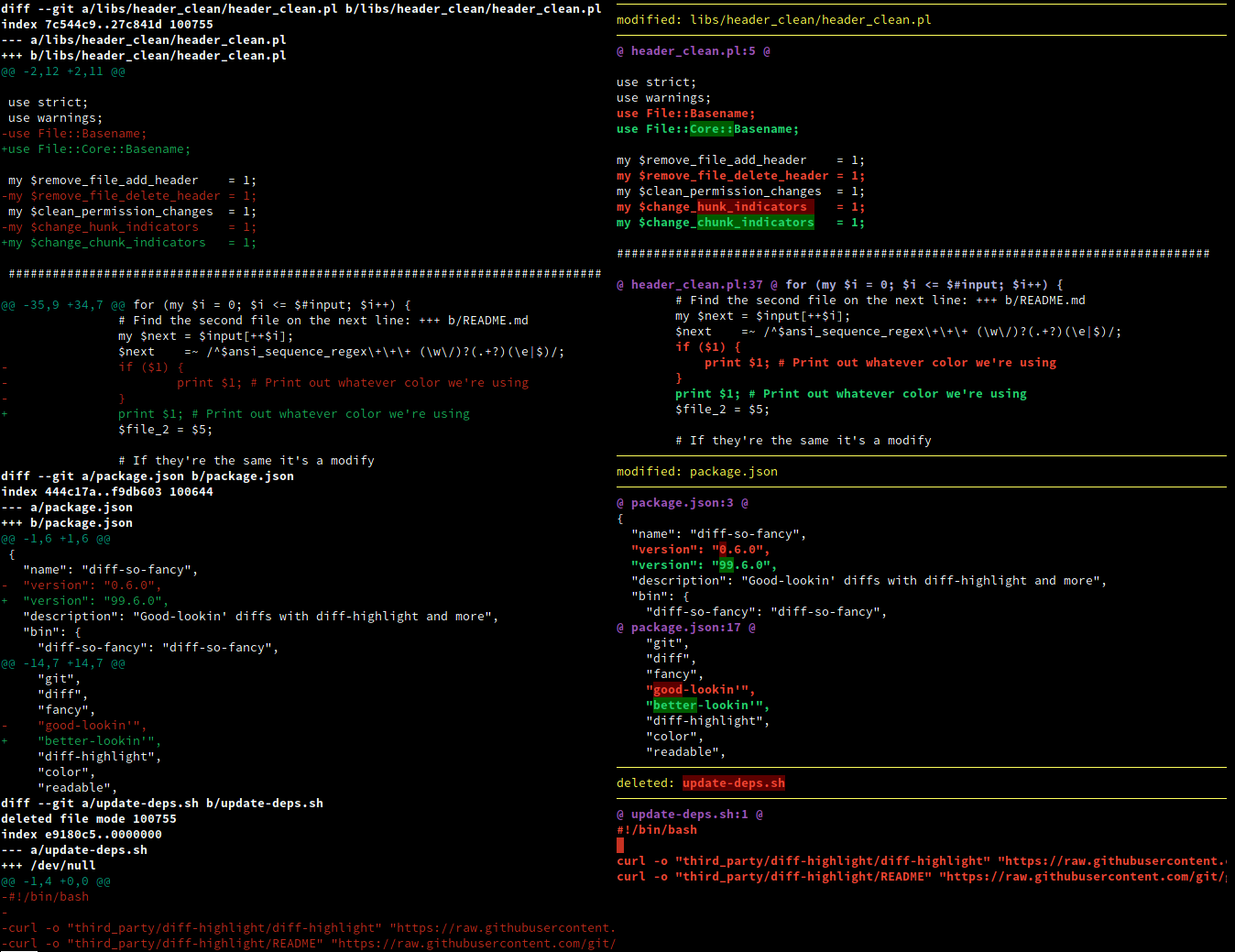
It's a portable script that runs wherever Perl and git do: the README lists brew for macOS, Fedora, Arch and a Debian/Ubuntu PPA, and the npm package works cross-platform, Windows included.What does it actually change about how a diff looks?Git's chunk headers become a simplified, human-readable format, the first block of empty lines gets colorized, and the + and - symbols at the start of lines can be removed. Headers can shrink to a single line with just the filename and line number, and it draws a Unicode ruler sized to your screen. All of these are options — markEmptyLines, changeHunkIndicators, stripLeadingSymbols, useUnicodeRuler, rulerWidth, shortHeaders, semIntegration — each with sensible defaults.
Git's chunk headers become a simplified, human-readable format, the first block of empty lines gets colorized, and the + and - symbols at the start of lines can be removed. Headers can shrink to a single line with just the filename and line number, and it draws a Unicode ruler sized to your screen. All of these are options — markEmptyLines, changeHunkIndicators, stripLeadingSymbols, useUnicodeRuler, rulerWidth, shortHeaders, semIntegration — each with sensible defaults.Can I use it outside git, with plain diff output?Yes — run diff with -u for unified output and pipe it into diff-so-fancy. Recursive mode is supported too, via -r or --recursive.
Yes — run diff with -u for unified output and pipe it into diff-so-fancy. Recursive mode is supported too, via -r or --recursive.How is it different from Delta or difftastic?The README lists Delta, difftastic and Lazygit as alternatives. Lazygit even ships with diff-so-fancy integration, so you can get the same readable output inside that terminal UI instead of choosing between them.
The README lists Delta, difftastic and Lazygit as alternatives. Lazygit even ships with diff-so-fancy integration, so you can get the same readable output inside that terminal UI instead of choosing between them.What are similar projects?difftastic, vim-fugitive, git-filter-repo, cz-cli, cloc, gitui, delta, tatr
difftastic, vim-fugitive, git-filter-repo, cz-cli, cloc, gitui, delta, tatrWhich topics is it in?perl, diff, script, syntax-highlighting, version-control, code-quality, code-review, cli-tool, git, utility, command-line, developers
perl, diff, script, syntax-highlighting, version-control, code-quality, code-review, cli-tool, git, utility, command-line, developers