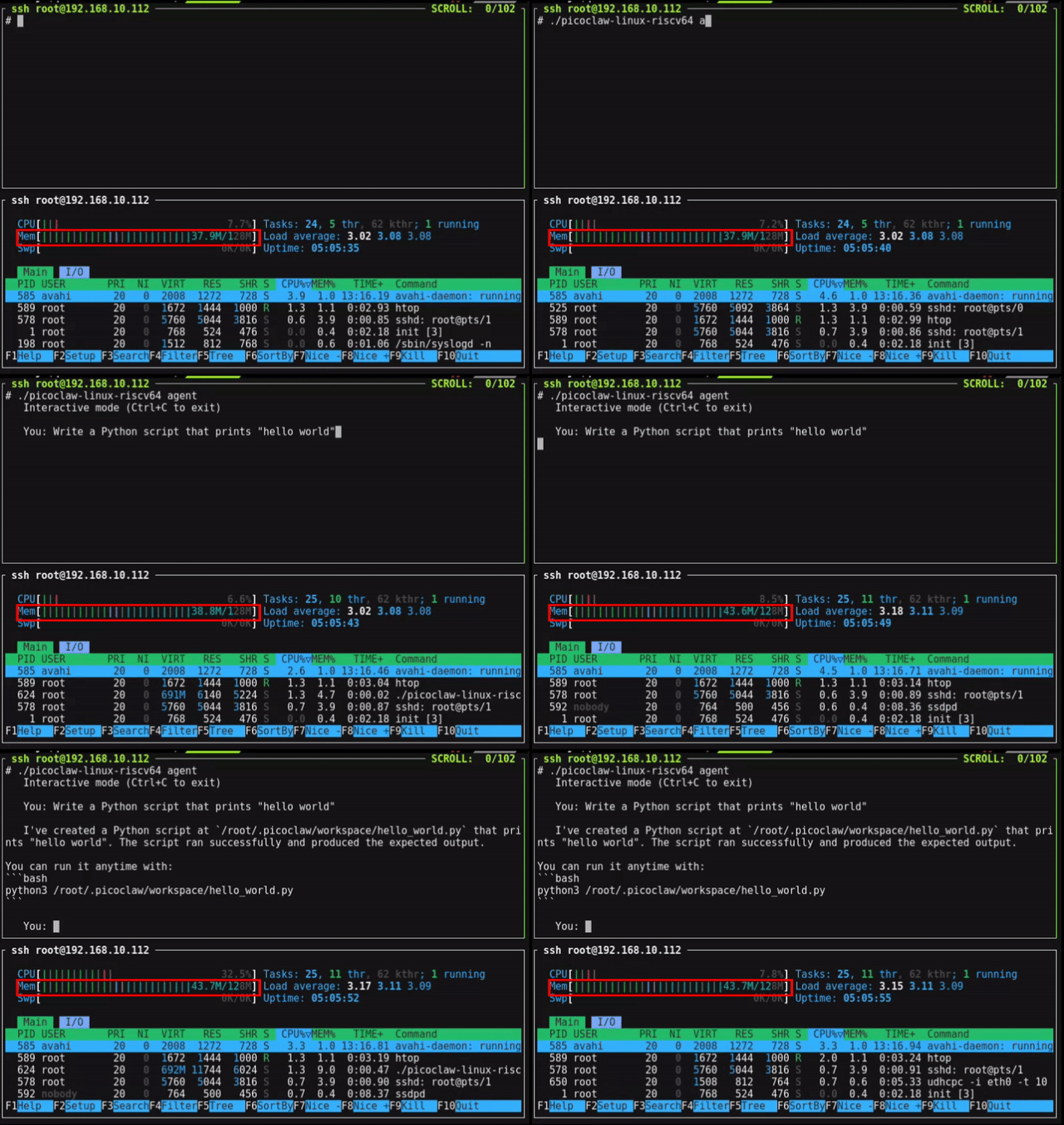
PicoClaw is an independent open-source project initiated by Sipeed, written entirely in Go from scratch — not a fork of OpenClaw, NanoBot, or any other project.
PicoClaw is an ultra-lightweight personal AI assistant inspired by NanoBot. It was rebuilt from the ground up in Go through a "self-bootstrapping" process — the AI Agent itself drove the architecture migration and code optimization.
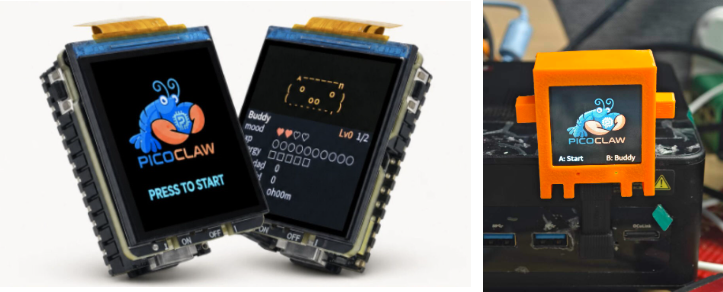
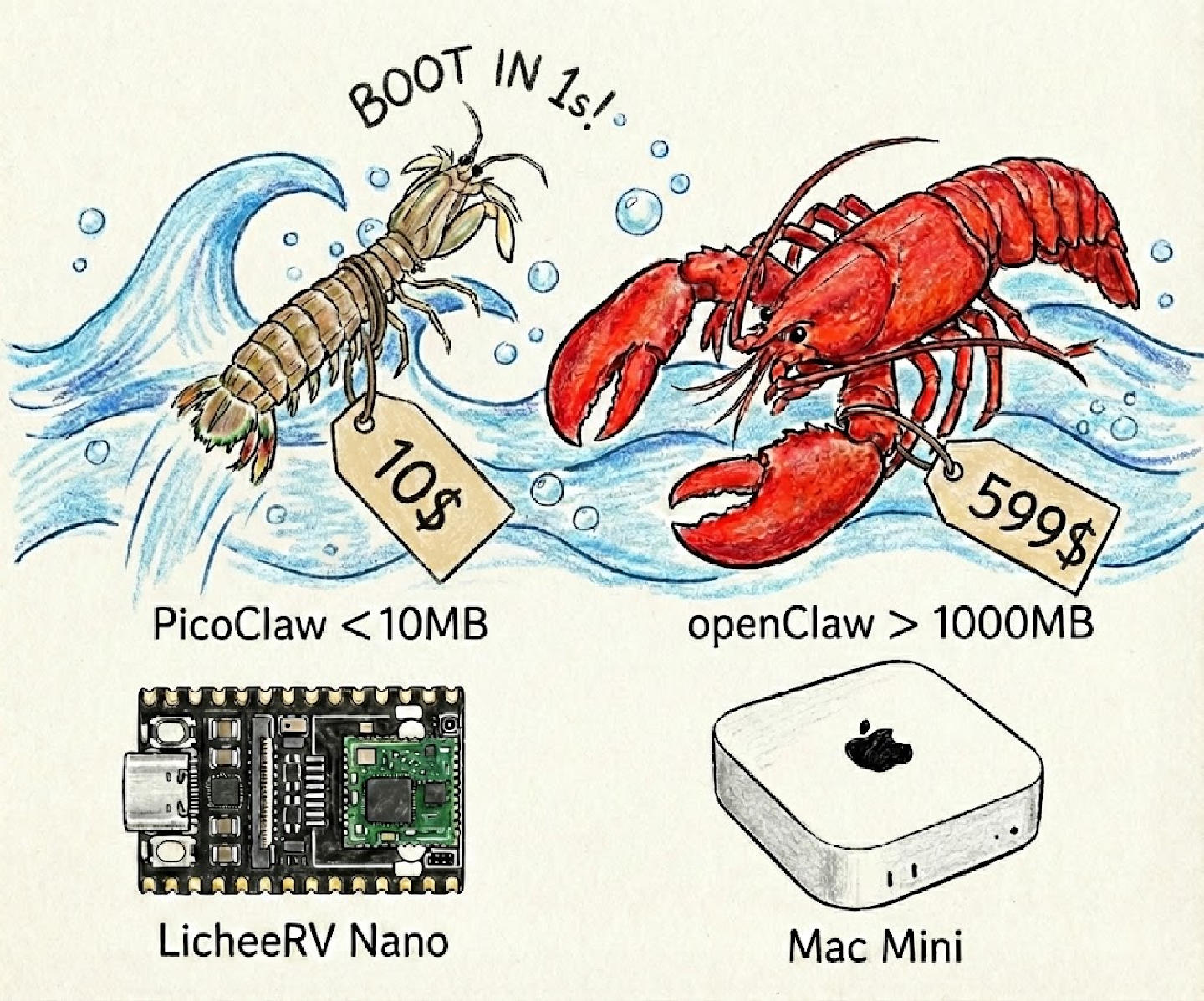
Runs on $10 hardware with <10MB RAM — that's 99% less memory than OpenClaw and 98% cheaper than a Mac mini!
[!CAUTION]
Security Notice
- NO CRYPTO: PicoClaw has not issued any official tokens or cryptocurrency. All claims on
pump.fun or other trading platforms are scams.
- OFFICIAL DOMAIN: The ONLY official website is picoclaw.io, and company website is sipeed.com
- BEWARE: Many
.ai/.org/.com/.net/... domains have been registered by third parties. Do not trust them.
- NOTE: PicoClaw is in early rapid development. There may be unresolved security issues. Do not deploy to production before v1.0.
- NOTE: PicoClaw has recently merged many PRs. Recent builds may use 10-20MB RAM. Resource optimization is planned after feature stabilization.
📢 News
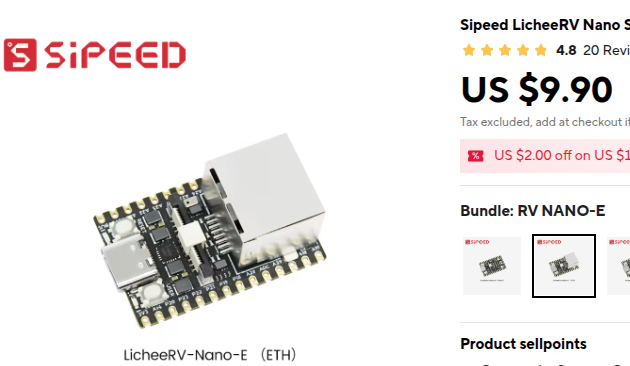
2026-05-11 🛒 LicheeRV-Claw on AliExpress! You can now purchase LicheeRV-Claw from AliExpress, making it easier to try PicoClaw on compact RISC-V hardware.
2026-05-28 🚀 v0.2.9 Released! MCP server management in Web UI, configurable Sogou-backed web search, tool feedback animation in channels, pretty_print and disable_escape_html defaults, and numerous bug fixes across providers and channels.
2026-05-14 🚀 v0.2.8 Released! MCP CLI commands (show, add, list, remove, test, edit), empty object instead of null for MCP tool parameters, and build fixes.
2026-05-07 🚀 v0.2.7 Released! Configurable Sogou-backed web search, channel tool feedback animation, linter fixes.
2026-04-23 🚀 v0.2.6 Released! Hooks with respond action and comprehensive documentation, isolation support, help banner fix.
2026-04-11 🚀 v0.2.5 Released! Zoneinfo from TZ/ZONEINFO env, Matrix CommonMark rendering alignment, read_file by lines.
2026-03-31 📱 Android Support! PicoClaw now runs on Android! Download the APK at picoclaw.io
2026-03-25 🚀 v0.2.4 Released! Agent architecture overhaul (SubTurn, Hooks, Steering, EventBus), WeChat/WeCom integration, security hardening (.security.yml, sensitive data filtering), new providers (AWS Bedrock, Azure, Xiaomi MiMo), and 35 bug fixes. PicoClaw has reached 26K Stars!
2026-03-17 🚀 v0.2.3 Released! System tray UI (Windows & Linux), sub-agent status query (spawn_status), experimental Gateway hot-reload, Cron security gating, and 2 security fixes. PicoClaw has reached 25K Stars!
2026-03-09 🎉 v0.2.1 — Biggest update yet! MCP protocol support, 4 new channels (Matrix/IRC/WeCom/Discord Proxy), 3 new providers (Kimi/Minimax/Avian), vision pipeline, JSONL memory store, model routing.
2026-02-28 📦 v0.2.0 released with Docker Compose and Web UI Launcher support.
Earlier news...
2026-02-26 🎉 PicoClaw hits 20K Stars in just 17 days! Channel auto-orchestration and capability interfaces are live.
2026-02-16 🎉 PicoClaw breaks 12K Stars in one week! Community maintainer roles and Roadmap officially launched.
2026-02-13 🎉 PicoClaw breaks 5000 Stars in 4 days! Project roadmap and developer groups in progress.
2026-02-09 🎉 PicoClaw Released! Built in 1 day to bring AI Agents to $10 hardware with <10MB RAM. Let's Go, PicoClaw!
✨ Features
🪶 Ultra-lightweight: Core memory footprint <10MB — 99% smaller than OpenClaw.*
💰 Minimal cost: Efficient enough to run on $10 hardware — 98% cheaper than a Mac mini.
⚡️ Lightning-fast boot: 400x faster startup. Boots in <1s even on a 0.6GHz single-core processor.
🌍 Truly portable: Single binary across RISC-V, ARM, MIPS, and x86 architectures. One binary, runs everywhere!
🤖 AI-bootstrapped: Pure Go native implementation — 95% of core code was generated by an Agent and fine-tuned through human-in-the-loop review.
🔌 MCP support: Native Model Context Protocol integration — connect any MCP server to extend Agent capabilities.
👁️ Vision pipeline: Send images and files directly to the Agent — automatic base64 encoding for multimodal LLMs.
🧠 Smart routing: Rule-based model routing — simple queries go to lightweight models, saving API costs.
*Recent builds may use 10-20MB due to rapid PR merges. Resource optimization is planned. Boot speed comparison based on 0.8GHz single-core benchmarks (see table below).
|
OpenClaw |
NanoBot |
PicoClaw |
| Language |
TypeScript |
Python |
Go |
| RAM |
>1GB |
>100MB |
< 10MB* |
Boot time
(0.8GHz core) |
>500s |
>30s |
<1s |
| Cost |
Mac Mini $599 |
Most Linux boards ~$50 |
Any Linux board
from $10 |
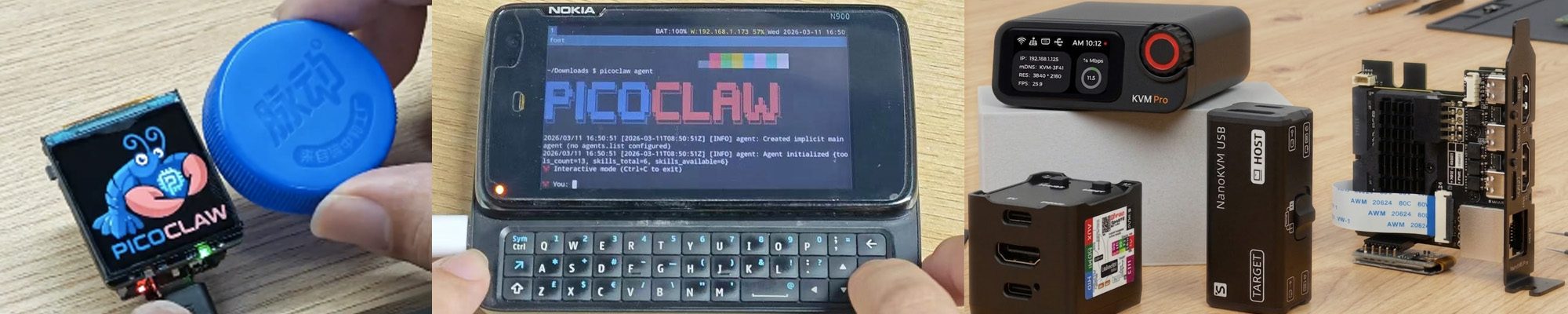
Hardware Compatibility List — See all tested boards, from $5 RISC-V to Raspberry Pi to Android phones. Your board not listed? Submit a PR!
🦾 Demonstration
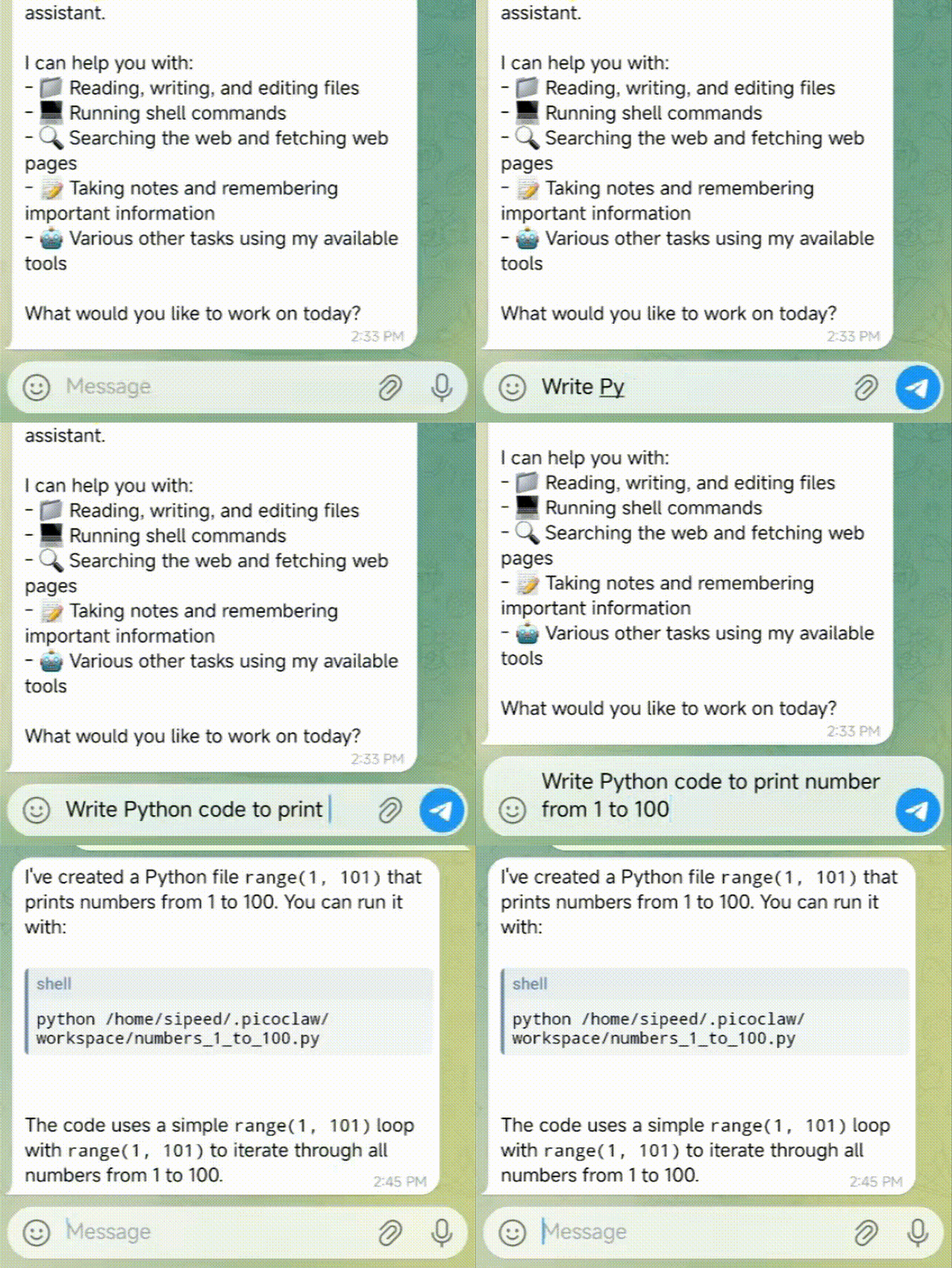
🛠️ Standard Assistant Workflows
Full-Stack Engineer Mode |
Logging & Planning |
Web Search & Learning |
|
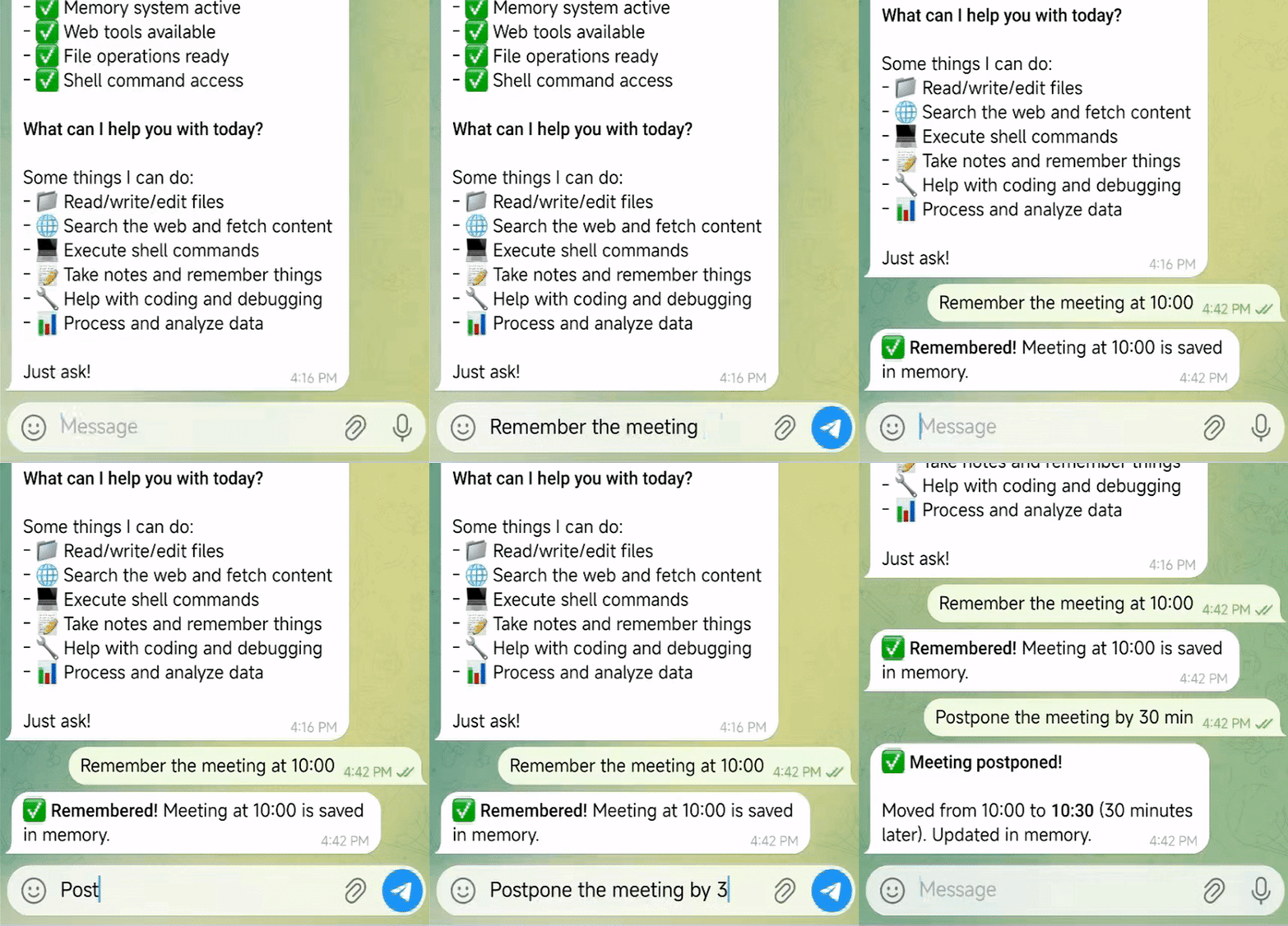
|
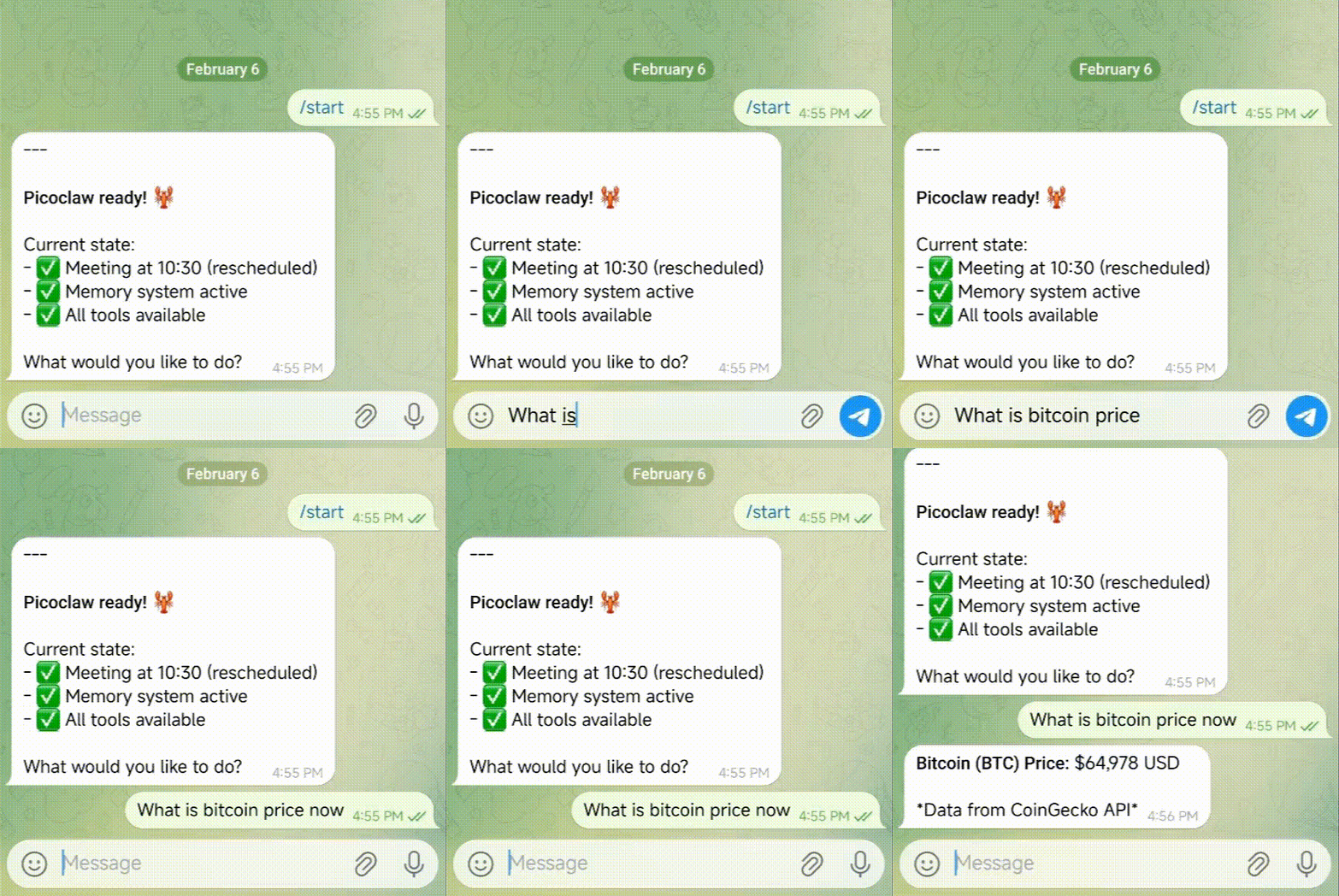
|
| Develop · Deploy · Scale |
Schedule · Automate · Remember |
Discover · Insights · Trends |
PicoClaw can be deployed on virtually any Linux device!
https://private-user-images.githubusercontent.com/83055338/547056448-e7b031ff-d6f5-4468-bcca-5726b6fecb5c.mp4
🌟 More Deployment Cases Await!
📦 Install
Download from picoclaw.io (Recommended)
Visit picoclaw.io — the official website auto-detects your platform and provides one-click download. No need to manually pick an architecture.
Download precompiled binary
Alternatively, download the binary for your platform from the GitHub Releases page.
Build from source (for development)
Prerequisites:
- Go 1.25+
- Node.js 22+ and pnpm 10.33.0+ for Web UI / launcher builds
git clone https://github.com/sipeed/picoclaw.git

cd picoclaw
make deps

# Install frontend dependencies
(cd web/frontend && pnpm install --frozen-lockfile)

# Build the core binary for the current platform
make build

# Build the Web UI Launcher (required for WebUI mode)
make build-launcher

# Build core binaries for all Makefile-managed platforms
make build-all

# Build for Raspberry Pi Zero 2 W
# 32-bit: make build-linux-arm
# 64-bit: make build-linux-arm64
make build-pi-zero

# Build and install
make install
Raspberry Pi Zero 2 W: Use the binary that matches your OS: 32-bit Raspberry Pi OS -> make build-linux-arm; 64-bit -> make build-linux-arm64. Or run make build-pi-zero to build both.
🚀 Quick Start Guide
🌐 WebUI Launcher (Recommended for Desktop)
The WebUI Launcher provides a browser-based interface for configuration and chat. This is the easiest way to get started — no command-line knowledge required.
Option 1: Double-click (Desktop)
After downloading from picoclaw.io, double-click picoclaw-launcher (or picoclaw-launcher.exe on Windows). Your browser will open automatically at http://localhost:18800.
Option 2: Command line
picoclaw-launcher
# Open http://localhost:18800 in your browser
[!TIP]
Remote access / Docker / VM: Add the -public flag to listen on all interfaces:
picoclaw-launcher -public
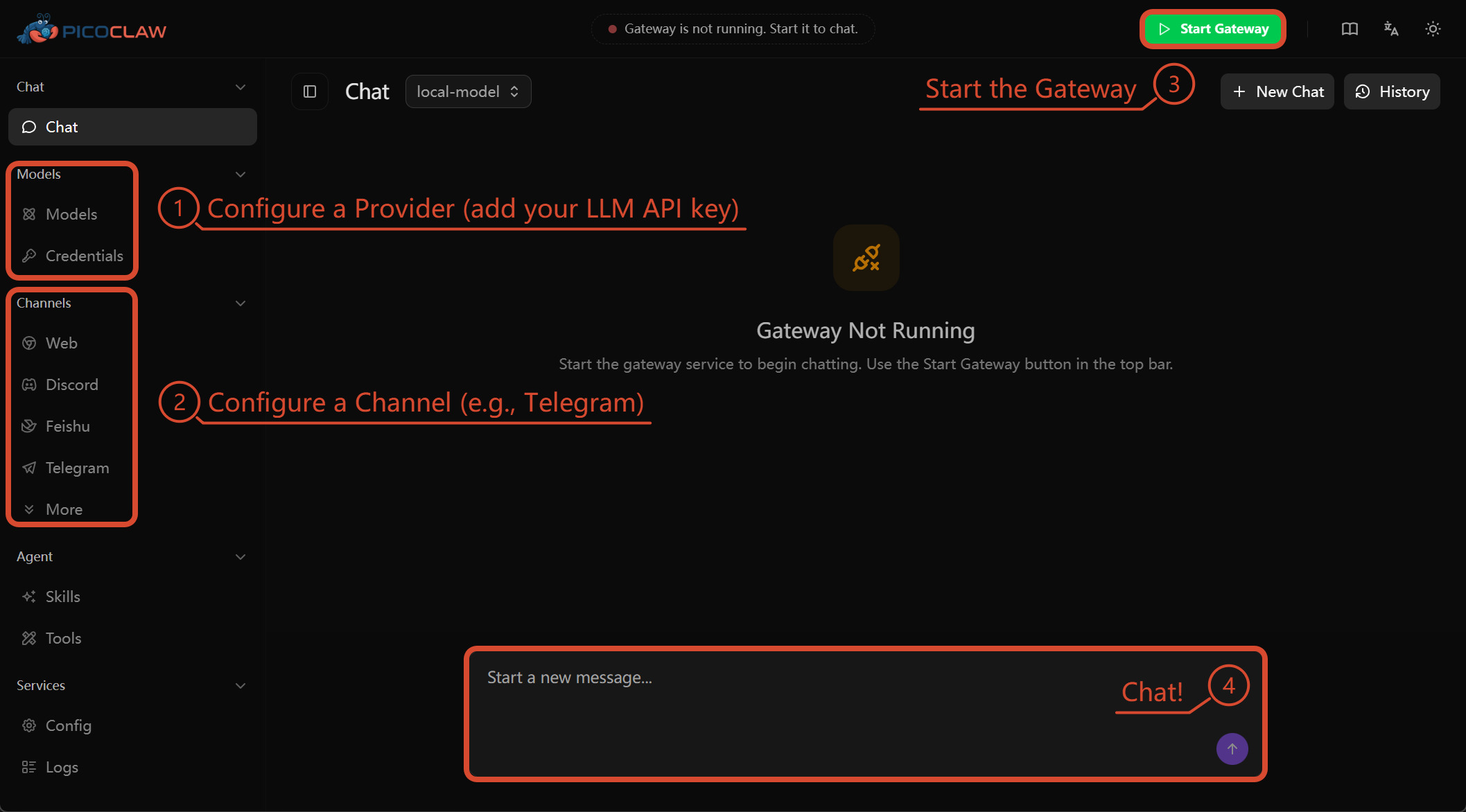
Getting started:
Open the WebUI, then: 1) Configure a Provider (add your LLM API key) -> 2) Configure a Channel (e.g., Telegram) -> 3) Start the Gateway -> 4) Chat!
For detailed WebUI documentation, see docs.picoclaw.io.
Docker (alternative)
# 1. Clone this repo
git clone https://github.com/sipeed/picoclaw.git
cd picoclaw

# 2. First run — auto-generates docker/data/config.json then exits
#    (only triggers when both config.json and workspace/ are missing)
docker compose -f docker/docker-compose.yml --profile launcher up
# The container prints "First-run setup complete." and stops.

# 3. Set your API keys
vim docker/data/config.json

# 4. Start
docker compose -f docker/docker-compose.yml --profile launcher up -d
# Open http://localhost:18800
Docker / VM users: The Gateway listens on 127.0.0.1 by default. Set PICOCLAW_GATEWAY_HOST=0.0.0.0 or use the -public flag to make it accessible from the host.
# Check logs
docker compose -f docker/docker-compose.yml logs -f

# Stop
docker compose -f docker/docker-compose.yml --profile launcher down

# Update
docker compose -f docker/docker-compose.yml pull
docker compose -f docker/docker-compose.yml --profile launcher up -d
macOS — First Launch Security Warning
macOS may block picoclaw-launcher on first launch because it is downloaded from the internet and not notarized through the Mac App Store.
Step 1: Double-click picoclaw-launcher. You will see a security warning:
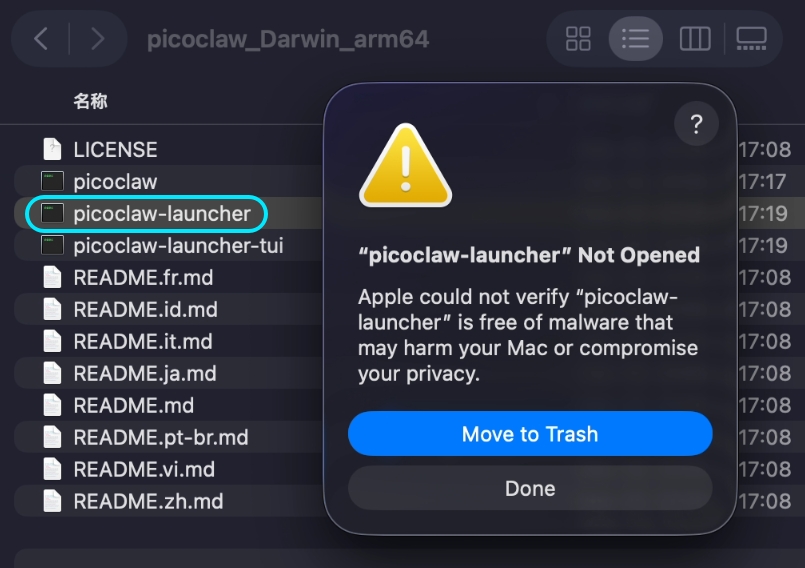
"picoclaw-launcher" Not Opened — Apple could not verify "picoclaw-launcher" is free of malware that may harm your Mac or compromise your privacy.
Step 2: Open System Settings → Privacy & Security → scroll down to the Security section → click Open Anyway → confirm by clicking Open Anyway in the dialog.
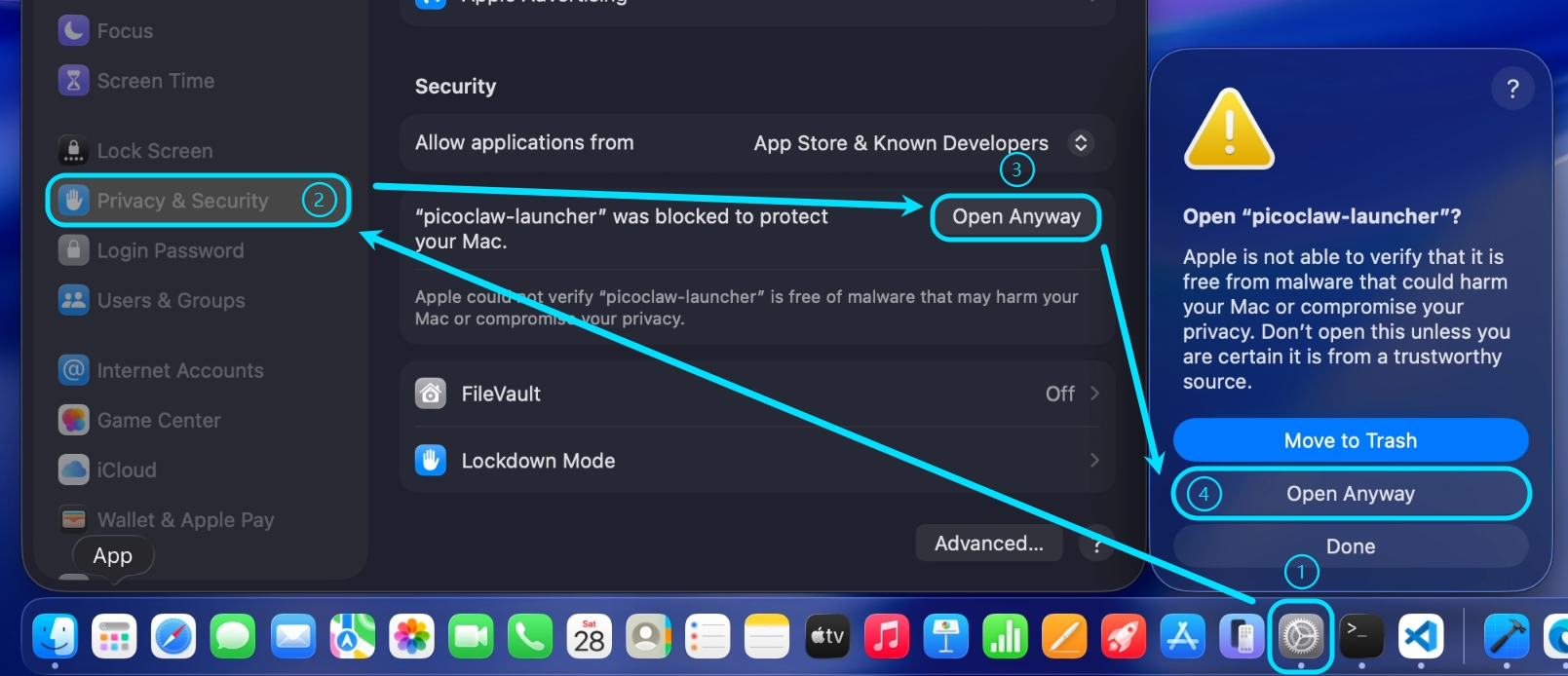
After this one-time step, picoclaw-launcher will open normally on subsequent launches.
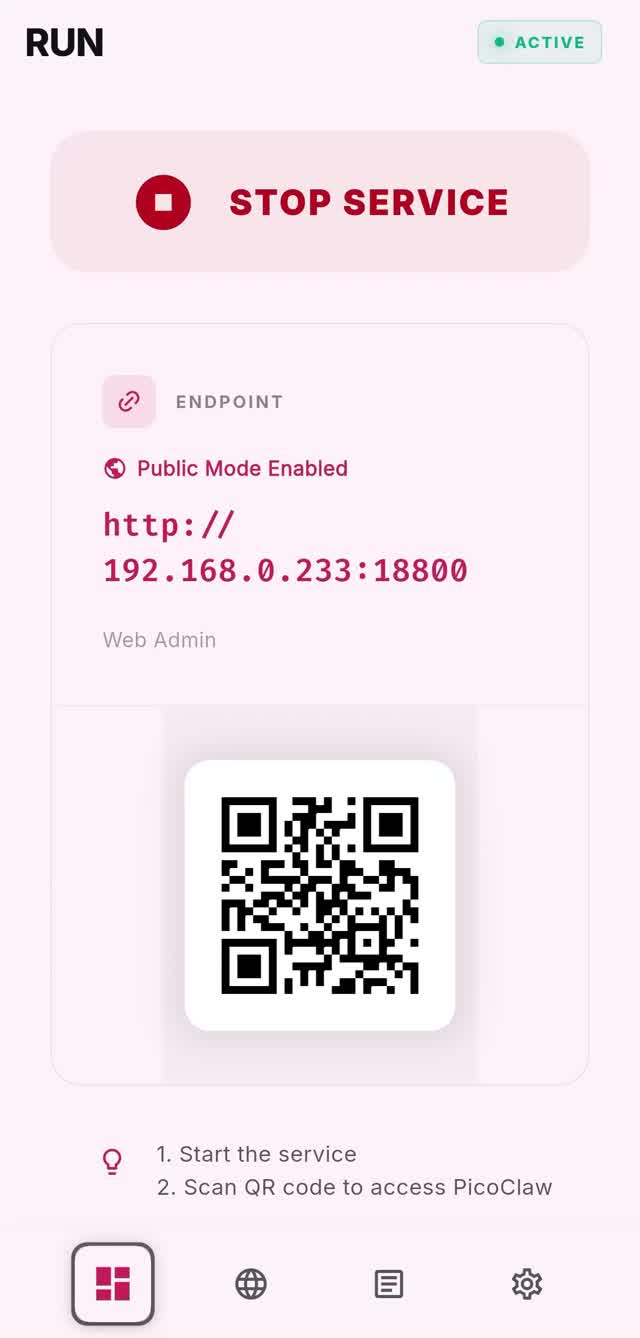
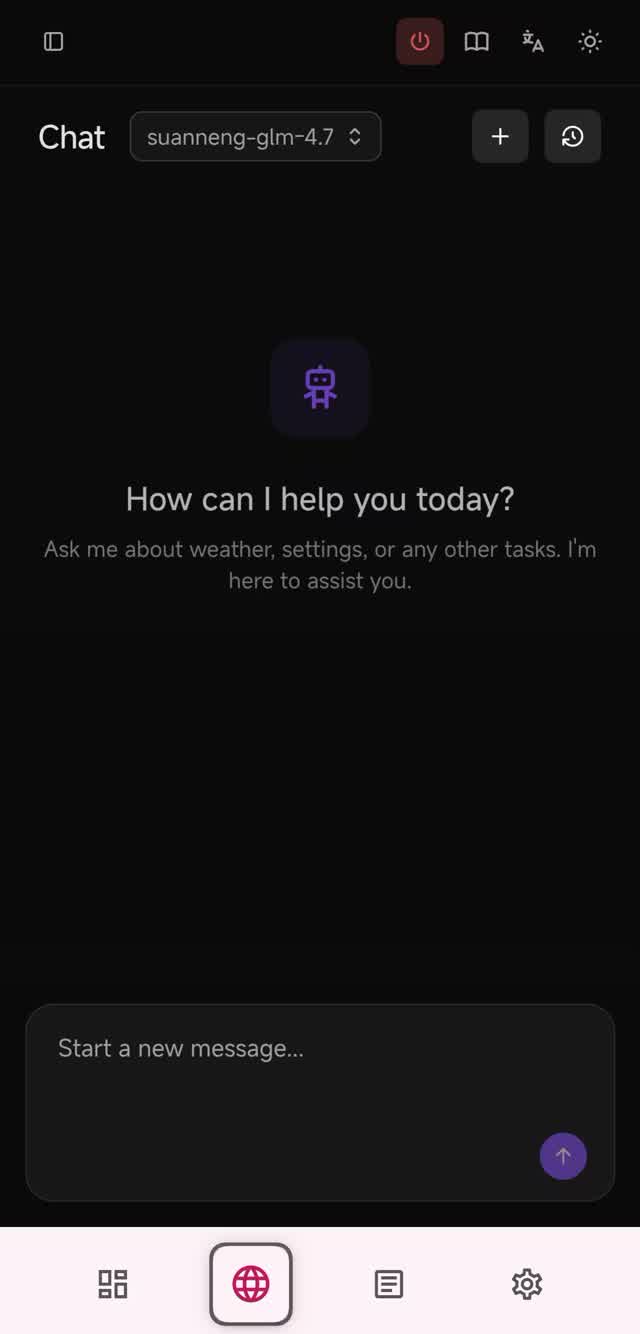
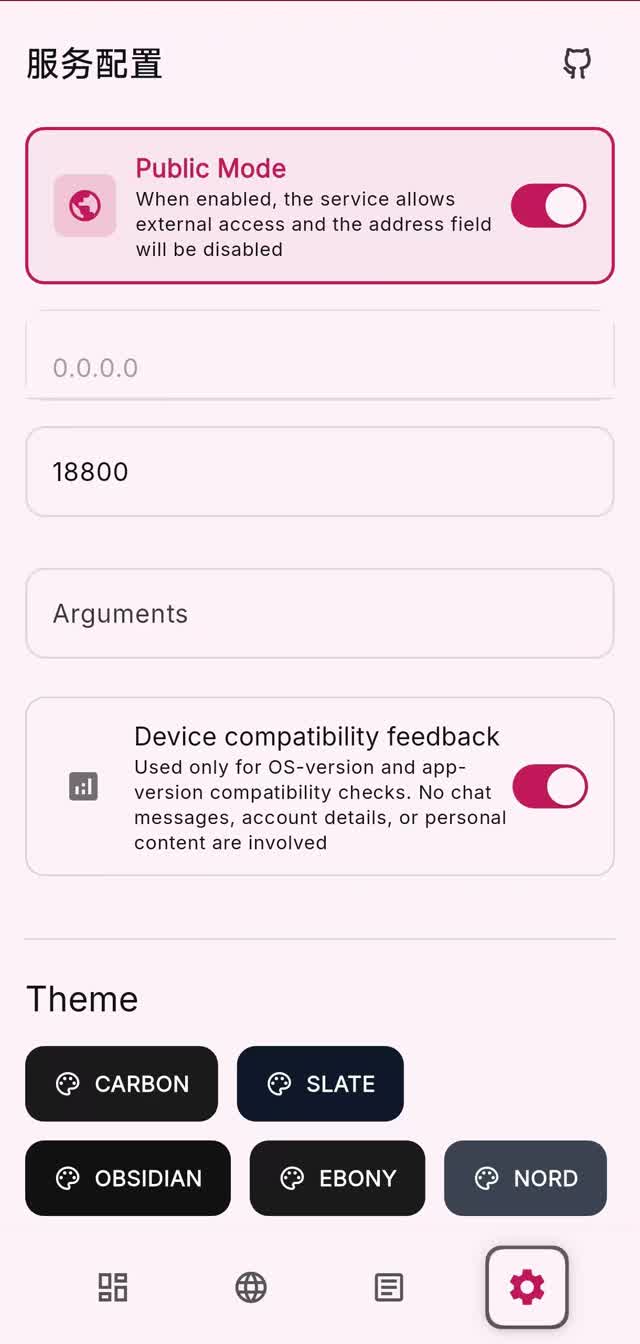
📱 Android
Give your decade-old phone a second life! Turn it into a smart AI Assistant with PicoClaw.
Option 1: APK Install
Preview:
Download the APK from picoclaw.io and install directly. No Termux required!
Option 2: Termux
For a full command-line setup checklist, see the Android Termux Guide.
Terminal Launcher (for resource-constrained environments)
- Install Termux (download from GitHub Releases, or search in F-Droid / Google Play)
- Run the following commands:
# Download the latest release
wget https://github.com/sipeed/picoclaw/releases/latest/download/picoclaw_Linux_arm64.tar.gz
tar xzf picoclaw_Linux_arm64.tar.gz
pkg install proot
termux-chroot ./picoclaw onboard   # chroot provides a standard Linux filesystem layout
Then follow the Terminal Launcher section below to complete configuration.
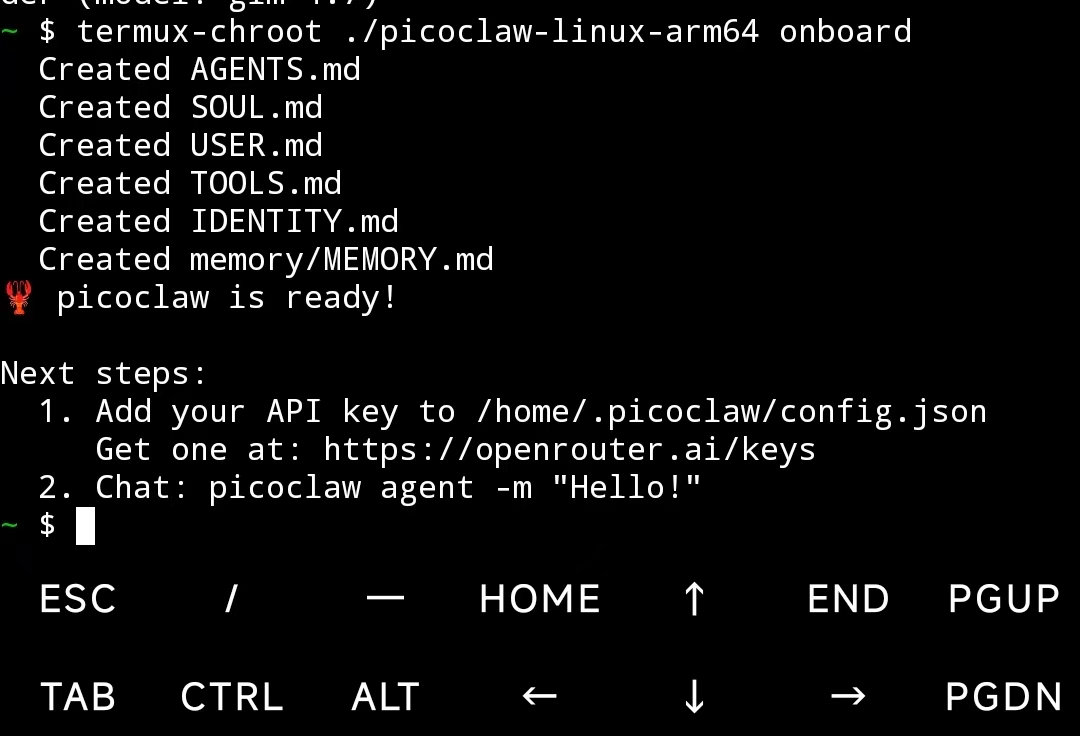
For minimal environments where only the picoclaw core binary is available (no Launcher UI), you can configure everything via the command line and a JSON config file.
1. Initialize
picoclaw onboard
This creates ~/.picoclaw/config.json and the workspace directory.
2. Configure (~/.picoclaw/config.json)
{
  "agents": {
    "defaults": {
      "model_name": "gpt-5.4"
    }
  },
  "model_list": [
    {
      "model_name": "gpt-5.4",
      "model": "openai/gpt-5.4"
      // api_key is now loaded from .security.yml
    }
  ]
}
See config/config.example.json in the repo for a complete configuration template with all available options.
Please note: config.example.json format is version 0, with sensitive codes in it, and will be auto migrated to version 1+, then, the config.json will only store insensitive data, the sensitive codes will be stored in .security.yml, if you need manually modify the codes, please see docs/security/security_configuration.md for more details.
3. Chat
# One-shot question
picoclaw agent -m "What is 2+2?"

# Interactive mode
picoclaw agent

# Start gateway for chat app integration
picoclaw gateway
🔌 Providers (LLM)
PicoClaw supports 30+ LLM providers through the model_list configuration. Use the protocol/model format:
| Provider |
Protocol |
API Key |
Notes |
| OpenAI |
openai/ |
Required |
GPT-5.4, GPT-4o, o3, etc. |
| Anthropic |
anthropic/ |
Required |
Claude Opus 4.6, Sonnet 4.6, etc. |
| Google Gemini |
gemini/ |
Required |
Gemini 3 Flash, 2.5 Pro, etc. |
| OpenRouter |
openrouter/ |
Required |
200+ models, unified API |
| Zhipu (GLM) |
zhipu/ |
Required |
GLM-4.7, GLM-5, etc. |
| DeepSeek |
deepseek/ |
Required |
DeepSeek-V3, DeepSeek-R1 |
| Volcengine |
volcengine/ |
Required |
Doubao, Ark models |
| Qwen |
qwen/ |
Required |
Qwen3, Qwen-Max, etc. |
| Groq |
groq/ |
Required |
Fast inference (Llama, Mixtral) |
| Moonshot (Kimi) |
moonshot/ |
Required |
Kimi models |
| Minimax |
minimax/ |
Required |
MiniMax models |
| Mistral |
mistral/ |
Required |
Mistral Large, Codestral |
| NVIDIA NIM |
nvidia/ |
Required |
NVIDIA hosted models |
| Cerebras |
cerebras/ |
Required |
Fast inference |
| NEAR AI Cloud |
nearai/ |
Required |
TEE inference, OpenAI-compatible |
| Novita AI |
novita/ |
Required |
Various open models |
| Xiaomi MiMo |
mimo/ |
Required |
MiMo models |
| Ollama |
ollama/ |
Not needed |
Local models, self-hosted |
| vLLM |
vllm/ |
Not needed |
Local deployment, OpenAI-compatible |
| LiteLLM |
litellm/ |
Varies |
Proxy for 100+ providers |
| Azure OpenAI |
azure/ |
API key or Entra ID** |
Enterprise Azure deployment |
| GitHub Copilot |
github-copilot/ |
OAuth |
Device code login |
| Antigravity |
antigravity/ |
OAuth |
Google Cloud AI |
| AWS Bedrock* |
bedrock/ |
AWS credentials |
Claude, Llama, Mistral on AWS |
* AWS Bedrock requires build tag: go build -tags bedrock. Set api_base to a region name (e.g., us-east-1) for automatic endpoint resolution across all AWS partitions (aws, aws-cn, aws-us-g






-SipeedIO-black?style=flat&logo=x&logoColor=white)



 一款由 Sipeed 用 Go 语言从零开始编写的开源个人 AI 助手:把它接入一个大模型服务商,就可以通过 Telegram、Discord、Matrix、微信或内置的 Web UI 和它聊天。