





626 ·GitHub
What is this?
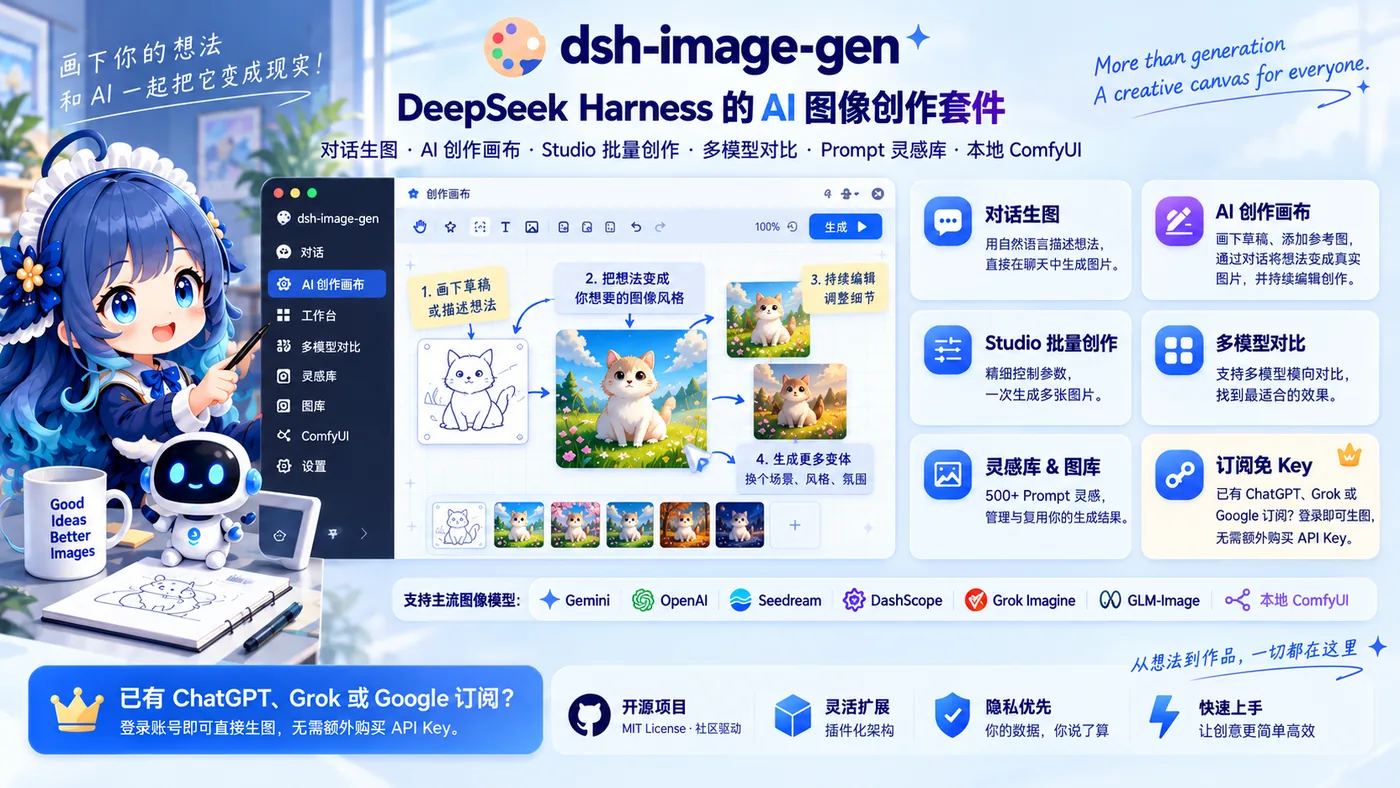
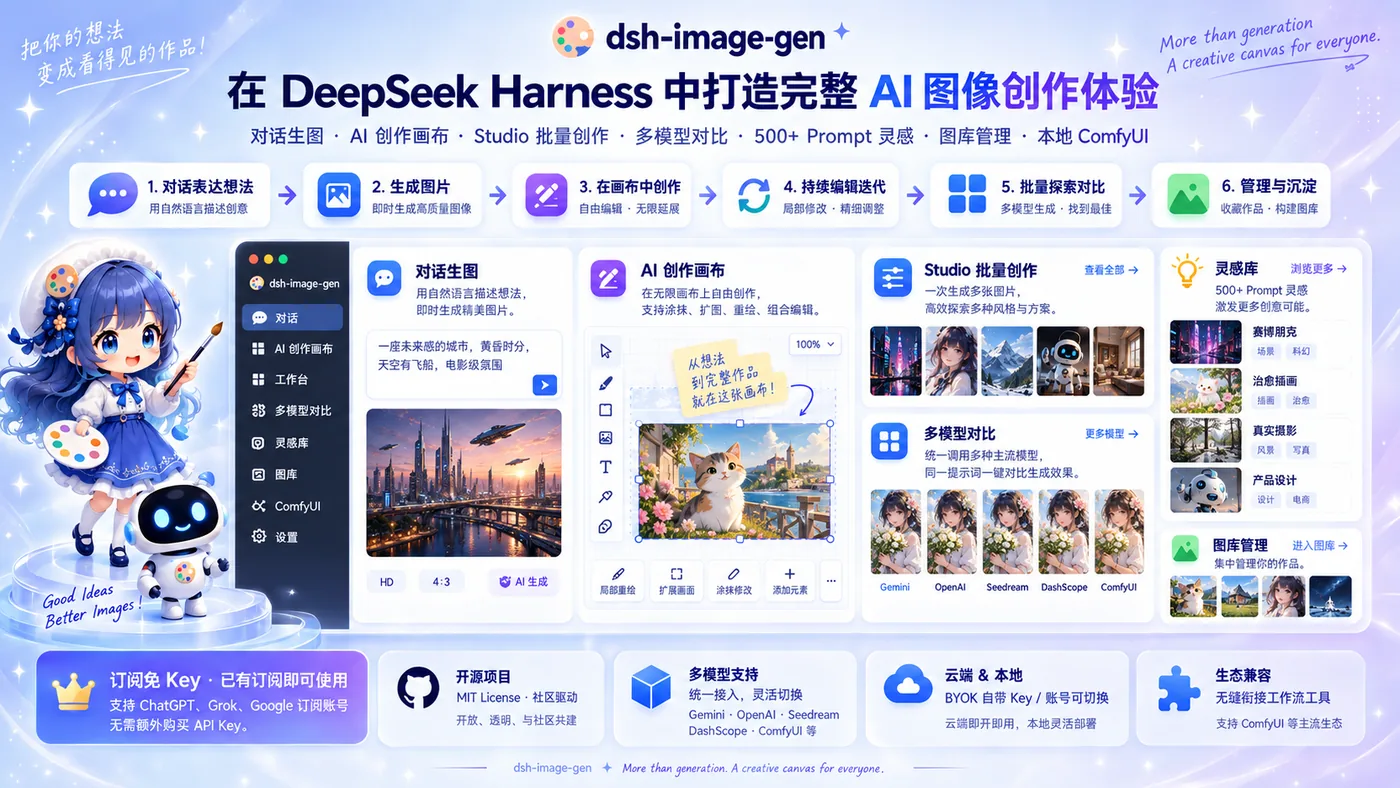
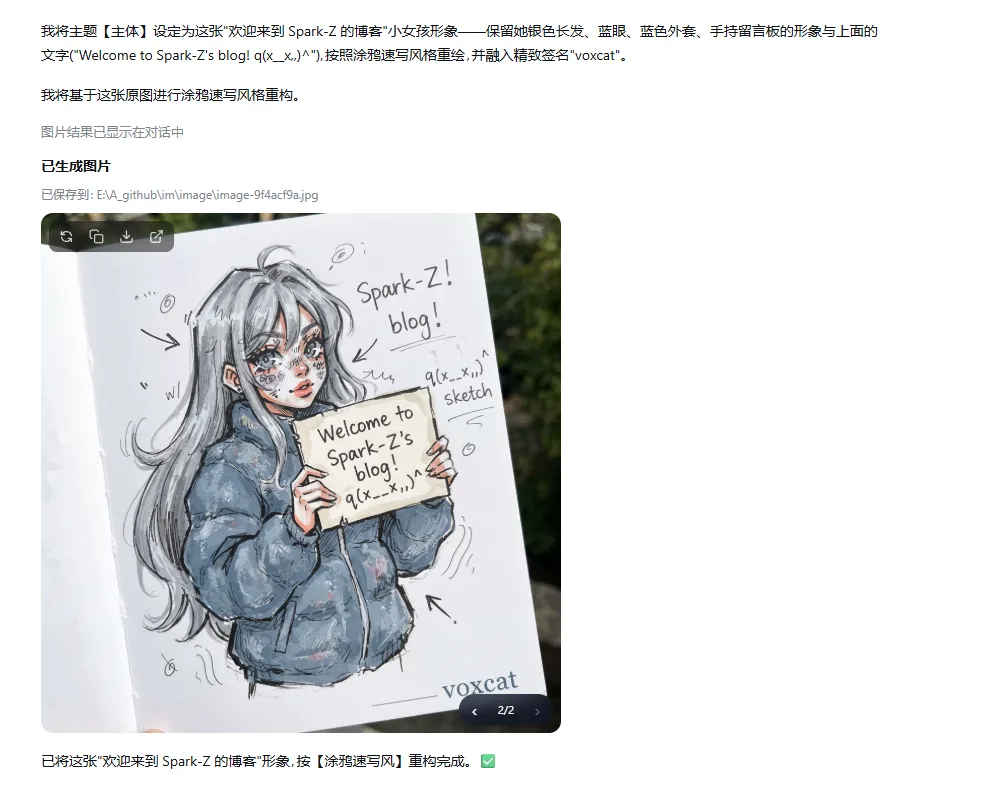
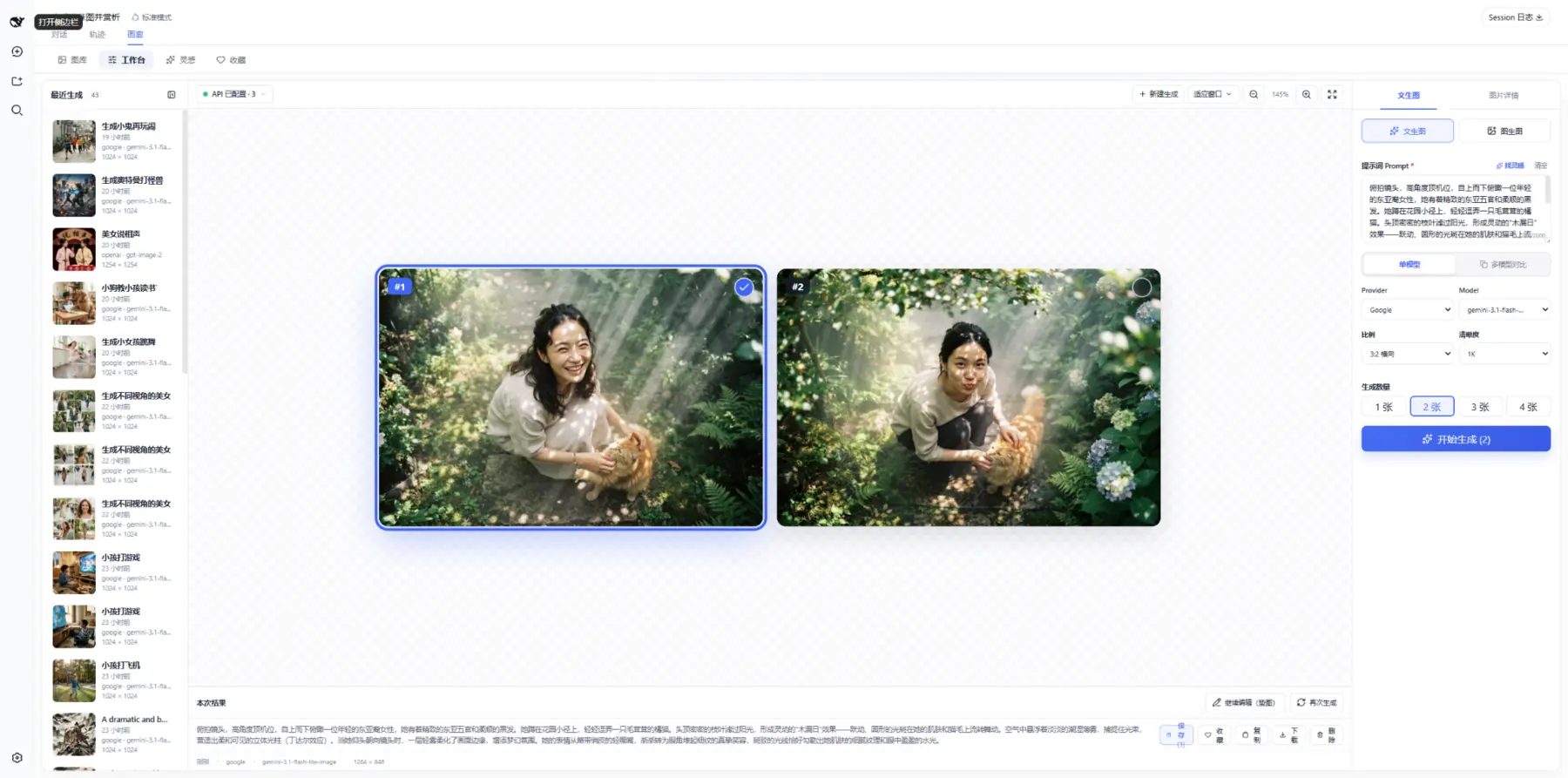
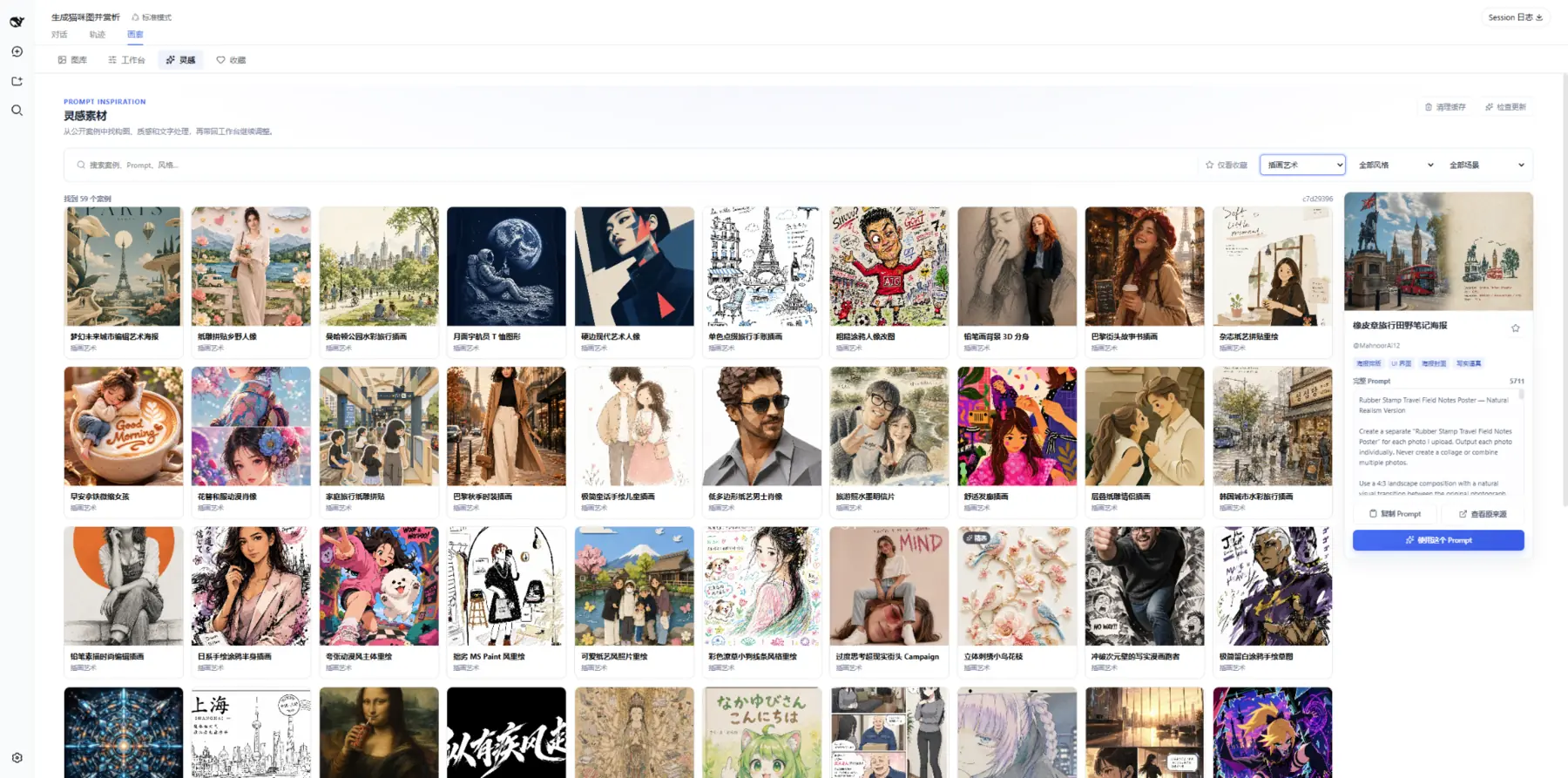
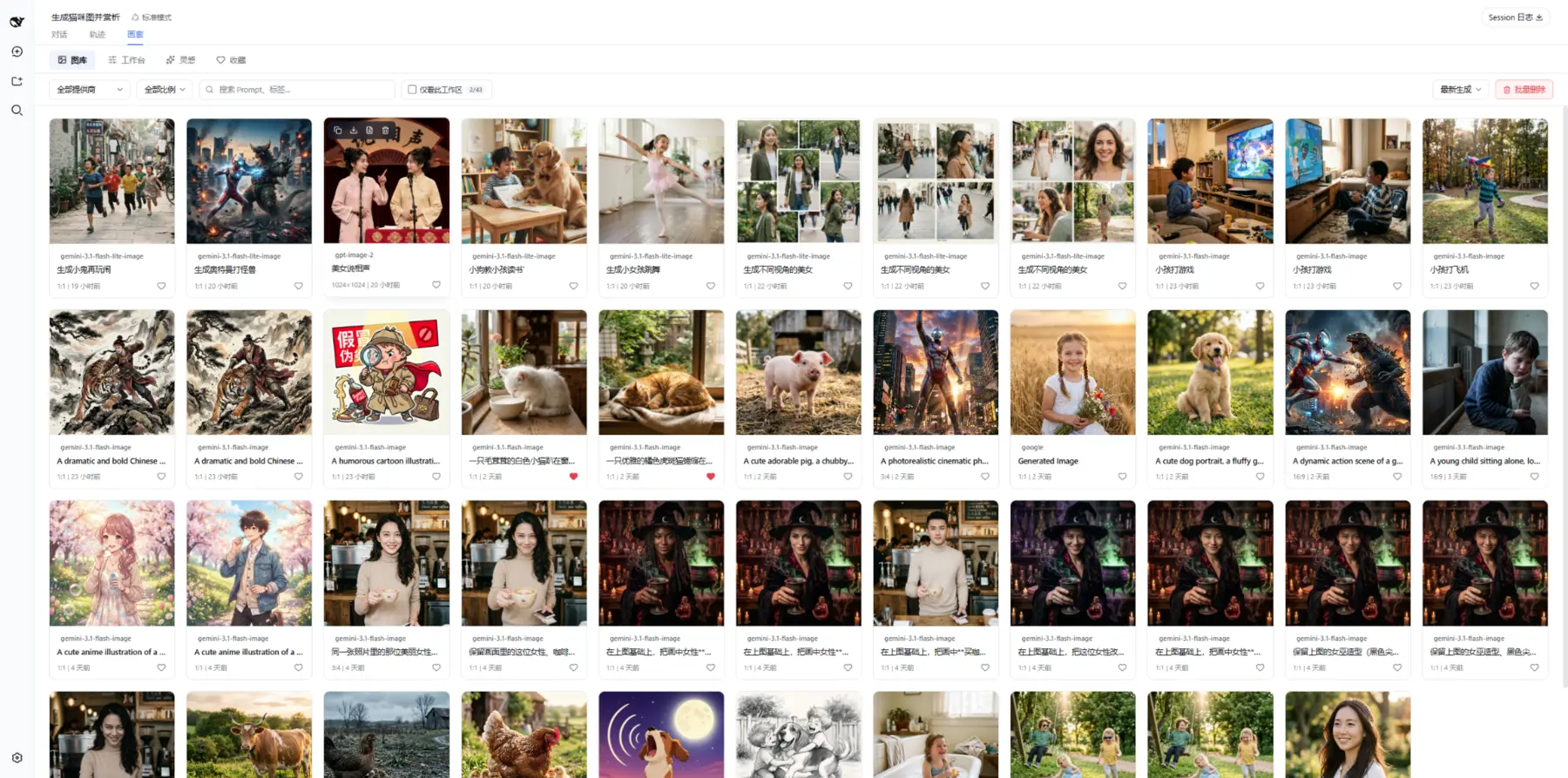
 dsh-image-gen is the native AI image creation plugin for DeepSeek Harness (DSH). It brings chat-based image generation and editing, a batch Studio, multi-model comparison, a library of 500+ prompts, a gallery manager, and local ComfyUI workflows directly into DSH conversations.
dsh-image-gen is the native AI image creation plugin for DeepSeek Harness (DSH). It brings chat-based image generation and editing, a batch Studio, multi-model comparison, a library of 500+ prompts, a gallery manager, and local ComfyUI workflows directly into DSH conversations.Is this a standalone app, or does it plug into something else?It's not standalone — it's a plugin you install inside an existing DeepSeek Harness (DSH) project, and it runs through DSH's chat agent and settings UI rather than as its own app.
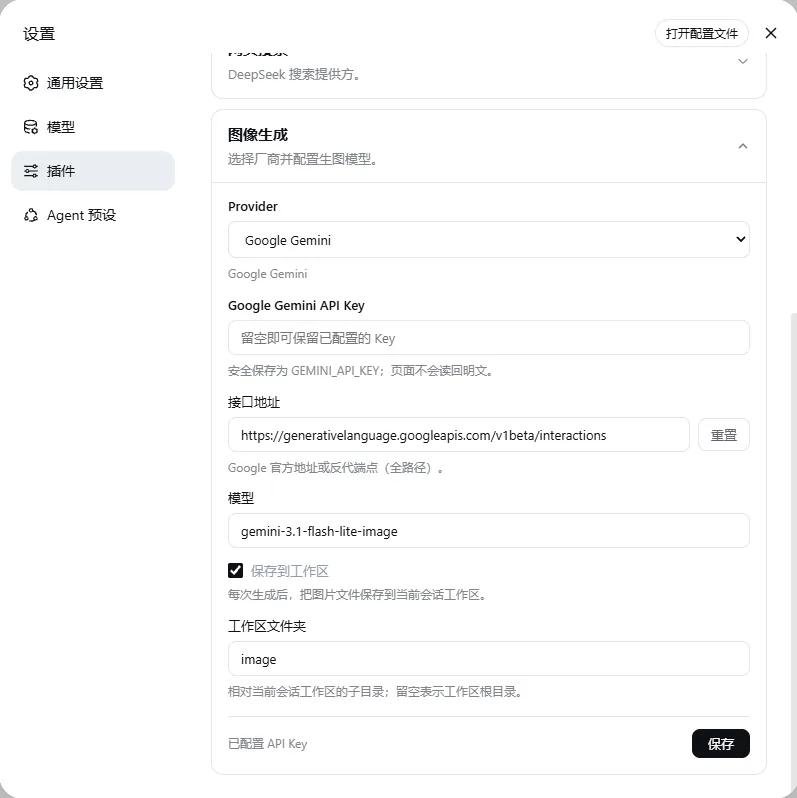
It's not standalone — it's a plugin you install inside an existing DeepSeek Harness (DSH) project, and it runs through DSH's chat agent and settings UI rather than as its own app.How do I install and set it up?Install it with `pnpm dsh plugin --profile web add dsh-image-gen@latest` from your DSH project root, restart DSH, then configure a provider under Settings -> Plugins -> Plugin Config -> Image Generation, where you can test the connection or auto-pull available models.
Install it with `pnpm dsh plugin --profile web add dsh-image-gen@latest` from your DSH project root, restart DSH, then configure a provider under Settings -> Plugins -> Plugin Config -> Image Generation, where you can test the connection or auto-pull available models.What do I need before installing it?A stable DSH release and Node.js ^22.19.0 or >=24.0.0 are required. Image generation itself is BYOK, so you supply your own API key for whichever provider you pick (Gemini, OpenAI, Seedream, DashScope, Grok Imagine, GLM-Image) or point it at your own ComfyUI server.
A stable DSH release and Node.js ^22.19.0 or >=24.0.0 are required. Image generation itself is BYOK, so you supply your own API key for whichever provider you pick (Gemini, OpenAI, Seedream, DashScope, Grok Imagine, GLM-Image) or point it at your own ComfyUI server.What doesn't work yet?Studio and side-by-side multi-model comparison currently only support cloud providers — local ComfyUI isn't wired into either yet. GLM-Image also doesn't support image-to-image, and xAI's image editing goes through an OpenAI-compatible multipart endpoint some gateways may not fully support.
Studio and side-by-side multi-model comparison currently only support cloud providers — local ComfyUI isn't wired into either yet. GLM-Image also doesn't support image-to-image, and xAI's image editing goes through an OpenAI-compatible multipart endpoint some gateways may not fully support.What can I do with the 500+ prompt library?Browse and filter over 500 curated prompt examples, favorite or copy any of them, and send one straight into Studio. Images in this library are cached locally, so browsing or copying doesn't cost tokens or generation quota.
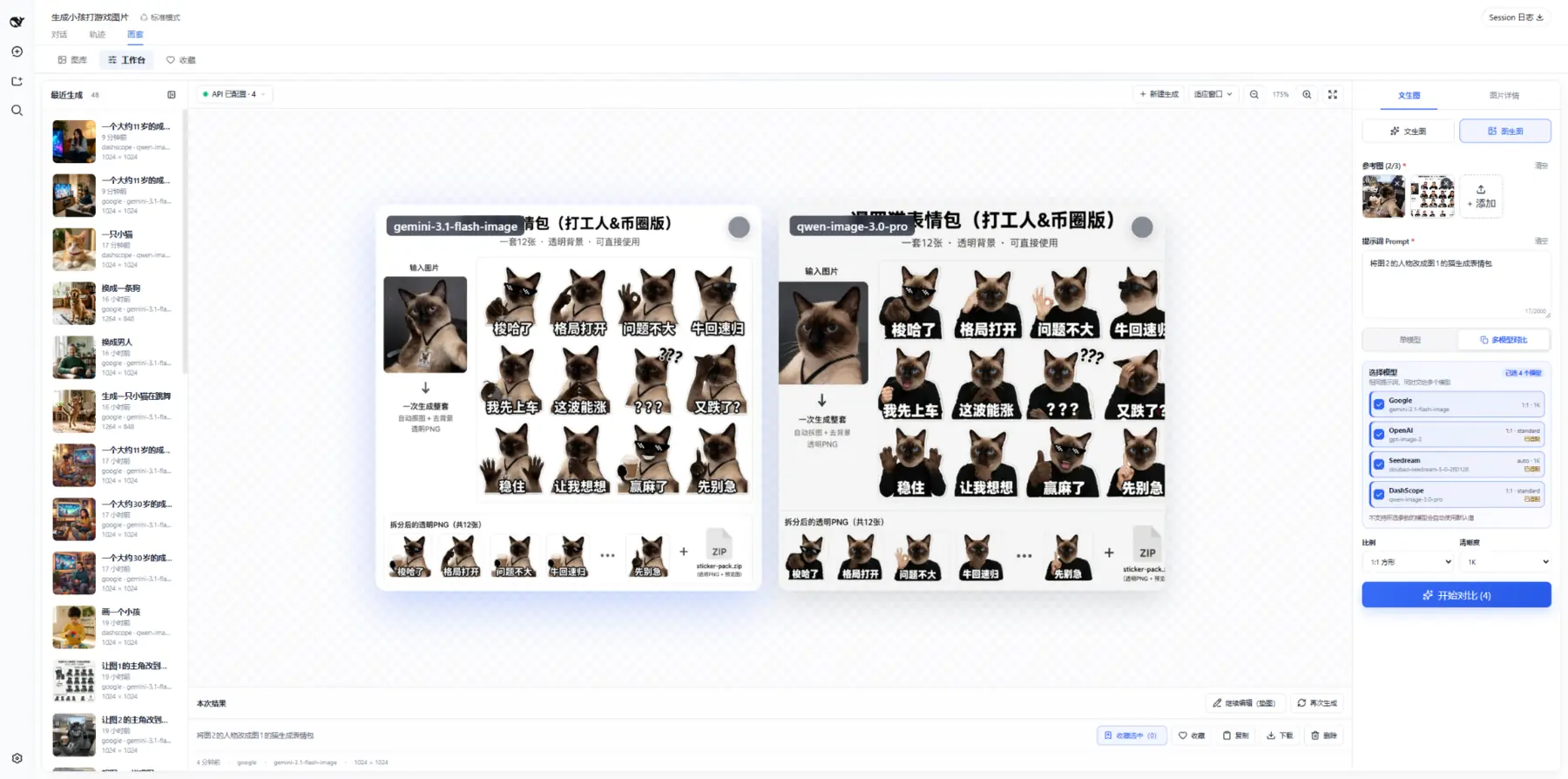
Browse and filter over 500 curated prompt examples, favorite or copy any of them, and send one straight into Studio. Images in this library are cached locally, so browsing or copying doesn't cost tokens or generation quota.How does multi-model comparison work?The same prompt and reference images are sent to several configured providers at once, and the results land side by side on one canvas so you can compare and save only the ones you like.
The same prompt and reference images are sent to several configured providers at once, and the results land side by side on one canvas so you can compare and save only the ones you like.Where do my generated images actually get saved?With workspace saving on, chat-generated images land in a dsh-image-gen/ folder inside the current workspace. Studio keeps candidates on a temporary canvas and only moves the ones you explicitly pick into the gallery.
With workspace saving on, chat-generated images land in a dsh-image-gen/ folder inside the current workspace. Studio keeps candidates on a temporary canvas and only moves the ones you explicitly pick into the gallery.What can the local ComfyUI integration do?You can import and name multiple ComfyUI API workflows with preset prompts and placeholders, and the Agent picks the right one by name to run text-to-image or single-image editing on your own GPU — it just isn't hooked into Studio or multi-model comparison yet.
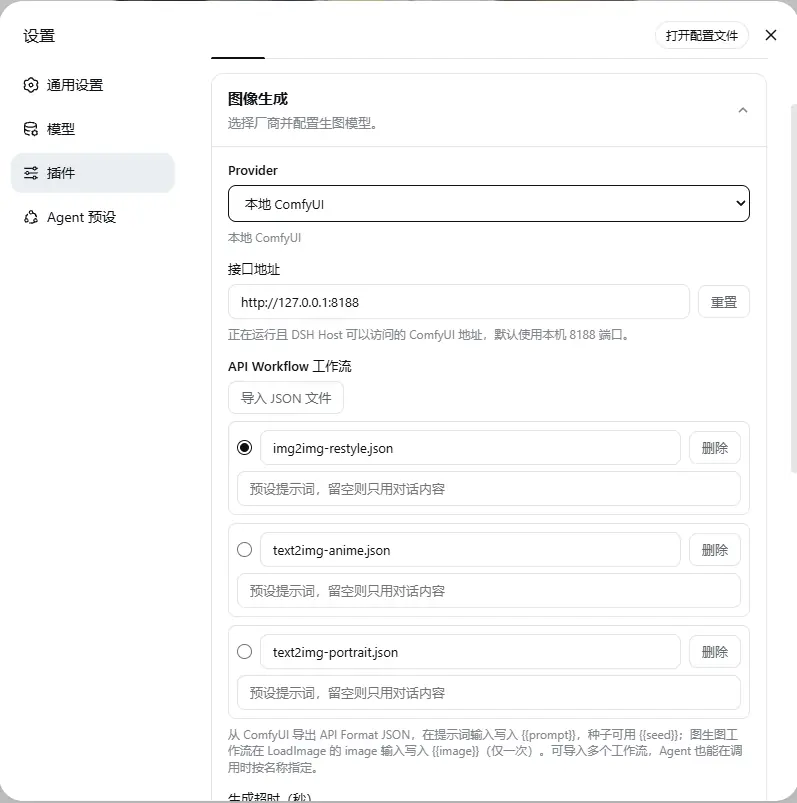
You can import and name multiple ComfyUI API workflows with preset prompts and placeholders, and the Agent picks the right one by name to run text-to-image or single-image editing on your own GPU — it just isn't hooked into Studio or multi-model comparison yet.What are similar projects?GPT-Image2-Skill, mixdog, magpie, shuohao-skills, open-design, awesome-gpt-image-2-5-prompts, open-codesign, PocketMen-with-you
GPT-Image2-Skill, mixdog, magpie, shuohao-skills, open-design, awesome-gpt-image-2-5-prompts, open-codesign, PocketMen-with-youWhich topics is it in?qwen-image, gpt-image, gpt-image-2, prompt-library, glm, comfyui, byok, local-ai, image-editing, grok, dsh-plugin, deepseek-harness
qwen-image, gpt-image, gpt-image-2, prompt-library, glm, comfyui, byok, local-ai, image-editing, grok, dsh-plugin, deepseek-harness