


Что это?
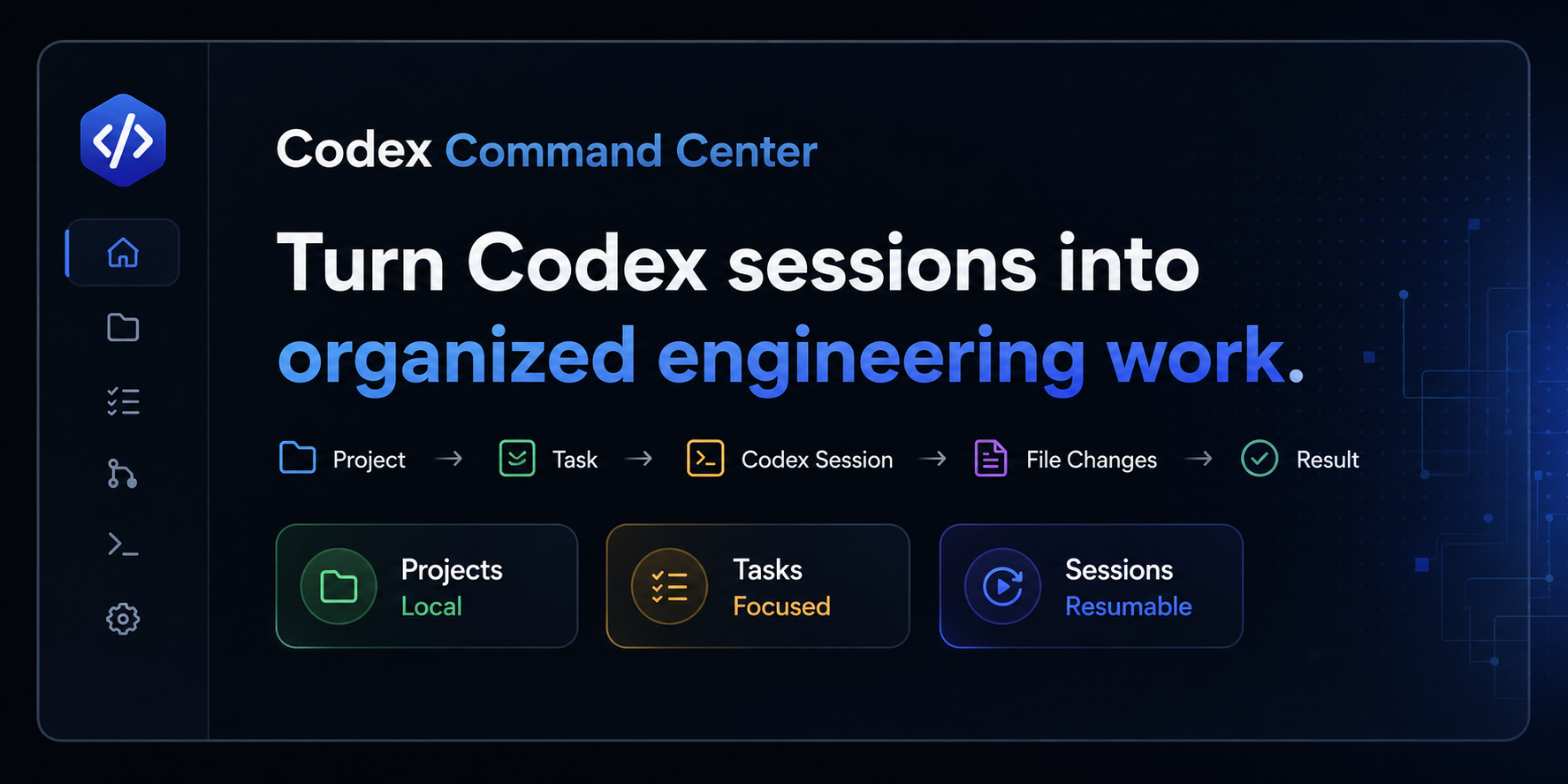
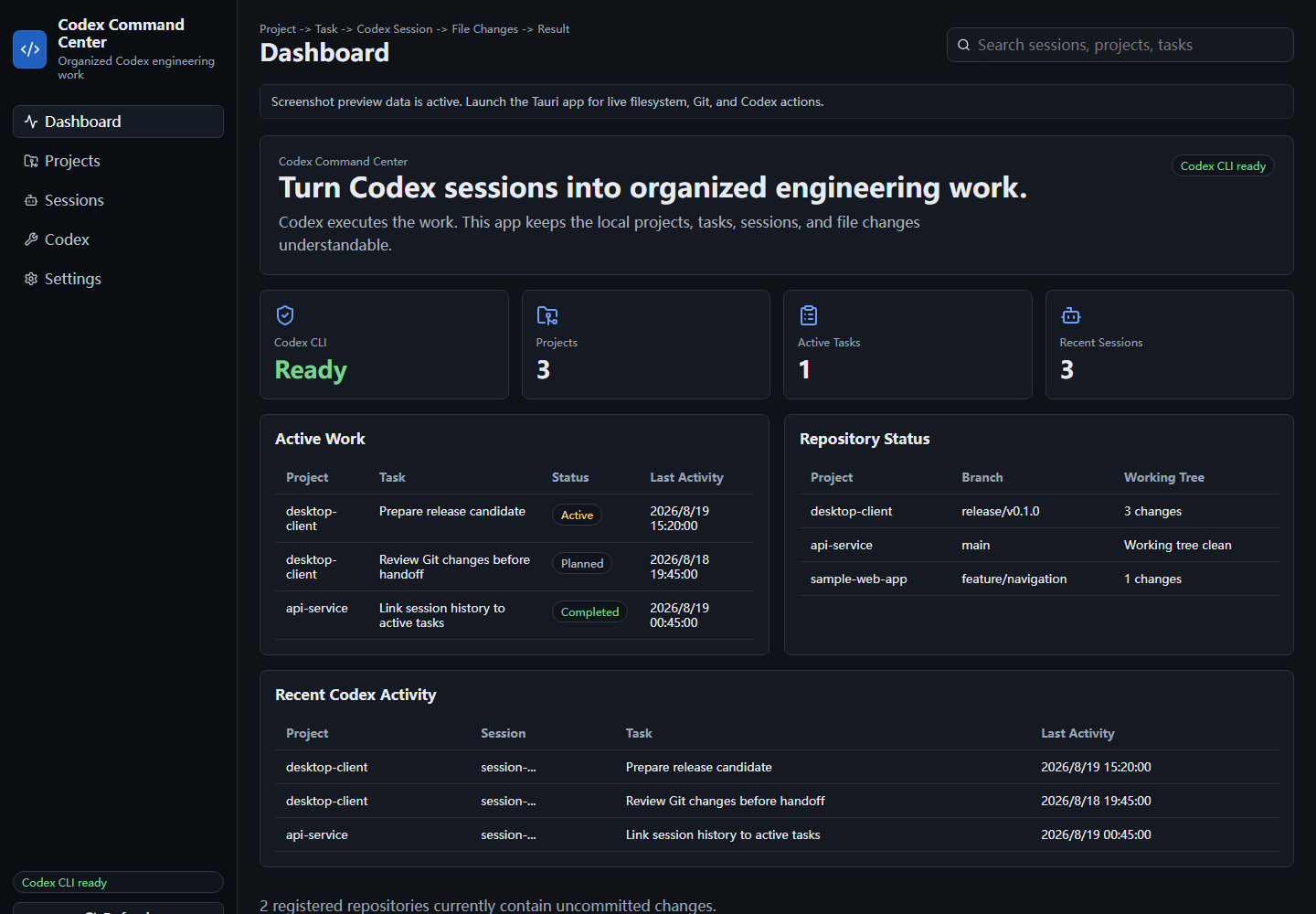
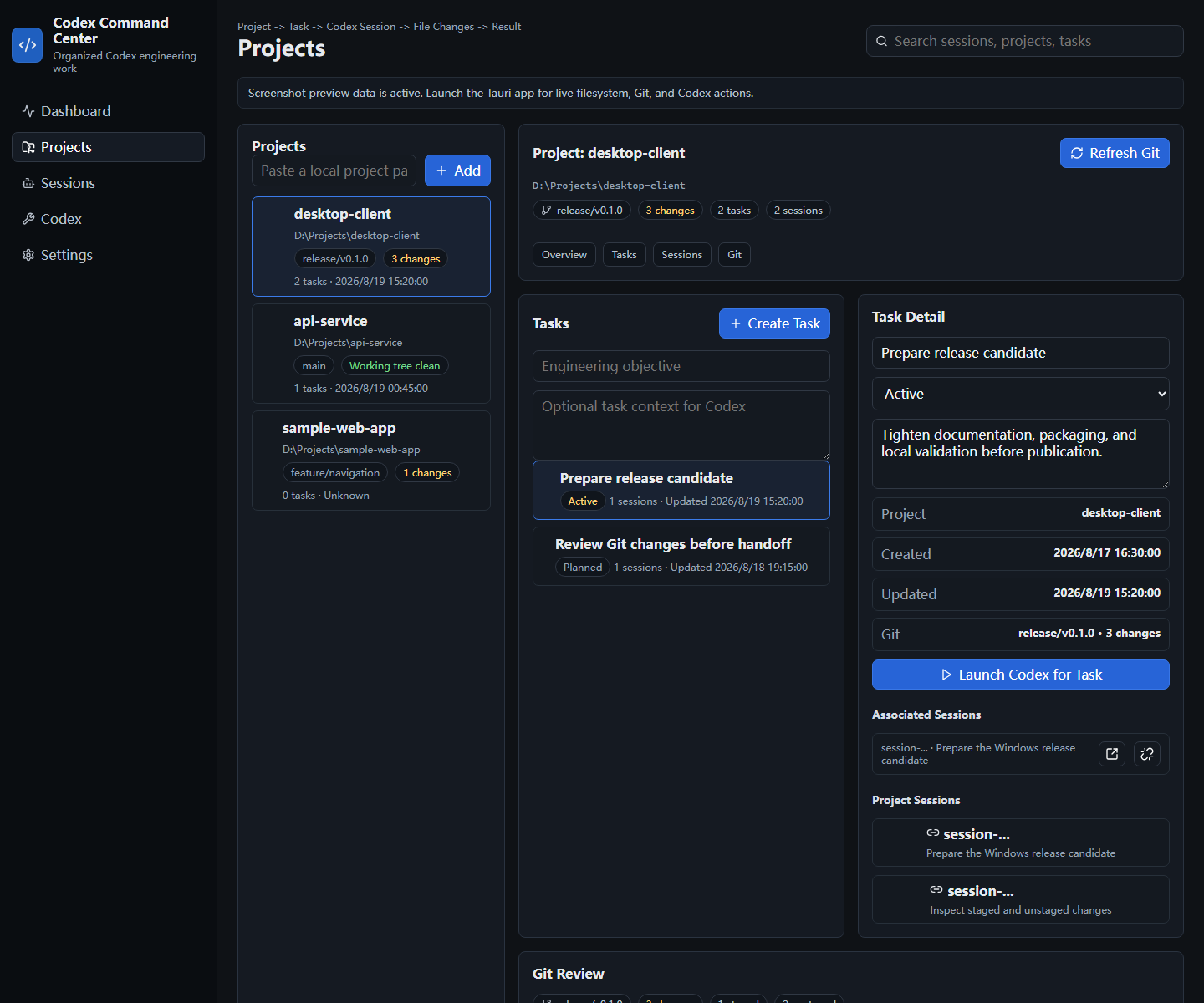
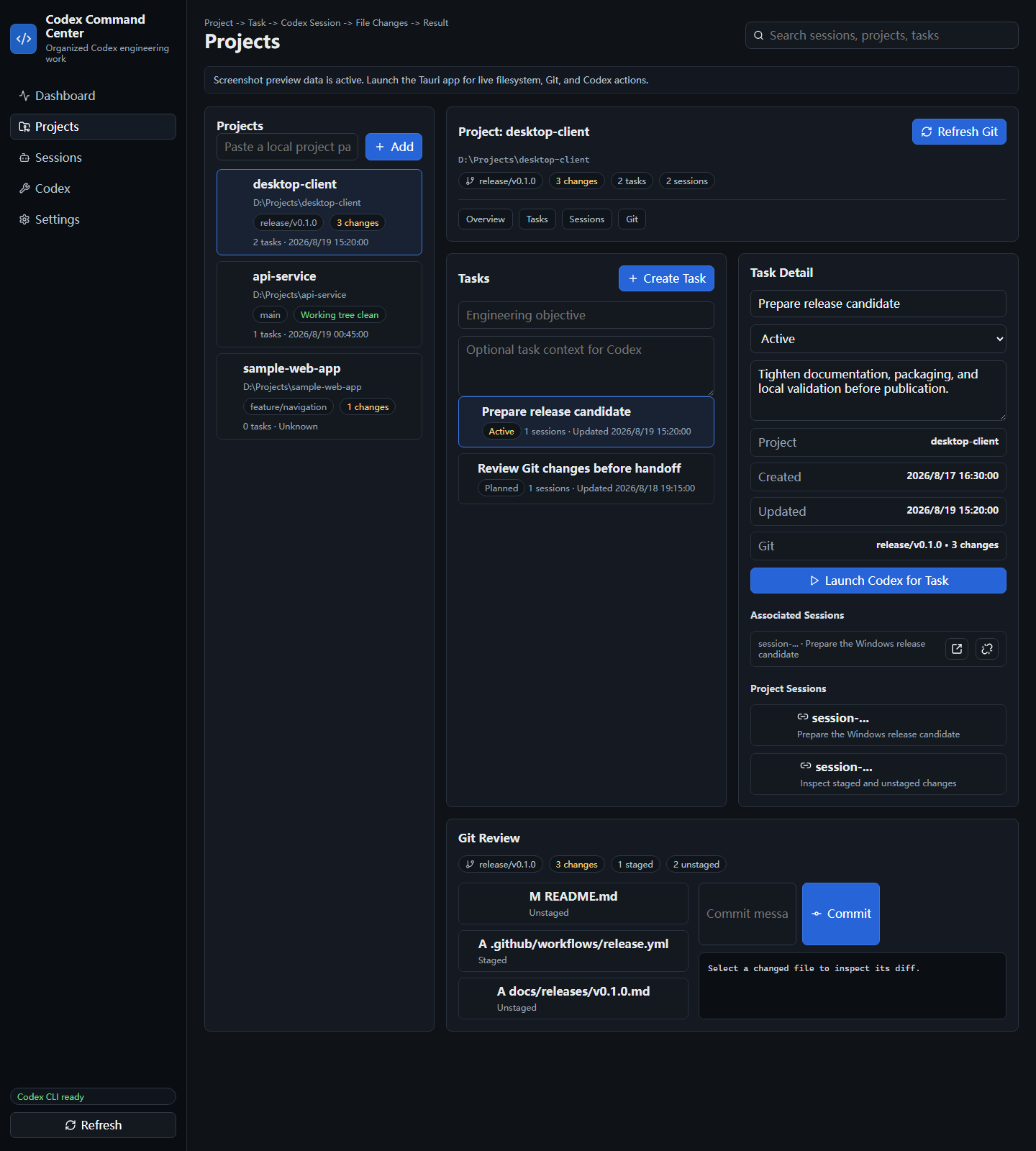
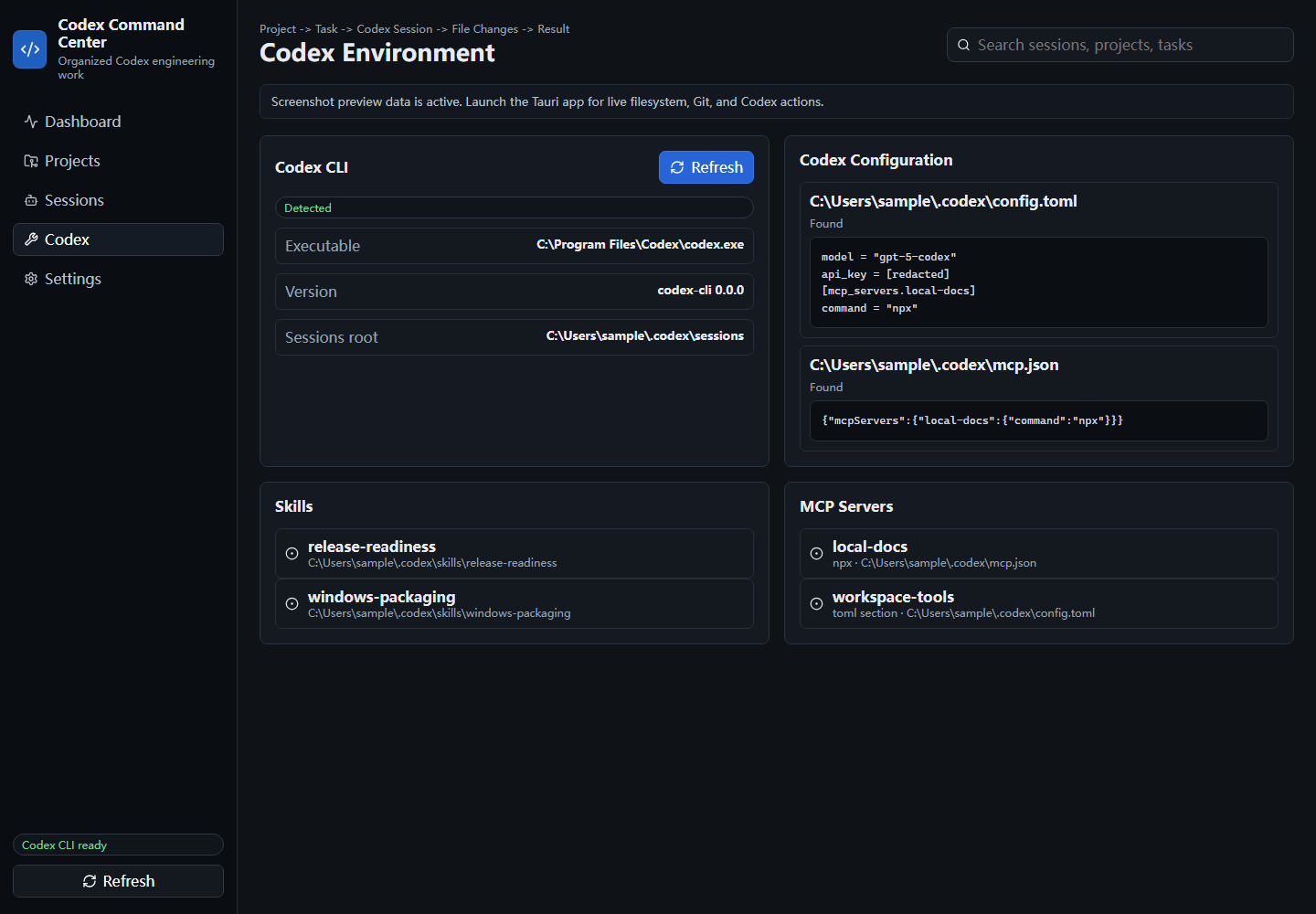
 Codex Command Center — десктопное рабочее пространство с приоритетом Windows и локальных данных, организующее инженерную работу на базе Codex: проекты, задачи, сессии Codex, изменения Git, Skills и конфигурацию MCP — всё в одном месте.
Codex Command Center — десктопное рабочее пространство с приоритетом Windows и локальных данных, организующее инженерную работу на базе Codex: проекты, задачи, сессии Codex, изменения Git, Skills и конфигурацию MCP — всё в одном месте.Это полноценная IDE или нечто полегче?Это сфокусированный организационный слой, а не IDE, терминал, чат-клиент или замена Git GUI. Он связывается с вашим локальным Codex CLI и Git, а не заменяет их.
Это сфокусированный организационный слой, а не IDE, терминал, чат-клиент или замена Git GUI. Он связывается с вашим локальным Codex CLI и Git, а не заменяет их.Как его установить и запустить?Скачайте Windows-бинарник с GitHub Releases: NSIS-установщик (рекомендуется), MSI-установщик или автономный исполняемый файл, работающий без установки. Учтите, что текущие бинарники релизов не подписаны.
Скачайте Windows-бинарник с GitHub Releases: NSIS-установщик (рекомендуется), MSI-установщик или автономный исполняемый файл, работающий без установки. Учтите, что текущие бинарники релизов не подписаны.Что нужно на моей машине для его работы?Нужны Git в PATH для проверки Git и Codex CLI в PATH, чтобы запускать и возобновлять сессии. Для сборки из исходников дополнительно требуются Node.js 24, а также Rust и Cargo.
Нужны Git в PATH для проверки Git и Codex CLI в PATH, чтобы запускать и возобновлять сессии. Для сборки из исходников дополнительно требуются Node.js 24, а также Rust и Cargo.Есть ли подводные камни при установке, о которых стоит знать?Бинарники релизов для Windows сейчас не подписаны, поэтому при установке могут появляться предупреждения безопасности. Основная поддерживаемая платформа — Windows 11, другие ОС официально не охвачены.
Бинарники релизов для Windows сейчас не подписаны, поэтому при установке могут появляться предупреждения безопасности. Основная поддерживаемая платформа — Windows 11, другие ОС официально не охвачены.Отправляет ли он мой код или сессии Codex куда-либо?Нет. Всё хранится локально, исходный код, сессии и диффы не выгружаются, а всё, что похоже на ключ, токен или секрет, скрывается в предпросмотрах конфигурации.
Нет. Всё хранится локально, исходный код, сессии и диффы не выгружаются, а всё, что похоже на ключ, токен или секрет, скрывается в предпросмотрах конфигурации.Что именно позволяет делать функция проверки Git?Она показывает состояние ветки, индексированные и неиндексированные файлы и диффы по каждому файлу, а также позволяет индексировать, снимать с индекса и коммитить изменения прямо из приложения.
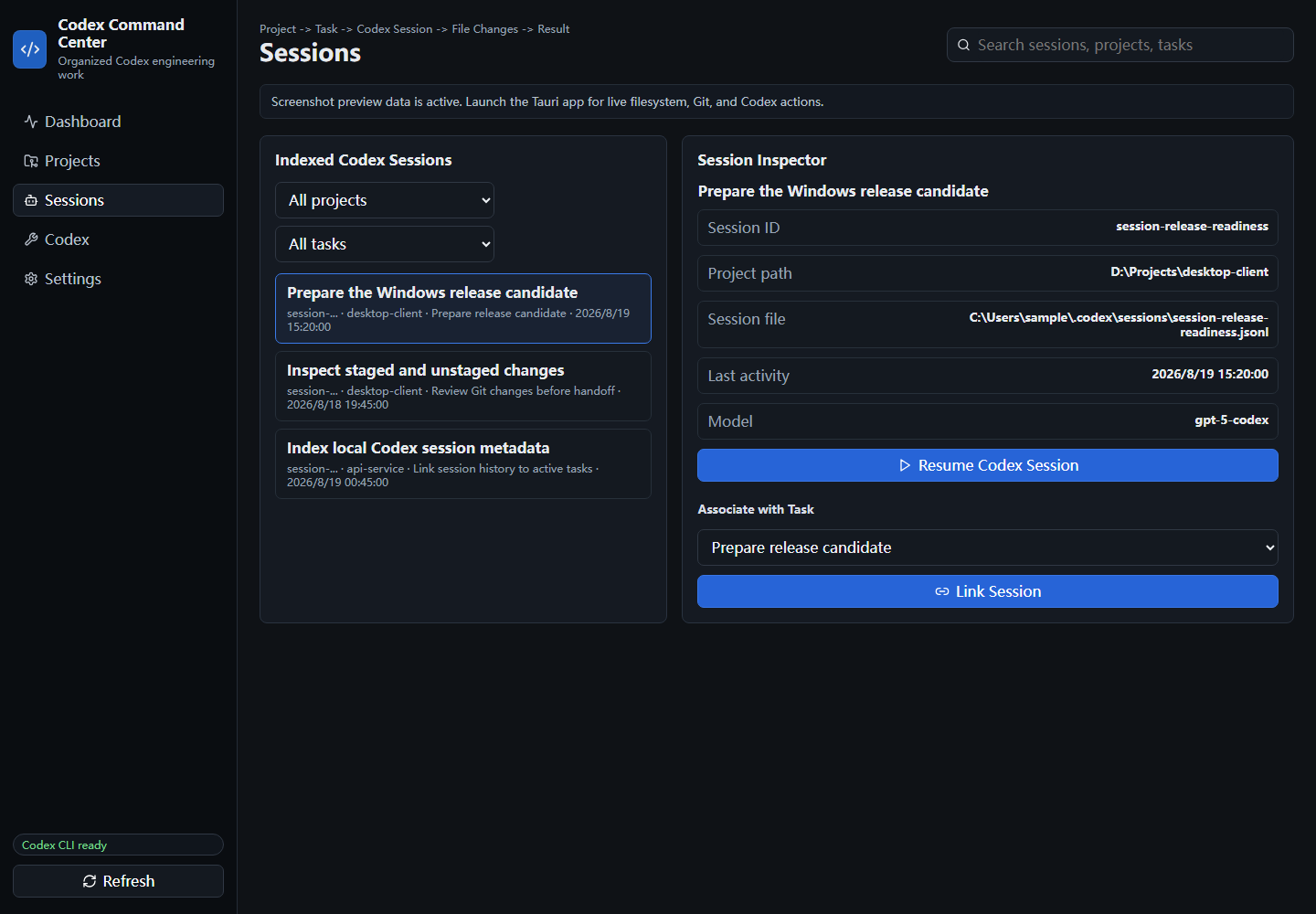
Она показывает состояние ветки, индексированные и неиндексированные файлы и диффы по каждому файлу, а также позволяет индексировать, снимать с индекса и коммитить изменения прямо из приложения.Как он находит мои сессии Codex, не ломая их?Он индексирует метаданные локальных сессий Codex в режиме только чтения, так что сессии можно привязывать к задачам и возобновлять их через Codex CLI, не изменяя исходные файлы сессий.
Он индексирует метаданные локальных сессий Codex в режиме только чтения, так что сессии можно привязывать к задачам и возобновлять их через Codex CLI, не изменяя исходные файлы сессий.Это написано с нуля?Нет, он развился из открытого проекта CodMate автора Loocor и существенно переработан в инструмент с приоритетом Windows и центром на Codex; указание авторства Apache-2.0 сохранено.
Нет, он развился из открытого проекта CodMate автора Loocor и существенно переработан в инструмент с приоритетом Windows и центром на Codex; указание авторства Apache-2.0 сохранено.Где приложение хранит свои данные?В виде локального JSON в локальном каталоге данных приложений пользователя; зарегистрированные проекты хранятся только как ссылки на пути, а не копии исходного кода.
В виде локального JSON в локальном каталоге данных приложений пользователя; зарегистрированные проекты хранятся только как ссылки на пути, а не копии исходного кода.What are similar projects?casbin-gateway, atlas, Codex-X, ai-manager, desktop-cc-gui, CodexMonitor, 1code, codex-provider-sync
casbin-gateway, atlas, Codex-X, ai-manager, desktop-cc-gui, CodexMonitor, 1code, codex-provider-syncWhich topics is it in?openai-codex, codex-cli, codex-skill, ai-coding, tauri, coding-agents, git, local-first, coding-agent, desktop, openai, rust
openai-codex, codex-cli, codex-skill, ai-coding, tauri, coding-agents, git, local-first, coding-agent, desktop, openai, rust