Firmware for the M5Stack PaperMono
e-paper device. It turns the device into a household shopping list that lives on
the fridge and stays in sync with a phone web app.
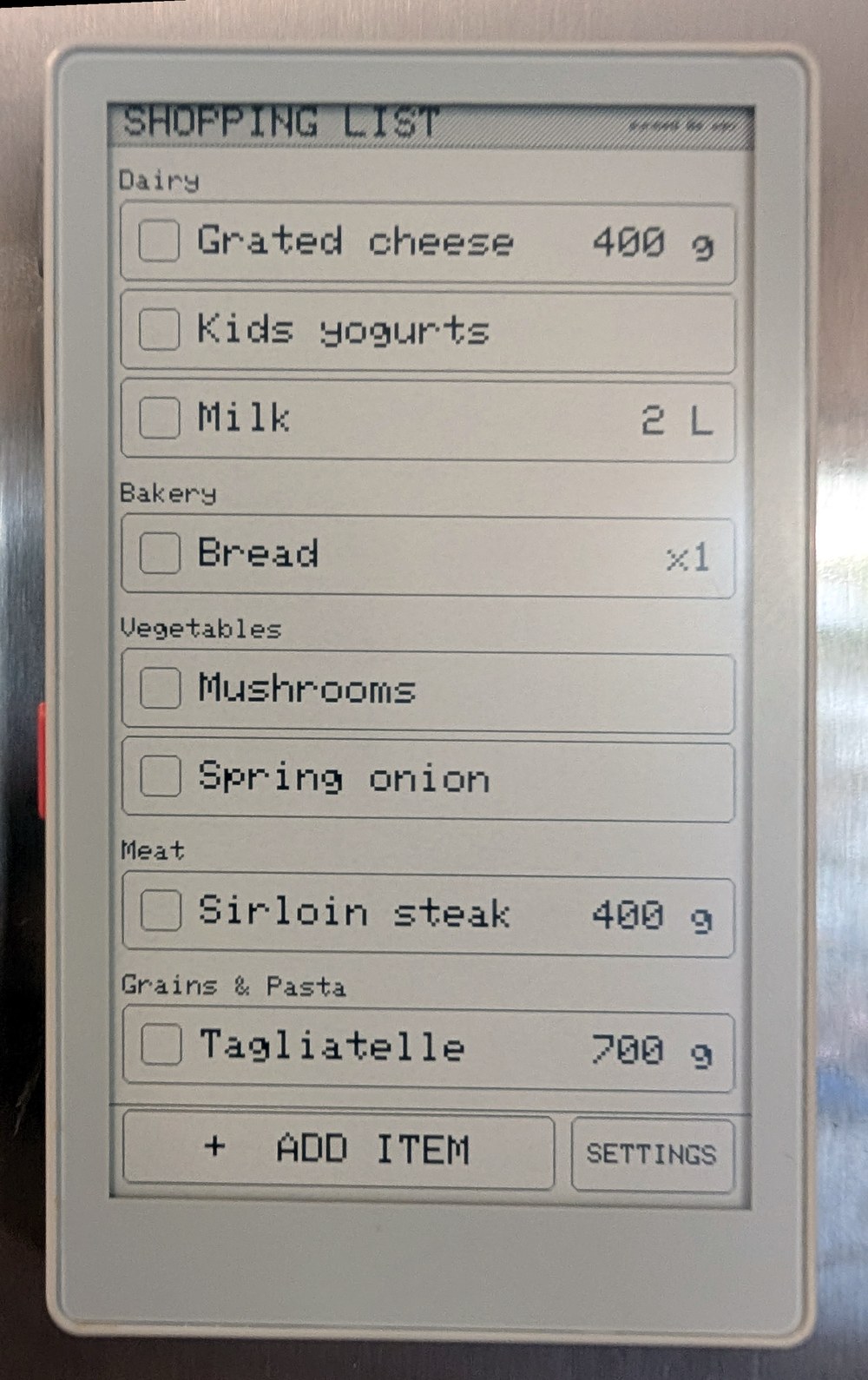
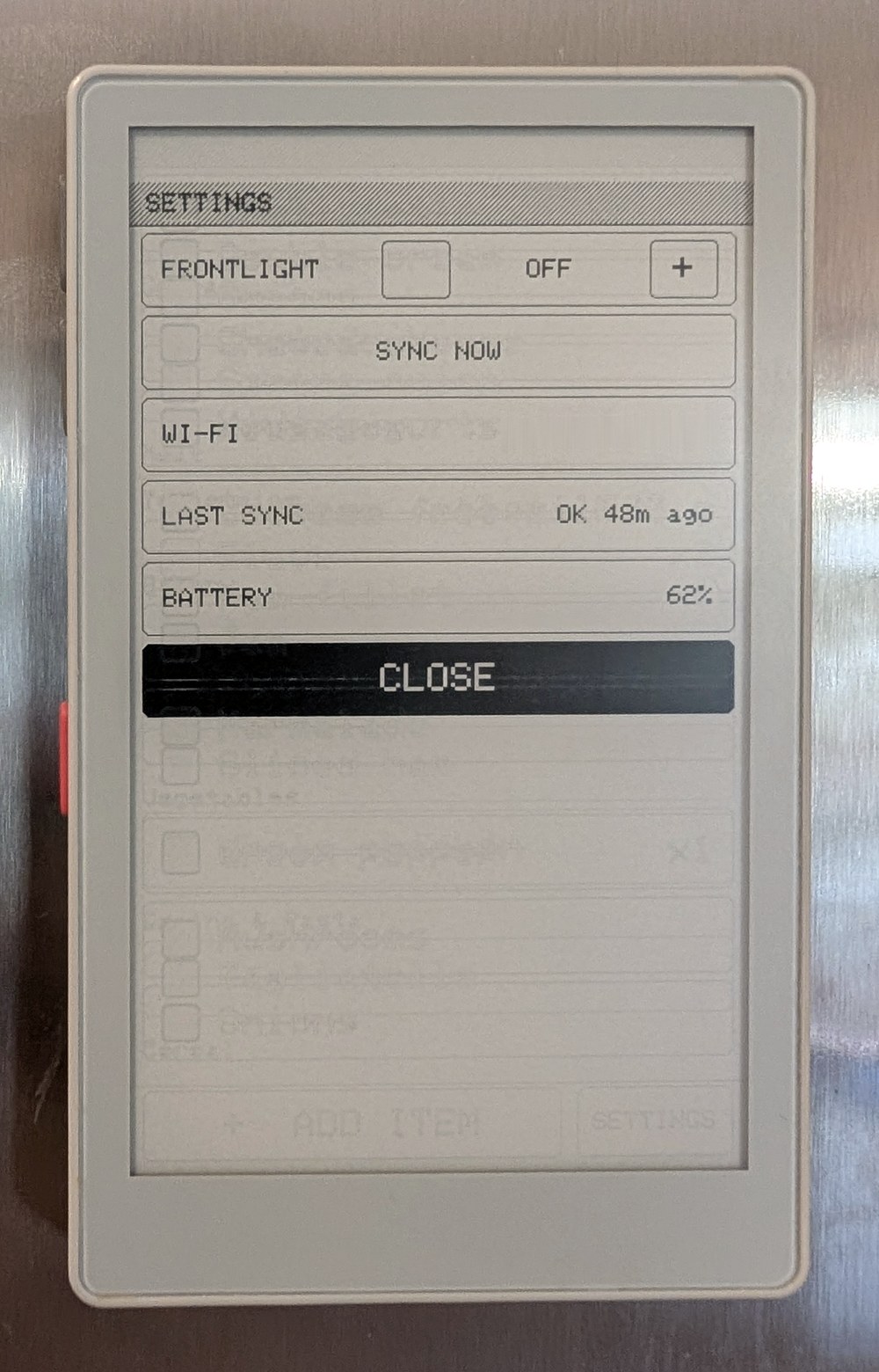
The PaperMono is an ESP32-S3 with a 3.97" 480×800 e-paper touchscreen. This
project is a complete, working app for it that's small enough to read: about
2,400 lines of C++. You can use it as a shopping list, or as a starting point
for your own PaperMono firmware.
What it shows on the PaperMono
- E-paper refreshes handled properly. Taps, scrolling and typing use fast
partial updates with no flash. A full refresh is forced after every 10
partial updates to keep ghosting down and protect the panel. Greys are drawn
as 1-bit dot patterns, so they look the same under both refresh modes.
- A usable touch UI on e-paper. Tap, swipe and the side buttons all work.
There's an on-screen keyboard that only redraws the parts that change as you
type, and it suggests items you've added before.
- Low-power networking. Wi-Fi is on only while syncing: every hour, sooner
if you tap the screen and the last sync is more than 5 minutes stale, and
straight after an edit. Everything else works offline, and edits are queued
on flash until the next sync.
- Tidy power handling. Power-button shutdown, with a deep-sleep fallback for
when USB power stops the power IC switching off. The device turns itself off
at a safe battery voltage. The frontlight is off by default.
- Documented bring-up. The power IC, IO expander, panel and touch controller
are brought up in a known-good order.
docs/hardware.md has the pin map, I²C addresses and the
quirks found along the way.
How it works
The device shows the list grouped by aisle, in the order you walk the shop. Tap
an item to tick it off, or add one with the on-screen keyboard. Everyone else
adds things from their phone.
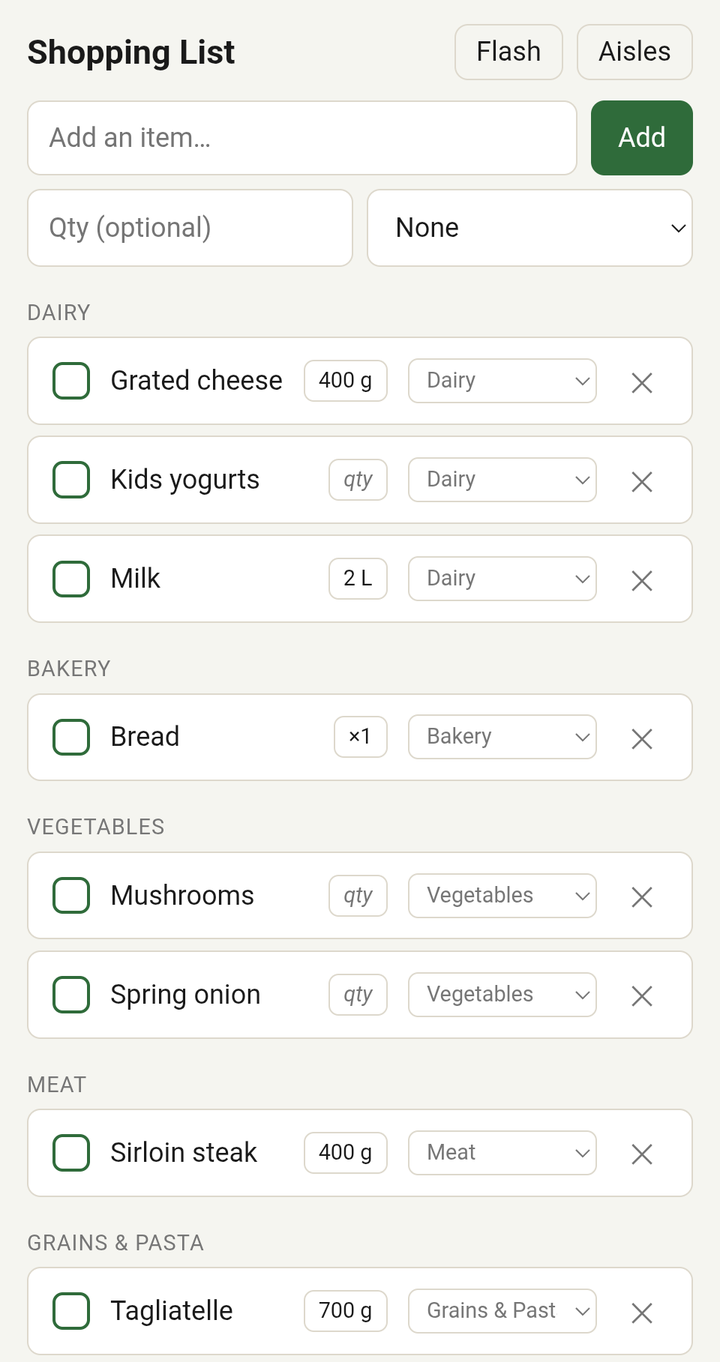
A small server in between stores the list. It remembers which aisle every item
belongs to and can optionally sort brand-new items into the right aisle with
Claude.
flowchart LR
    device["PaperMono<br/>(firmware/)"] -- "Wi-Fi, hourly or on tap<br/>and after each edit" --> server
    phone["Phone browser"] -- HTTP --> server
    subgraph server["Server (server/)"]
        api["FastAPI + SQLite"]
        web["Web UI"]
    end
    api -. "new item names only" .-> claude["Claude Code CLI<br/>(optional)"]
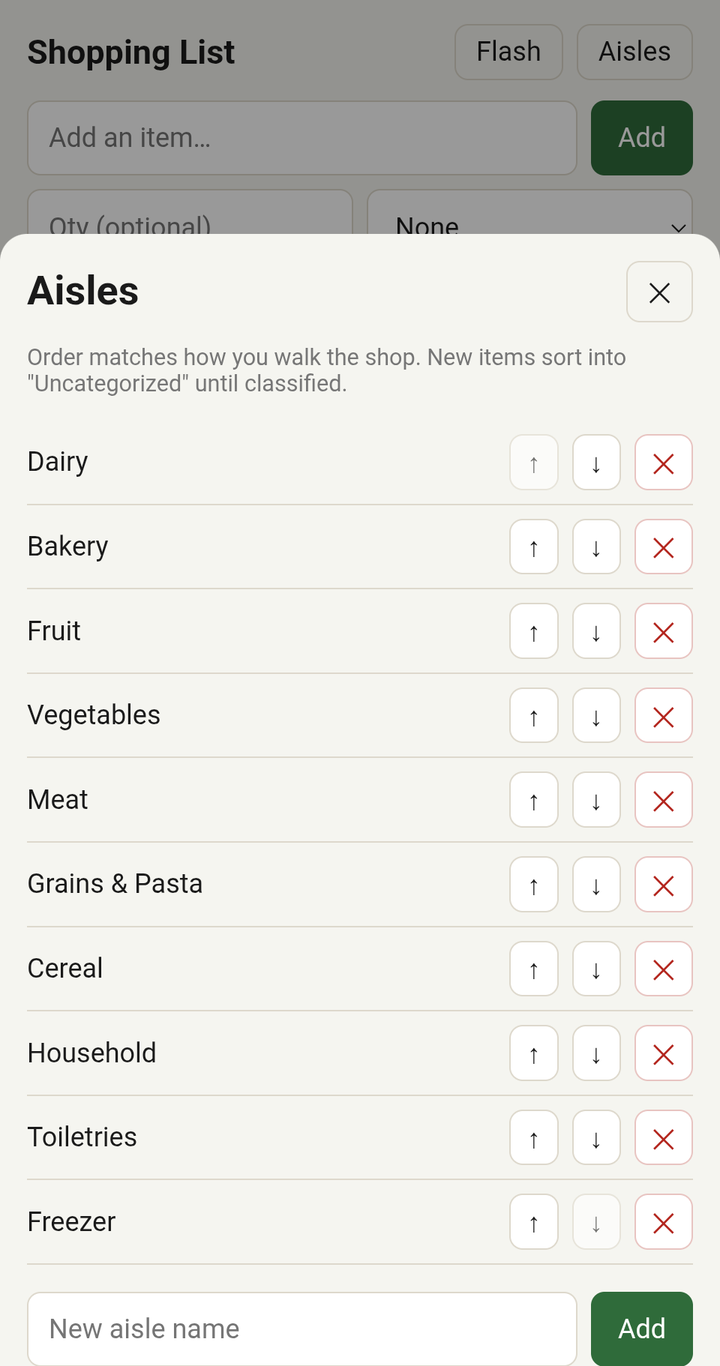
- Grouped by aisle, in walking order. You set the aisle order once from the
phone, and both screens follow it.
- Works offline. The list, suggestions, ticking off and adding all work
without a connection, including in a shop with no signal.
- Remembers your items. Every name you've added goes into a catalog that
drives suggestions on both the device and the phone.
- Optional auto-sorting. The first time the server sees a name, it can send
it to Claude to file it under an aisle. If you move an item to a different
aisle by hand, that correction sticks.
Repository layout
firmware/   PlatformIO project for the PaperMono (C++ / Arduino)
server/     FastAPI server, SQLite store, phone web UI, tests
docs/       Hardware notes, architecture, API, build and deploy guides, design notes
Quick start
1. Run the server
cd server
python3 -m venv .venv && .venv/bin/pip install -e .
SHOPPING_LIST_CLASSIFIER=none .venv/bin/uvicorn shopping_list.main:app --host 0.0.0.0 --port 8000
Open http://<server-ip>:8000/ on your phone, tap Aisles, and add your shop's
aisles in the order you walk them. See docs/server.md for
systemd and Docker deployment and for turning on auto-sorting.
2. Build and flash the firmware
You need PlatformIO and a PaperMono connected over USB-C.
cd firmware
cp src/secrets.example.h src/secrets.h   # set Wi-Fi SSID/password and the server URL
pio run -t upload
Back up your device's flash before the first flash. It holds that unit's
factory calibration data. docs/firmware.md covers the backup,
download mode and flashing from a browser.
Documentation
| Doc |
What's in it |
| Hardware notes |
Pin map, I²C devices, bring-up sequence, display, touch and power details; reusing the drivers |
| Firmware |
Building, configuring, flashing and recovering the device; using it; troubleshooting |
| Architecture |
Components, data model, the sync protocol, offline behaviour, display refresh policy |
| Server |
Running and deploying the server, configuration, auto-sorting, security |
| HTTP API |
Every endpoint, request and response |
| Design notes |
Where the firmware came from, decisions and trade-offs, known limitations |
Status
A personal project, running on one device at home. It works, but it isn't a
product. There's no on-device Wi-Fi setup (credentials are compiled in), no
authentication on the server (keep it on your LAN or behind an authenticating
reverse proxy), and only the PaperMono C153 has been tested. See
known limitations.
Author
Built by Seamus Cawley, who builds Bronto, the logging and
observability platform, by day.
Credits
The firmware's board support, e-paper and touch drivers, keyboard layout and
widget style are adapted from MonoMesh by
andrecolz, an independent Meshtastic-compatible firmware for the same hardware.
docs/design-notes.md lists exactly what was
reused.
License
GNU General Public License v3.0, the same license as MonoMesh, which
parts of the firmware derive from.

 一套固件和配套服务器,把 M5Stack PaperMono 电子墨水屏设备变成贴在冰箱上的家庭购物清单,并与手机网页应用保持同步。