


rowboat README

The project's README from github.com/rowboatlabs/rowboat. As one markdown file: README.md.

rowboat-github-2

Rowboat

A desktop AI coworker with a memory of your work and built-in surfaces to act on it.

rowboatlabs/rowboat | Trendshift

Website Discord Twitter Y Combinator

简体中文 · 日本語 · 한국어 · Español · Français · Português

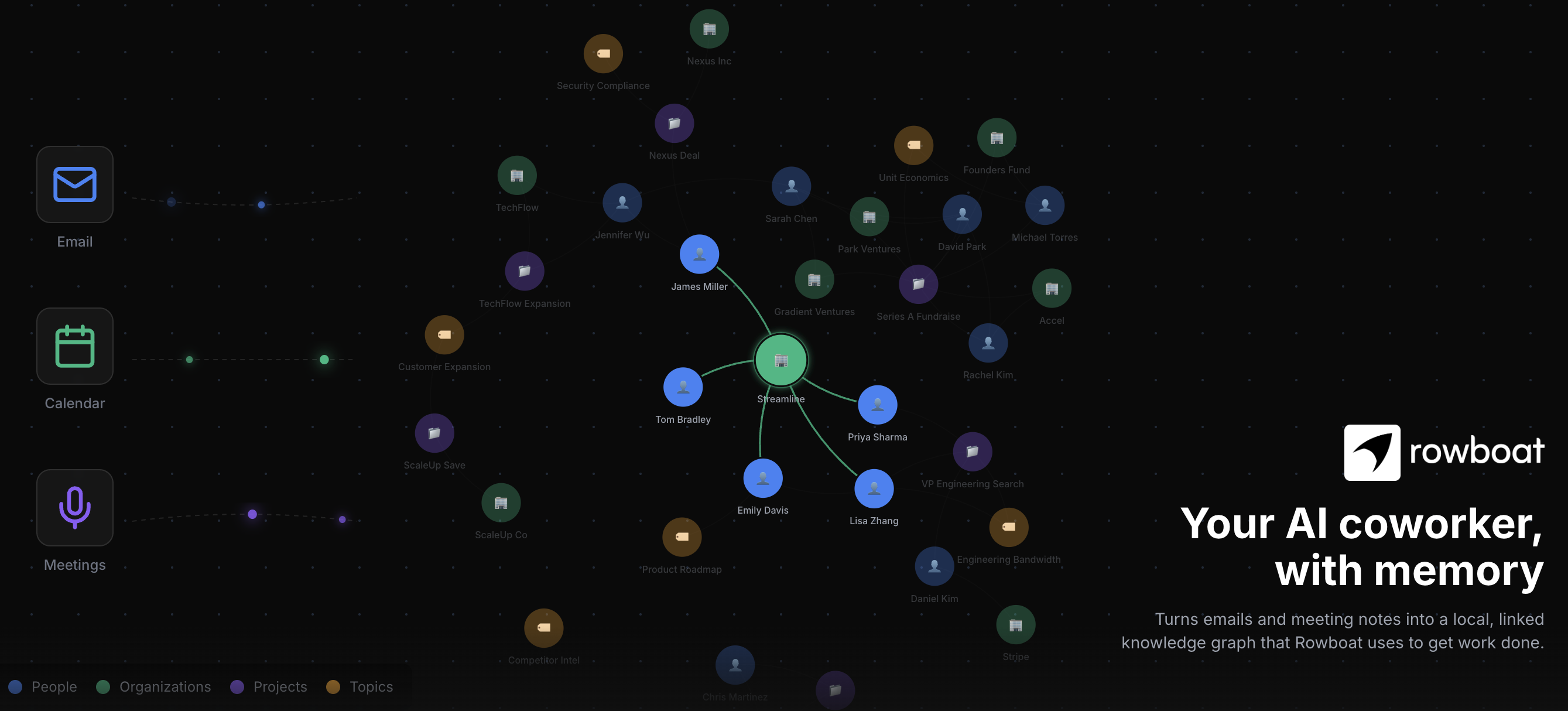
Rowboat indexes your work into a living knowledge graph and uses that to get work done on your machine. It includes work surfaces for collaborating with AI: email client, notes, browser, code mode, meeting note taker, and workspaces for different projects.

Download latest for Mac/Windows/Linux: Download

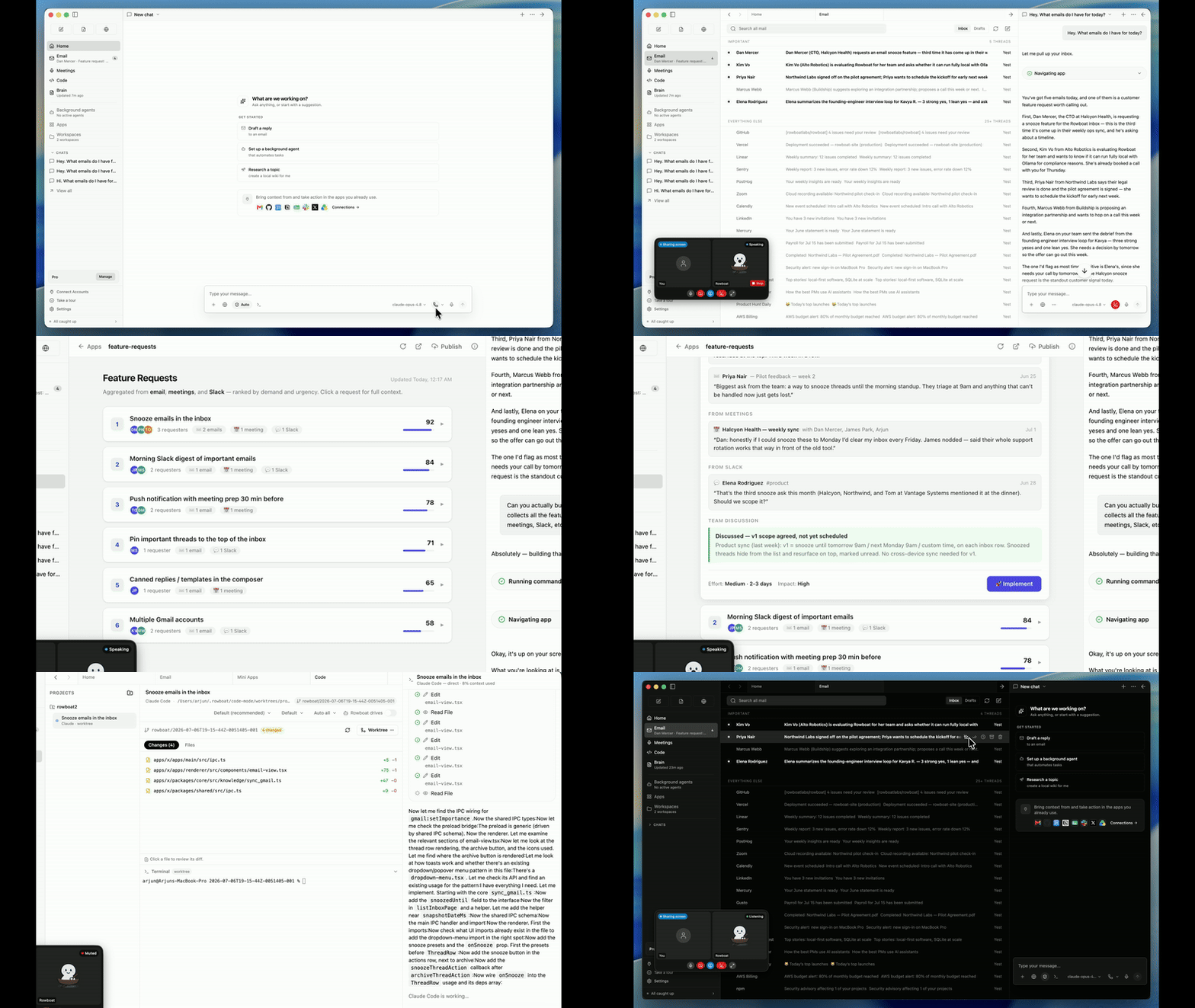
Rowboat Apps to Code demo

Demo - apps to code · Demo - knowledge graph

⭐ If you find Rowboat useful, please star the repo. It helps more people find it.


Overview

Brain

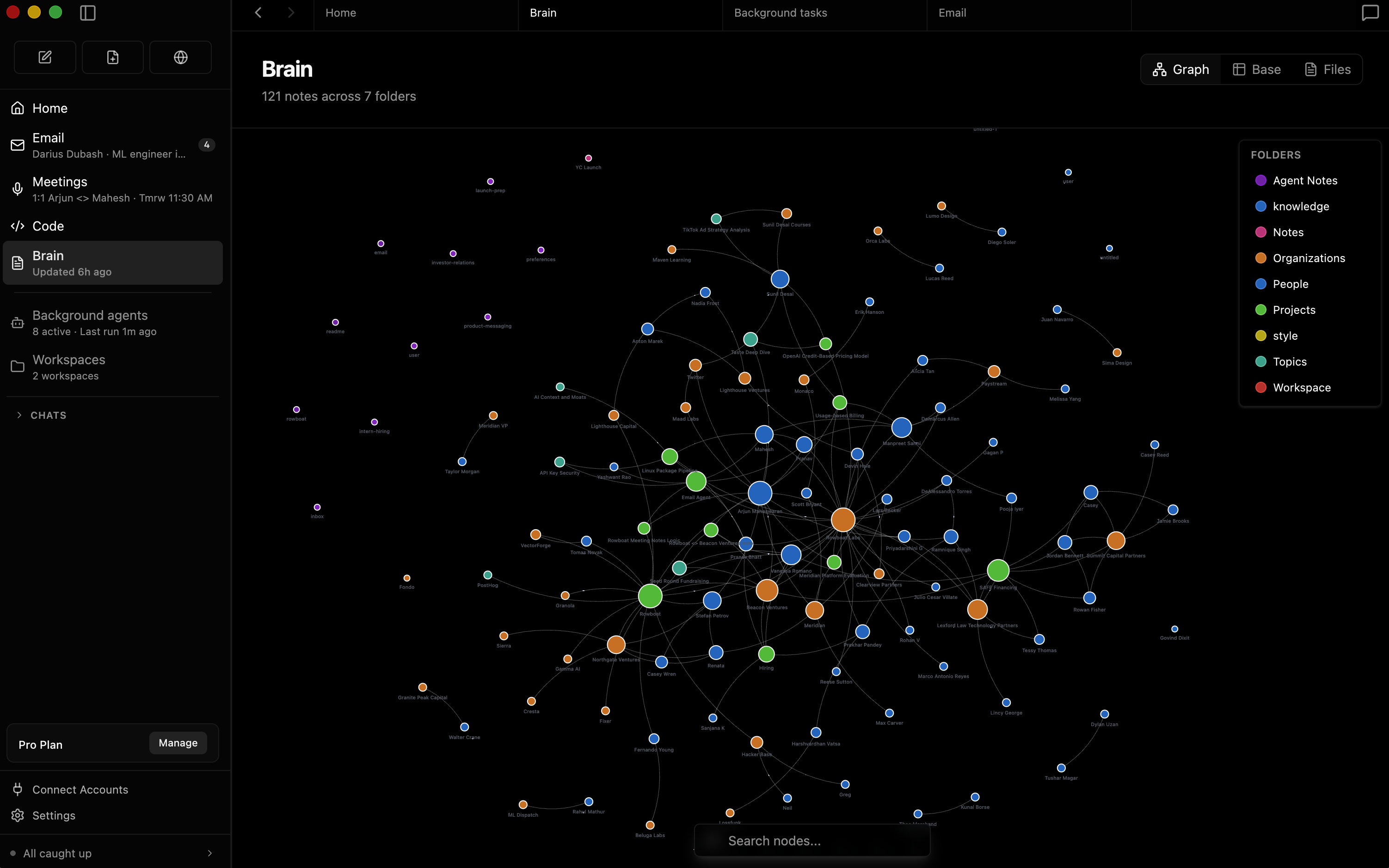
Rowboat indexes email, meetings, slack and assistant conversations into a living Obsidian-style backlinked knowledge graph.
Brain graph screenshot

Email

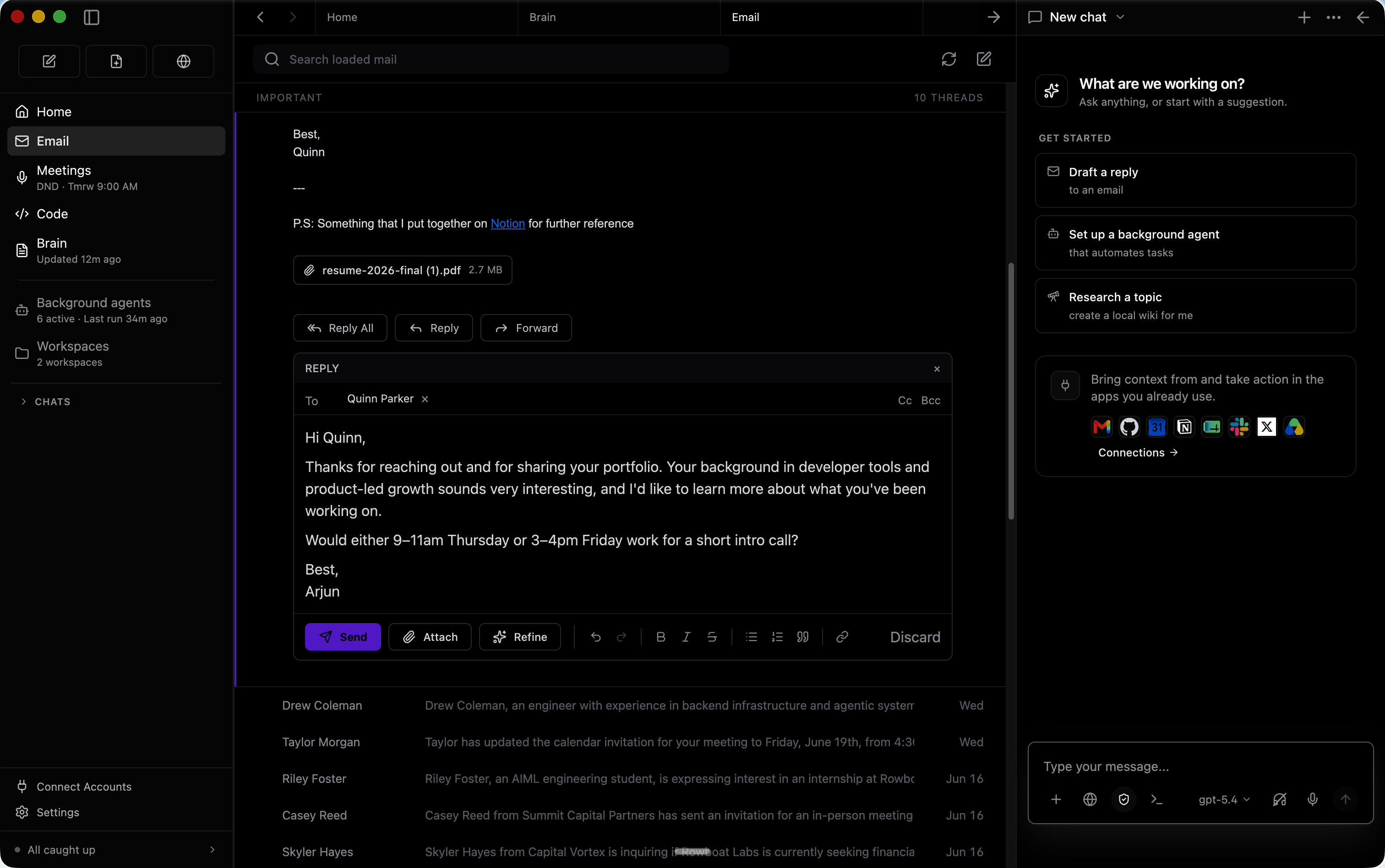
The built-in email client sorts emails into important and everything else. Rowboat automatically drafts responses for important email using all the work context.
Email screenshot

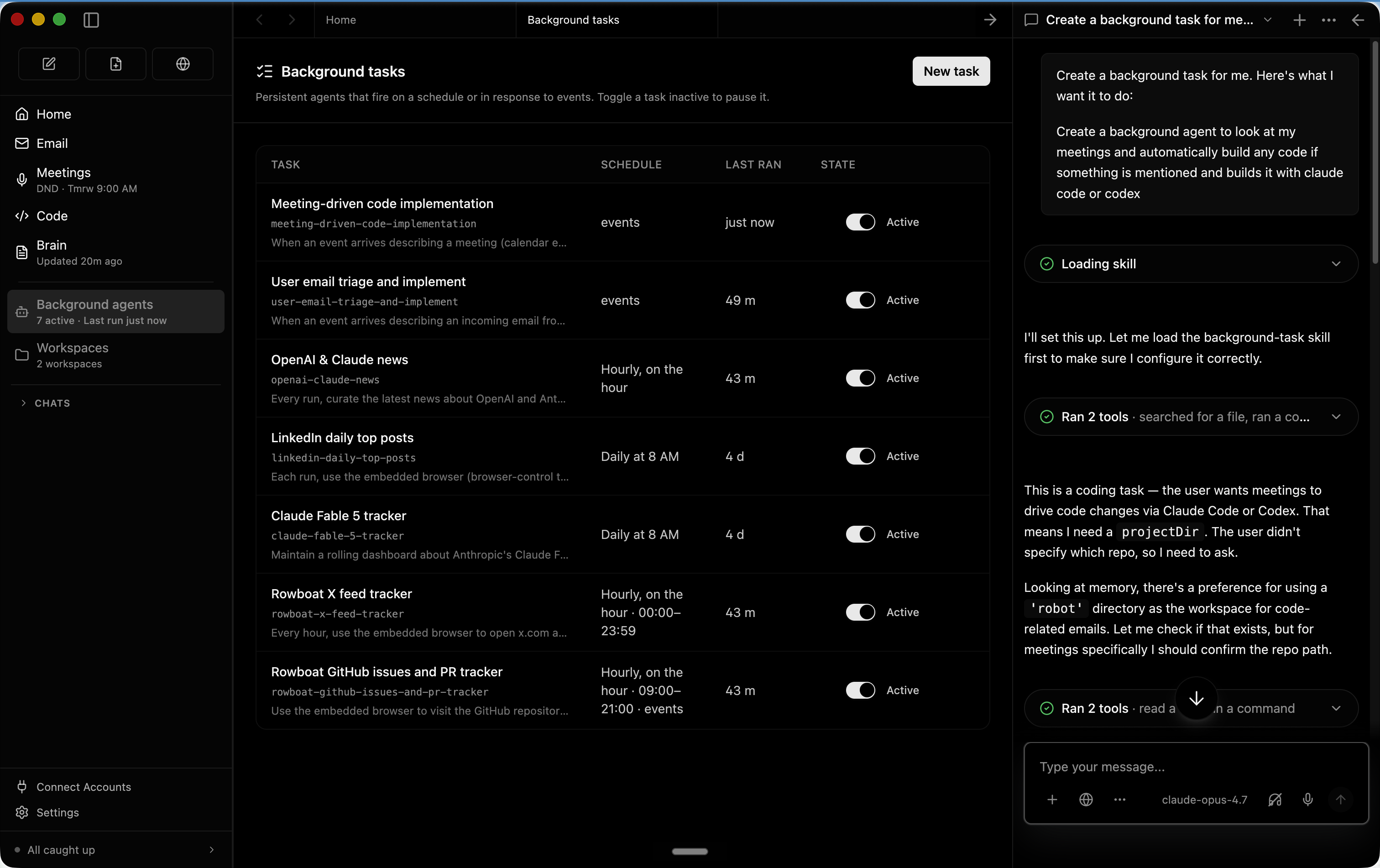
Background agents

You can set up background agents that run on events like new email or on schedule like every day at 8am. They can connect to tools, search the web, use the browser and write code using Claude Code or Codex.
Background agents screenshot

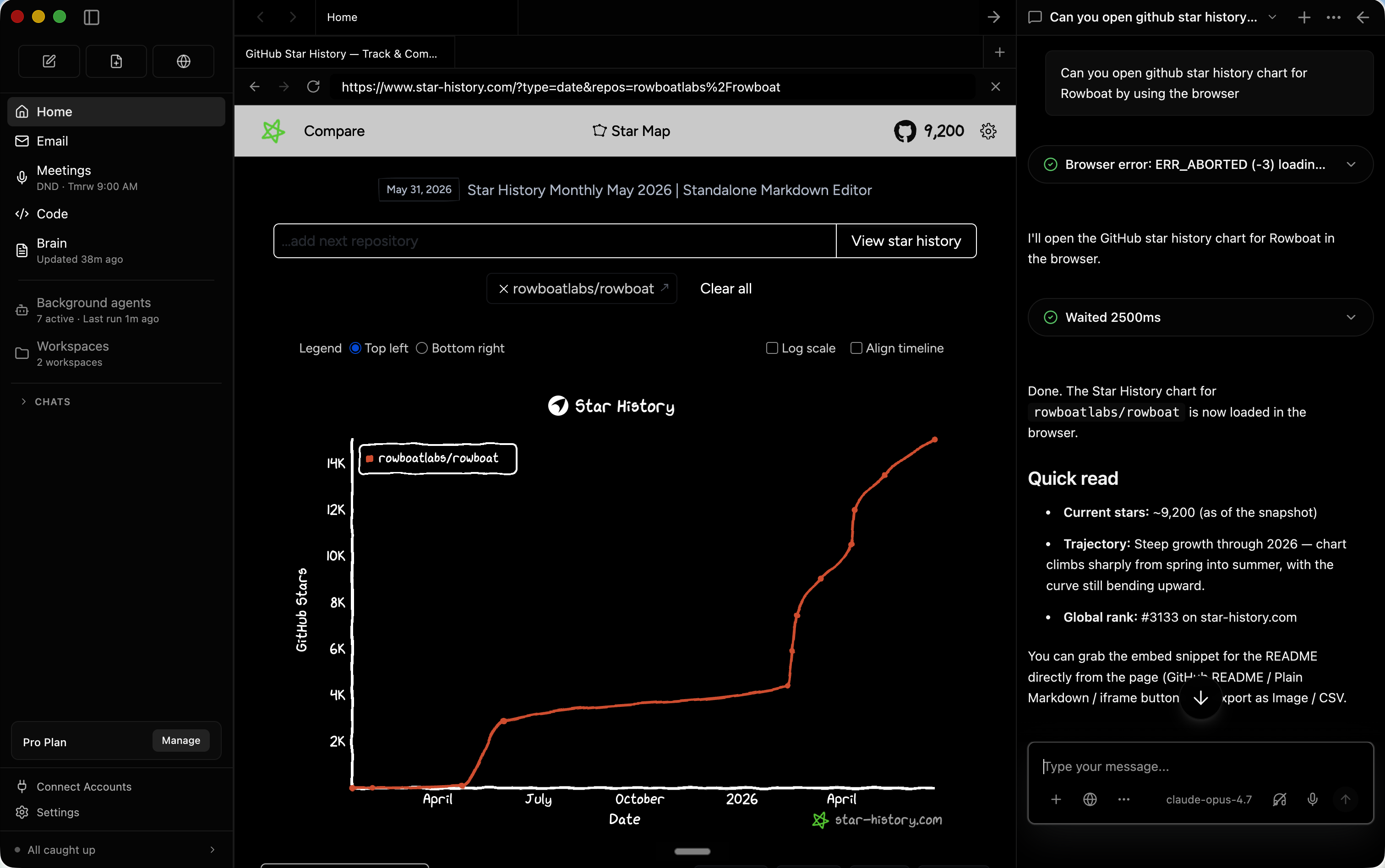
Built-in Browser

Rowboat includes a browser that lets you and assistant collaborate on web tasks. Because it's isolated from your main browser, you can log in only to the accounts that want the assistant to access.
Browser screenshot

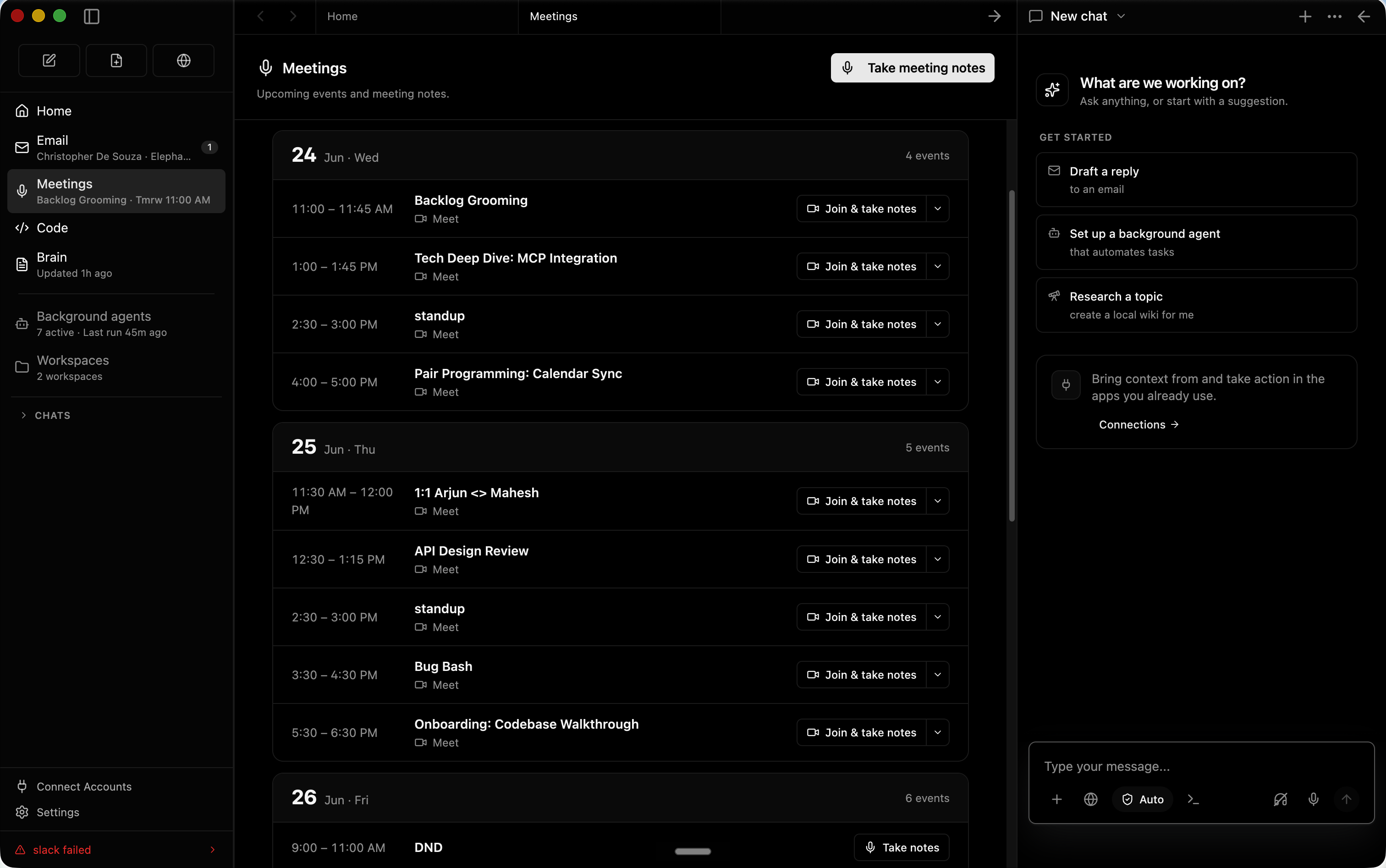
Meeting Notes

A local meeting note-taker that taps into mic & speaker, produces live transcript and summarizes the meeting in a markdown file and updates the knowledge graph.
Meeting notes screenshot

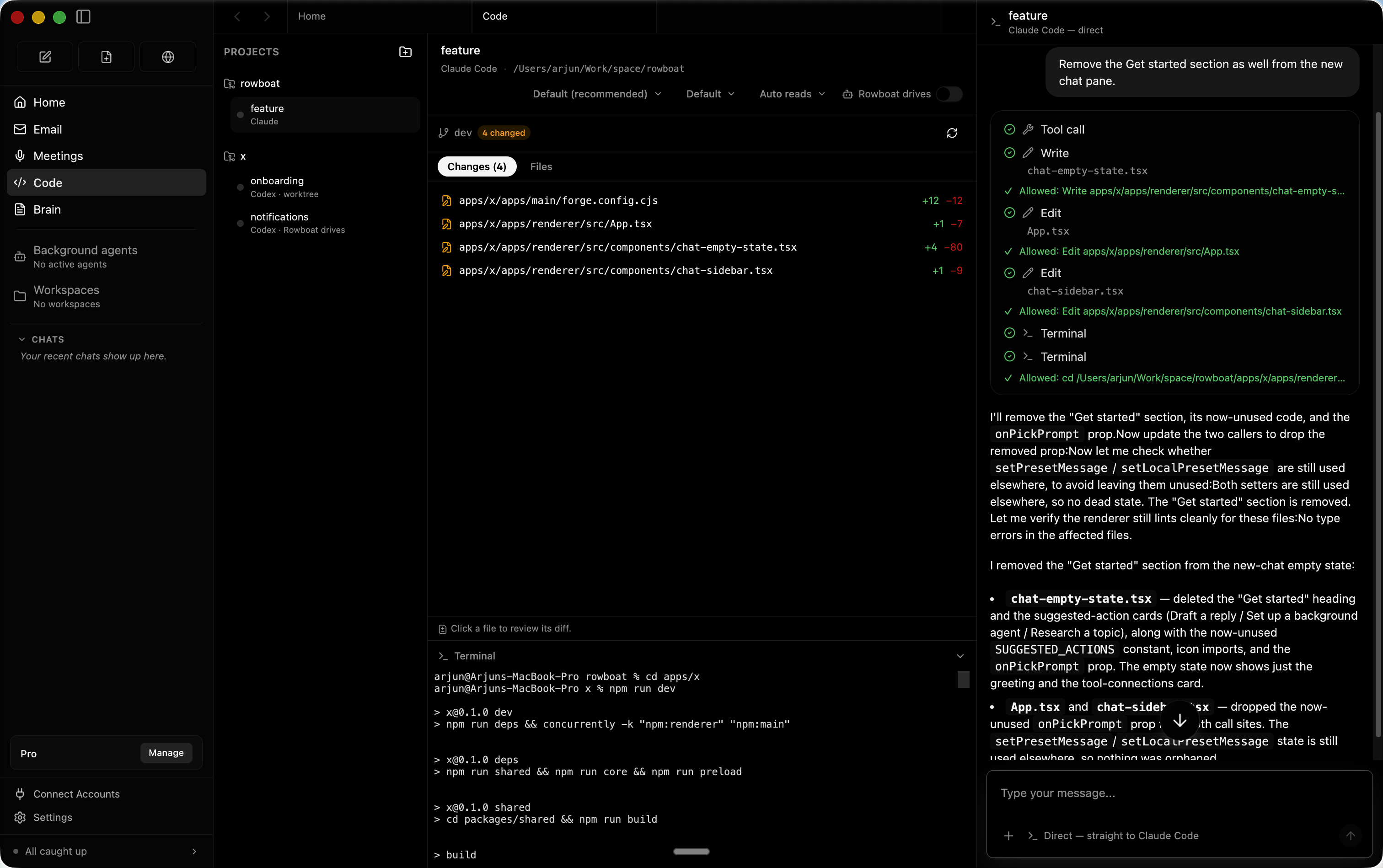
Code Mode

Code mode lets you spin up parallel coding agents with Claude Code or Codex, and have Rowboat drive them with all the work context where needed.
Code mode screenshot

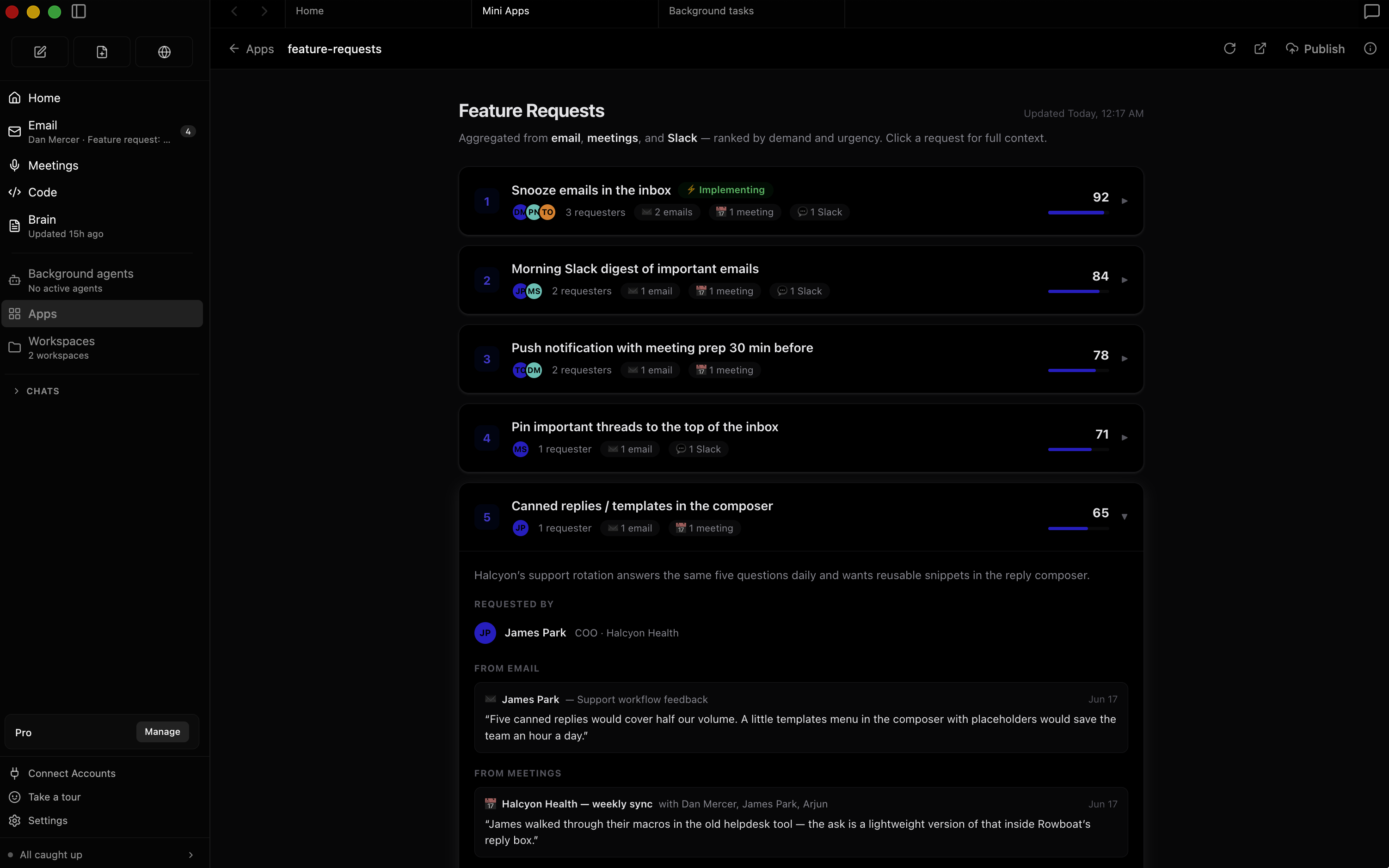
Apps

You can build your own work surfaces inside Rowboat — they get access to all the tools and integrations, and you can share them with other people.
Apps screenshot

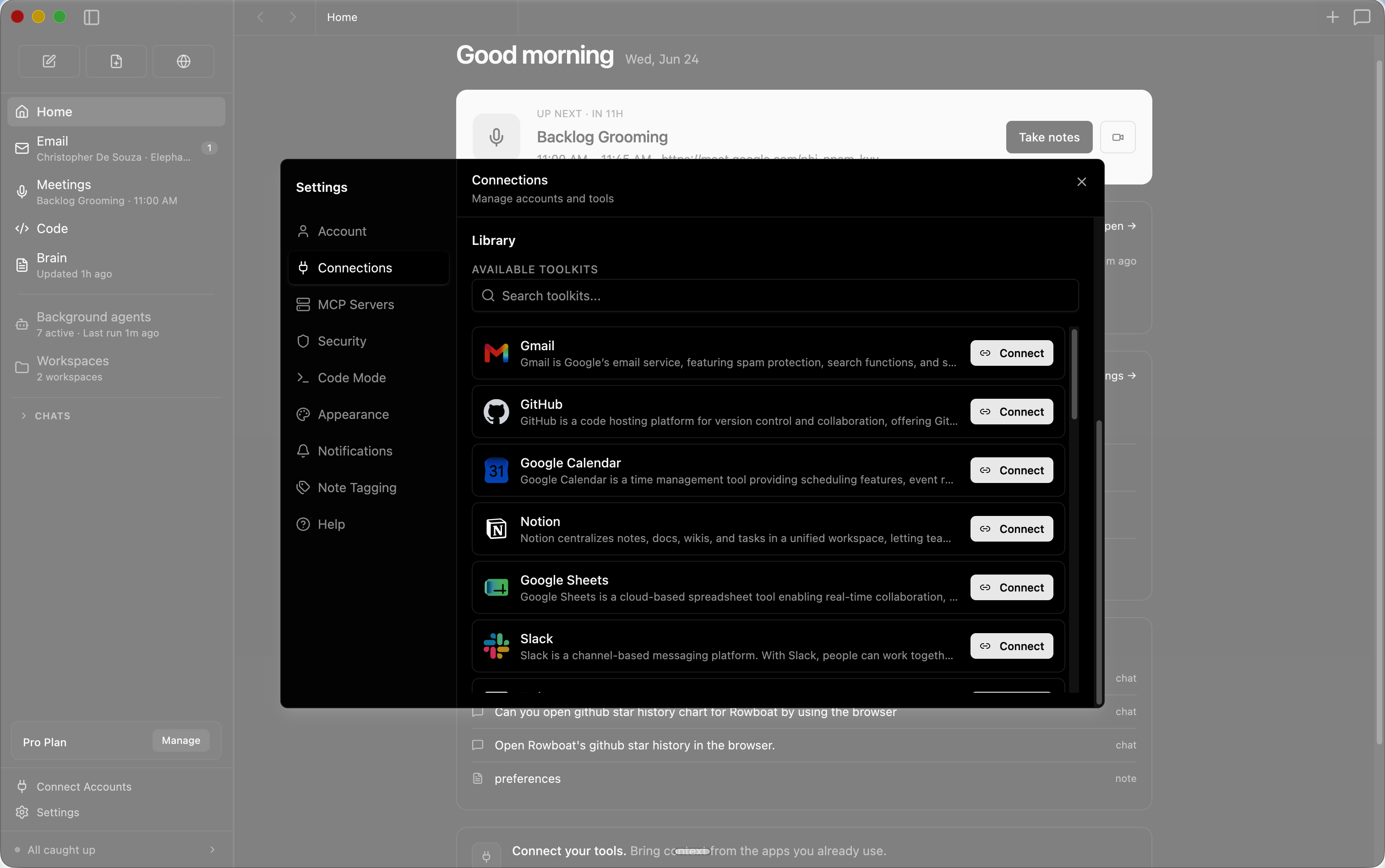
Integrations

Includes one-click integrations to most popular products.
Integrations screenshot

Installation

Download latest for Mac/Windows/Linux: Download

All release files: https://github.com/rowboatlabs/rowboat/releases/latest

Google setup

To connect Google services (Gmail, Calendar, and Drive), follow Google setup.

Voice input

To enable voice input and voice notes (optional), add a Deepgram API key in ~/.rowboat/config/deepgram.json

Voice output

To enable voice output (optional), add an ElevenLabs API key in ~/.rowboat/config/elevenlabs.json

To use Exa research search (optional), add the Exa API key in ~/.rowboat/config/exa-search.json

External tools

To enable external tools (optional), you can add any MCP server or use Composio tools by adding an API key in ~/.rowboat/config/composio.json

All API key files use the same format:

{
  "apiKey": "<key>"
}

How it’s different

Most AI tools reconstruct context on demand by searching transcripts or documents.

Rowboat maintains long-lived knowledge instead:

The result is memory that compounds, rather than retrieval that starts cold every time.

Bring your own model

Rowboat works with the model setup you prefer:

Extend Rowboat with tools (MCP)

Rowboat can connect to external tools and services via Model Context Protocol (MCP). That means you can plug in (for example) search, databases, CRMs, support tools, and automations - or your own internal tools.

Examples: Exa (web search), Twitter/X, ElevenLabs (voice), Slack, Linear/Jira, GitHub, and more.

Parallel Search MCP provides web_search and web_fetch for public web search and page extraction without a Parallel account or API key. Free access is rate limited.

Open Settings → MCP Servers, add the parallel entry to your existing mcpServers object, and click Save. Keep any other server entries. If no servers are configured, use:

{
  "mcpServers": {
    "parallel": {
      "url": "https://search.parallel.ai/mcp"
    }
  }
}

This connects through Rowboat's existing Streamable HTTP client. Ask Rowboat to list the tools on the parallel server, then try: "Use Parallel to find the official MCP documentation."

Once configured, Rowboat can invoke these tools during its work, subject to your MCP tool permissions. Queries, requested URLs, and any supplied objectives or context are sent to Parallel. This setup leaves Exa and other configured providers unchanged. To remove it, delete the parallel entry in Settings → MCP Servers and save.

Local-first by design


Discord · Twitter

rowboat (rowboatlabs/rowboat)

Searching Database…

这是什么?Rowboat 是一款桌面 AI 工作助手,能记住你的工作内容。它把你的邮件、会议和聊天整理成一张不断更新的知识图谱,并通过内置的功能界面来帮你做事:邮件、笔记、浏览器、代码模式、会议笔记和工作区。
这是安装在我电脑上的应用,还是网页服务?它是需要安装的桌面应用——提供 Mac、Windows 和 Linux 版本,你的数据都保存在自己的电脑上。
怎么把它跑起来?下载适合你操作系统的最新版本并安装。之后连接 Gmail、日历或 Drive 时,只需做一次 Google 授权设置。
需要先准备 API 密钥才能用吗?不需要,核心功能没有密钥也能用。可选的密钥用来解锁额外功能:Deepgram 用于语音输入,ElevenLabs 用于语音输出,Exa 用于网页搜索,外部工具则通过 Composio 或任意 MCP 服务器接入——每项都填到 ~/.rowboat/config/ 里即可。
能不能完全在本地运行,包括模型?可以——它支持通过 Ollama 或 LM Studio 使用本地模型,也可以用你自己的 API 密钥连接托管模型。模型随时可以更换。
我的数据存在哪里?所有内容都以纯 Markdown 格式保存在你自己的电脑上,没有专有格式,也不会被锁定在某项托管服务里。你随时都可以查看、修改、备份或删除全部数据。
它和那种只会搜索你历史记录的助手有什么不同?Rowboat 保存的是长期积累的知识,而不是按需临时拼凑上下文:邮件、会议、Slack 和与助手的对话都会被整理成类似 Obsidian 那种带反向链接的知识图谱,因此记忆会随时间不断累积,各种关联始终可以查看,笔记也始终可以由你自己编辑。
它会怎么处理我的邮件?内置的邮件客户端会把邮件分成“重要”和“其他”两类,然后结合你的全部工作背景,自动为重要邮件拟好回复草稿。
它能在我不用盯着的情况下运行智能体吗?可以——后台智能体可以由事件触发(比如收到新邮件),也可以按计划运行(比如每天早上 8 点),能够使用工具、搜索网页、浏览网页,并用 Claude Code 或 Codex 编写代码。代码模式还能用你的工作背景同时启动多个并行编程智能体。
它的网页浏览功能会和我的账号隔离开吗?Rowboat 自带一个用于协作式网页任务的浏览器,与你的主浏览器相互隔离,所以你只需要登录那些你希望助手访问的账号。
Size
125.9 MB
Stars
18K
Age
1y
Commits · 90 Days