



5.1K ·GitHub
What is this?
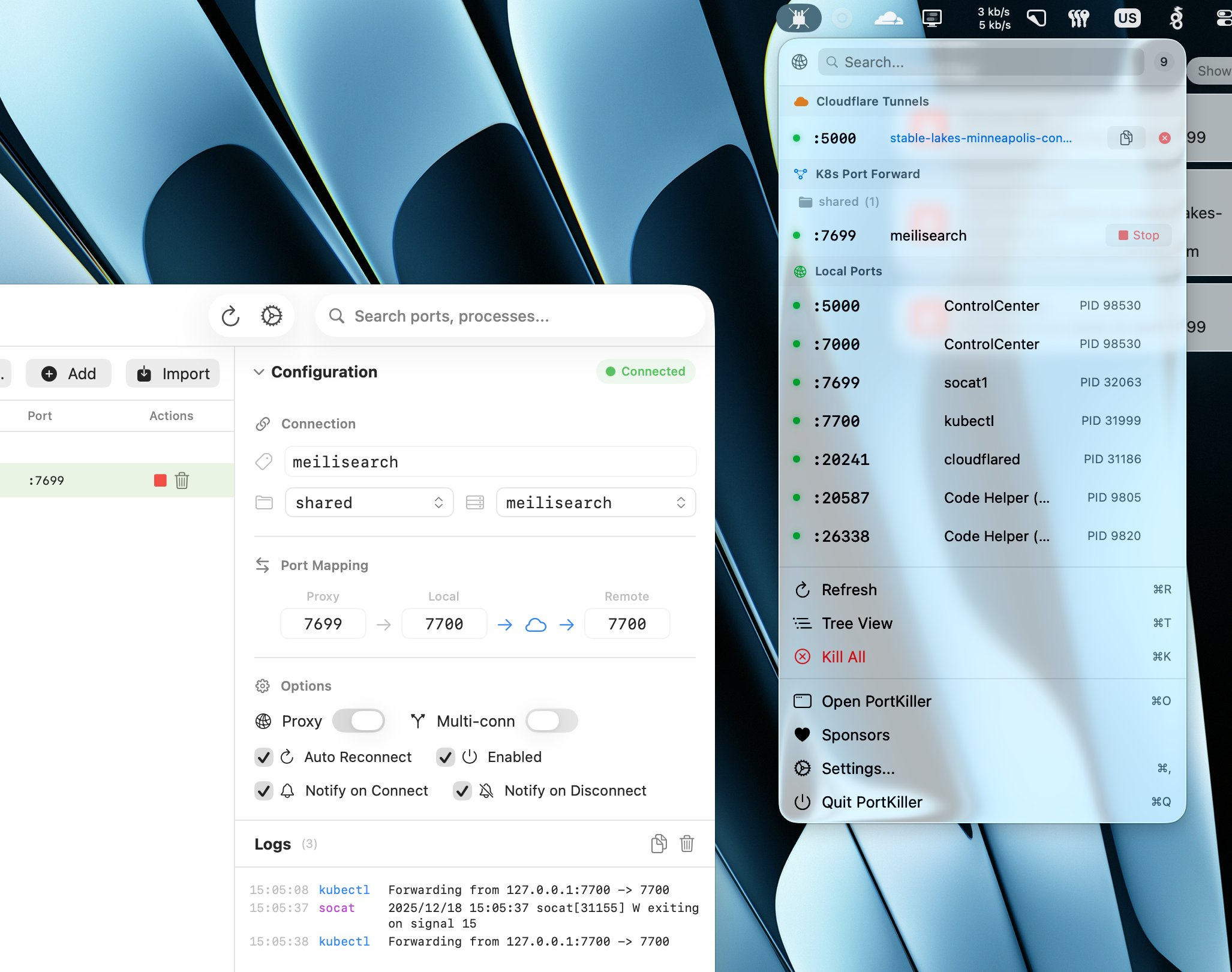
 PortKiller is a cross-platform desktop app for developers that monitors open TCP ports, manages Kubernetes port-forward sessions, integrates Cloudflare Tunnels, and lets you kill processes with one click.
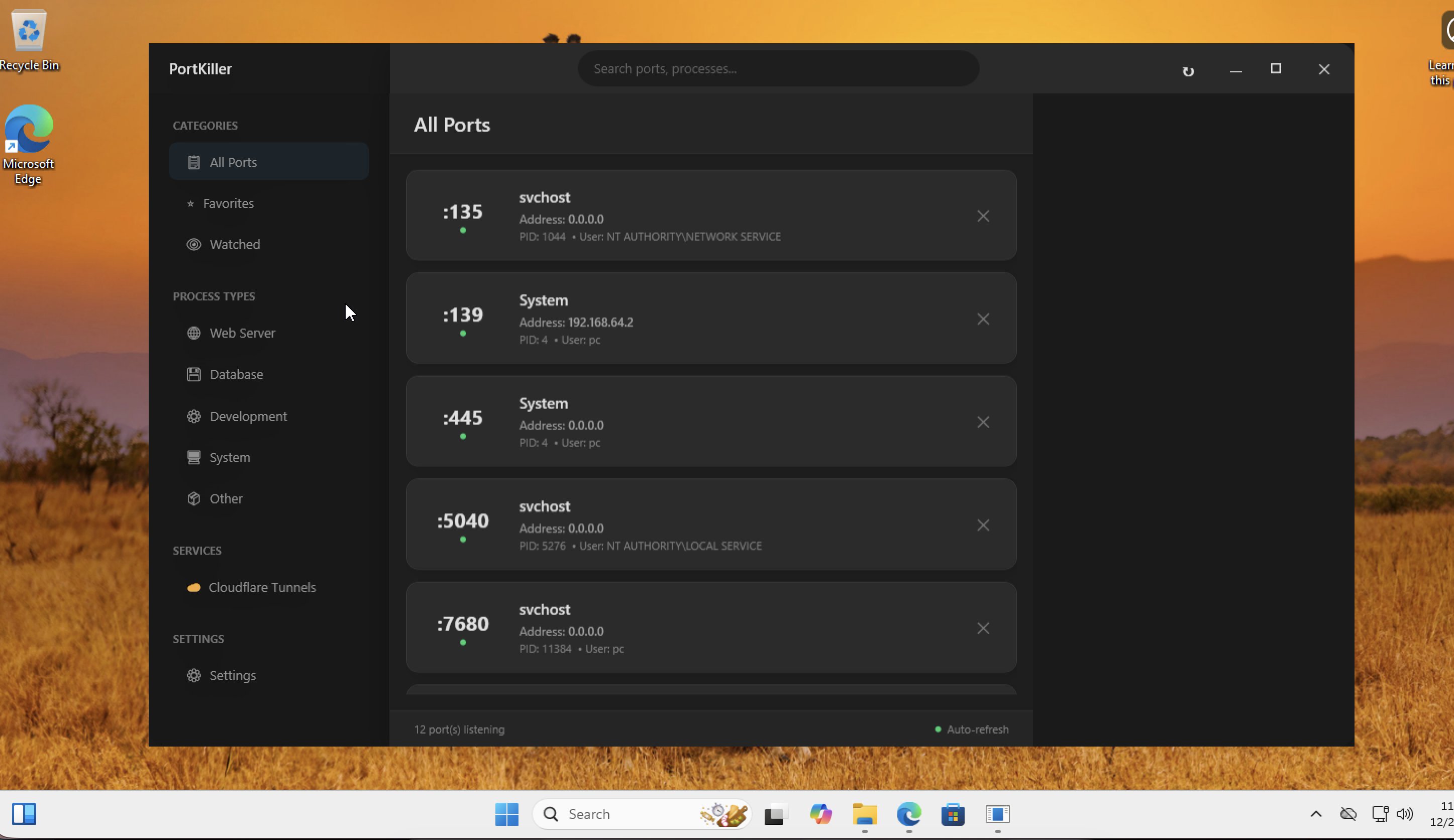
PortKiller is a cross-platform desktop app for developers that monitors open TCP ports, manages Kubernetes port-forward sessions, integrates Cloudflare Tunnels, and lets you kill processes with one click.Is this a menu bar utility or a full window app?It runs as a menu bar app on macOS and as a system tray app on Windows, with native UI for each platform.
It runs as a menu bar app on macOS and as a system tray app on Windows, with native UI for each platform.Do I need kubectl or Cloudflare set up to use the Kubernetes and tunnel features?README doesn't state explicit prerequisites, but since it manages kubectl port-forward sessions and Cloudflare Tunnel connections, you'd need a working kubectl config and an existing Cloudflare Tunnel setup for those features.
README doesn't state explicit prerequisites, but since it manages kubectl port-forward sessions and Cloudflare Tunnel connections, you'd need a working kubectl config and an existing Cloudflare Tunnel setup for those features.Does it only find TCP ports, or UDP too?It auto-discovers listening TCP ports specifically; UDP port discovery isn't mentioned.
It auto-discovers listening TCP ports specifically; UDP port discovery isn't mentioned.Who is this built for?It's aimed at developers who juggle many local services, Kubernetes port-forwards, and tunnels and need a quick way to see and kill the processes holding ports.
It's aimed at developers who juggle many local services, Kubernetes port-forwards, and tunnels and need a quick way to see and kill the processes holding ports.Which operating systems are supported?macOS and Windows are supported, both with native UI and installers.
macOS and Windows are supported, both with native UI and installers.Can I favorite or watch specific ports?Yes, you can mark important ports as favorites for quick access and set up watched ports that trigger notifications on changes.
Yes, you can mark important ports as favorites for quick access and set up watched ports that trigger notifications on changes.Does it kill processes gracefully or force kill them?It supports one-click process termination with both graceful and force kill options.
It supports one-click process termination with both graceful and force kill options.Does it group ports by type automatically?Yes, it smart-categorizes ports into groups like Web Server, Database, Development, and System.
Yes, it smart-categorizes ports into groups like Web Server, Database, Development, and System.Will I get alerted when a Kubernetes port-forward drops?Yes, it auto-reconnects on connection loss and sends notifications on connect/disconnect, along with connection logs.
Yes, it auto-reconnects on connection loss and sends notifications on connect/disconnect, along with connection logs.What are similar projects?codenotch, Insomnia, stop-stutter, Codync, tendedero, OpenYoink, macos-sysdata, louisa-wifi
codenotch, Insomnia, stop-stutter, Codync, tendedero, OpenYoink, macos-sysdata, louisa-wifiWhich topics is it in?process-manager, tunnel, menu-bar, swiftui, cloudflare, containers, macos-app, sysadmin, swift, kubernetes, monitoring, networking
process-manager, tunnel, menu-bar, swiftui, cloudflare, containers, macos-app, sysadmin, swift, kubernetes, monitoring, networking