





What is this?
 Pragma is a cross-harness platform for turning AI-native working methods into reusable Agent Teams that combine models, tools, context, memory, and workflows, so you can run the same team in Desktop, the CLI, or embed it via SDK.
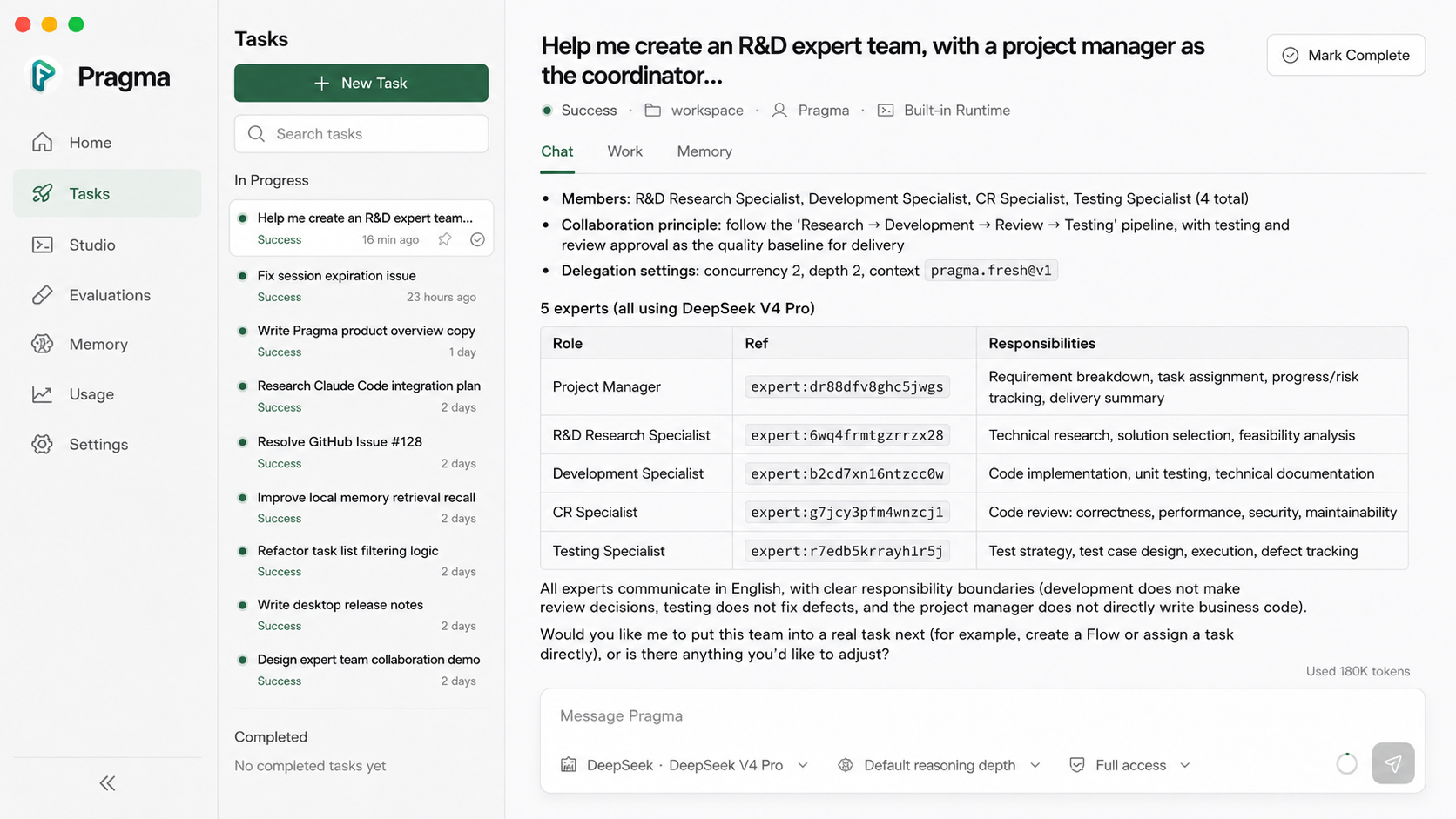
Pragma is a cross-harness platform for turning AI-native working methods into reusable Agent Teams that combine models, tools, context, memory, and workflows, so you can run the same team in Desktop, the CLI, or embed it via SDK.Is this a desktop app, a CLI, or a library?It is all three: a macOS Desktop app for building and running teams visually, a CLI (@pqpo/pragma) for invoking them from the terminal, and an SDK (@pragma/interpreter plus @pragma/core) for embedding a compiled team in your own application.
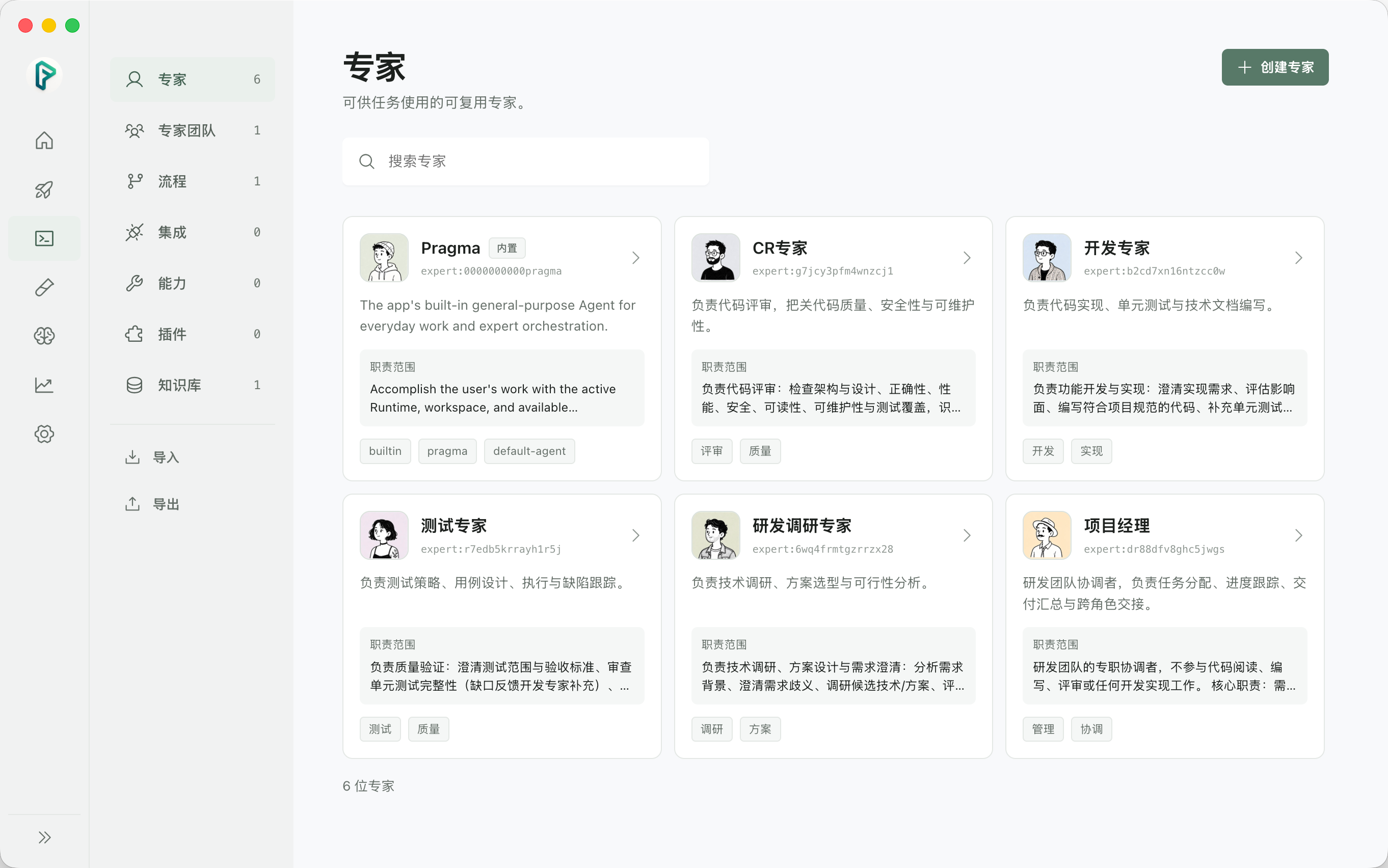
It is all three: a macOS Desktop app for building and running teams visually, a CLI (@pqpo/pragma) for invoking them from the terminal, and an SDK (@pragma/interpreter plus @pragma/core) for embedding a compiled team in your own application.How do I get started with Pragma?Download the Desktop package for your Mac from GitHub Releases and install it, open Settings to connect a model provider or local runtime, then talk with Pragma to create your own Expert, ExpertTeam, or Flow. Alternatively, install the CLI via npm or build Desktop from source.
Download the Desktop package for your Mac from GitHub Releases and install it, open Settings to connect a model provider or local runtime, then talk with Pragma to create your own Expert, ExpertTeam, or Flow. Alternatively, install the CLI via npm or build Desktop from source.Is Pragma stable enough to rely on right now?No, the project explicitly calls itself a preview, and the Desktop release currently only ships macOS Apple Silicon and Intel builds, so you should verify packages come from the official release before installing.
No, the project explicitly calls itself a preview, and the Desktop release currently only ships macOS Apple Silicon and Intel builds, so you should verify packages come from the official release before installing.Does Pragma Desktop run on Windows or Linux too?Desktop packages currently ship for macOS only (Apple Silicon and Intel); the CLI npm package additionally works on Windows. Linux support is not mentioned.
Desktop packages currently ship for macOS only (Apple Silicon and Intel); the CLI npm package additionally works on Windows. Linux support is not mentioned.What's the catch with the AGPL license?Pragma uses AGPL-3.0-only, which means if you modify it and offer that version over a network, you must make the corresponding source code available to those users.
Pragma uses AGPL-3.0-only, which means if you modify it and offer that version over a network, you must make the corresponding source code available to those users.What is a Mission in Pragma?A Mission is a run of an Agent Team where work moves between specialists without losing decisions, artifacts, or task state, and the resulting evidence feeds Memory and Evaluations.
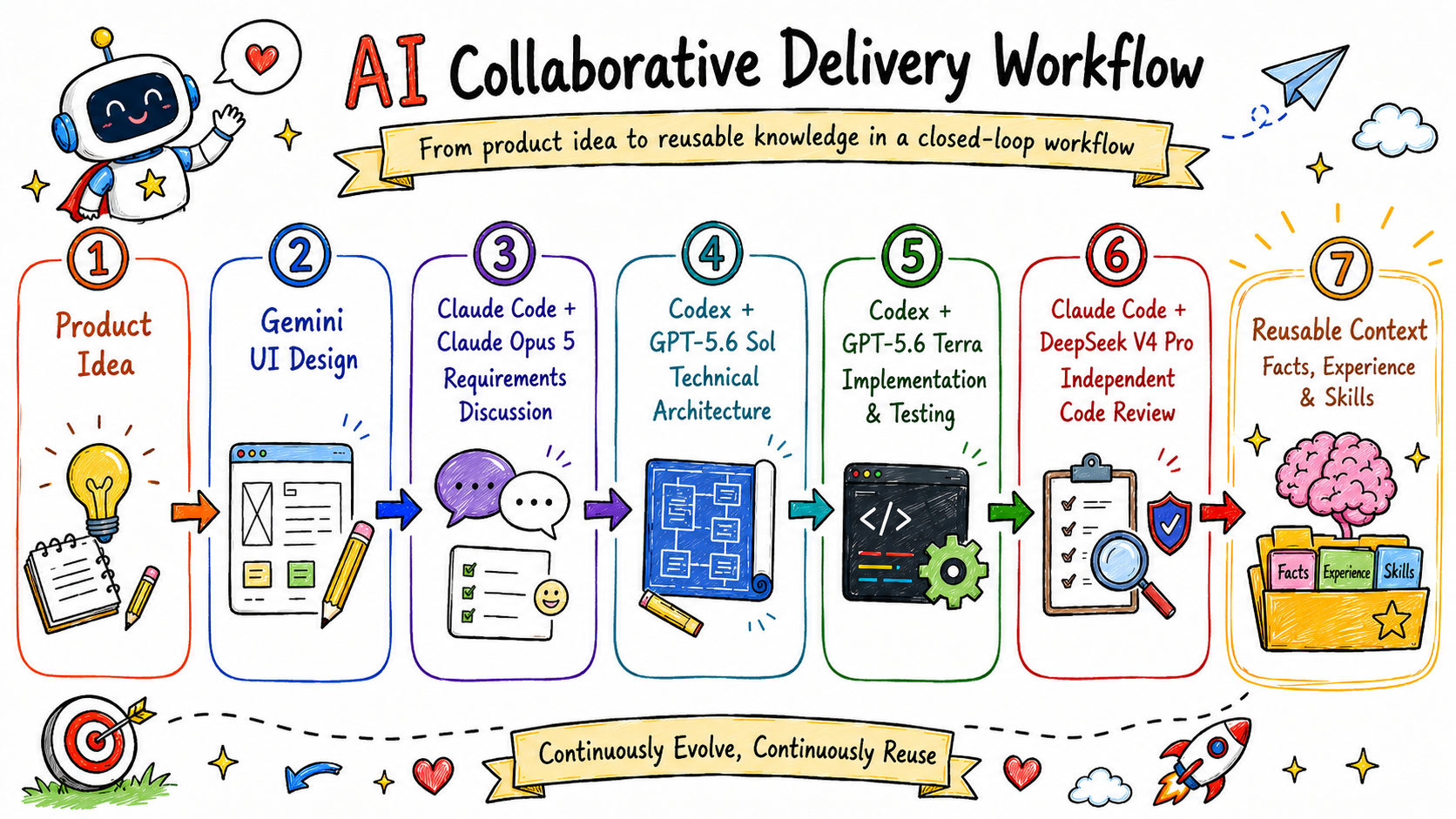
A Mission is a run of an Agent Team where work moves between specialists without losing decisions, artifacts, or task state, and the resulting evidence feeds Memory and Evaluations.Which AI harnesses can Pragma route work to?Current runtime adapters cover Claude Code, Codex, PI, Qoder CLI, and Antigravity, so a single team can combine different models and harnesses across steps without locking into one vendor.
Current runtime adapters cover Claude Code, Codex, PI, Qoder CLI, and Antigravity, so a single team can combine different models and harnesses across steps without locking into one vendor.What's inside a .pragma bundle?A .pragma bundle packages the portable YAML DSL definition of an Agent Team plus selected project assets, so Desktop can import it or another Host can load and run it through @pragma/interpreter and @pragma/core.
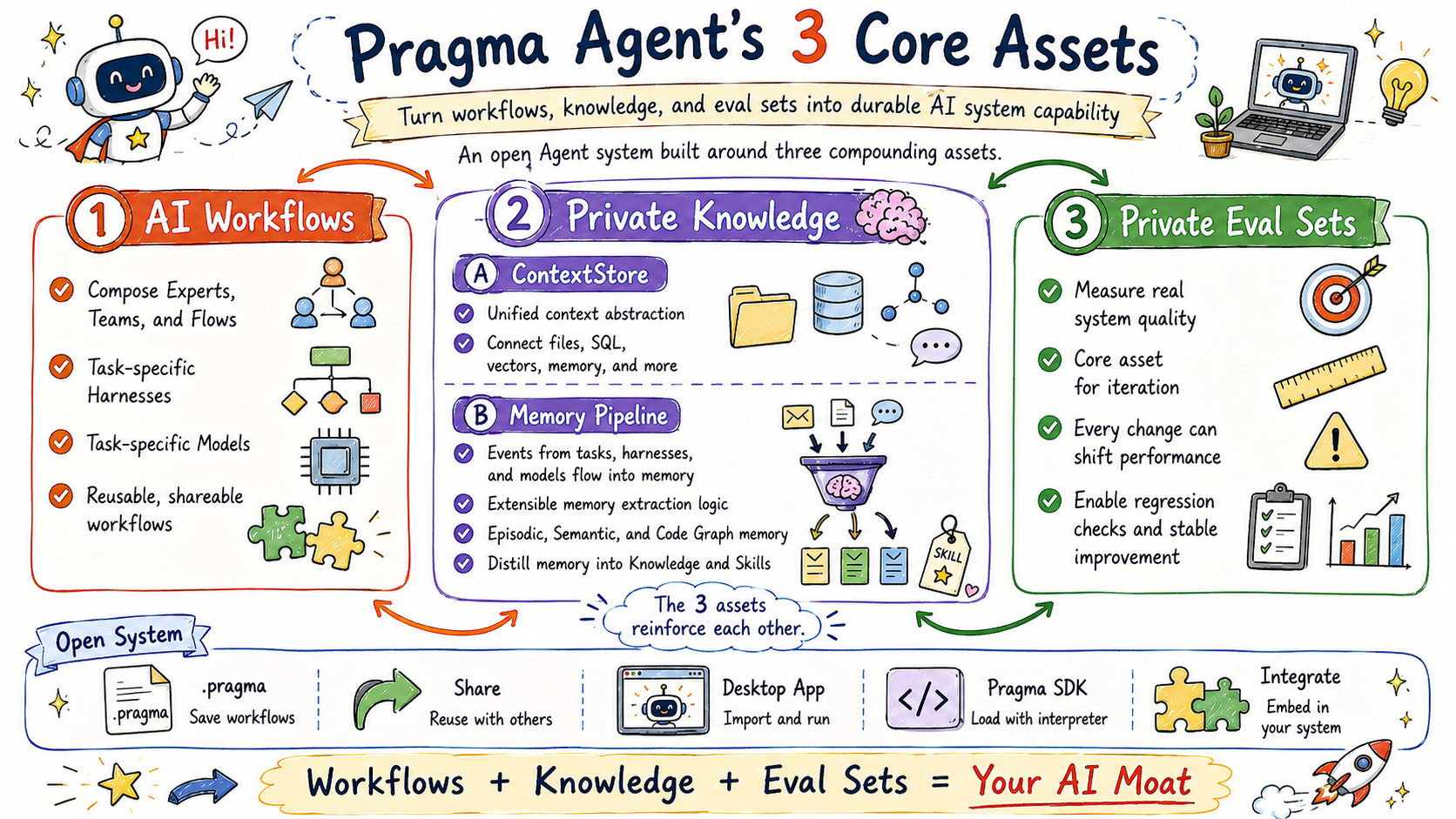
A .pragma bundle packages the portable YAML DSL definition of an Agent Team plus selected project assets, so Desktop can import it or another Host can load and run it through @pragma/interpreter and @pragma/core.How does Pragma turn past tasks into reusable Skills?Events from tasks flow into a shared Memory Pipeline that becomes evidence-backed episodic and semantic memory; a policy-controlled promotion workflow can turn that memory into stable knowledge or reusable Skills after review.
Events from tasks flow into a shared Memory Pipeline that becomes evidence-backed episodic and semantic memory; a policy-controlled promotion workflow can turn that memory into stable knowledge or reusable Skills after review.What are similar projects?ruflo, Agentlas-OS, codify, deer-flow, awesome-opencode, operator-memory, oh-my-openagent, MiMo-Code
ruflo, Agentlas-OS, codify, deer-flow, awesome-opencode, operator-memory, oh-my-openagent, MiMo-CodeWhich topics is it in?agent-team, agentic-workflow, yaml, context-engineering, agent-framework, agent-memory, memory, workflow, orchestration, agent-orchestration, skills, sdk
agent-team, agentic-workflow, yaml, context-engineering, agent-framework, agent-memory, memory, workflow, orchestration, agent-orchestration, skills, sdk