xyOps™
Your job scheduler should know what your servers are doing.
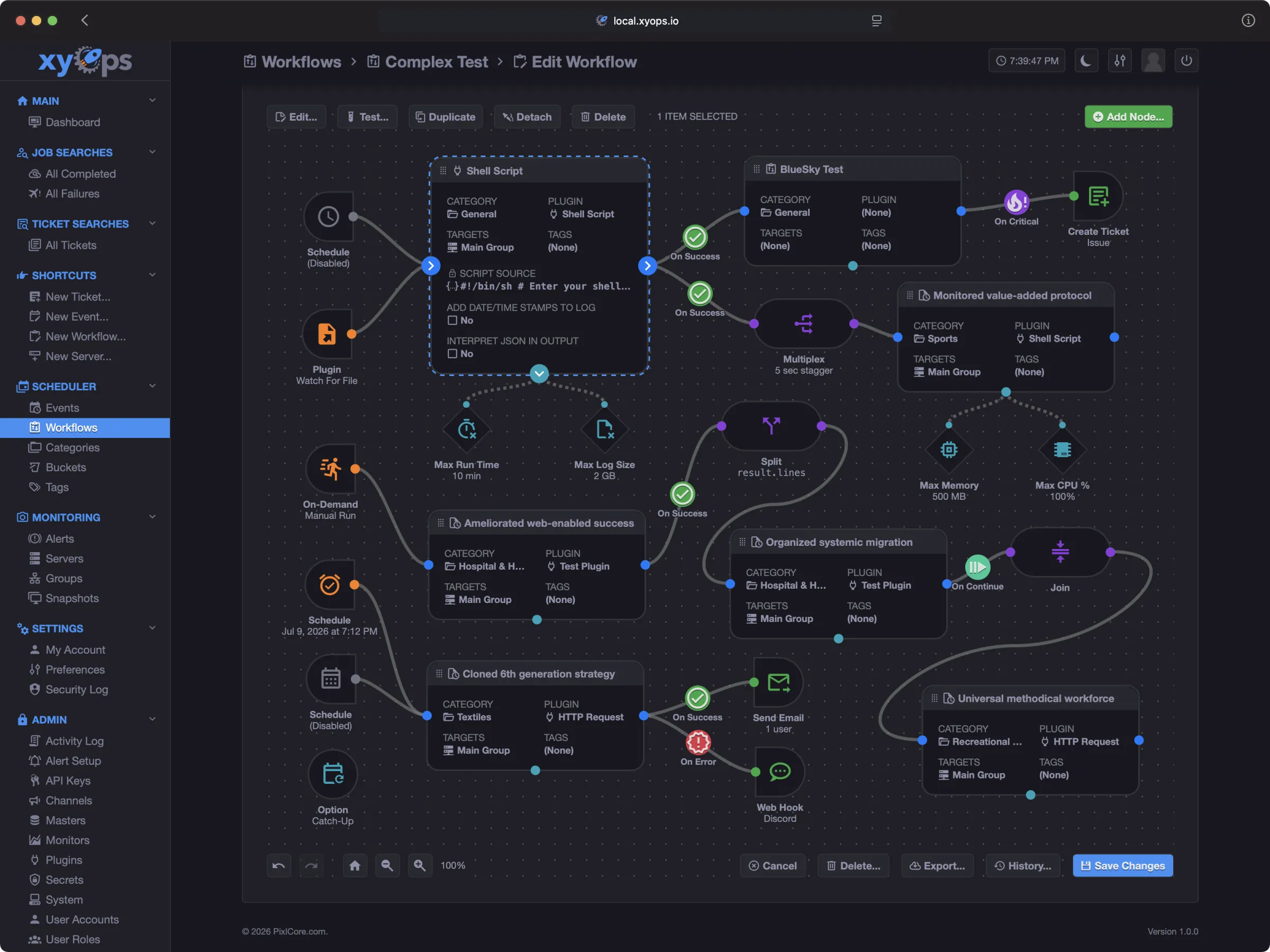
xyOps is the next generation of Cronicle: a complete, self-hosted platform for job scheduling, visual workflow automation, server monitoring, alerting, and incident response.
Website | Install | Documentation | Cronicle migration | Plugin Marketplace | Support
Fully open source. Self-hosted. No telemetry. No feature gates.
xyOps connects the work you run with the systems it runs on. Schedule jobs across a fleet, build visual workflows, watch jobs and infrastructure together, capture the exact state of a server when an alert fires, and respond without reconstructing the incident across five different tools.
[!IMPORTANT]
Every xyOps application feature is free and open source, including Single Sign-On (SSO). SSO, OIDC integration, group-to-role mapping, multi-conductor scaling, air-gapped operation, workflows, monitoring, alerting, and ticketing are not paid features. Professional and Enterprise plans purchase human support, faster response targets, and hands-on assistance. They do not unlock software.
Why xyOps
- Schedule and run anything: Launch scripts and plugins on one server, a server group, or your entire fleet. Use recurring schedules, cron expressions, intervals, webhooks, priorities, queues, and resource limits.
- Orchestrate visually: Build understandable workflows with branching, parallel execution, joins, human approval, reusable sub-workflows, replay, and data passing.
- Observe the real system: Monitor jobs and servers together with live dashboards, custom metrics, process inspection, network connections, and historical performance.
- Respond with context: Turn failures and alerts into actions. Capture server snapshots, open tickets, call webhooks, block unsafe launches, or start remediation automatically.
From alert to root cause in two clicks
When an alert fires, xyOps can freeze the relevant server state at that moment: metrics, processes, network connections, active jobs, and alert data. Open the alert, then open its snapshot. The evidence is already waiting for you.
See alert context in action
Cronicle evolved
xyOps is built by the creator of Cronicle and carries its job-scheduling and plugin philosophy forward into a new architecture.
Existing Cronicle users can:
- Import Cronicle data through the xyOps interface.
- Keep compatible plugins and familiar scheduling concepts.
- Convert multiplexed events into visual workflows.
- Run jobs through lightweight xySat workers with no Node.js requirement.
- Enable Cronicle compatibility mode and optionally restore Cronicle branding.
Read the Cronicle migration guide
Try xyOps in one command
If you have Docker, this starts a disposable xyOps conductor with a local worker so you can explore the complete product immediately:
docker run --detach --rm --init \
	--name xyops-try \
	--hostname xyops-try \
	-e XYOPS_masters="xyops-try" \
	-e XYOPS_xysat_local="true" \
	-e XYOPS_base_app_url="http://localhost:5522" \
	-e TZ="America/Los_Angeles" \
	-p 5522:5522 \
	ghcr.io/pixlcore/xyops:latest
Open http://localhost:5522/ and sign in with:
- Username:
admin
- Password:
admin
This trial is intentionally disposable. Stop it with docker stop xyops-try, and Docker will remove the container and its data. Change TZ if you want the trial to use a different timezone.
For a persistent or production deployment, continue with the Self-Hosting Guide.
Open source without feature gates
The complete xyOps application is available under the BSD 3-Clause license. There is no separate commercial build and no vendor cloud control plane required to operate it.
Your jobs, logs, metrics, secrets, files, tickets, snapshots, and configuration remain inside your infrastructure. xyOps does not send product telemetry to PixlCore or to any other telemetry service.
Read more:
Free software, optional paid support
The application is identical at every level. Paid plans fund development and provide a support relationship for teams relying on xyOps in production.
- Every application feature, including SSO
- BSD-licensed source code
- Community support through GitHub, Reddit, and Discord
If xyOps helps you, you can also sponsor PixlCore on GitHub.
Professional
- Private support tickets
- One-business-day response target during business hours
- Deployment and upgrade guidance
- Prioritized product feedback
Enterprise
- One-hour response target during business hours
- Direct access to Joe
- Architecture and migration guidance
- Hands-on SSO and air-gap assistance
- Invoice, wire, ACH, and purchase-order options
Again, SSO and air-gapped operation are included in the free open-source application. Enterprise support adds hands-on help configuring and validating those features.
See transparent Professional and Enterprise pricing
Documentation and videos
Full documentation is also included inside xyOps. Click Documentation in the application sidebar.
Watch a quick overview of xyOps:
Community and support
Contributing
Please read the Contributing Guide before opening a pull request.
The short version: we do not accept feature pull requests, but there are many other useful ways to contribute. The guide explains where community help is most valuable.
Development
See the Development Guide for complete local setup instructions. In short, install Node.js LTS, then run:
git clone https://github.com/pixlcore/xyops.git
cd xyops
npm install
node bin/build.js dev
echo '{ "secret_key": "test" }' > conf/overrides.json
bin/debug.sh
Security
Read the Trust Guide for xyOps self-hosting, privacy, telemetry, outbound requests, and enterprise security posture.
Read the Security Guide to report a security vulnerability privately. Please do not submit vulnerabilities as public GitHub issues.
Governance and longevity
The xyOps project exists to empower users and developers through openness, reliability, and fairness.
License
xyOps™ is licensed under the BSD 3-Clause License.
See TRADEMARKS.md for trademark usage guidelines.

 xyOps 是一个可自托管的平台,用于任务调度、可视化工作流自动化、服务器监控、告警和故障响应,是 Cronicle 调度器的下一代产品。