What is this?
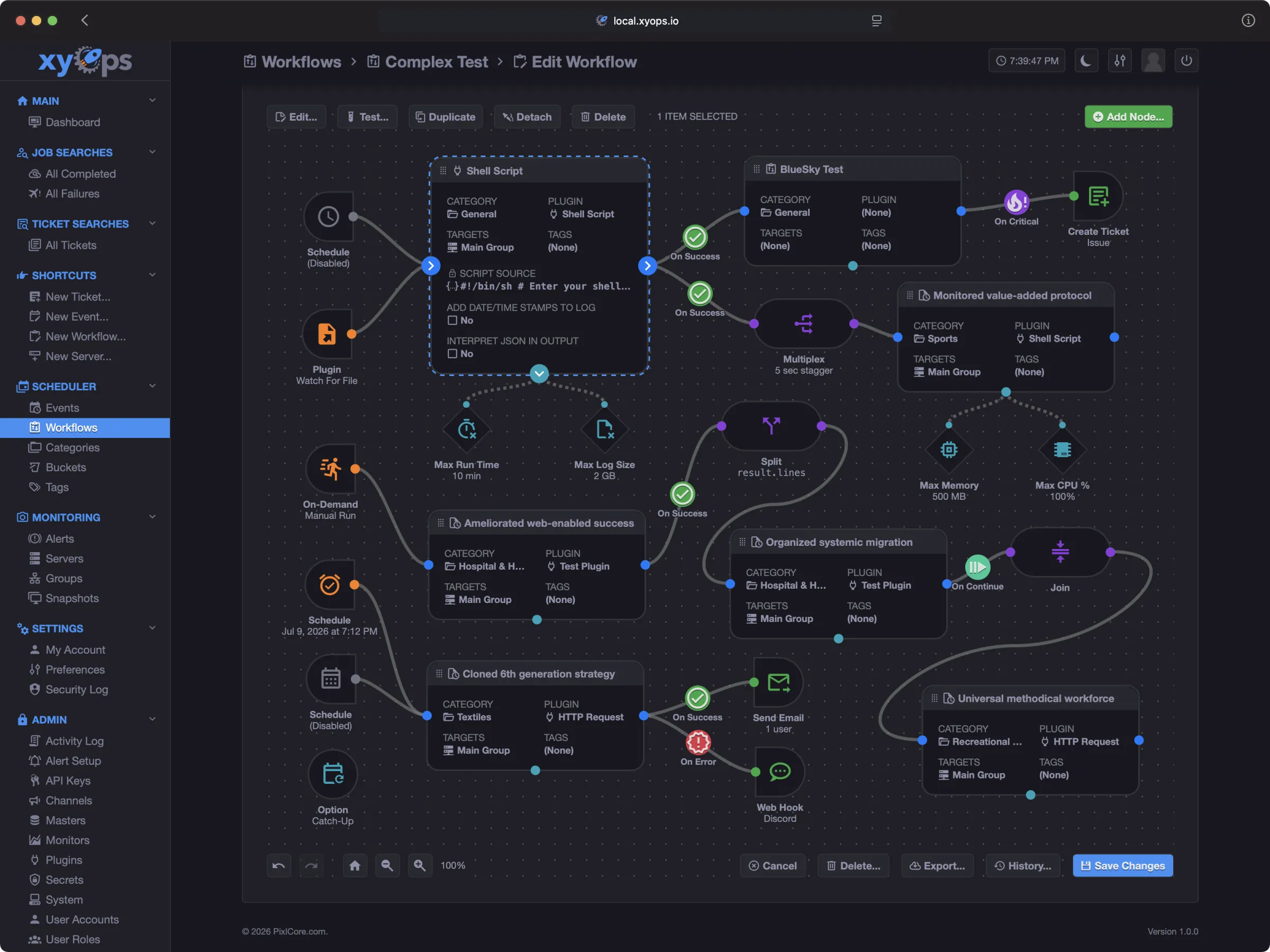
 xyOps is a self-hosted platform for job scheduling, visual workflow automation, server monitoring, alerting, and incident response — the next generation of the Cronicle scheduler.
xyOps is a self-hosted platform for job scheduling, visual workflow automation, server monitoring, alerting, and incident response — the next generation of the Cronicle scheduler.Is this a library I import, or a full application I run myself?It is a full self-hosted application made of a 'conductor' server plus optional lightweight worker agents (xySat), not a library you import into code.
It is a full self-hosted application made of a 'conductor' server plus optional lightweight worker agents (xySat), not a library you import into code.How do I try it out?Run the one-command Docker trial to spin up a disposable xyOps conductor with a local worker, then log in with the default admin/admin credentials; use the Self-Hosting Guide for a real deployment.
Run the one-command Docker trial to spin up a disposable xyOps conductor with a local worker, then log in with the default admin/admin credentials; use the Self-Hosting Guide for a real deployment.Do I need anything besides Docker to try it?The quick trial only needs Docker; if you want to run it from source for local development you need Node.js LTS instead.
The quick trial only needs Docker; if you want to run it from source for local development you need Node.js LTS instead.Is the one-command trial meant for production use?No, it's intentionally disposable — stopping the container with 'docker stop xyops-try' wipes it and its data, so production needs the separate Self-Hosting Guide.
No, it's intentionally disposable — stopping the container with 'docker stop xyops-try' wipes it and its data, so production needs the separate Self-Hosting Guide.Does xyOps send any data back to PixlCore?No — xyOps sends no product telemetry to PixlCore or anyone else, and your jobs, logs, metrics, secrets, and tickets stay inside your own infrastructure.
No — xyOps sends no product telemetry to PixlCore or anyone else, and your jobs, logs, metrics, secrets, and tickets stay inside your own infrastructure.Is SSO or any core feature locked behind a paid plan?No — xyOps is BSD 3-Clause licensed with no feature gates; SSO, OIDC, multi-conductor scaling and air-gapped operation are all free, and paid Professional/Enterprise plans only buy support, not software unlocks.
No — xyOps is BSD 3-Clause licensed with no feature gates; SSO, OIDC, multi-conductor scaling and air-gapped operation are all free, and paid Professional/Enterprise plans only buy support, not software unlocks.Can I migrate from an existing Cronicle setup?Yes — xyOps can import Cronicle data, keep compatible plugins, convert multiplexed events into visual workflows, and even enable a Cronicle compatibility mode with familiar branding.
Yes — xyOps can import Cronicle data, keep compatible plugins, convert multiplexed events into visual workflows, and even enable a Cronicle compatibility mode with familiar branding.What happens when an alert fires?xyOps freezes a snapshot of the server state at that moment (metrics, processes, network connections, active jobs) so opening the alert immediately shows the evidence needed to find the root cause.
xyOps freezes a snapshot of the server state at that moment (metrics, processes, network connections, active jobs) so opening the alert immediately shows the evidence needed to find the root cause.Which topics is it in?job-scheduler, alerting, incident-response, cron, oidc, sso, webhooks, workflow, workflow-automation, sysadmin, observability, authentication
job-scheduler, alerting, incident-response, cron, oidc, sso, webhooks, workflow, workflow-automation, sysadmin, observability, authentication