Desloppify - an agent harness to make your codebase 🤌


Desloppify gives your AI coding agent the tools to identify, understand, and systematically improve codebase quality. It combines mechanical detection (dead code, duplication, complexity) with subjective LLM review (naming, abstractions, module boundaries), then works through a prioritized fix loop. State persists across scans so it chips away over multiple sessions, and the scoring is designed to resist gaming.
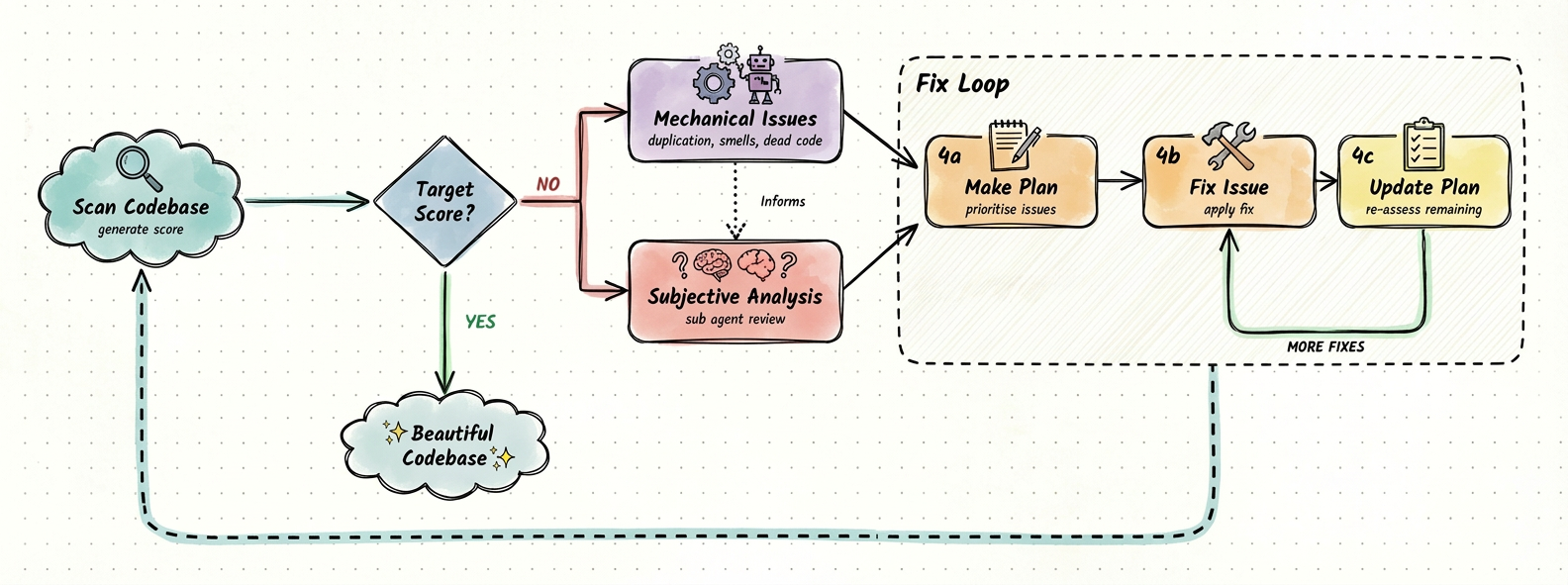
The score gives your agent a north-star, and the tooling helps it plan, execute, and resolve issues until it hits your target — with a lot of tricks to keep it on track. A score above 98 should correlate with a codebase a seasoned engineer would call beautiful.
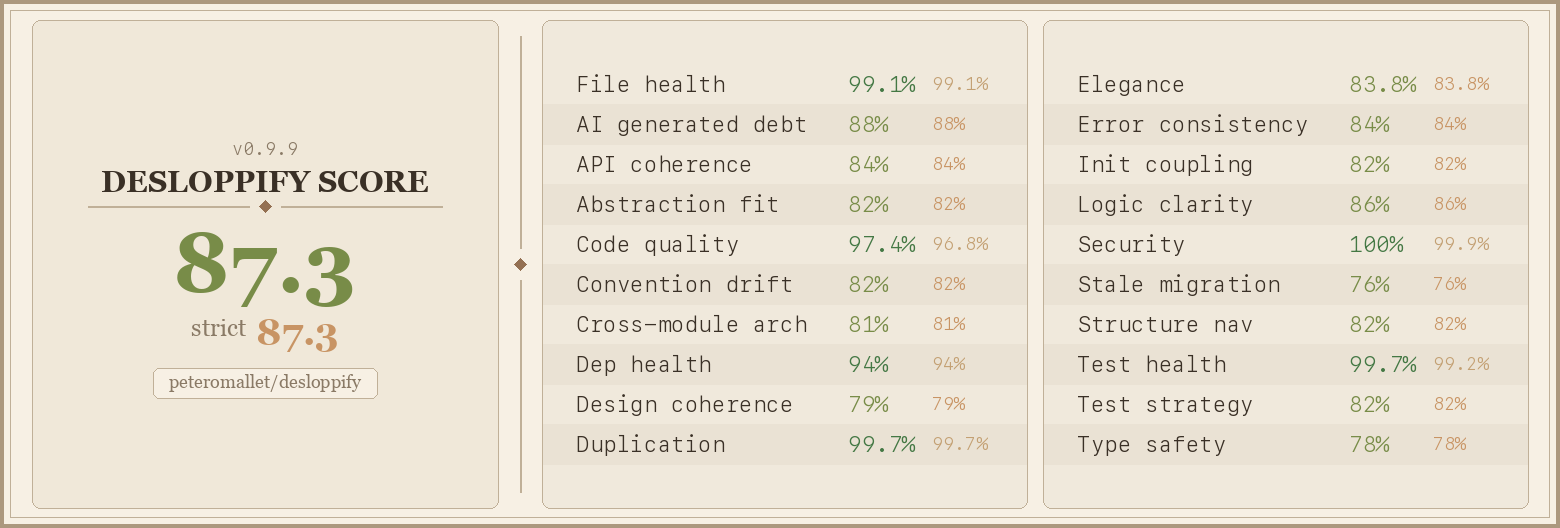
That score generates a scorecard badge for your GitHub profile or README:
Currently supports 29 languages — full plugin depth for TypeScript, Python, C#, C++, Dart, GDScript, Go, and Rust; generic linter + tree-sitter support for Ruby, Java, Kotlin, and 18 more. For C++ projects, compile_commands.json is the primary analysis path and Makefile repositories fall back to best-effort local include scanning.
For your agent's consideration...
Paste this prompt into your agent:
I want you to improve the quality of this codebase. To do this, install and run desloppify.
Run ALL of the following (requires Python 3.11+):

pip install --upgrade "desloppify[full]"
desloppify update-skill claude    # installs the full workflow guide — pick yours: claude, cursor, codex, copilot, droid, windsurf, gemini, rovodev

Add .desloppify/ to your .gitignore — it contains local state that shouldn't be committed.

Before scanning, check for directories that should be excluded (vendor, build output,
generated code, worktrees, etc.) and exclude obvious ones with `desloppify exclude <path>`.
Share any questionable candidates with me before excluding.

desloppify scan --path .
desloppify next

--path is the directory to scan (use "." for the whole project, or "src/" etc).

Your goal is to get the strict score as high as possible. The scoring resists gaming — the
only way to improve it is to actually make the code better.

THE LOOP: run `next`. It is the execution queue from the living plan, not the whole backlog.
It tells you what to fix now, which file, and the resolve command to run when done.
Fix it, resolve it, run `next` again. Over and over. This is your main job.

Use `desloppify backlog` only when you need to inspect broader open work that is not currently
driving execution.

Don't be lazy. Large refactors and small detailed fixes — do both with equal energy. No task
is too big or too small. Fix things properly, not minimally.

Use `plan` / `plan queue` to reorder priorities or cluster related issues. Rescan periodically.
The scan output includes agent instructions — follow them, don't substitute your own analysis.
Monorepos and multi-project directories
If your workspace contains multiple programs (e.g., a frontend and backend in sibling directories), scan each one separately with --path:
desloppify --lang typescript scan --path ./frontend
desloppify --lang python scan --path ./backend
Scanning the parent directory that contains both will mix state and path context across unrelated codebases, producing unreliable results. Each --path target should be a single coherent project. Desloppify maintains separate state per language, so you can scan a TypeScript frontend and a Python backend from the same workspace without conflict — just target them individually.
CI
Desloppify works best in CI as a full-codebase health gate, not as a diff-only linter. Run the CI profile against the same coherent project path you scan locally:
desloppify scan --path . --profile ci --no-badge
desloppify status --json
--profile ci skips slow and subjective phases and bypasses the mid-cycle scan queue gate so a CI job can collect a fresh mechanical snapshot. Use status --json if you want a script to read the strict/objective scores and enforce your own threshold.
On constrained Java CI runners, the PMD detector defaults to --threads 0 to avoid worker-thread fanout. Set DESLOPPIFY_PMD_THREADS to a PMD thread value such as 2 or 0.5C if you want more throughput.
Minimal GitHub Actions example:
name: desloppify

on:
  pull_request:
  push:
    branches: [main]

jobs:
  health:
    runs-on: ubuntu-latest
    steps:
      - uses: actions/checkout@v4
      - uses: actions/setup-python@v5
        with:
          python-version: "3.11"
      - run: pip install --upgrade "desloppify[full]"
      - run: desloppify scan --path . --profile ci --no-badge
      - run: desloppify status --json
For monorepos, run one job or matrix entry per project path instead of scanning the workspace root. True incremental or diff-only scanning is not the supported model yet; compare full-codebase results across runs or enforce a project-level threshold.
How it works
scan ──→ score ──→ review ──→ triage ──→ execute ──→ rescan
  │         │         │          │          │           │
  │     dimensions    │     prioritize    fix it     verify
  │     scored      LLM reviews  & cluster  & resolve  improvements
  │                 subjective   the queue
  │                 quality
  detectors find
  mechanical issues
  (dead code, smells,
  test gaps, etc.)
Scan runs mechanical detectors across your codebase — dead code, duplication, complexity, test coverage gaps, naming issues, and more. Each issue is scored by dimension (File health, Code quality, Test health, etc.).
Review uses an LLM to assess subjective quality dimensions — naming, abstractions, error handling patterns, module boundaries. These score alongside the mechanical dimensions.
Triage is where prioritization happens. The agent (or you) observes the findings, reflects on patterns, organizes issues into clusters, and enriches them with implementation detail. This produces an ordered execution queue — only items explicitly queued appear in next. Before triage, all mechanical issues are visible in the queue sorted by impact, which can be noisy.
Execute is the fix loop: next → fix → resolve → next. Items come from the triaged queue. Autofix handles what it can; the rest needs manual or agent work.
Rescan verifies improvements, catches cascading effects, and feeds the next cycle.
State persists in .desloppify/ so progress carries across sessions. The scoring resists gaming — wontfix items widen the gap between lenient and strict scores, and re-reviewing dimensions can lower scores if the reviewer finds new issues.
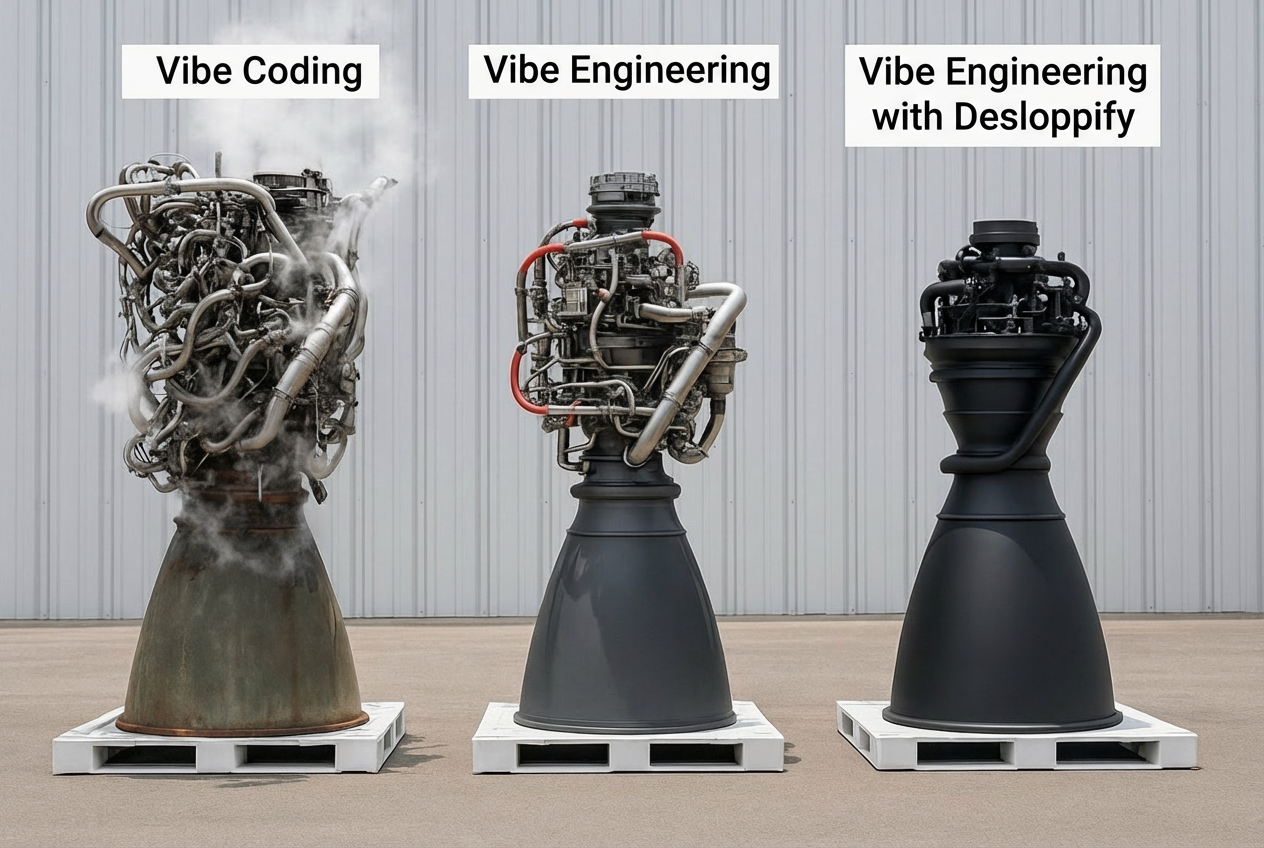
From Vibe Coding to Vibe Engineering
Vibe coding gets things built fast. But the codebases it produces tend to rot in ways that are hard to see and harder to fix — not just the mechanical stuff like dead imports, but the structural kind. Abstractions that made sense at first stop making sense. Naming drifts. Error handling is done three different ways. The codebase works, but working in it gets worse over time.
LLMs are actually good at spotting this now, if you ask them the right questions. That's the core bet here — that an agent with the right framework can hold a codebase to a real standard, the kind that used to require a senior engineer paying close attention over months.
So we're trying to define what "good" looks like as a score that's actually worth optimizing. Not a lint score you game to 100 by suppressing warnings. Something where improving the number means the codebase genuinely got better. That's hard, and we're not done, but the anti-gaming stuff matters to us a lot — it's the difference between a useful signal and a vanity metric.
The hope is that anyone can use this to build something a seasoned engineer would look at and respect. That's the bar we're aiming for.
If you'd like to join a community of vibe engineers who want to build beautiful things, come hang out.
Issues, improvements, and PRs are hugely appreciated — github.com/peteromallet/desloppify.
Desloppify is free for any individual — whether working independently or at a company — to use for their own work. It is also free for open source companies to use in any capacity, including commercial. Non-open source companies who wish to commercialize it should refer to the LICENSE for transparent pricing details.

 Desloppify 是一个智能体框架,为 AI 编程智能体提供检测、分诊和修复代码库质量问题的工具。它既结合了机械检查(如死代码、重复代码、复杂度),也结合了基于 LLM 的审查(如命名、抽象和模块边界),并用一个分数跟踪进展。