



14.6K ·GitHub
What is this?
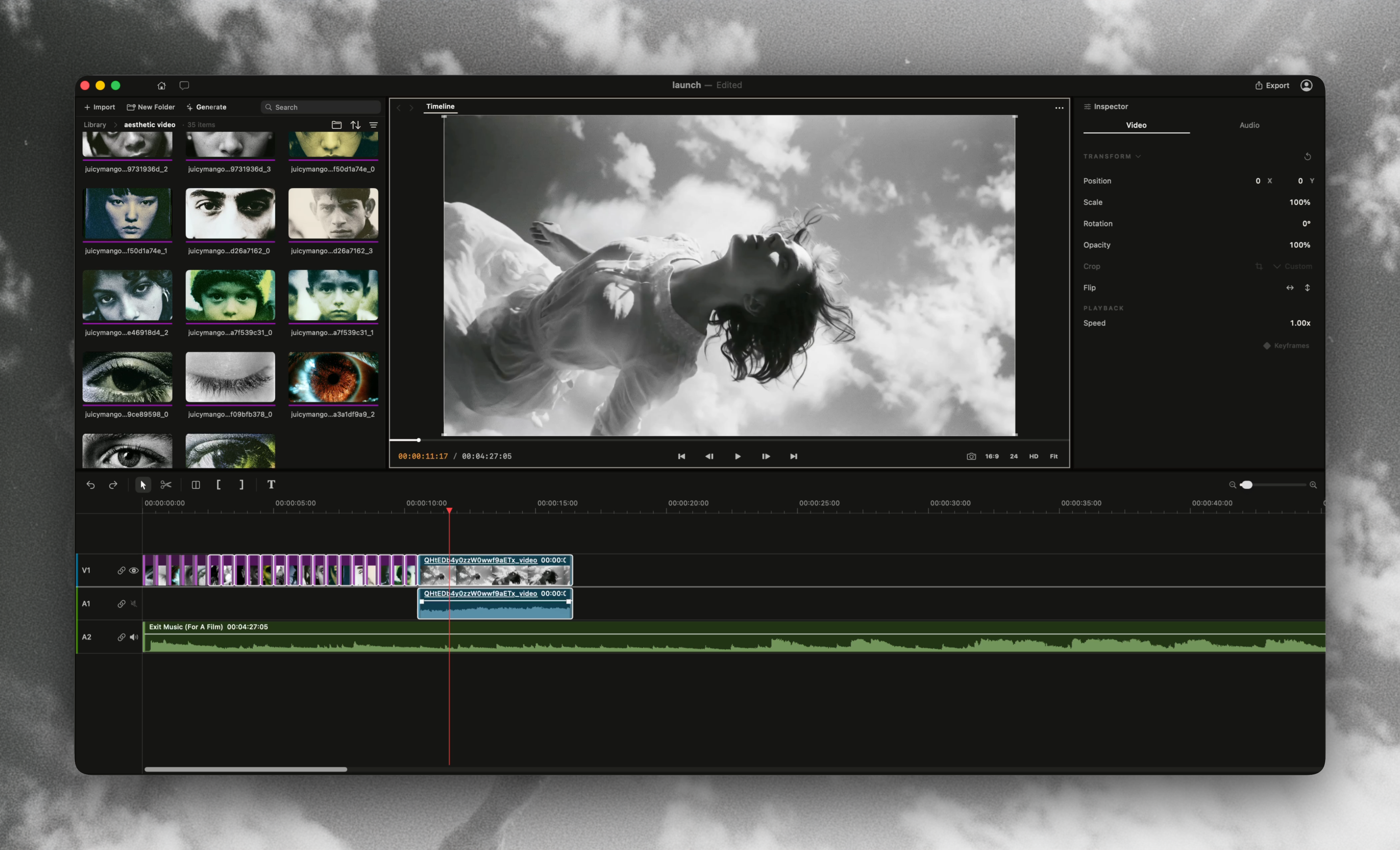
 Palmier Pro is a native macOS video editor built for AI, with built-in generative video/image models and MCP support so AI agents can create and edit directly on the timeline.
Palmier Pro is a native macOS video editor built for AI, with built-in generative video/image models and MCP support so AI agents can create and edit directly on the timeline.Is it a full editor like Premiere Pro, or more of a plugin?It is a standalone native Swift desktop video editor built from scratch, with Premiere Pro as the workflow reference and AI generation baked into the timeline rather than bolted on as a plugin.
It is a standalone native Swift desktop video editor built from scratch, with Premiere Pro as the workflow reference and AI generation baked into the timeline rather than bolted on as a plugin.How do I get it running?You install the macOS app binary distributed through this repository's releases; once the app is open it also exposes an MCP server you can enable via Help -> MCP Instructions.
You install the macOS app binary distributed through this repository's releases; once the app is open it also exposes an MCP server you can enable via Help -> MCP Instructions.Does it run on any Mac?No, it only runs on macOS 26 (Tahoe) or later on Apple Silicon (M series) Macs; Intel Macs are not supported.
No, it only runs on macOS 26 (Tahoe) or later on Apple Silicon (M series) Macs; Intel Macs are not supported.Is Palmier Pro fully open source?Only historical releases through v0.7.6 (source up to the 'last-gpl-source' tag) are published under GPLv3; every binary release after that is proprietary with unpublished source.
Only historical releases through v0.7.6 (source up to the 'last-gpl-source' tag) are published under GPLv3; every binary release after that is proprietary with unpublished source.Which AI models can I use to generate video inside the timeline?Palmier Pro bundles SOTA generative models like Seedance, Kling, and Nano Banana Pro so you can generate videos and images directly inside the timeline editor.
Palmier Pro bundles SOTA generative models like Seedance, Kling, and Nano Banana Pro so you can generate videos and images directly inside the timeline editor.How do coding agents like Claude Code connect to my project?When the app is open it exposes an MCP server over HTTP that Claude Code, Codex, or Cursor can connect to, or you can one-click install a bundled Claude Desktop extension via Help -> MCP Instructions.
When the app is open it exposes an MCP server over HTTP that Claude Code, Codex, or Cursor can connect to, or you can one-click install a bundled Claude Desktop extension via Help -> MCP Instructions.Can an AI agent work on the same project alongside me inside the app?Yes, besides connecting external coding agents through MCP, Palmier Pro has an in-app agent that can work on the same project together with you.
Yes, besides connecting external coding agents through MCP, Palmier Pro has an in-app agent that can work on the same project together with you.What are similar projects?davinci-resolve-mcp, skills, mcp-for-blender, ohmygame, n8n-mcp, dramaclaw, gpt4free, openusage
davinci-resolve-mcp, skills, mcp-for-blender, ohmygame, n8n-mcp, dramaclaw, gpt4free, openusageWhich topics is it in?claude-desktop, video-editor, ai-video, discord, ai-tools, macos-app, editor, video-generation, model-context-protocol, image-generation, apple-silicon, artificial-intelligence
claude-desktop, video-editor, ai-video, discord, ai-tools, macos-app, editor, video-generation, model-context-protocol, image-generation, apple-silicon, artificial-intelligence