Anything that needs real web automation: a browser rather than an API, and a
person's judgement about what is on the page.
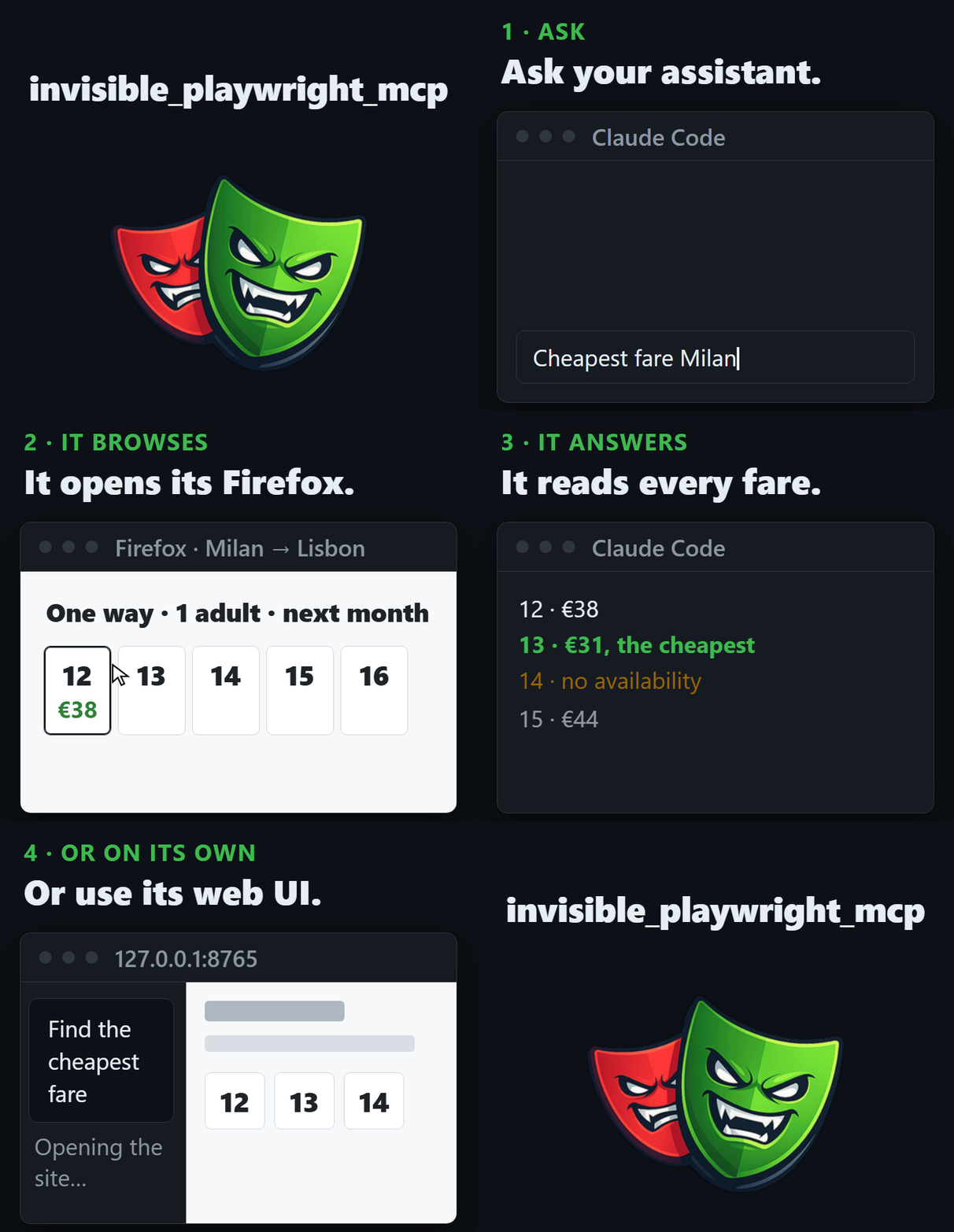
Go to <paste the URL>. One way, Milan to Lisbon, economy, one checked bag,
one adult. Check every date from the 12th to the 16th of next month, one at a
time, and read the cheapest fare for each day. The date field is a calendar
widget, so click the days rather than typing them. If a date has no
availability, say so. Do not guess a number.
It drives the page the way a person would: the pointer moves, keys are pressed.
Options: proxy, profile, seed
--openrouter-key Your key, or the OPENROUTER_API_KEY variable.
--model An OpenRouter model id, or INVISIBLE_MCP_MODEL. Defaults to z-ai/glm-5.3-flash.
--proxy Optional. http://user:[email protected]:8080 or
socks5://proxy.example.com:1080. Host and port are both required. The
timezone, locale and egress follow it.
--binary An engine binary you already have. It must be the build the seal
pins, or startup refuses: this skips the download, not the version check.
--seed An integer. Same seed, same browser identity, every run.
--profile-dir A directory to keep the profile in, so logins and cookies
survive restarts.
--headed Show the browser window. The interface shows you the page anyway.
--host, --port127.0.0.1 and 8765. Changing the host
exposes an interface that has no authentication.
A .env beside the command
Rather than retyping the key and the binary path, put them in a .env in the
directory you run from:
It is read at startup, and on the way in it never overrides something
already set, so the order is --flag > the environment > .env > the default.
Only the directory you are in is read - there is no search upwards, so running
from a subfolder cannot silently pick up a different key. The startup line names
the variables it applied and never prints their values.
Passing --openrouter-key puts the key in your shell history, and on Linux in
the process list. OPENROUTER_API_KEY in the environment or in a .env avoids
both.
The MCP server from option 1 ships inside this package: invisible_playwright_mcp with no
subcommand is the server, invisible-playwright-mcp ui the interface. Its config blocks for
clients that take a file, its settings and its tools are on the wiki page
The MCP server.
invisible_playwright
The engine, as a Python library, for writing code instead of prompts. The API
is Playwright's.
invisible_core
Seed to fingerprint to preferences, proxy and geolocation.
Using it responsibly
This automates a browser under your control. Read the terms of the sites you
point it at, respect their rate limits, and do not submit anything a human has
not read.
Privacy Policy
This browser agent runs on your machine and has no server of its own. What
leaves your computer, and to whom:
The sites you visit see the browser, as they would any Firefox.
Your model provider. The web UI sends the conversation and what the agent
reads on the page to OpenRouter under your key. Over MCP, the client you
plugged it into does the same with whichever model it uses.
GitHub. The engine is downloaded from a GitHub release the first time
the server or the interface starts, and a GeoIP database is when a proxy is
set. Each browser launch also fetches a one-line counter file from a GitHub
release, which is how launches are counted: the request carries no
identifier and nothing of yours, and GitHub sees what any HTTPS request
shows, your IP address.
Nothing else is collected and nothing is sent to the author. Sessions,
profiles and screenshots are stored locally, under INVISIBLE_MCP_HOME if set and
otherwise in the application-data directory of your system, and are yours to
delete; nothing is retained anywhere else. Questions go to the
issues.
License
MIT. Everything
distributed before 2 September 2026 was released under AGPL-3.0 and stays under
it.


 这是 dots,一个 Playwright MCP 服务器,为 AI agent 提供一个打过补丁的真实 Firefox 浏览器,让它们浏览网页时不会被反机器人系统或验证码拦截。