
869 ·GitHub
What is this?
 This is dots, a Playwright MCP server that gives AI agents a real, patched Firefox browser so they can browse the web without being flagged by anti-bot systems or captchas.
Is this a stealth browser or just a wrapper script around Playwright?It is not a surface-level wrapper: dots patches a real Firefox engine in C++ so the browser itself behaves like a genuine user, then exposes that browser to AI agents as an MCP server.
It is not a surface-level wrapper: dots patches a real Firefox engine in C++ so the browser itself behaves like a genuine user, then exposes that browser to AI agents as an MCP server.How do I get it running?Install it with the PowerShell script on Windows or the shell script on Linux, then run the dots command to open a split view with the AI conversation on one side and the live browser on the other.
Install it with the PowerShell script on Windows or the shell script on Linux, then run the dots command to open a split view with the AI conversation on one side and the live browser on the other.Which coding agents or models does it work with?dots acts as an MCP server for any MCP client, including Claude Code, Codex and Gemini CLI, and the underlying model can be anything on OpenRouter, switched with the --model flag.
dots acts as an MCP server for any MCP client, including Claude Code, Codex and Gemini CLI, and the underlying model can be anything on OpenRouter, switched with the --model flag.Does it guarantee my agent never gets blocked?No — the project's premise is that most agent failures come from the browser, not the model, so pages that don't load, challenges that pop up, expired logins or missed clicks can still happen, and it is an independent tool, not affiliated with OpenAI.
No — the project's premise is that most agent failures come from the browser, not the model, so pages that don't load, challenges that pop up, expired logins or missed clicks can still happen, and it is an independent tool, not affiliated with OpenAI.Does the browser keep my logins between sessions?Yes, --profile-dir persists cookies and logins across runs, and --seed keeps the same fingerprint (screen, fonts, GPU, timezone, language) so the browser looks like the same person every time.
Yes, --profile-dir persists cookies and logins across runs, and --seed keeps the same fingerprint (screen, fonts, GPU, timezone, language) so the browser looks like the same person every time.How does dots actually avoid detection?It patches the Firefox engine itself so there is no WebDriver flag, no DevTools protocol, and no automation globals for a page to find, and it moves the mouse and presses keys the way a real person would.
It patches the Firefox engine itself so there is no WebDriver flag, no DevTools protocol, and no automation globals for a page to find, and it moves the mouse and presses keys the way a real person would.Can I route the browser through a proxy?Yes, the --proxy flag changes the browser's timezone and language to match wherever the proxy exits from, so the identity stays consistent with the connection location.
Yes, the --proxy flag changes the browser's timezone and language to match wherever the proxy exits from, so the identity stays consistent with the connection location.What is 'dots' exactly?dots is the command-line interface for this stealth browser — running it opens the live chat/browser split view, and dots --help lists every available option.
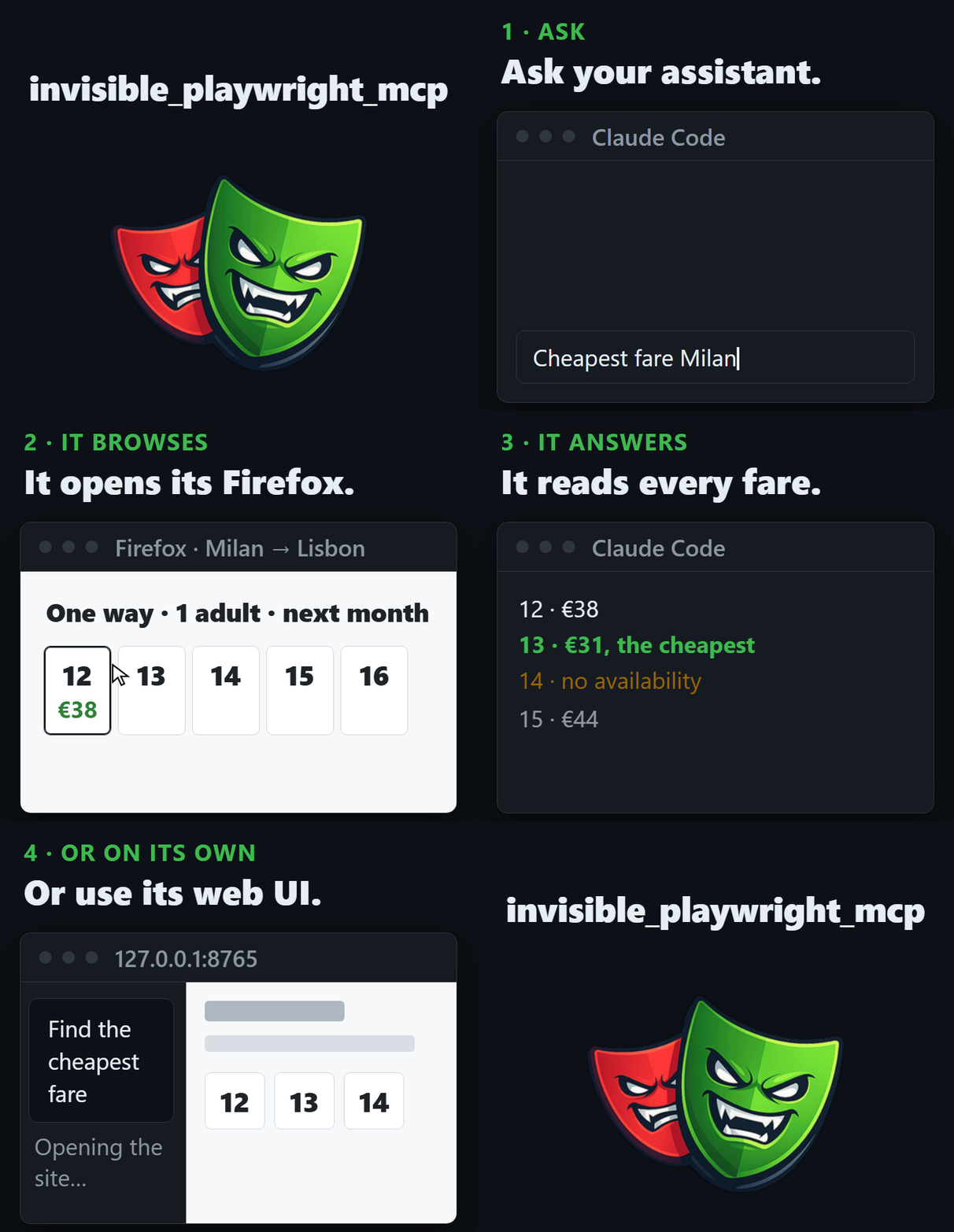
dots is the command-line interface for this stealth browser — running it opens the live chat/browser split view, and dots --help lists every available option.What kind of tasks is it built for?The README's example has an agent checking flight prices across a date range on a travel site, pointing to multi-step, anti-bot-protected browsing tasks like job hunting and scraping.
The README's example has an agent checking flight prices across a date range on a travel site, pointing to multi-step, anti-bot-protected browsing tasks like job hunting and scraping.What are similar projects?puppeteer, selenium, browser-use, nanobrowser, stealth-browser-mcp, ovobrowser, camofox-browser, CloakBrowser
puppeteer, selenium, browser-use, nanobrowser, stealth-browser-mcp, ovobrowser, camofox-browser, CloakBrowserWhich topics is it in?gemini-cli-extension, job-hunting, anti-detect-browser, browser-agent, stealth-browser, antidetect-browser, webscraping, web-automation, mcp-tools, llm-agent, open-source-alternative, firefox
gemini-cli-extension, job-hunting, anti-detect-browser, browser-agent, stealth-browser, antidetect-browser, webscraping, web-automation, mcp-tools, llm-agent, open-source-alternative, firefox