

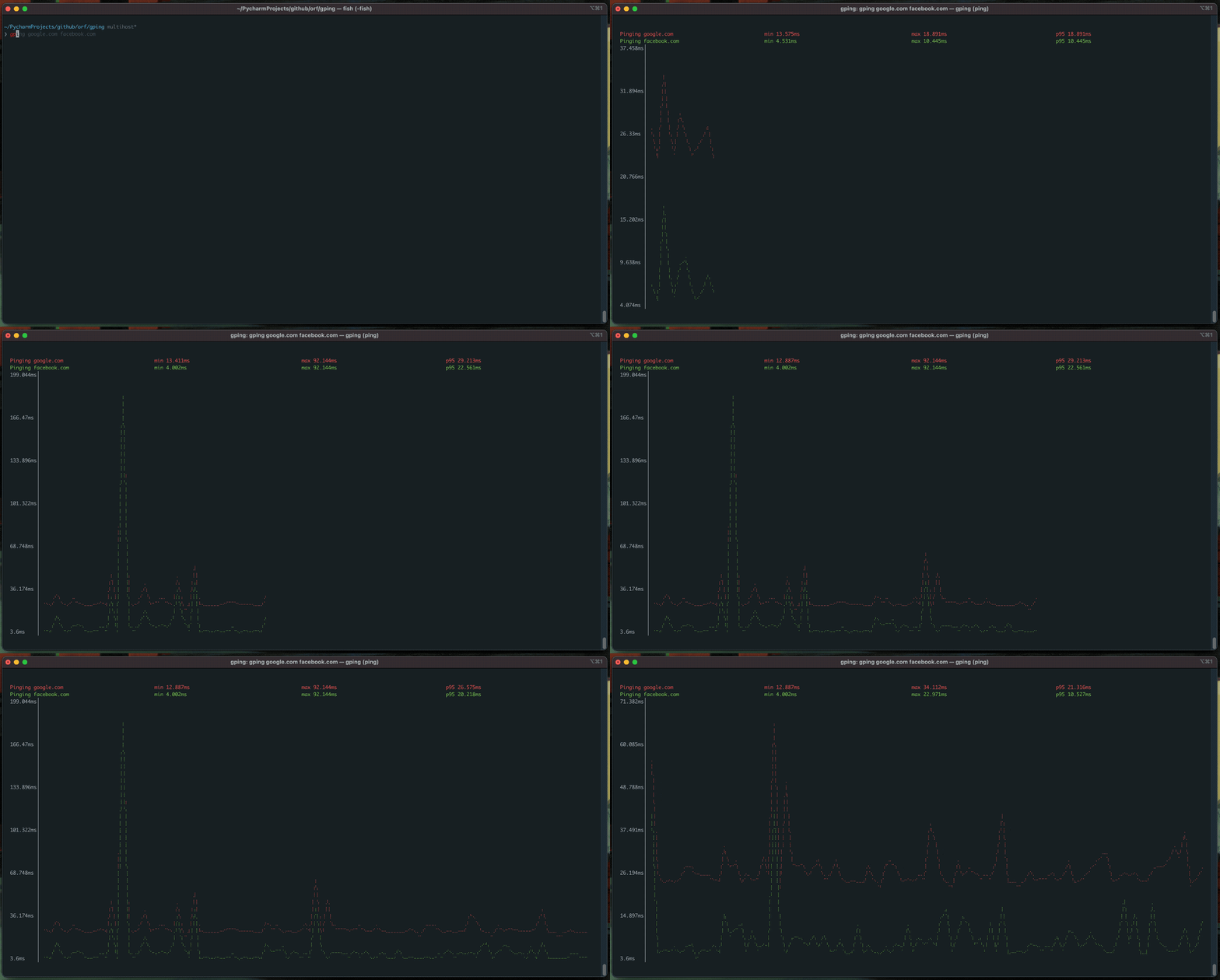

What is this?
 gping is a command-line tool written in Rust that pings one or more hosts and shows the response times as a live graph right in your terminal, instead of the usual scrolling text output of ping.
gping is a command-line tool written in Rust that pings one or more hosts and shows the response times as a live graph right in your terminal, instead of the usual scrolling text output of ping.Is this a GUI app or does it run inside my terminal?It's a plain terminal (CLI/TUI) program — no separate window, it draws the graph directly in your terminal and works the same way on Windows, macOS and Linux.
It's a plain terminal (CLI/TUI) program — no separate window, it draws the graph directly in your terminal and works the same way on Windows, macOS and Linux.Do I need Rust installed to use it?Only if you install via Cargo, which needs rustc 1.67.0 or newer; every other packaged install (Homebrew, apt, Scoop, Docker, etc.) ships a ready binary with no Rust required.
Only if you install via Cargo, which needs rustc 1.67.0 or newer; every other packaged install (Homebrew, apt, Scoop, Docker, etc.) ships a ready binary with no Rust required.Can I ping cloud regions directly?Yes, using shorthand like 'aws:eu-west-1' or 'aws:ca-central-1', but currently only AWS regions are supported this way.
Yes, using shorthand like 'aws:eu-west-1' or 'aws:ca-central-1', but currently only AWS regions are supported this way.Can I customize the graph's appearance?Yes, gping supports custom colours for the plotted lines.
Yes, gping supports custom colours for the plotted lines.What if my Linux distro has an old glibc?Download the MUSL build from the latest GitHub release instead of the standard binary, which avoids glibc version issues.
Download the MUSL build from the latest GitHub release instead of the standard binary, which avoids glibc version issues.What does the --cmd flag do?Instead of pinging a host, it graphs how long a given shell command takes to run each time, e.g. 'gping --cmd "curl google.com"'.
Instead of pinging a host, it graphs how long a given shell command takes to run each time, e.g. 'gping --cmd "curl google.com"'.Which topics is it in?network-monitoring, graph, homebrew, tui, cli-tool, shell, monitoring, command-line, networking, rust, command-line-tool, terminal
network-monitoring, graph, homebrew, tui, cli-tool, shell, monitoring, command-line, networking, rust, command-line-tool, terminal