Что это?
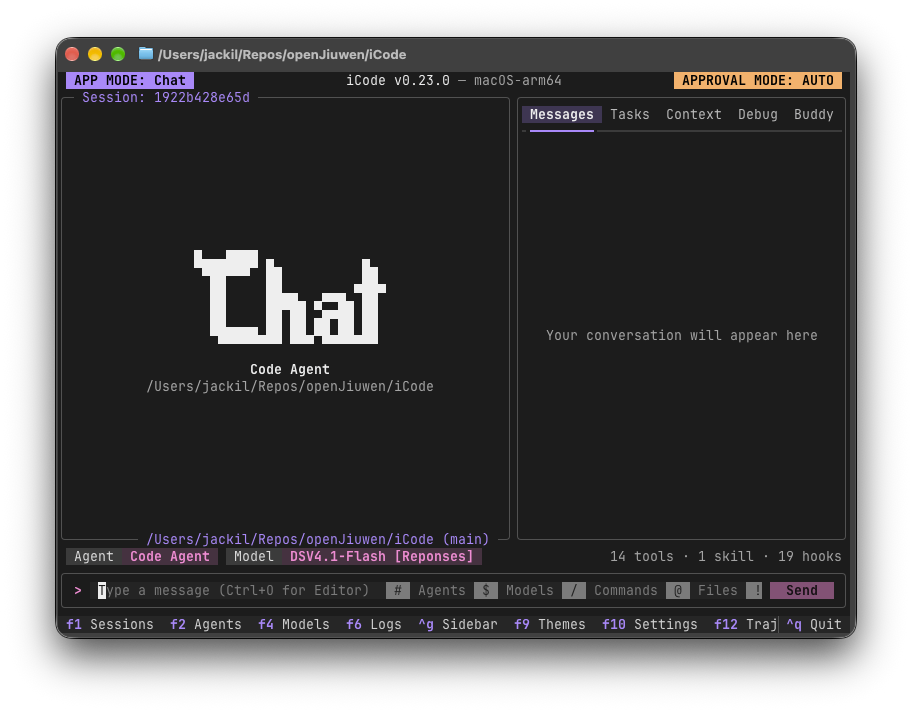
 iCode — это лёгкая, полностью офлайн терминальная платформа (TUI) для запуска и оркестрации ИИ-агентов и многоагентных воркфлоу, дающая полный контроль над своими агентами, моделями и данными.
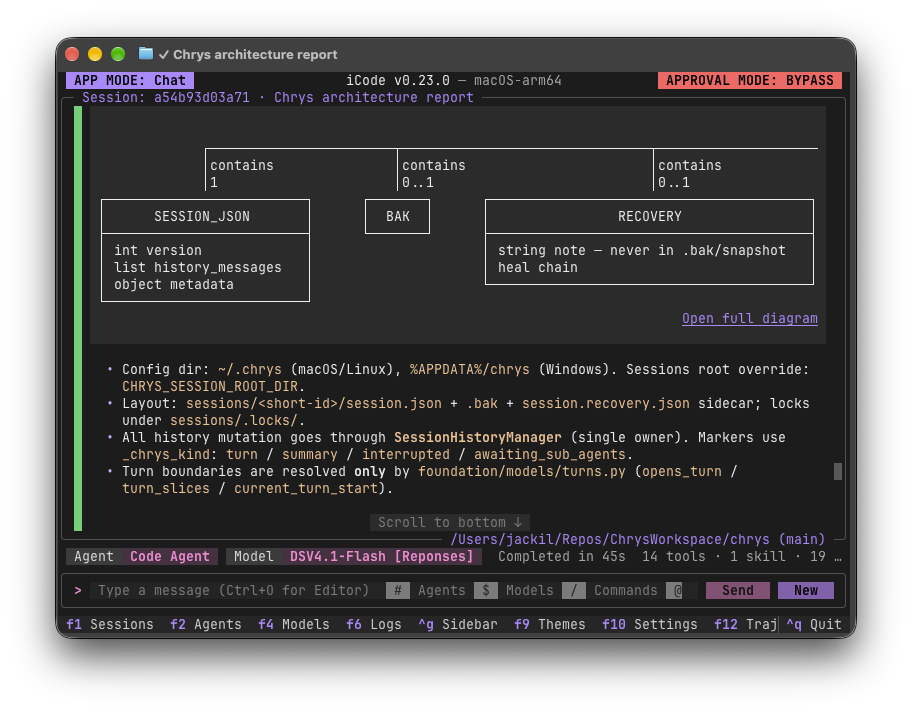
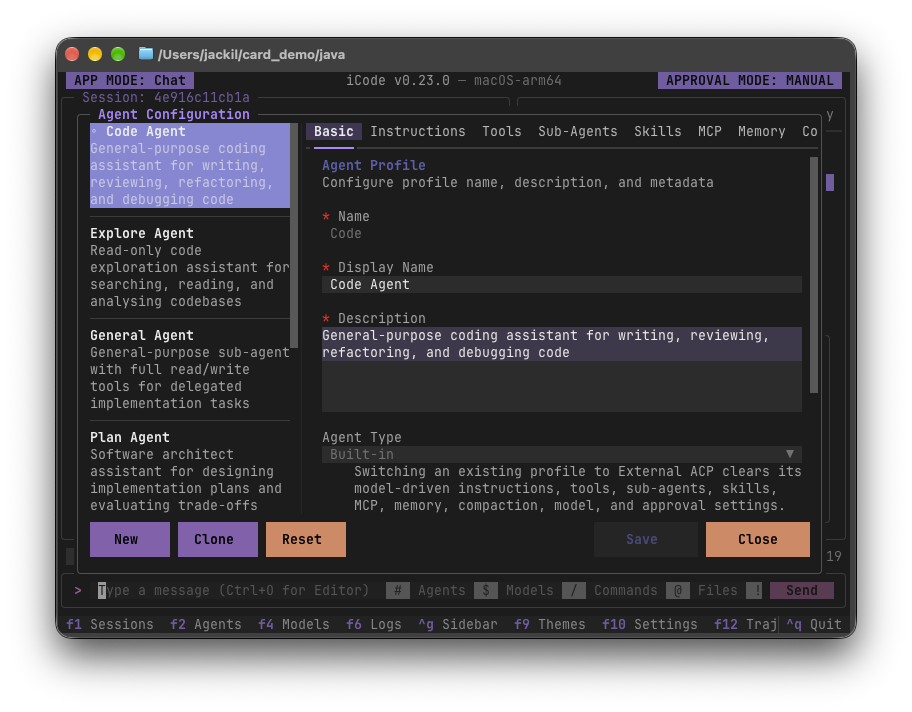
iCode — это лёгкая, полностью офлайн терминальная платформа (TUI) для запуска и оркестрации ИИ-агентов и многоагентных воркфлоу, дающая полный контроль над своими агентами, моделями и данными.Это простой чат-интерфейс или полноценная платформа оркестрации агентов?Это больше, чем чат-бот: агенты — это чистая конфигурация (инструкции, инструменты, суб-агенты, навыки, MCP-серверы и память), которую можно выстраивать в многошаговые воркфлоу, наблюдать выполнение по узлам и проверять инструментами diff и отката.
Это больше, чем чат-бот: агенты — это чистая конфигурация (инструкции, инструменты, суб-агенты, навыки, MCP-серверы и память), которую можно выстраивать в многошаговые воркфлоу, наблюдать выполнение по узлам и проверять инструментами diff и отката.Как его запустить?Установите uv, затем запустите iCode из клона репозитория; uv автоматически подготовит Python 3.14 за вас.
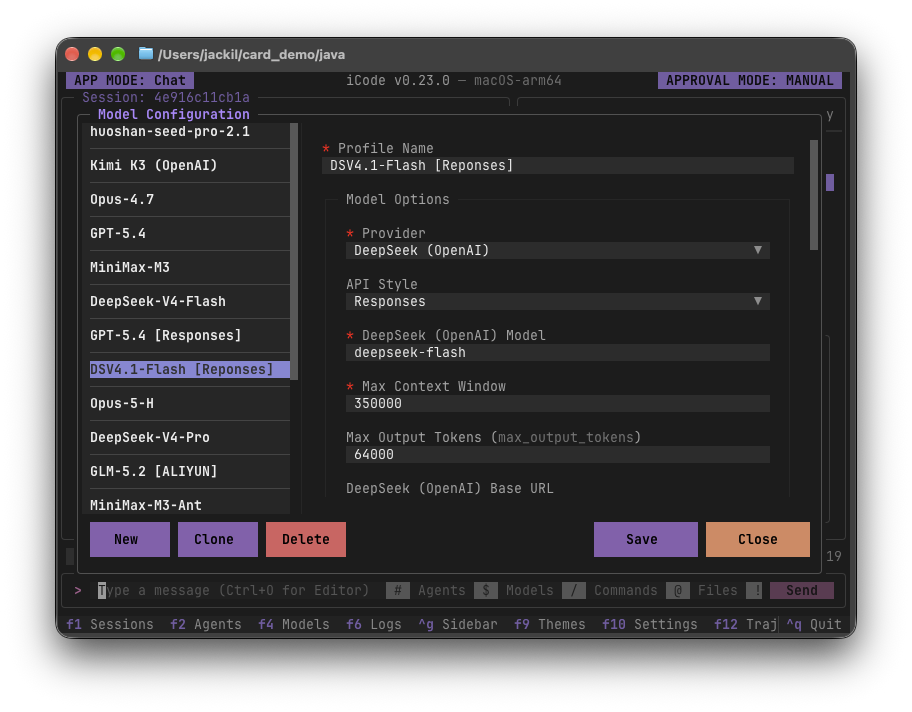
Установите uv, затем запустите iCode из клона репозитория; uv автоматически подготовит Python 3.14 за вас.Нужно ли приносить свою модель ИИ или API-ключ?Да — iCode не содержит профилей моделей и не включает самой модели ИИ, поэтому при первом запуске нужно нажать F4, чтобы добавить своего провайдера моделей.
Да — iCode не содержит профилей моделей и не включает самой модели ИИ, поэтому при первом запуске нужно нажать F4, чтобы добавить своего провайдера моделей.Достаточно ли он стабилен, чтобы на него полагаться прямо сейчас?Ещё не полностью стабилен: проект прямо предупреждает, что интерфейсы, форматы файлов и настройки по умолчанию всё ещё меняются между релизами.
Ещё не полностью стабилен: проект прямо предупреждает, что интерфейсы, форматы файлов и настройки по умолчанию всё ещё меняются между релизами.Работает ли он на Windows, macOS и Linux?Да, работает на всех трёх; лучше всего использовать его в современном терминале, например Windows Terminal на Windows или Ghostty на macOS и Linux.
Да, работает на всех трёх; лучше всего использовать его в современном терминале, например Windows Terminal на Windows или Ghostty на macOS и Linux.Отправляет ли iCode мои данные куда-либо?По умолчанию он ничего никуда не отправляет — никакой телеметрии, аналитики или отчётов о сбоях — и общается только с теми адресатами, которых вы явно настроили, например с провайдерами моделей или MCP-серверами.
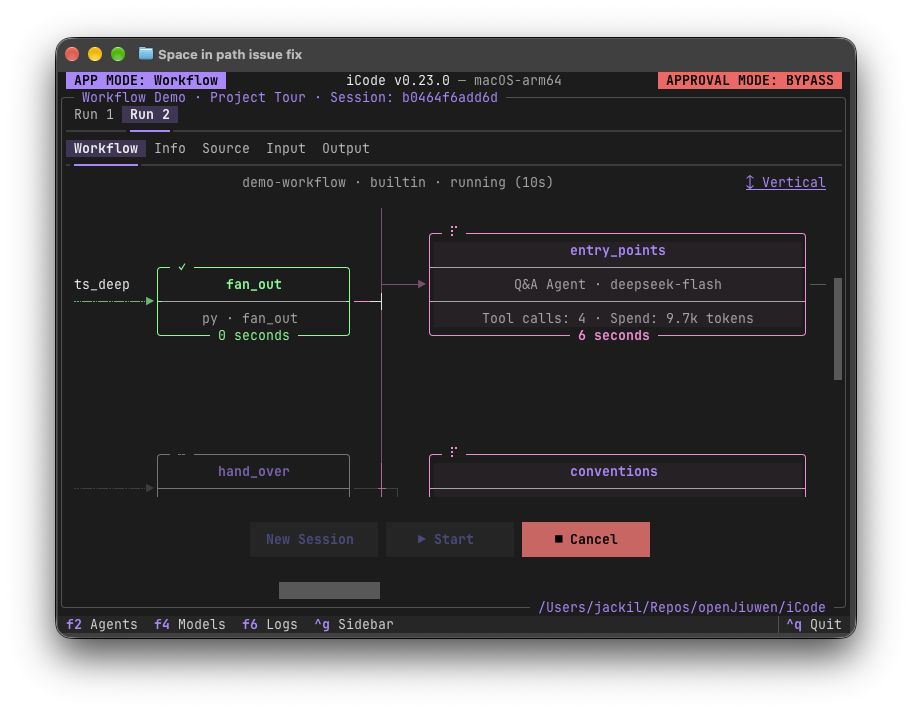
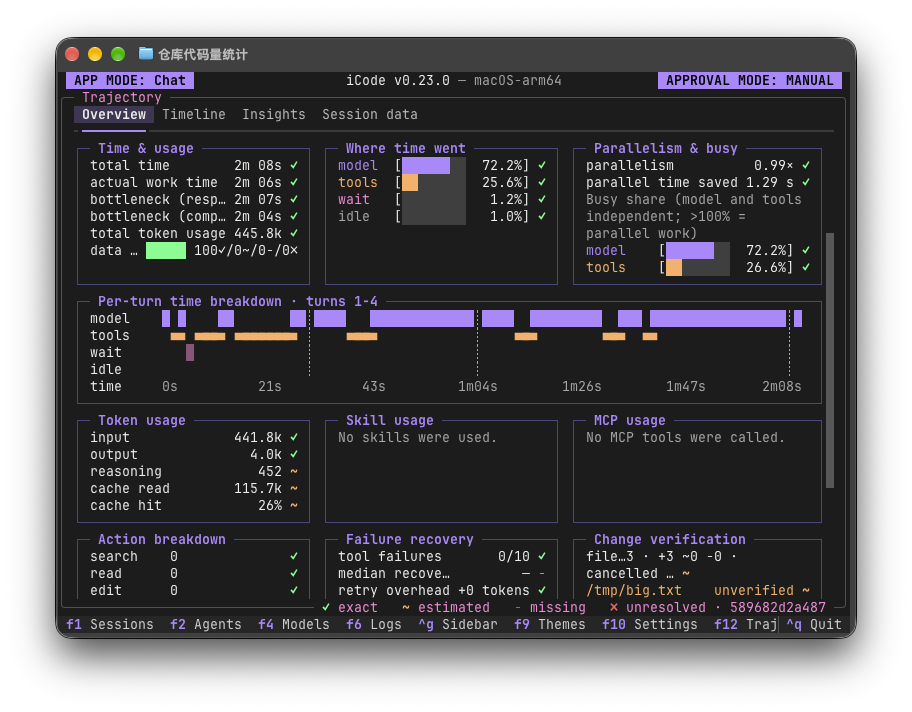
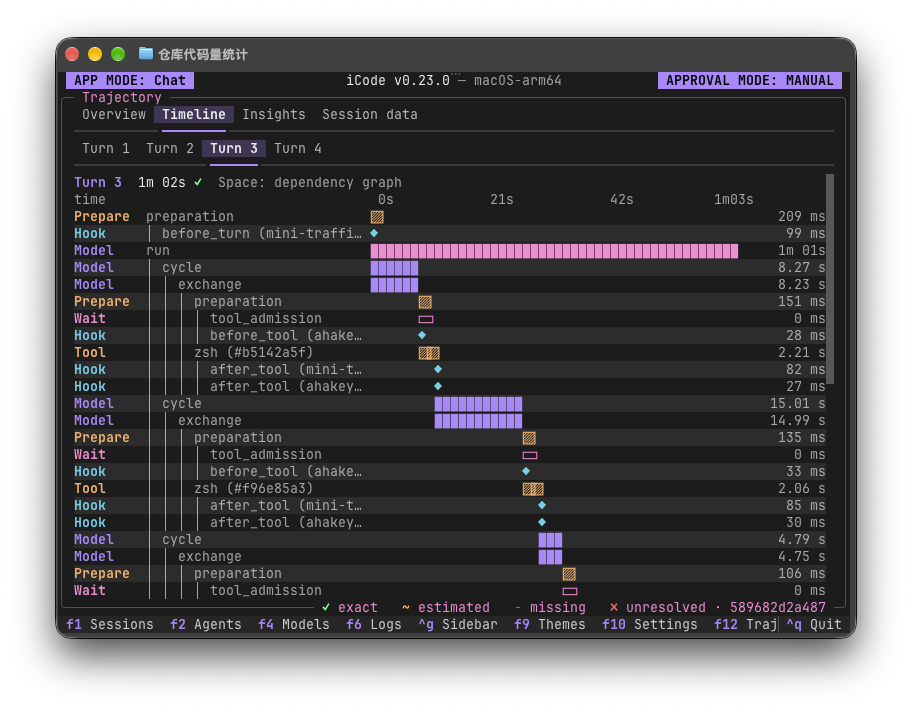
По умолчанию он ничего никуда не отправляет — никакой телеметрии, аналитики или отчётов о сбоях — и общается только с теми адресатами, которых вы явно настроили, например с провайдерами моделей или MCP-серверами.Могу ли я наблюдать, что делает воркфлоу во время выполнения?Да — вид Workflows показывает вживую модель, вызовы инструментов и расход токенов каждого узла агента, а вид Trajectory (F12) раскладывает время и расход токенов по ходам за весь прогон.
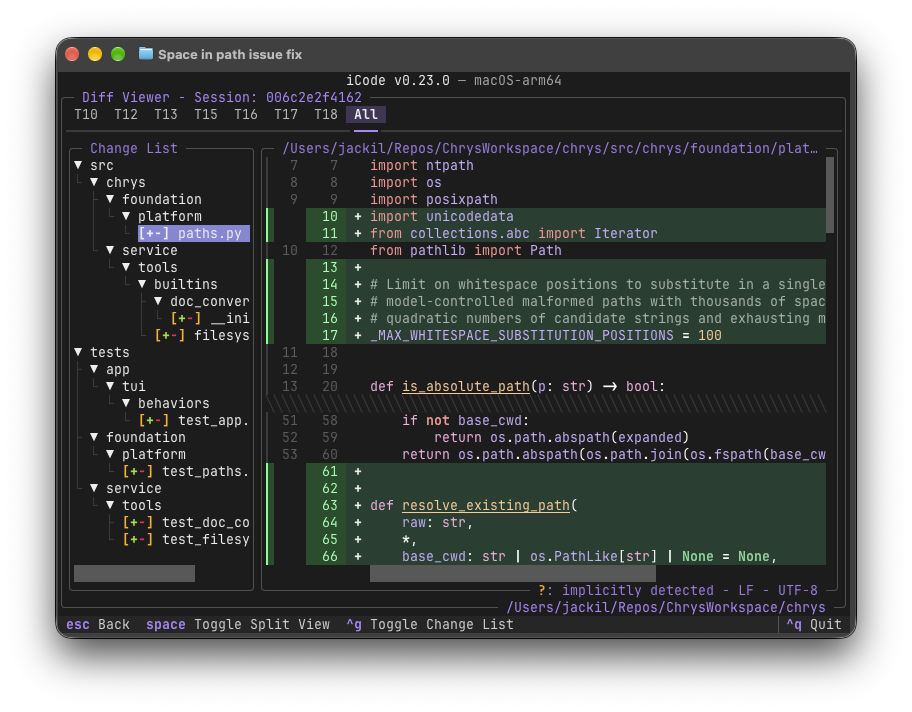
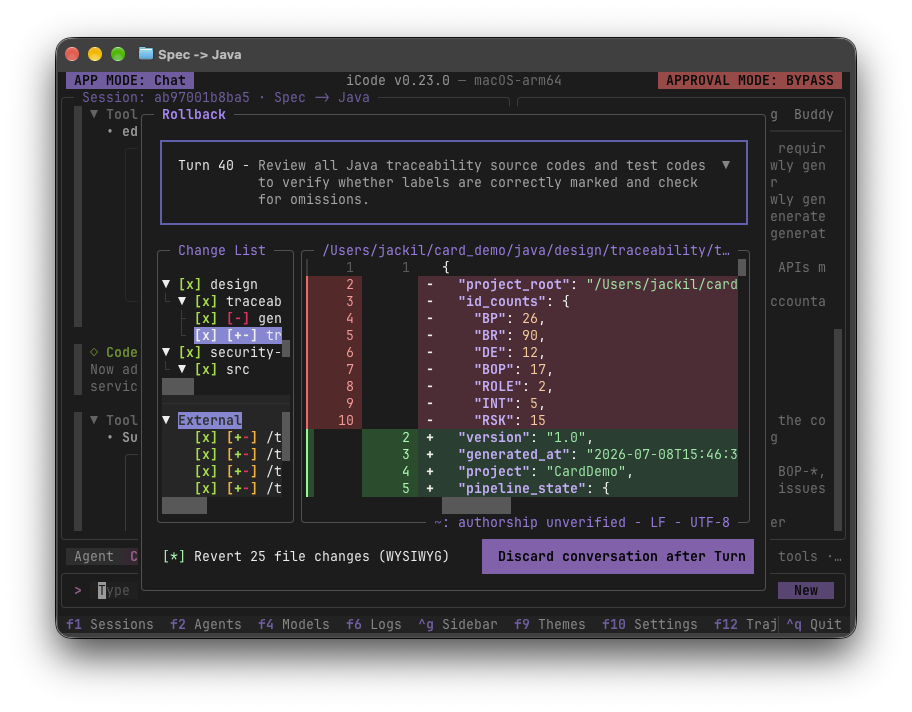
Да — вид Workflows показывает вживую модель, вызовы инструментов и расход токенов каждого узла агента, а вид Trajectory (F12) раскладывает время и расход токенов по ходам за весь прогон.Что делать, если мне не нравятся изменения, внесённые агентом?Вид Diff показывает каждый файл, изменённый агентом, по ходам или всё сразу, а Rollback позволяет выбрать ход, посмотреть предпросмотр изменений, которые будут отменены, и отбросить беседу.
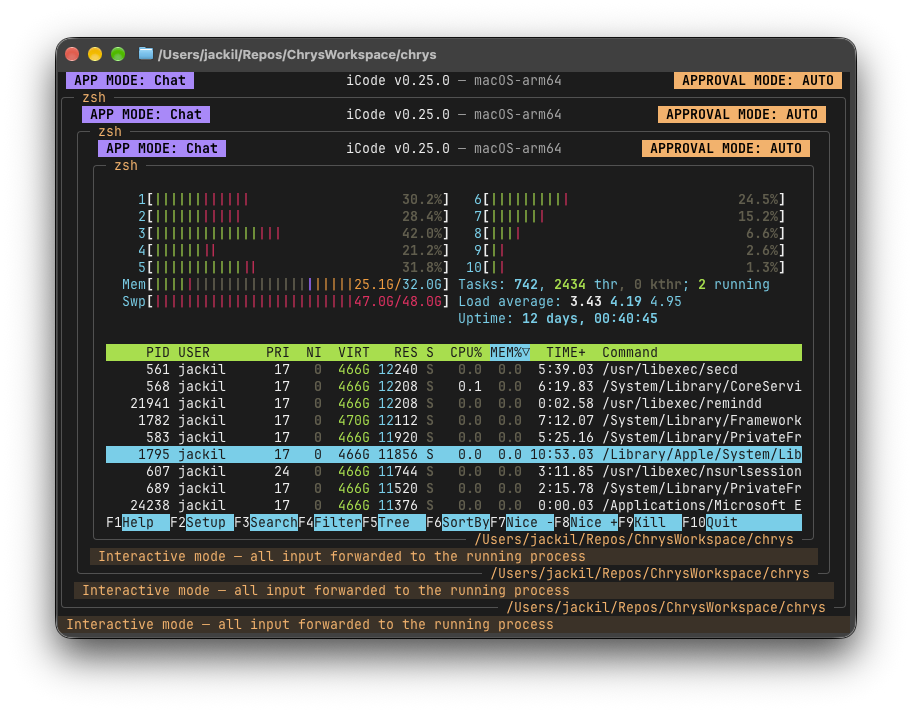
Вид Diff показывает каждый файл, изменённый агентом, по ходам или всё сразу, а Rollback позволяет выбрать ход, посмотреть предпросмотр изменений, которые будут отменены, и отбросить беседу.Могут ли агенты запускать настоящие терминальные программы, а не только текстовые команды?Да, встроенная оболочка (вызывается символом !) — это настоящий терминал, передающий каждое нажатие клавиши, поэтому полноэкранные программы вроде htop запускаются прямо внутри iCode.
Да, встроенная оболочка (вызывается символом !) — это настоящий терминал, передающий каждое нажатие клавиши, поэтому полноэкранные программы вроде htop запускаются прямо внутри iCode.Как выглядит переключение моделей посреди беседы?Нажатие F4 открывает профили моделей от разных провайдеров бок о бок, между которыми можно переключаться, не прерывая текущую беседу.
Нажатие F4 открывает профили моделей от разных провайдеров бок о бок, между которыми можно переключаться, не прерывая текущую беседу.Which topics is it in?offline-first, agent-framework, workflow, workflow-automation, tui, orchestration, model-context-protocol, offline, agentic-ai, multi-agent, agents, local-first
offline-first, agent-framework, workflow, workflow-automation, tui, orchestration, model-context-protocol, offline, agentic-ai, multi-agent, agents, local-first