What is this?
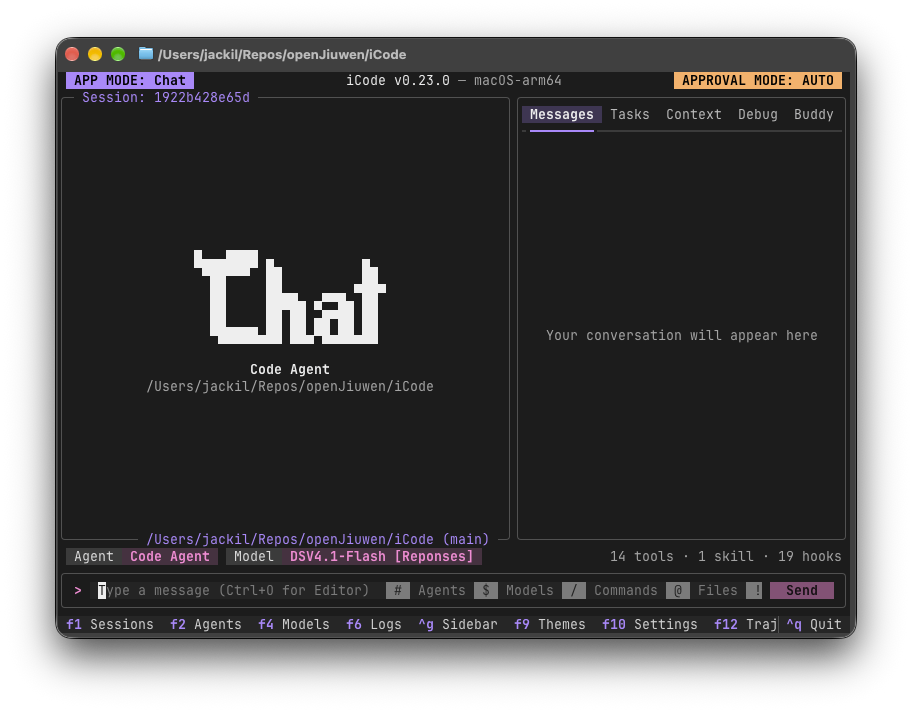
 iCode is a lightweight, fully offline terminal (TUI) platform for running and orchestrating AI agents and multi-agent workflows, giving you complete control over your agents, models and data.
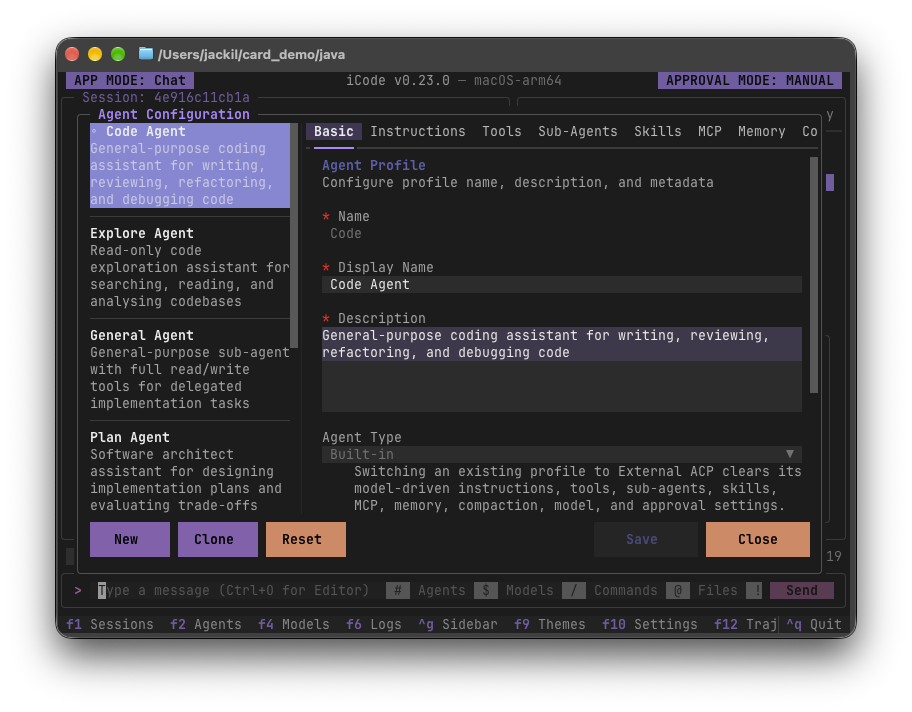
iCode is a lightweight, fully offline terminal (TUI) platform for running and orchestrating AI agents and multi-agent workflows, giving you complete control over your agents, models and data.Is this a simple chat UI or a full agent orchestration platform?It is more than a chatbot: agents are pure configuration (instructions, tools, sub-agents, skills, MCP servers and memory) that you can chain into multi-step workflows, watch run node by node, and review with diff and rollback tools.
It is more than a chatbot: agents are pure configuration (instructions, tools, sub-agents, skills, MCP servers and memory) that you can chain into multi-step workflows, watch run node by node, and review with diff and rollback tools.How do I get it running?Install uv, then run iCode from a checkout of the repository; uv provisions Python 3.14 for you automatically.
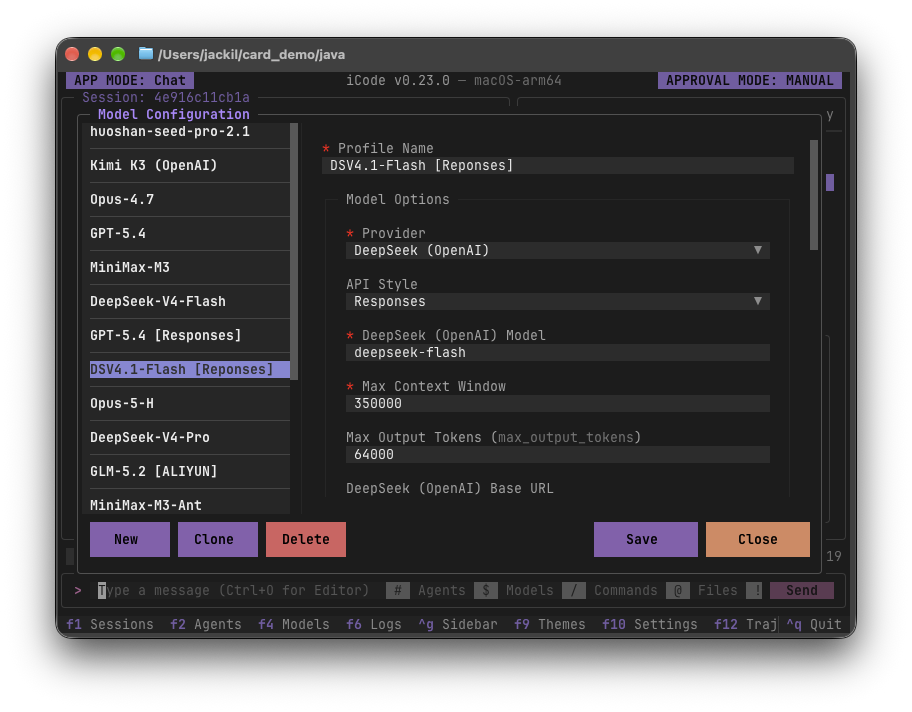
Install uv, then run iCode from a checkout of the repository; uv provisions Python 3.14 for you automatically.Do I need to bring my own AI model or API key?Yes — iCode bundles no model profiles and includes no AI model itself, so on first launch you press F4 to add your own model provider.
Yes — iCode bundles no model profiles and includes no AI model itself, so on first launch you press F4 to add your own model provider.Is it stable enough to rely on right now?Not yet fully stable: the project explicitly warns that interfaces, file formats and defaults still change between releases.
Not yet fully stable: the project explicitly warns that interfaces, file formats and defaults still change between releases.Does it work on Windows, macOS, and Linux?Yes, it runs on all three; it's best used in a modern terminal such as Windows Terminal on Windows or Ghostty on macOS and Linux.
Yes, it runs on all three; it's best used in a modern terminal such as Windows Terminal on Windows or Ghostty on macOS and Linux.Does iCode send my data anywhere?By default it sends nothing anywhere — no telemetry, analytics or crash reporting — and only talks to destinations you explicitly configure, like your model providers or MCP servers.
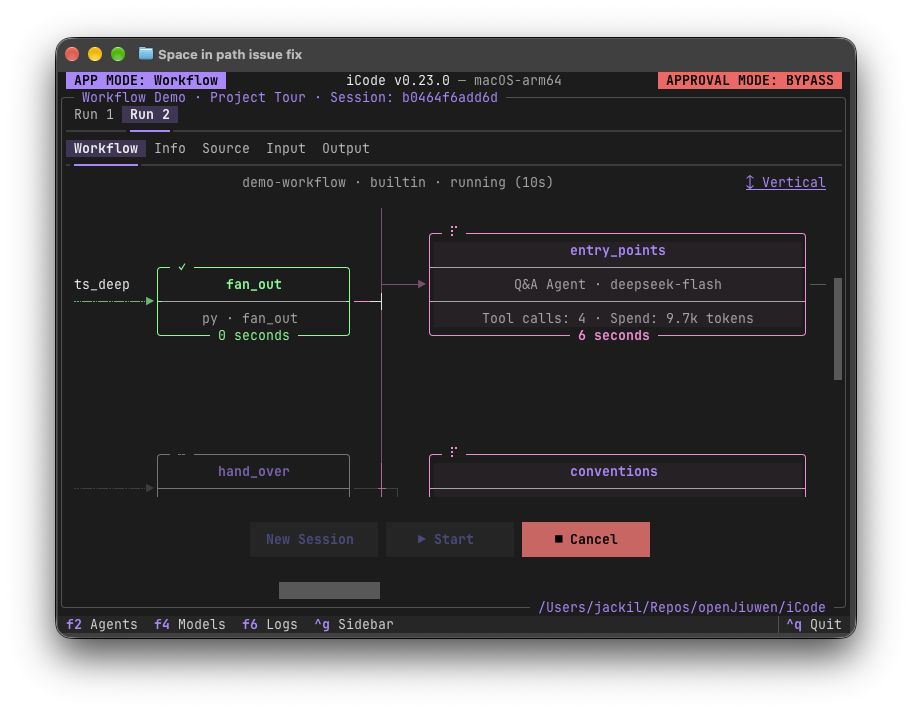
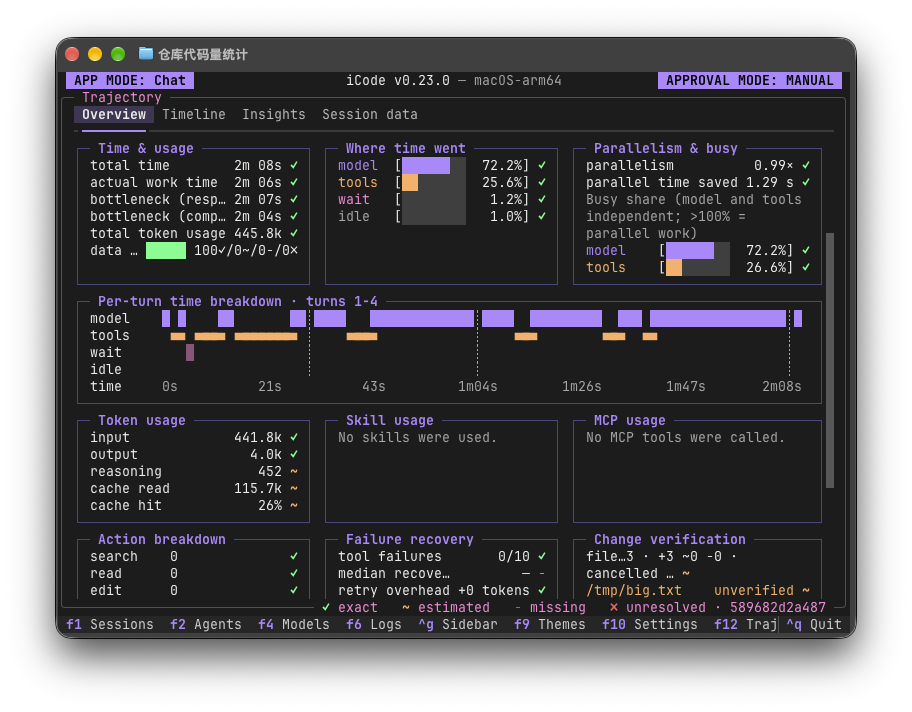
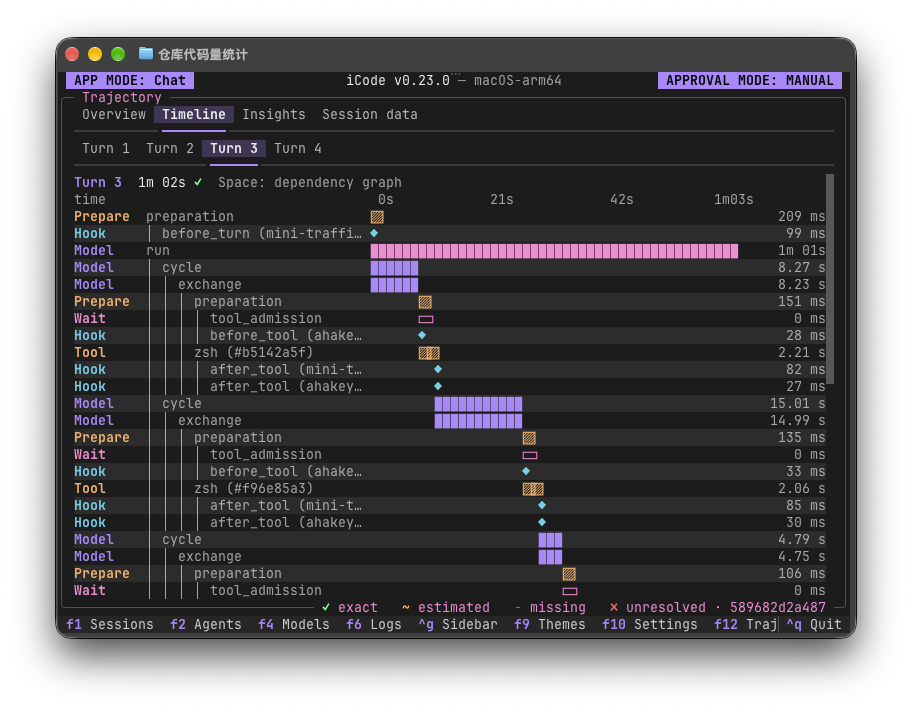
By default it sends nothing anywhere — no telemetry, analytics or crash reporting — and only talks to destinations you explicitly configure, like your model providers or MCP servers.Can I watch what a workflow is doing while it runs?Yes — the Workflows view shows each agent node's model, tool calls and token spend live, and the Trajectory view (F12) breaks down time and token usage per turn across the whole run.
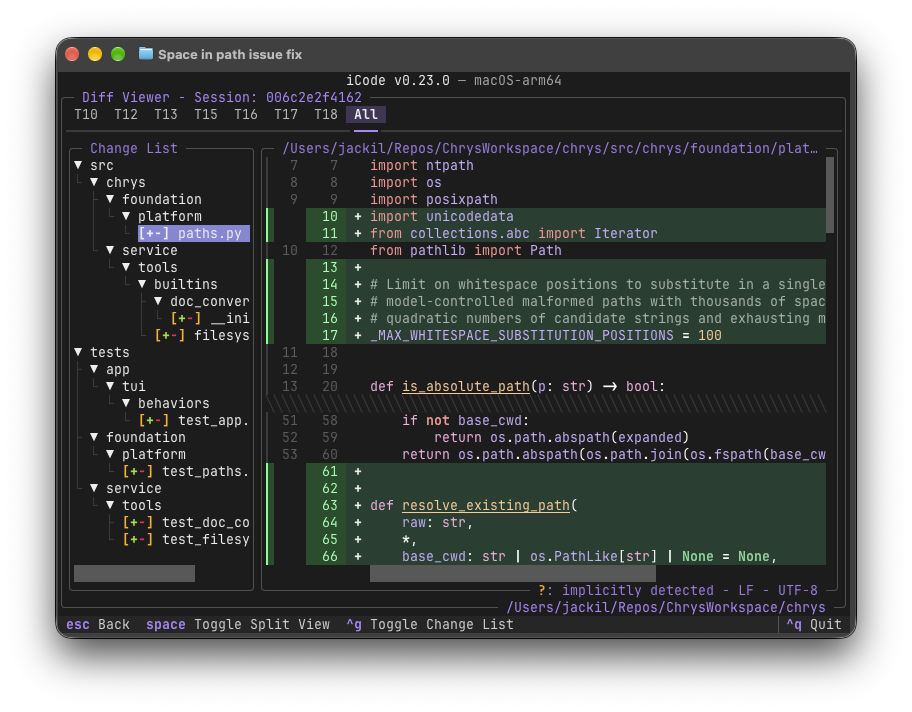
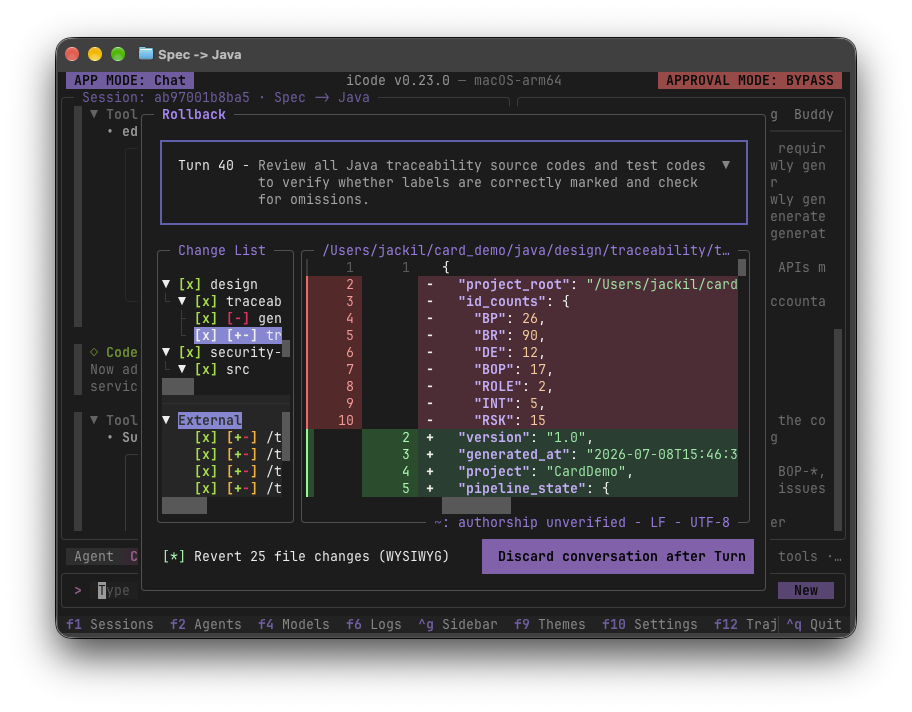
Yes — the Workflows view shows each agent node's model, tool calls and token spend live, and the Trajectory view (F12) breaks down time and token usage per turn across the whole run.What if I don't like the changes an agent made?The Diff view shows every file an agent changed, turn by turn or all at once, and Rollback lets you pick a turn, preview the changes that would be reverted, and discard the conversation.
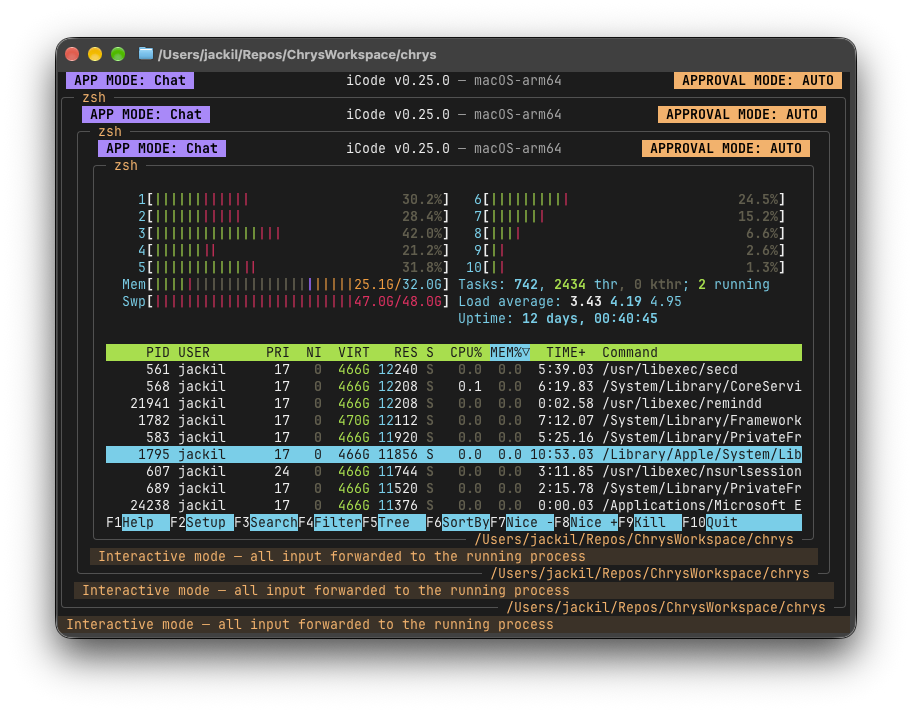
The Diff view shows every file an agent changed, turn by turn or all at once, and Rollback lets you pick a turn, preview the changes that would be reverted, and discard the conversation.Can agents run real terminal programs, not just text commands?Yes, the built-in shell (triggered with !) is a real terminal that forwards every keystroke, so full-screen programs like htop run in place inside iCode.
Yes, the built-in shell (triggered with !) is a real terminal that forwards every keystroke, so full-screen programs like htop run in place inside iCode.What does switching models mid-conversation look like?Pressing F4 opens side-by-side model profiles from different providers, which you can switch between without ending the current conversation.
Pressing F4 opens side-by-side model profiles from different providers, which you can switch between without ending the current conversation.Which topics is it in?offline-first, agent-framework, workflow, workflow-automation, tui, model-context-protocol, orchestration, offline, agentic-ai, multi-agent, agents, local-first
offline-first, agent-framework, workflow, workflow-automation, tui, model-context-protocol, orchestration, offline, agentic-ai, multi-agent, agents, local-first